
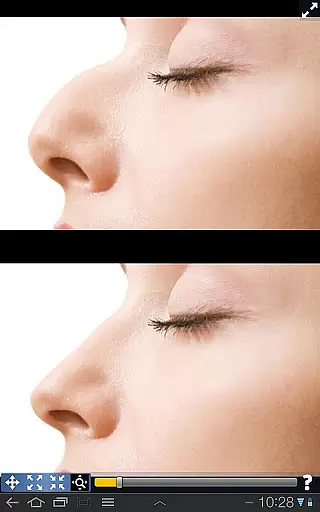
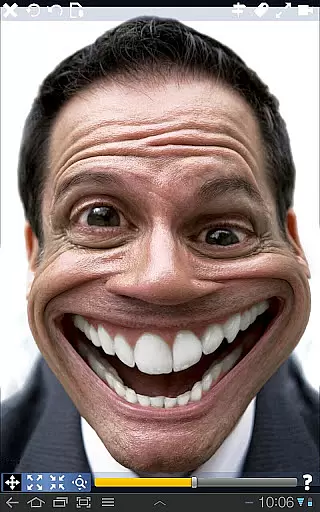
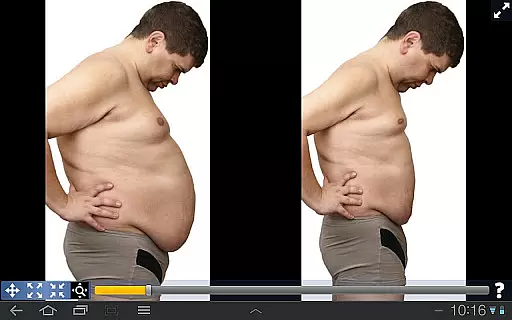
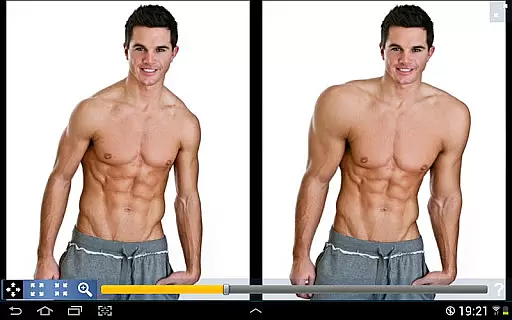
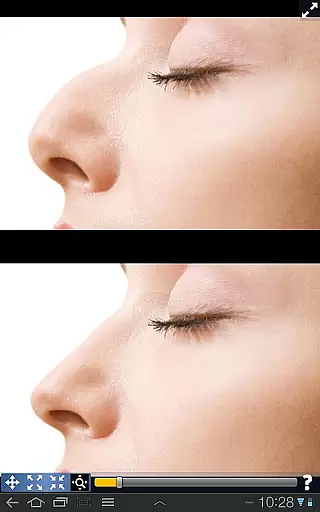
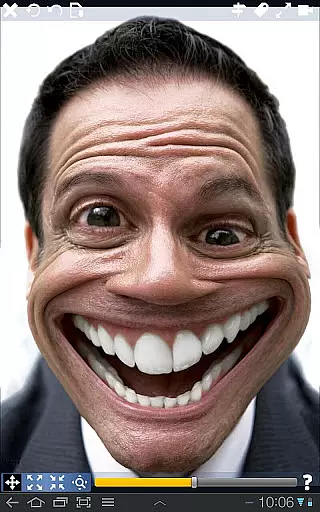
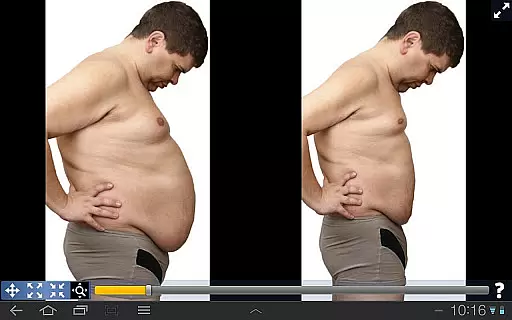
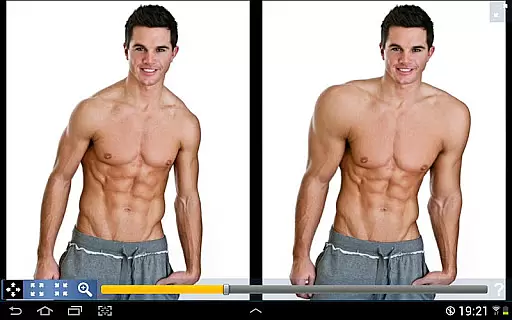
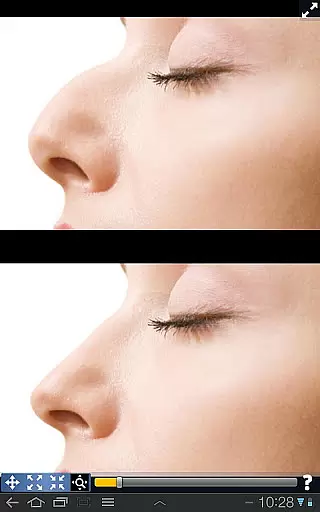
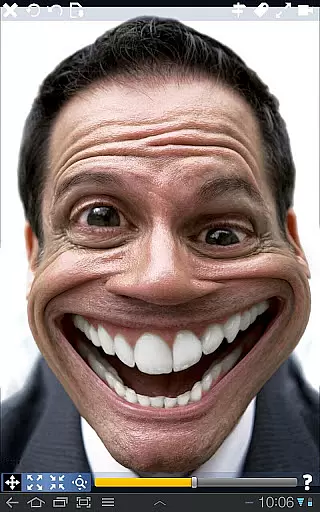
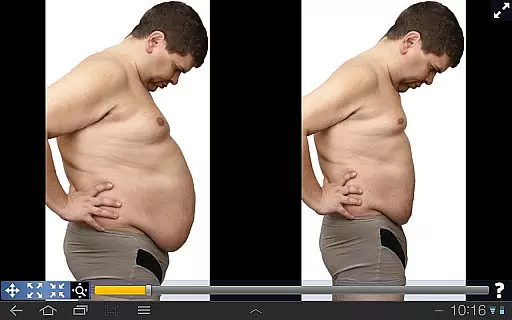
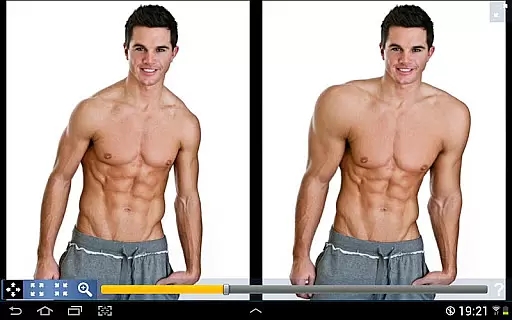
Plastic Surgery Simulator is a powerful photo editing application designed for creative image manipulation. The app allows users to simulate physical transformations by distorting specific areas of photos, such as reshaping facial features or altering body proportions. Its intuitive drag-and-resize functionality makes it easy to experiment with different looks, whether for fun or social media enhancement.
One standout feature is its dual display mode, which mirrors the image on both halves of the screen when the device is rotated. This ensures that users can modify images without their fingers obstructing the view, making it ideal for small touchscreens. With its smooth transformation algorithm, Plastic Surgery Simulator delivers professional-quality results while remaining user-friendly.
This app is perfect for anyone looking to explore creative photo editing, simulate cosmetic changes, or simply have fun experimenting with visual effects. Its innovative tools and seamless usability make it a valuable addition to any photography enthusiast's toolkit.
Plastic Surgery Simulator offers a range of advanced features tailored for creative photo distortion. At its core, the app utilizes a sophisticated photo distortion algorithm that ensures smooth and realistic transformations. Whether you're resizing facial features like the nose or chin, enhancing muscles, or shrinking unwanted areas, the results are consistently polished and natural-looking.
A unique aspect of this app is its dual display mode. When you rotate your device, the image is cloned onto the opposite half of the screen, allowing you to work on fine details without your hand blocking the view. This feature is particularly beneficial for users working on smaller devices, where screen real estate is limited.
Additionally, the app provides an intuitive interface with drag-and-resize controls, enabling users to easily manipulate images without requiring advanced technical skills. These features collectively enhance the user experience, making Plastic Surgery Simulator a versatile tool for both casual entertainment and professional-grade photo editing.
Real-time capture and preview functionality is essential for photography apps as it allows users to see the effects of their edits instantly. This feature ensures that users can make precise adjustments without delay.
Plastic Surgery Simulator excels in this area by providing a dual display mode. When you rotate your device, the image clones into the other half of the screen, enabling modifications without any obstructions from your fingers. This innovative approach enhances user experience significantly.
The app's powerful photo distortion algorithm further complements real-time previews by delivering smooth transformations. Users can drag, grow, or shrink body parts effortlessly, seeing immediate results on their screen.
This seamless integration of technology not only improves usability but also makes the editing process more enjoyable and efficient. Whether simulating body transformations or enhancing social media photos, real-time feedback is invaluable.
AI beauty and enhancement features are crucial for modern photography apps, aiming to produce natural-looking results. These tools help users improve their appearance while maintaining authenticity.
Plastic Surgery Simulator stands out with its advanced photo distortion capabilities. The app allows users to reshape or shrink various body parts like noses, chins, and lips with remarkable smoothness and precision.
Unlike many apps that may create artificial-looking edits, this app focuses on producing realistic outcomes. Its sophisticated algorithm ensures that all transformations appear lifelike and believable.
By prioritizing natural enhancements, Plastic Surgery Simulator offers a unique value proposition. Users can experiment with different looks confidently, knowing that their final images will retain an authentic feel.
User-friendly interface
Smooth transformation effects
Dual display convenience
Ideal for social media
Creative experimentation
Limited advanced tools
No batch editing
Few filters available
Occasional lag
Premium features locked

Gallery show photo, video, slideshow, is perfect 3D effect private photo albums.
 4.80
4.80
Photo Album Watch Face shows your favorite pictures as a Watchface.
1.90
AI photo editor with hair editor, retouch tools, hair color changer & filters!
4.50
Transform photos into videos! Create realistic or anime-style images easily!
4.50
The #1 app for B&W film developing featuring an advanced darkroom timer.
4.10
Movie camera, supports pro recording settings for filming. Try it and be amazed!
4.50
Add a dreamy vibe to your selfies and videos with soft style filters
4.1
Snap photos remotely using your Garmin watch as the camera trigger
4.3
Discover How to Plan any Sun, Moon and Milky Way Photo You Imagine in Seconds
4.70
Perfect body tune & face app - photo retouch, makeup, slim body & beautify face.
4.80
Automatically backup your photos and videos to computer, NAS and Cloud services
4.60
Cut and paste photo editor & eraser to customize photos easy and swap faces fun
4.50
Create Business Headshots, Polaroid Filter, Retake Photos,Profile Pics,AI Photos
4.50
Effortlessly organize, view and share your photos & videos with Gallery app!
4.40
Search, tag and rate your way to an organized image gallery
4.40
Trendy TikTok time warp scan funny filter app brings you unique photos & videos.
4.40
Natural Beauty, Selfie Retouch
4.30
Turn your phone into a professional camera - full DSLR manual photography
4.30
Astrophotography with your smartphone, photo live stacking and much more!
3.90


User Reviews