



PhotoPills is a comprehensive photography planning tool that unlocks creative potential by helping photographers turn their Sun, Moon, and Milky Way scene ideas into reality. The app offers an all-in-one solution for planning and executing legendary photos, making it invaluable for capturing landscapes, night skies, weddings, and more.
With features like the first 2D map-centric planner, augmented reality views, photo plans manager, and location scouting tools, PhotoPills provides everything needed to plan and capture stunning shots. Whether you're an amateur or professional photographer, this app ensures you never miss an unmissable scene again.
The app's utility extends beyond just planning; it helps users get the composition right, explore new locations, and even offers daily information widgets. Endorsed by renowned photographers, PhotoPills is designed to enhance your photographic journey and help you create truly legendary images every time you pick up the camera.
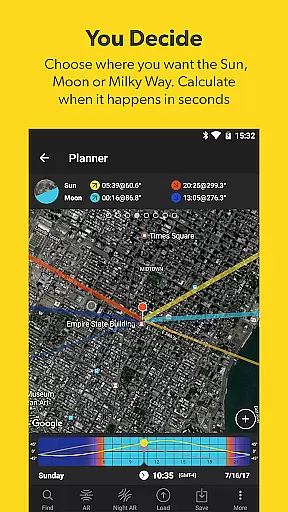
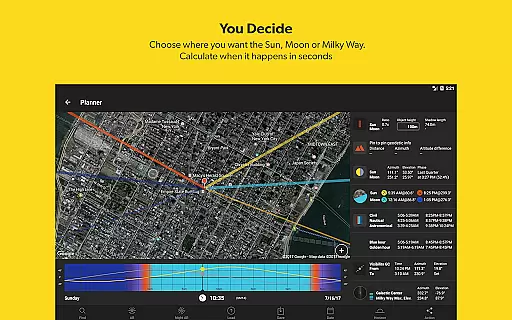
PhotoPills stands out with its unique set of features tailored for photographers. One of its key highlights is the first 2D map-centric planner for Sun, Moon, and Milky Way alignments, allowing users to find the perfect alignment quickly. This feature alone revolutionizes how photographers plan their shoots, ensuring they are in the right place at the right time.
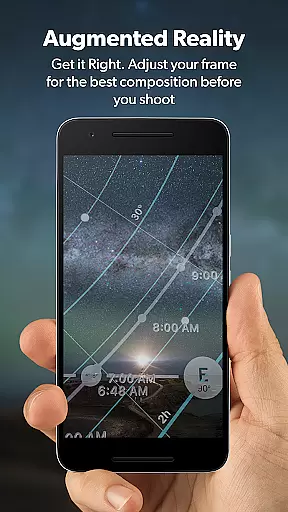
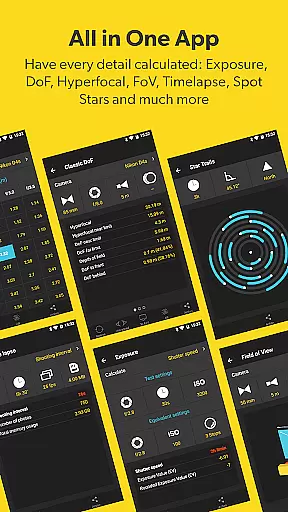
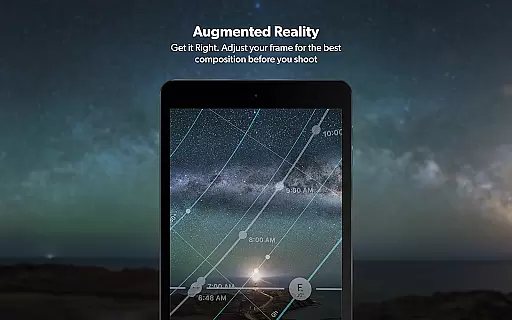
In addition to the planner, PhotoPills offers 3D augmented reality views for various celestial bodies and phenomena, including the Sun, Moon, Milky Way, and more. These AR views assist in visualizing exactly where these elements will appear, aiding in achieving the desired composition. The app also includes calculators for long exposure, timelapse, spot stars, star trails, hyperfocal table, depth of field (DoF), and field of view (FoV).
Other notable features include a photo plans manager, location scouting tool, key information on sunrise/set, twilights, golden hour, blue hour, moonrise/set, supermoon dates, and a Moon calendar. With widgets for Sun, Moon, and Milky Way events, PhotoPills ensures photographers have all necessary information at their fingertips, enhancing both planning and execution phases of photography.
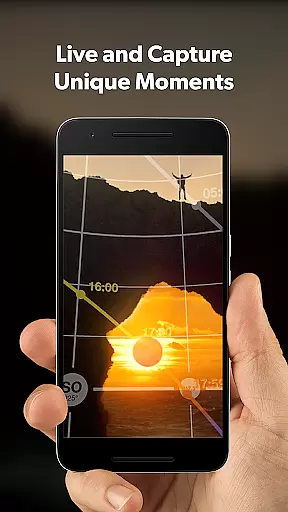
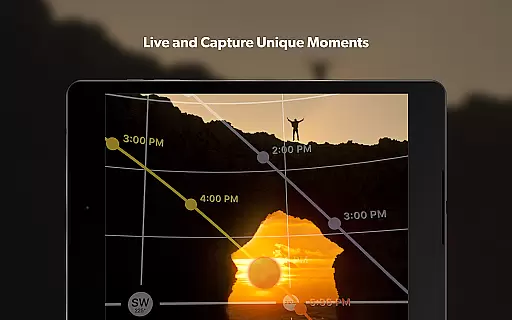
Real-time capture and preview functionality is essential for photographers who need to ensure their shots are perfectly composed before pressing the shutter. PhotoPills offers this feature through its advanced augmented reality tools, allowing users to visualize exactly where the Sun, Moon, and Milky Way will appear in their shots.
This app provides a comprehensive set of planning features that include 2D map-centric planners and alignment finders for celestial bodies. These tools enable photographers to calculate the exact date and time when their imagined scenes will occur, ensuring they never miss an unmissable moment.
By leveraging real-time data and augmented reality, PhotoPills lets users adjust their frames for optimal composition. This ensures that every photo taken is not only well-planned but also visually stunning, capturing the perfect balance of elements within the frame.
The value of real-time capture and preview extends beyond just planning; it enhances the overall photography experience by providing confidence and precision. Photographers can immerse themselves in the creative process, knowing that their equipment is assisting them in realizing their artistic vision accurately and efficiently.
While PhotoPills does not focus on AI beauty enhancements typical in portrait photography apps, it excels in enhancing the natural beauty of landscapes and celestial phenomena. The app's augmented reality features allow photographers to preview how natural elements like the Sun, Moon, and Milky Way will look in their compositions, ensuring each shot is as breathtaking as imagined.
PhotoPills includes a variety of calculators and widgets that provide key information such as sunrise and sunset times, twilight periods, and moon phases. These tools help photographers plan their shoots down to the minute, ensuring they capture the most beautiful and natural light conditions possible.
For those passionate about immortalizing the night sky or capturing the golden hour, PhotoPills' depth of field and field of view calculators offer precise control over the technical aspects of photography. This precision ensures that the natural beauty of each scene is preserved without artificial enhancements.
Ultimately, PhotoPills empowers photographers to create legendary photos by combining meticulous planning with natural beauty. Its comprehensive suite of tools ensures that every element in a photograph is captured in its most authentic and awe-inspiring form, making each image a true work of art.
User-friendly interface
Comprehensive planning tools
Augmented reality views
Endorsed by photography masters
Extensive calculator suite
High learning curve
Premium price point
Device compatibility issues
Complex for beginners
Limited offline functionality

Trendy TikTok time warp scan funny filter app brings you unique photos & videos.
 4.40
4.40
Find time and duration of different sunlight phases at any location
4.90
Professional video recording application with manual controls for filmmakers!
2.80
Turn your phone into a professional camera - full DSLR manual photography
4.30
Future baby face generator: AI kids generator, kid face! What my baby look like?
4.40
AI photo enhancer with Sora 2! Enhance, descratch, and colorize your old photos.
4.50
Use AI Video Generator to turn your words to ai generated videos.
4.50
Astrophotography with your smartphone, photo live stacking and much more!
3.90
Your personal guide to the sun and moon. Plan ahead, visualize and predict!
4.70
Create funny photos and videos with the popular Time Warp Scan filter.
4.90
Gallery show photo, video, slideshow, is perfect 3D effect private photo albums.
4.80
Cartoon and artistic effects for your photos and videos
4.70
Enhance, retouch & create your story - Share the moment with Photoshop Express.
4.60
A reflected light meter with spot metering and incident light metering.
4.40
Natural Beauty, Selfie Retouch
4.30
Perfect photos with body shaping, BG changer and object remover.
3.70
Pet Camera
3.70
Remote control the phone camera shutter from your smartwatch and take a picture
1.60
HD Photo gallery and photo manager to edit, hide private photos, videos & albums
4.1


User Reviews