
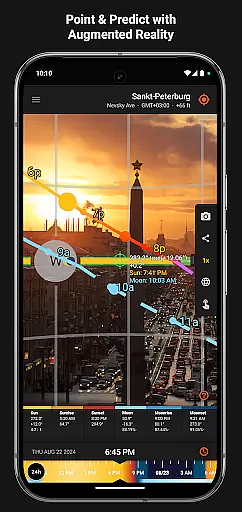
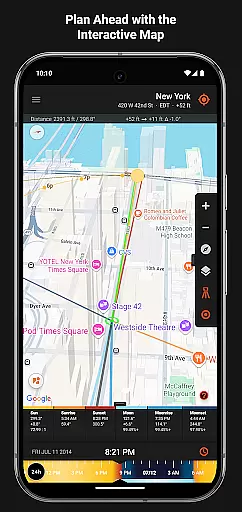
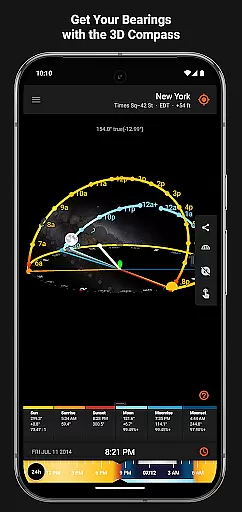
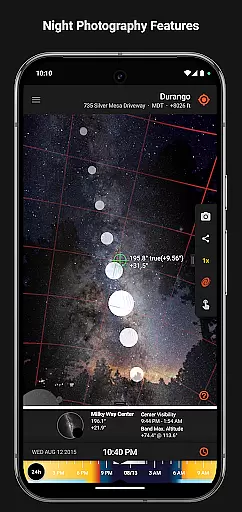

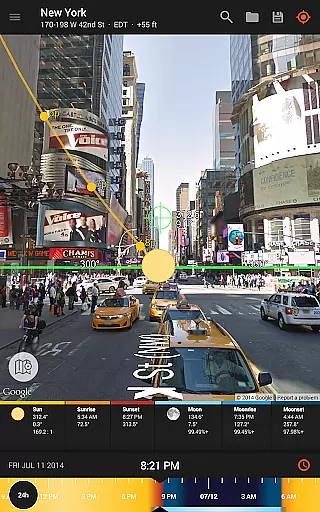
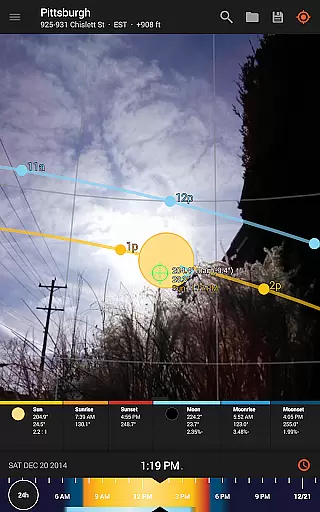
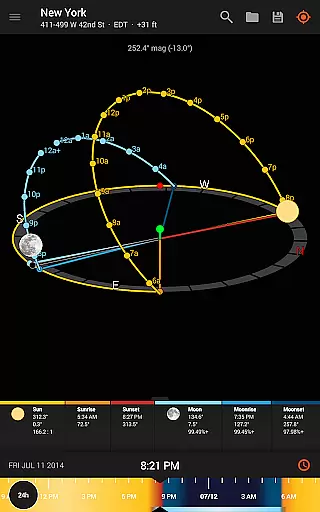
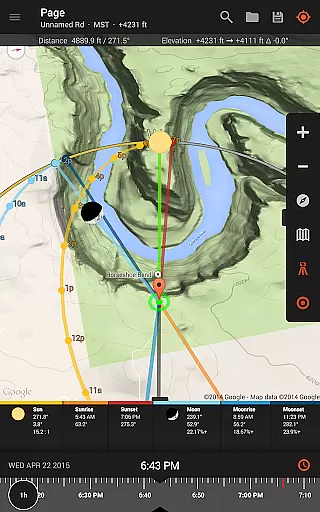
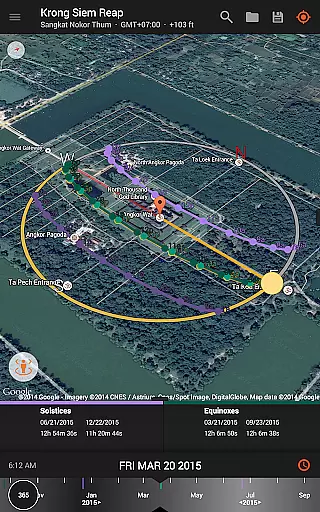
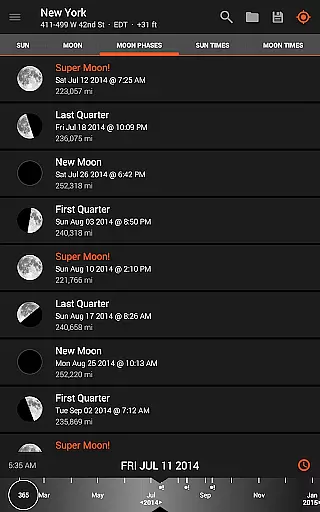
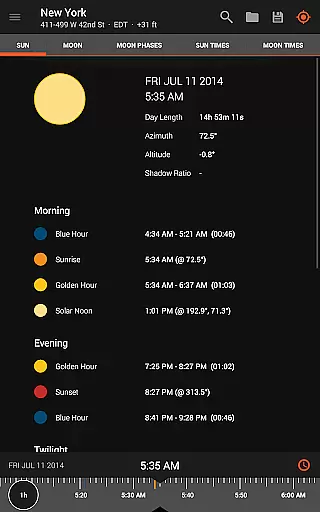
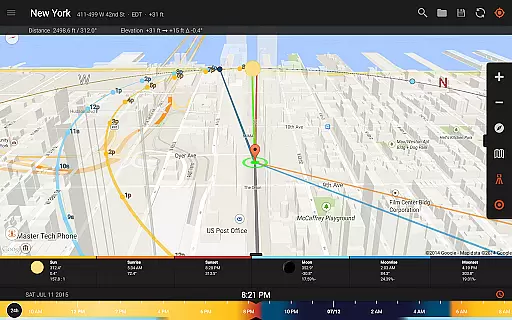
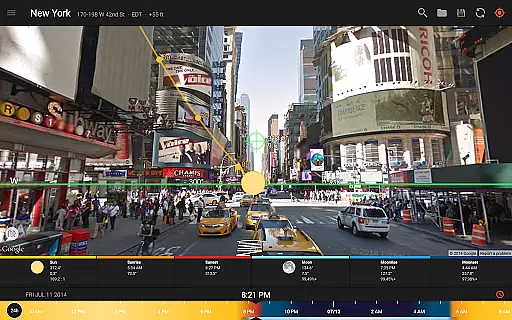
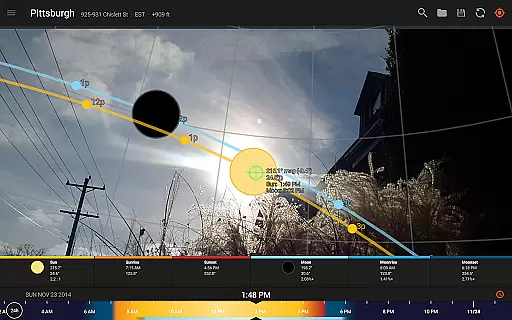
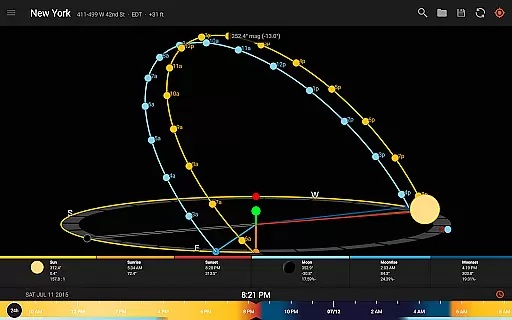
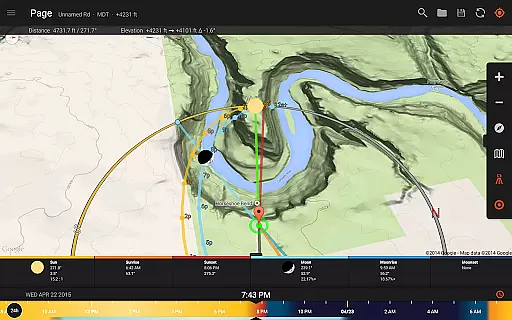
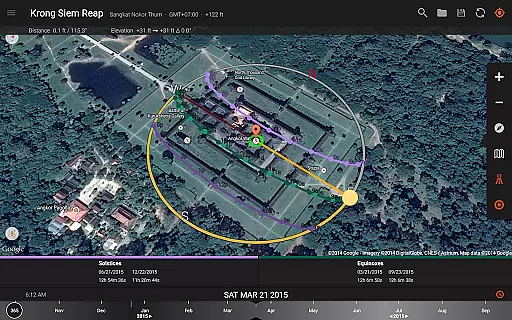
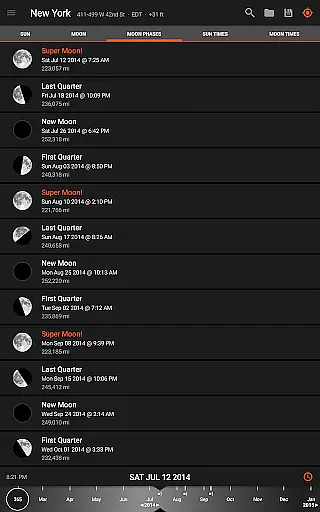
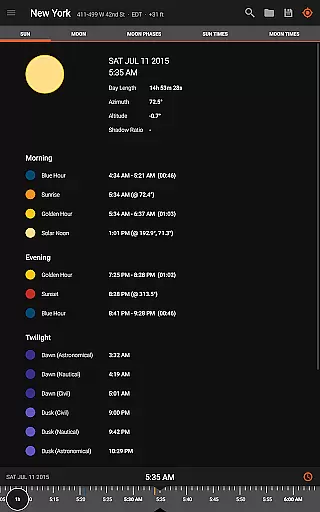
Sun Surveyor is an advanced photography planning tool that empowers users to predict and visualize natural lighting conditions with precision. Designed for photographers, filmmakers, and solar industry professionals, the app provides detailed insights into sunrise, sunset, moon phases, and Milky Way visibility. Through its Live Camera View, Interactive Map, and 3D Compass, users can scout locations, plan shoots, and optimize their creative projects.
The app's standout feature is its augmented reality projections, which allow users to see the exact path of the sun and moon in the sky. This functionality is complemented by tools like the visual time machine, golden hour predictions, and shadow calculations, making it indispensable for both artistic and technical applications. Whether you're capturing the perfect shot or analyzing sunlight patterns for architectural projects, Sun Surveyor delivers unparalleled value.
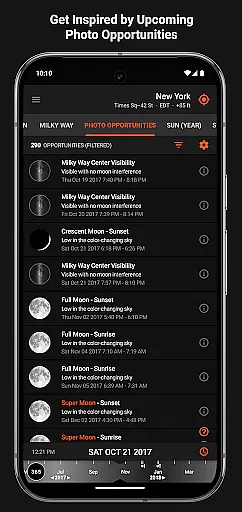
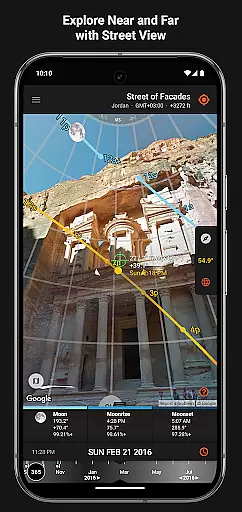
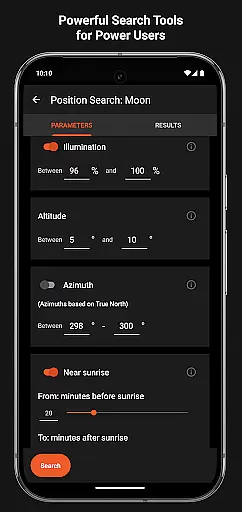
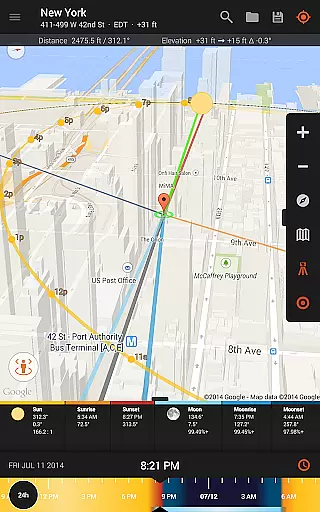
Sun Surveyor offers a comprehensive suite of features tailored to enhance planning and creativity. The app's Interactive Map with Street View integration allows users to explore potential shoot locations remotely, while the detailed Ephemeris provides precise data on celestial movements. Unique tools like Photo Opportunities and Position Search enable users to generate creative ideas and refine compositions based on specific lighting conditions.
For professionals in the solar industry, the app includes functionalities such as seasonal sunlight analysis and obstruction detection, helping clients understand light dynamics at any site. Additional highlights include offline usage capabilities, magnetic declination compensation, and widgets for quick access to sun and moon information. These robust features ensure that Sun Surveyor caters to a wide range of users, from photographers to architects, with accuracy and ease.
Sun Surveyor revolutionizes the way photographers and filmmakers capture natural light by providing real-time data on sun and moon positions. The Live Camera View feature allows users to see augmented reality projections of celestial paths, ensuring precise planning for every shot.
The app's 3D Compass and Interactive Map with Street View deliver accurate information about sunlight angles and shadow lengths. This enables professionals to determine the optimal time and location for their shoots, whether they're capturing golden hour lighting or planning night photography sessions.
With its advanced position search functionality, Sun Surveyor empowers users to find exact sun, moon, and milky way positions within specific constraints. The visual time machine feature provides quick previews of lighting conditions throughout the day, making it an indispensable tool for scouting locations and planning shots.
While primarily focused on celestial tracking, Sun Surveyor incorporates features that enhance photography quality through smart tools rather than traditional AI beauty enhancements. The app's detailed Ephemeris provides comprehensive information about natural light sources, helping photographers achieve authentic, professional-grade results.
The Photo Opportunities feature generates creative shot ideas based on critical astronomical events. From full moon magic hour captures to optimal stargazing conditions, the app suggests natural enhancement opportunities that maintain photographic integrity while maximizing aesthetic appeal.
For solar industry professionals and architects, Sun Surveyor offers practical tools like seasonal sunlight analysis and obstruction detection. These features help create naturally enhanced images of properties and landscapes, demonstrating how natural light interacts with structures throughout the year without artificial manipulation.
Accurate celestial data
Augmented reality projections
Offline functionality
Interactive map tools
Golden hour predictions
Compass dependency may limit accuracy
Complex interface for beginners
Some features require GPS
Premium price point
Limited free version

Effortlessly organize, view and share your photos & videos with Gallery app!
 4.40
4.40
1M influencer's special filter
4.60
Android Native system HD camera app. Never been so simple and faster.
4.70
Over 800 film simulation recipes for Fujifilm. Black Friday Offer!
4.0
GCamera allows all GCam features on all phone models! Better photos with GCamera
3.30
Smart, light, and fast photo and video gallery
4.30
Unblur, enhance & restore photos with powerful AI photo enhancer tools.
4.60
Catch sunlight, sunrise sunset times and sun phases with the AR sun tracker.
4.10
Discover How to Plan any Sun, Moon and Milky Way Photo You Imagine in Seconds
4.70
Pro version: AR sun/moon tracker for any date. Tool for photographers & planners
4.90
Viewfinder, Light meter, Reciprocity failure time, DOF & Bellows Extension
4.60
Add Watermark - Sign your pictures with a text or logo. Effective, quick, easy!
4.50
Safe & smart flight with Go Fly drone controller for 40+ drone camera, zone map
4.50
Cut and paste photo editor & eraser to customize photos easy and swap faces fun
4.50
AI photo editor with hair editor, retouch tools, hair color changer & filters!
4.50
All-in-One Editor & AI Photo Enhancer, Beautify & Retouch, Collage, Cartoonify
4.20
Luminar: Photo Editor - easy picture editing with AI
4.20
All-in-One Editor & AI Photo Enhancer, Collage, Cartoonify, Funny Stickers & BGS
4.10
Create amazing frames with up to five photos. Rounded corners, effects and more!
3.60


User Reviews