

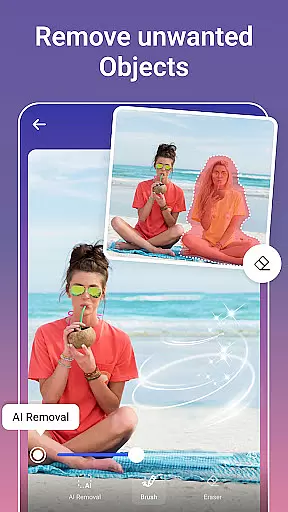
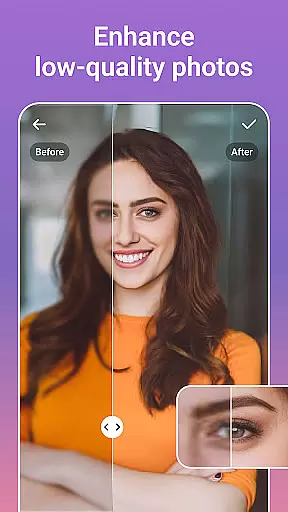
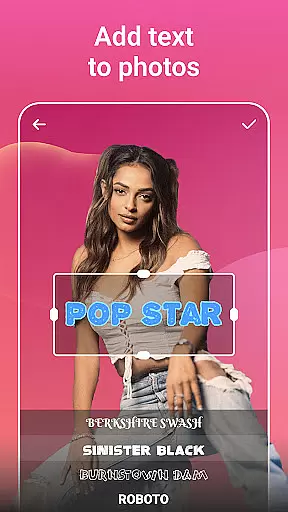


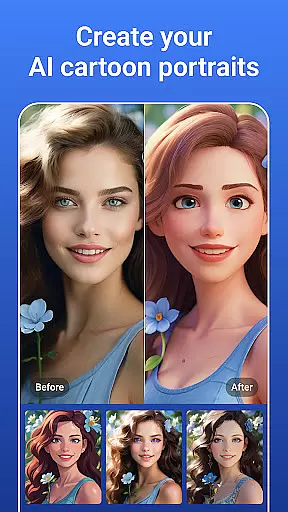

PicsLeap is an advanced AI-powered photo editing application that offers a complete suite of tools for enhancing, transforming, and personalizing your images. The app provides users with professional-grade features such as One-Tap Enhance, Magic Eraser, AI Face Swap, and AI Cartoon Filters, enabling effortless photo improvements. Whether you're looking to remove unwanted objects, apply artistic effects, or create stunning collages, PicsLeap has the capability to meet all your photo editing needs.
With over 100 filters and effects, PicsLeap allows users to embrace their signature style and experiment with various aesthetics like Retro, Film, and Double Exposure. The intuitive interface ensures that even beginners can achieve remarkable results while advanced users will appreciate precise color adjustment tools such as HSL, Highlight, and Curve adjustments. Additionally, PicsLeap supports high-resolution editing and restoration of old photos, making it a versatile tool for both casual and serious photographers.
The app's standout feature is its ability to produce watermark-free, high-quality art that can be instantly shared across social media platforms like Instagram and Facebook. PicsLeap democratizes professional photo editing by providing powerful tools that require no specialized skills, allowing anyone to create visually captivating images. Whether you're enhancing resolution, removing backgrounds, or crafting collages, PicsLeap empowers users to unleash their creativity and share their unique vision with ease.
PicsLeap distinguishes itself through its comprehensive set of AI-driven photo editing tools designed to cater to a wide range of creative needs. The app includes innovative features such as AI Remove Background, which intelligently isolates subjects from their backgrounds, and AI Face Swap, allowing users to seamlessly exchange faces in photos. These cutting-edge capabilities ensure that complex edits can be performed with just a few taps, saving time while delivering professional-quality results.
In addition to its core editing functions, PicsLeap offers a variety of artistic enhancements including 70+ light effects, texture overlays, and cartoon filters. Users can experiment with Double Exposure effects, blur backgrounds for portrait-style focus, and utilize precise color grading tools like Split Tone and Curve adjustments. The app also includes practical utilities such as photo restoration and resolution boosting, which are particularly useful for reviving old or low-quality images without requiring advanced technical knowledge.
PicsLeap further enhances user experience by providing customizable collage templates, adjustable layouts, and creative borders, enabling storytelling through visual compositions. Its one-click solutions for creating stickers, changing backgrounds, and applying body effects like tattoos or cat ears make it a fun yet powerful tool for personal expression. By combining ease of use with robust functionality, PicsLeap stands out as an ideal choice for anyone seeking to elevate their photography game.
Real-time capture and preview functionality is essential for any photography app, allowing users to see exactly what their final image will look like before taking the shot. PicsLeap offers a seamless real-time preview experience that ensures every photo meets the user's expectations.
The app leverages advanced AI technology to provide instant feedback on various editing features while capturing photos. This includes live adjustments of filters, effects, and enhancements, which are immediately visible in the camera preview.
Users benefit from this feature by being able to fine-tune their images with precision, ensuring that each element from lighting to composition is perfect before capturing the moment. This saves time and effort in post-processing and enhances the overall quality of photographs.
PicsLeap's real-time capture and preview stand out by offering professional-grade tools accessible to everyone, making high-quality photography available at users' fingertips without needing extensive technical knowledge.
AI beauty and enhancement features have become a staple in modern photo editing, providing users with tools to enhance their photos naturally. PicsLeap excels in this area by offering sophisticated AI-driven enhancements that maintain the authenticity of the original image.
The app includes a variety of AI-powered tools such as One-Tap Enhance, Magic Eraser, and AI Face Swap, which work together to improve image quality while preserving natural aesthetics. These tools intelligently adjust skin tones, remove blemishes, and enhance facial features without creating an over-processed look.
With PicsLeap, users can achieve professional-level enhancements effortlessly. The AI algorithms are designed to understand the nuances of human features, ensuring that edits look realistic and retain the subject's unique characteristics.
This focus on natural enhancement sets PicsLeap apart, allowing users to create stunning yet authentic images that reflect true beauty. Whether editing portraits or landscapes, PicsLeap ensures every photo looks its best while staying true to life.
User-friendly interface
Wide range of effects
AI-powered tools
High-quality results
Free to download
Limited advanced options
Occasional ads
Premium features locked
Learning curve for new users
Large file size

How would you look like with a differently shaped nose, chin or lips?
 3.90
3.90
[3DSteroid Pro] is a stereoscopic application for Android.
4.30
Find time and duration of different sunlight phases at any location
4.90
Viewfinder, Light meter, Reciprocity failure time, DOF & Bellows Extension
4.60
Gallery Slideshow is slideshow maker app for slideshow from your gallery photos.
3.90
See your baby AI baby face generator AI baby maker Face generator babymaker fun!
4.70
Use AI Video Generator to turn your words to ai generated videos.
4.50
Snap photos remotely using your Garmin watch as the camera trigger
4.2
Solocator stamps photos you take with GPS location, Compass Direction, Date/Time
3.80
Take videos and pictures with the popular TikTok TIME WARP SCAN filter.
4.60
A must-have app for landscape photographers
4.60
Transform photos into videos! Create realistic or anime-style images easily!
4.50
Movie camera, supports pro recording settings for filming. Try it and be amazed!
4.50
Photo editor & gallery. Crop pictures & edit photos offline, no wifi!
4.50
AI photo enhancer with Sora 2! Enhance, descratch, and colorize your old photos.
4.50
Future baby face generator: AI kids generator, kid face! What my baby look like?
4.40
Shooting photos and records video easily and efficient with professional Camera
4.30
What celebrity do you look like? Celebs will find your celebrity match!
4.10
Perfect photos with body shaping, BG changer and object remover.
3.70


User Reviews