
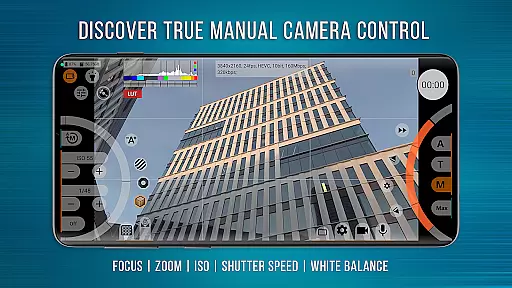
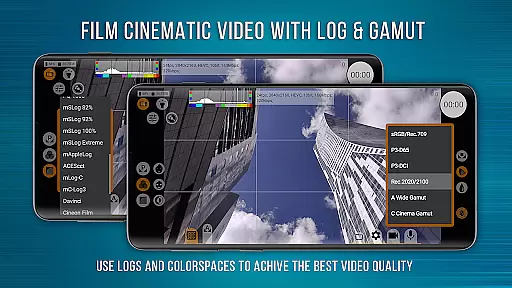
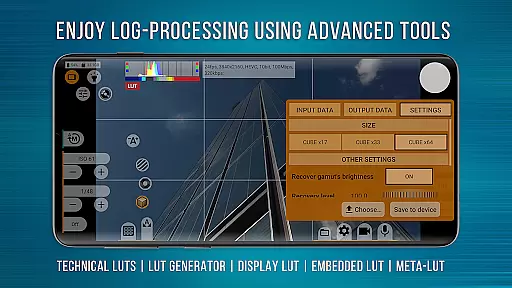
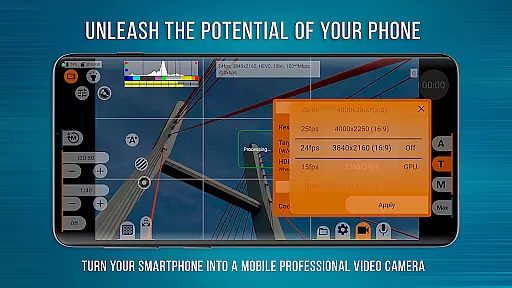
mcpro24fps Manual Video Camera represents the pinnacle of professional mobile videography on Android devices. Designed exclusively for Android, this app transforms your smartphone into a powerful cinema camera, previously only possible with professional-grade equipment. It supports advanced features like 10-bit shooting, Log recording without GPU activation, and an extensive range of manual controls.
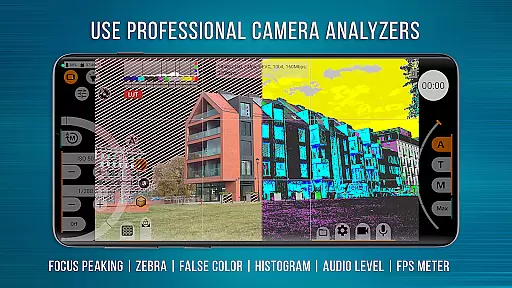
The application is tailored for videographers who demand the highest technical capabilities from their devices. With functionalities such as Focus Peaking, Expo Peaking, and Spectral and Zebra exposure control, mcpro24fps empowers users to create cinematic masterpieces. The app's versatility extends to its compatibility with external lenses and programmable focus and zoom settings, making it ideal for festival films, music videos, live reports, and commercials.
One of mcpro24fps's standout features is its comprehensive set of professional video tools. The app offers a vast array of Log modes for diverse shooting scenarios, technical LUTs for post-production, and on-screen LUT for precise frame control during capture. These features ensure seamless integration into any professional videographer's workflow.
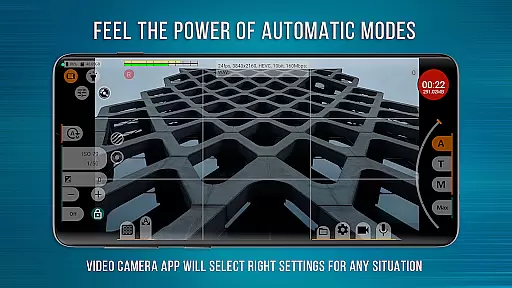
In addition to its robust video capabilities, mcpro24fps provides advanced audio options and flexible metadata handling. Users can enjoy reliable automatic modes alongside convenient manual settings, ensuring complete creative control. The responsive interface and support for multiple cameras further enhance the user experience, allowing videographers to push the boundaries of mobile cinematography.
Real-time capture and preview functionality is essential for any professional-grade camera application. mcpro24fps offers videographers the ability to see exactly what they are filming as they film it, ensuring that every shot meets their high standards.
The app supports multiple advanced features that enhance real-time video capture. These include shooting in 10-bit for HDR video, recording in Log without GPU activation, and a vast array of Log modes tailored for different scenarios. This ensures that videographers can achieve the desired look and feel of their footage instantly.
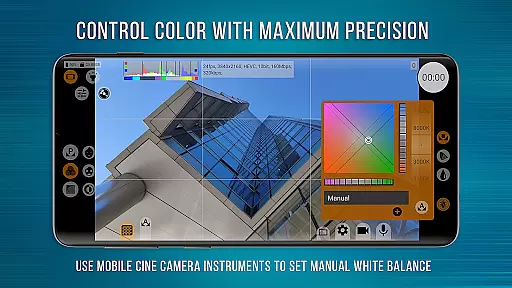
Moreover, mcpro24fps provides on-screen LUTs for precise frame control during shooting, focus peaking, expo peaking, spectral and zebra tools for exposure management, and white balance settings in Kelvins. These features collectively empower users to have complete control over their footage while capturing.
By transforming smartphones into powerful cinematic devices, mcpro24fps enables creators to produce professional-quality videos with advanced capabilities previously only available in high-end camcorders.
While primarily focused on professional video capabilities, mcpro24fps also incorporates AI beauty and enhancement features that maintain naturalness in post-production. These enhancements allow videographers to refine their footage subtly without compromising its authenticity.
The app leverages GPU resources extensively to apply technical LUTs for seamless Log interpretation, image adjustments through additional GPU filters, and hardware noise reduction. This ensures that any applied enhancements are both effective and unobtrusive.
Furthermore, mcpro24fps includes options for optical and digital video stabilization, distortion correction, and variable bitrate modes. These functionalities contribute to producing smooth and visually appealing videos that retain their original essence.
With these AI-driven yet natural enhancements, mcpro24fps stands out by allowing videographers to elevate their work's visual quality while preserving the genuine character of their cinematic creations.
Advanced video settings
Professional Log modes
Focus and Zoom control
Powerful audio options
Responsive UI design
Complex for beginners
High device requirements
Premium pricing model
Limited manufacturer support
Steep learning curve

Create & Edit with AI: AI Remove, Enhance, Retouch, Filter
 4.10
4.10
Virtual makeup, hair filters & body tuner—edit from face to full body!
4.20
Pet Camera
3.70
Photo editor: AI filters, photo enhancer, pic collage maker, AI art generator.
4.80
Create Business Headshots, Polaroid Filter, Retake Photos,Profile Pics,AI Photos
4.50
A reflected light meter with spot metering and incident light metering.
4.40
AI Photo Editor with 100+ Filters, Effects! Remove BG, Retouch & Photo Enhancer.
4.80
Astrophotography with your smartphone, photo live stacking and much more!
3.90
live datamoshing
4.00
Pro version: AR sun/moon tracker for any date. Tool for photographers & planners
4.90
Collage your moments in one tap: 1000+ layouts, filters, stickers, and texts.
4.90
Perfect body tune & face app - photo retouch, makeup, slim body & beautify face.
4.80
A must-have app for landscape photographers
4.60
Discover & download millions of art for The Frame TV or Hisense CanvasTV
4.60
Future baby face generator: AI kids generator, kid face! What my baby look like?
4.40
AI portrait generator and polaroid AI selfie, fun AI generated AI photo creator!
4.30
Smart, light, and fast photo and video gallery
4.30
Luminar: Photo Editor - easy picture editing with AI
4.20
Application for remote controlling DSLR
3.00


User Reviews