
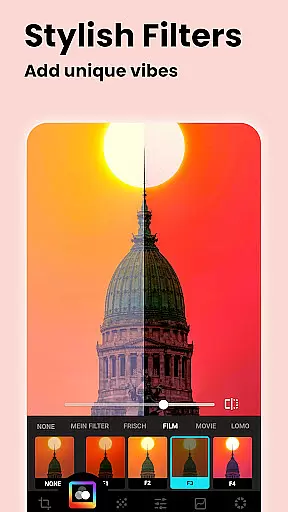
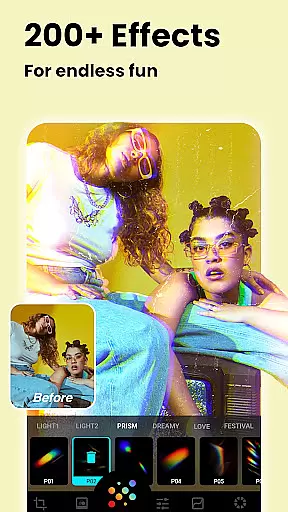






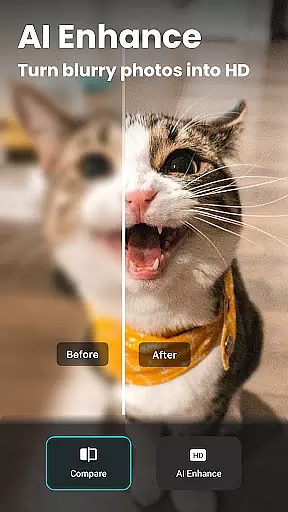
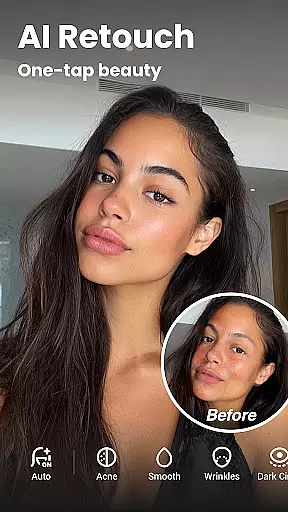

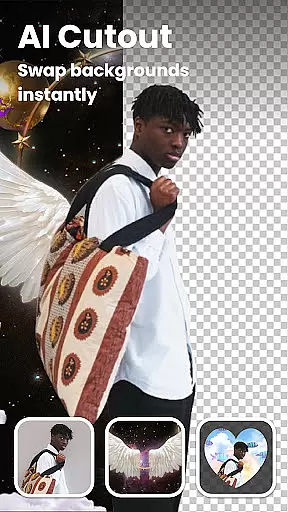


Lumii is a powerful AI Photo Editor that combines professional tools with smart AI editing features. Easily enhance photo quality, remove backgrounds, retouch selfies, and apply 100+ trendy photo filters and effects to edit photos.
Create artistic, high-quality photos effortlessly — no professional skills required. As one of the best photo maker and presets photography apps, Lumii makes photo editing simple, fast, and fun. No ads while editing.
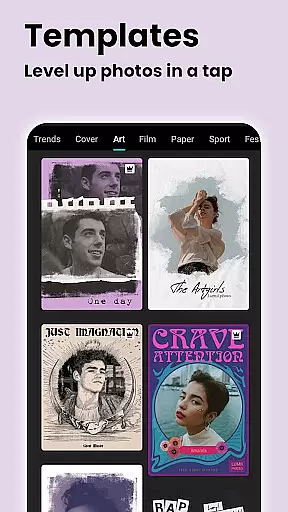
Lumii offers a wide range of features including customizable photo filters, 100+ photo effects, auto background eraser, useful & fun AI edits, BG blur, bokeh & mosaic, free HSL color, curves for photos, adding text to photos, double exposure - professional blend editor, basic photo editing tools, glitch photo editor, trendy templates, and photo editing history & draft.
With these features, Lumii helps users become experts in photo editing, enhancing their photos with various filters and effects, and discovering endless fun during the process.
Real-time capture and preview functionality is essential for ensuring that users can see the results of photo edits instantly. This feature allows photographers to visualize changes as they apply filters, effects, and adjustments, providing immediate feedback on their editing choices.
Lumii offers a seamless real-time editing experience by integrating powerful AI tools that work in the background. As users modify elements such as brightness, contrast, or apply complex effects like bokeh or glitch styles, they can observe these alterations directly within the app interface without any lag.
This instant visualization helps users make informed decisions about their edits, saving time and enhancing productivity. With Lumii's real-time capabilities, even those new to photo editing can achieve professional-quality results with minimal effort.
The value of real-time capture and preview extends beyond convenience; it empowers creativity by allowing users to experiment freely. Whether adjusting HSL settings or layering double exposure effects, seeing changes immediately enables users to fine-tune their artistic expression effectively.
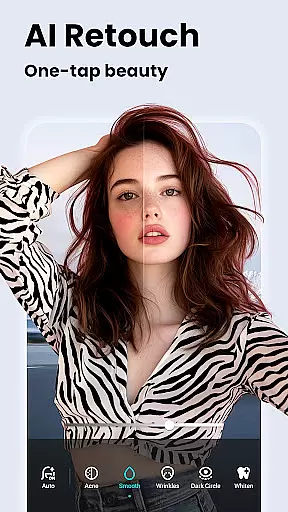
AI beauty and enhancement features are designed to improve photo quality while maintaining a natural look. These tools leverage advanced algorithms to enhance facial features, smooth skin, whiten teeth, and remove imperfections without creating an over-processed appearance.
In Lumii, the AI Photo Enhancer works to unblur and sharpen images, turning portraits into high-definition masterpieces. The Auto Retouch feature ensures that enhancements such as skin smoothing and blemish removal are applied subtly, preserving the authenticity of the original image.
Users benefit from these intelligent enhancements by achieving polished yet realistic results. The AI-driven processes save time compared to manual editing techniques and provide professional-grade outcomes accessible to all skill levels.
By focusing on naturalness, Lumii's AI beauty tools cater to modern preferences where authenticity is valued. Users can confidently share their edited photos on social media, knowing that the enhancements highlight their best features without appearing artificial or exaggerated.
User-friendly interface
Wide range of editing tools
Advanced AI features
No ads while editing
Regular updates with new features
Some features may require in-app purchases
Interface can be overwhelming for beginners
Occasional bugs reported
Limited customer support options
High system requirements for optimal performance

Long exposure camera with computational photography
 2.60
2.60
Photobooth mini FULL app will allow you to add more fun to your parties
4.00
Create collages easily! Nice pic collage maker & background eraser for Instagram
4.50
Movie camera, supports pro recording settings for filming. Try it and be amazed!
4.50
Easily create custom gifts, cards, photo books & more on the Shutterfly app!
4.60
Use AI Video Generator to turn your words to ai generated videos.
4.50
Snap photos remotely using your Garmin watch as the camera trigger
4.0
Your personal guide to the sun and moon. Plan ahead, visualize and predict!
4.70
Unlock the full potential of your DJI drone with Litchi
4.50
Find time and duration of different sunlight phases at any location
4.90
Create funny photos and videos with the popular Time Warp Scan filter.
4.90
Enhance, upscale, and transform your images — on your device, without limits
4.70
Add Watermark - Sign your pictures with a text or logo. Effective, quick, easy!
4.50
Virtual makeup, hair filters & body tuner—edit from face to full body!
4.20
All-in-One Editor & AI Photo Enhancer, Collage, Cartoonify, Funny Stickers & BGS
4.10
Perfect photos with body shaping, BG changer and object remover.
3.70
An interval timer to automate photo taking process for timelapse
2.90
Raw Image Viewer. Gallery with support of raw images (.cr3, .cr2, .nef, .raf).
2.00
Add a dreamy vibe to your selfies and videos with soft style filters
4.5


User Reviews