
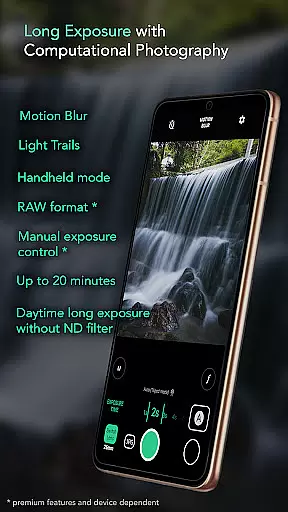
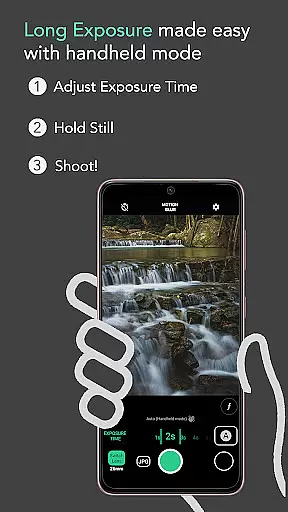
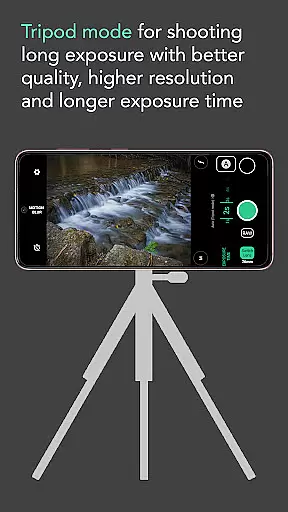
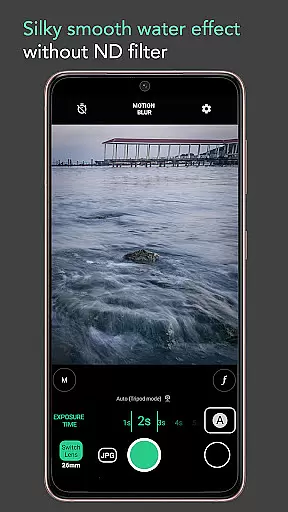
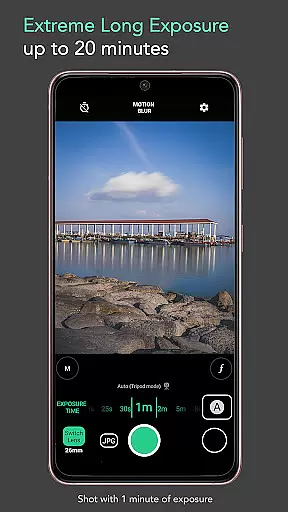
Motion ProCam is a specialized photography application designed to simplify the process of capturing long exposure images. This app enables users to effortlessly create stunning motion blur and light trails effects without requiring professional equipment or advanced technical knowledge.
By utilizing computational photography techniques, Motion ProCam combines multiple images to produce a final long exposure photo with impressive visual effects. The app's intelligent auto-alignment feature ensures sharp results even when shooting handheld, while its unique daytime shooting capability eliminates the need for ND filters.
Whether you're a professional photographer or an enthusiast, Motion ProCam offers versatile tools for creating artistic images of waterfalls, seascapes, and urban nightscapes with smooth light trails and creamy water effects.
Motion ProCam stands out with its innovative approach to long exposure photography. The app's automatic stabilization system compensates for hand movements during handheld shots, allowing exposures up to five seconds without noticeable blur.
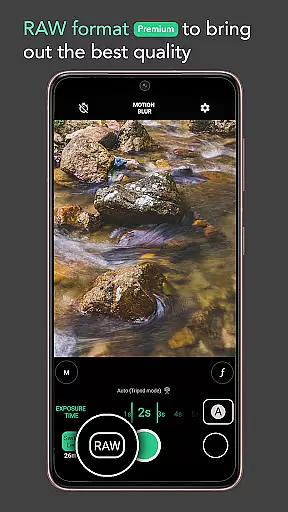
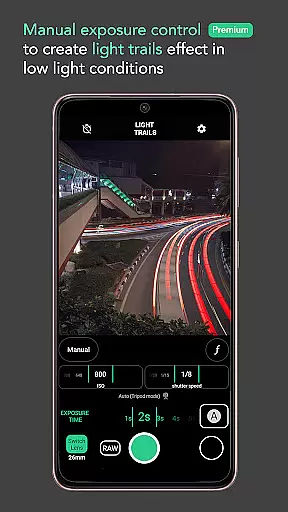
Advanced users can take advantage of premium features including RAW format support and manual exposure control, providing complete creative control over the final image quality. The app offers two distinct effect modes - motion blur and light trails - each optimized for different shooting scenarios.
With exposure times ranging from fractions of a second up to twenty minutes, photographers can explore various creative possibilities. Additional practical features include volume button shutter release and automatic alignment algorithms that ensure professional-quality results even in challenging lighting conditions.
Real-time capture and preview functionality is essential for ensuring that users can accurately frame and adjust their shots before capturing the final image. Motion ProCam offers a seamless experience by providing instant feedback on exposure settings and stabilization.
This app allows photographers to see the effects of long exposure in real time, which is particularly useful when shooting scenes with motion blur or light trails. Users can adjust the exposure time and witness how the image will look, ensuring they achieve the desired effect without the need for trial and error.
The ability to preview changes live on the screen empowers users to make precise adjustments, enhancing the overall quality of their photographs. This feature is especially beneficial during daytime shoots, where overexposure can be a concern, as it helps maintain optimal lighting conditions.
While Motion ProCam focuses primarily on long exposure photography, it also incorporates advanced computational techniques that enhance image quality naturally. These AI-driven enhancements ensure that the final photograph retains its authenticity while benefiting from improved clarity and detail.
The app uses sophisticated algorithms to combine multiple images into one, creating stunning motion blur and light trail effects. This process not only produces visually appealing results but does so in a way that feels organic and true to the original scene. Photographers can trust that their creative vision will be preserved without artificial alterations.
For enthusiasts seeking premium features like RAW format and manual exposure control, these enhancements provide an extra layer of precision. By leveraging AI technology, Motion ProCam delivers high-quality images that meet professional standards, making it an invaluable tool for both amateur and experienced photographers.
User-friendly interface
Daytime long exposure
Auto stabilization
RAW support
Manual controls
Premium features locked
High battery usage
Steep learning curve
Limited free options
Processing time

Safe & smart flight with Go Fly drone controller for 40+ drone camera, zone map
 4.50
4.50
Perfect body tune & face app - photo retouch, makeup, slim body & beautify face.
4.80
Transform photos into videos! Create realistic or anime-style images easily!
4.50
Smart, light, and fast photo and video gallery
4.30
Easily view, share, delete photos with Gallery.
4.70
A light meter for true photographers.
4.20
PhotoSync Bundle Add-On License. Enables all features and services in PhotoSync.
4.60
Discover & download millions of art for The Frame TV or Hisense CanvasTV
4.60
Your Family Calendar + Photos. Manage your Skylight Calendar and Skylight Frame.
4.40
See your baby AI baby face generator AI baby maker Face generator babymaker fun!
4.70
A collection of tools and reference tables for DPs, ACs, DITs and Operators.
4.70
Fit multiple photos on one post. Create carousels & scroll layouts for Instagram
4.50
Search, tag and rate your way to an organized image gallery
4.40
Easily stitch panoramas from multiple photos or video.
4.40
AI portrait generator and polaroid AI selfie, fun AI generated AI photo creator!
4.30
Pet Camera
3.70
Create amazing frames with up to five photos. Rounded corners, effects and more!
3.60
Remote control the phone camera shutter from your smartwatch and take a picture
1.60
Snap photos remotely using your Garmin watch as the camera trigger
4.4


User Reviews