
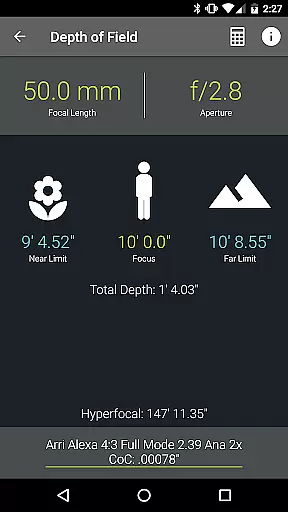
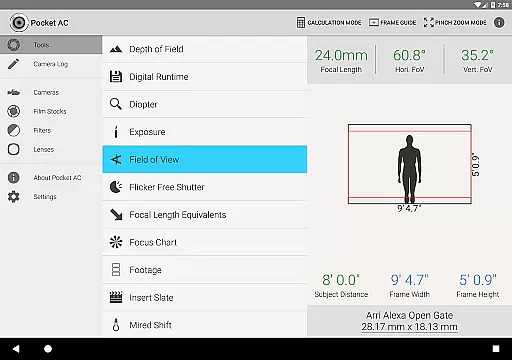
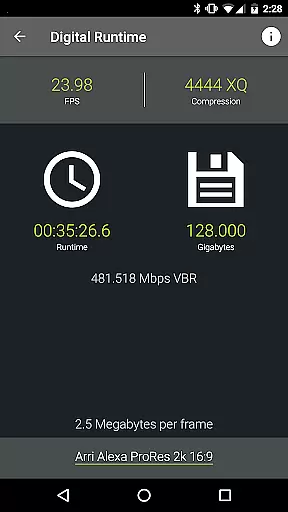
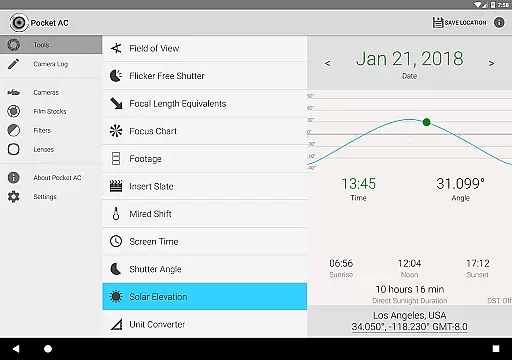
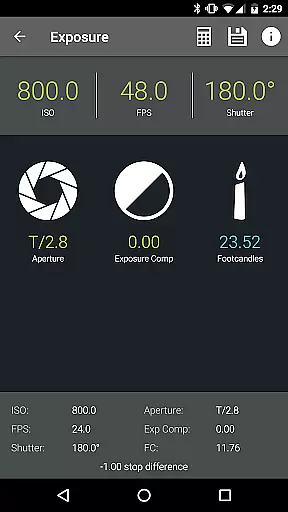
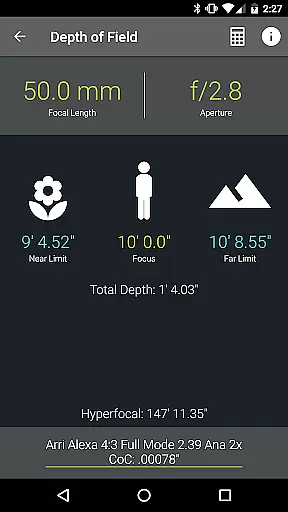
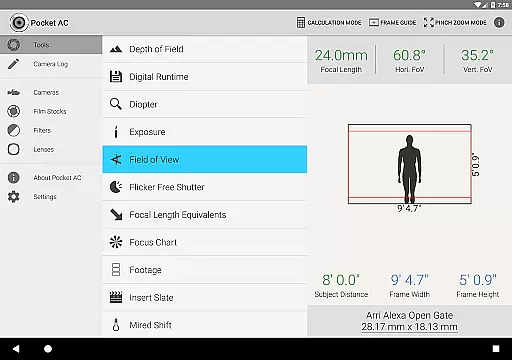
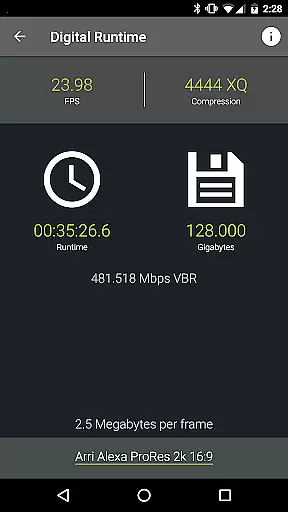
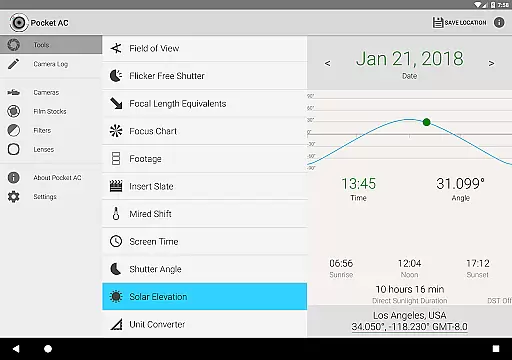
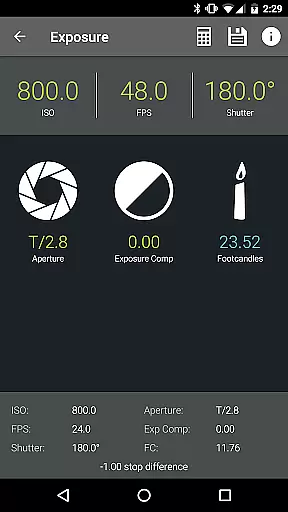
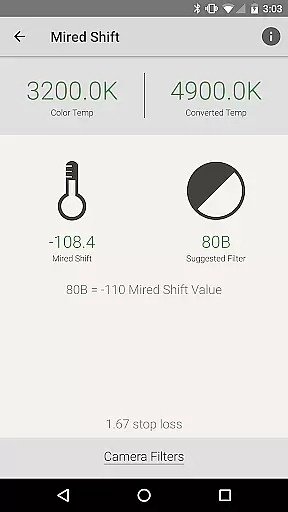
Pocket AC is an essential mobile application tailored for cinematographers and videographers, providing a comprehensive suite of tools and reference materials crucial for film production. The app features advanced calculators for Depth of Field, Exposure, and Focal Length Equivalents, alongside practical utilities like the Digital Runtime Calculator and Unit Converter. These tools are designed to streamline pre-production planning and on-set execution.
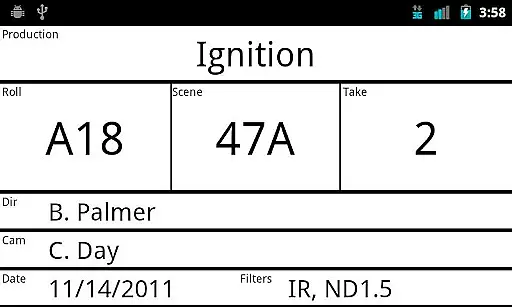
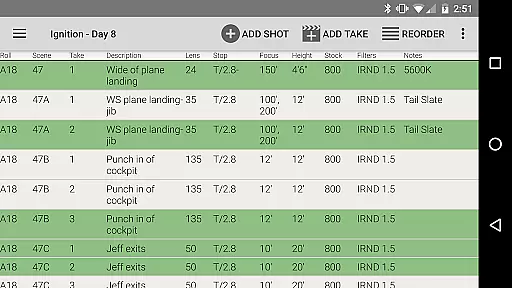
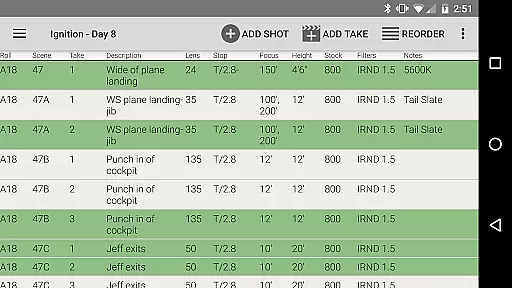
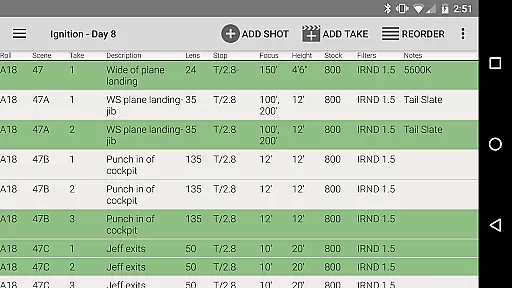
In addition to its technical utilities, Pocket AC offers an extensive database of camera specifications, lens catalogs, and film stocks. The built-in Camera Log function allows users to efficiently document shooting setups and export detailed reports. This makes the app particularly valuable for managing complex multi-camera productions and collaborating with other crew members in real-time.
The application's intuitive interface and specialized features make it indispensable for professional filmmakers. Whether working on feature films or commercial shoots, Pocket AC helps cinematography professionals maintain technical accuracy while saving valuable time during production. Its offline functionality ensures reliable performance even in remote shooting locations.
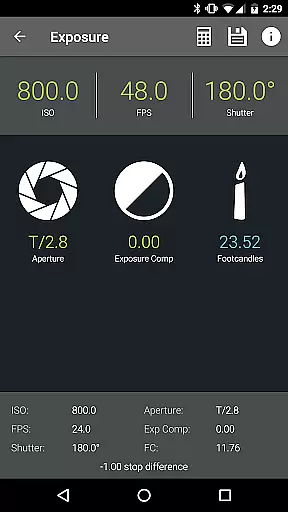
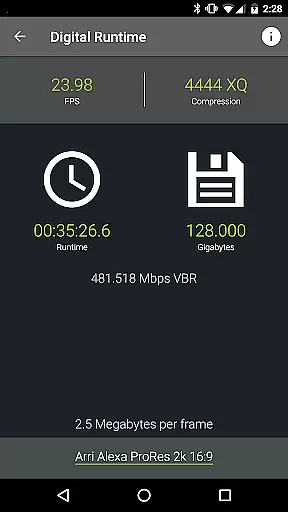
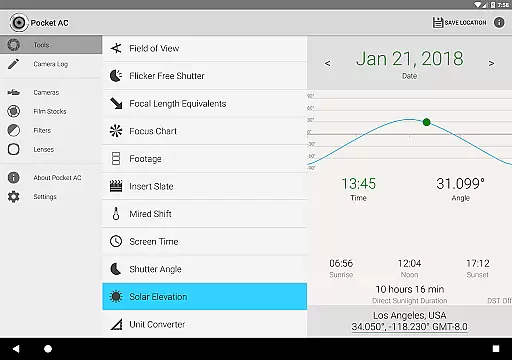
Pocket AC distinguishes itself through its comprehensive collection of specialized cinematography tools. The app features sophisticated calculators including Depth of Field, Exposure, and Shutter Angle computations, alongside practical utilities like Data Transfer rate estimation and Digital Runtime projections. Each tool is carefully designed to address specific technical challenges faced by camera professionals during production.
A key differentiator is the app's extensive reference database, containing specifications for over 140 digital and film cameras, plus more than 2000 lenses. The Lens Catalog and Camera Specifications sections provide vital information that helps professionals make informed equipment choices. Additionally, the innovative Camera Log function enables real-time collaboration among crew members and supports multiple export formats including PDF and CSV.
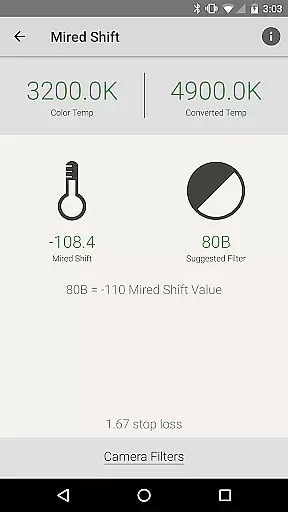
The application's value extends beyond its individual features through seamless integration of tools that work together harmoniously. Users can switch between Field of View calculations, Mired Shift computations, and various reference tables without interruption. This cohesive ecosystem of features, combined with regular updates and new camera support, establishes Pocket AC as an indispensable tool for modern cinematography professionals.
Pocket AC offers a comprehensive suite of real-time capture and preview tools tailored for cinematographers and videographers. These features are crucial for ensuring that every shot meets professional standards before the actual filming begins.
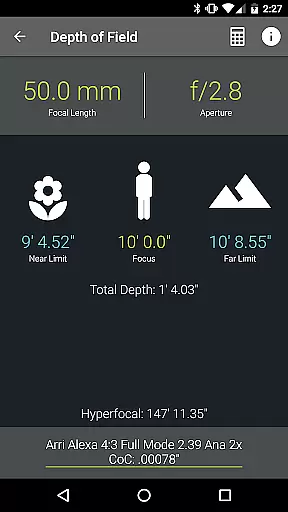
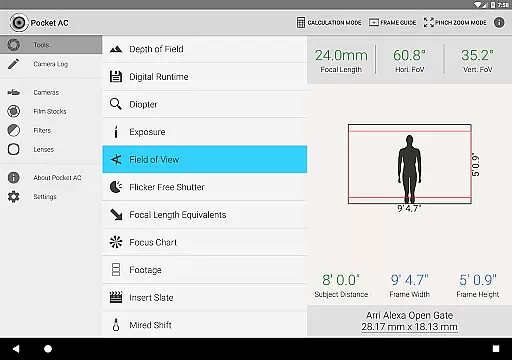
The application includes advanced calculators such as Depth of Field, Exposure, and Flicker Free Shutter, which allow users to precisely plan their shots. The Field of View tool even provides a preview function, supporting focal reducers for more accurate framing.
By leveraging these real-time functionalities, users can significantly enhance their workflow efficiency. They can quickly adjust settings based on immediate feedback, thus reducing the need for reshoots and saving valuable production time.
Ultimately, the real-time capture and preview capabilities of Pocket AC empower filmmakers to execute their creative vision with confidence, knowing they have reliable tools at their disposal.
While Pocket AC does not focus on AI beauty enhancements typical in photography apps, it excels in providing natural and authentic enhancements through its precise calculators and reference tables. This ensures that all visual adjustments maintain the original integrity of the footage.
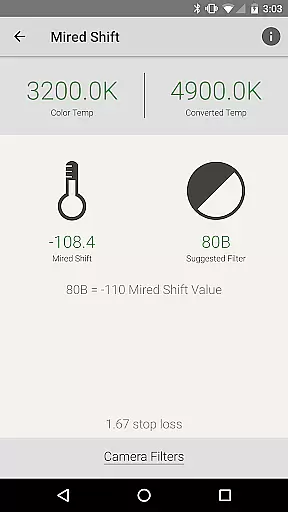
The app's Data Transfer and Digital Runtime calculators help manage file sizes and compression without compromising video quality. Additionally, the Mired Shift and Filter Suggestions tool aids in achieving natural color corrections by recommending appropriate filters.
Users benefit from consistent and high-quality output across different cameras and lenses thanks to detailed Camera Specifications and Lens Catalogs. These resources ensure that any enhancement or adjustment aligns perfectly with the equipment used.
By prioritizing accuracy and authenticity over automated beautification, Pocket AC stands out as an essential tool for professionals who demand the highest standards in their cinematographic work.
Comprehensive toolset
Offline functionality
Real-time collaboration
Extensive camera database
Professional-grade calculators
Steep learning curve
Premium price point
Complex interface
Limited beginner resources
Occasional bugs

AI portrait generator and polaroid AI selfie, fun AI generated AI photo creator!
 4.30
4.30
Application for remote controlling DSLR
3.00
Create AI Photos, Improve and restore quality of blurry, old or damaged pics.
4.20
Superimpose one photo on top of another using the original Superimpose app!
3.20
Create amazing frames with up to five photos. Rounded corners, effects and more!
3.60
A reflected light meter with spot metering and incident light metering.
4.40
AI photo enhancer with Sora 2! Enhance, descratch, and colorize your old photos.
4.50
Remote control the phone camera shutter from your smartwatch and take a picture
1.60
Your Family Calendar + Photos. Manage your Skylight Calendar and Skylight Frame.
4.40
Gallery show photo, video, slideshow, is perfect 3D effect private photo albums.
4.80
Photo prints, cards, & gifts at Walgreens. Easy ordering & fast local pickup !
4.80
Cartoon and artistic effects for your photos and videos
4.70
See your baby AI baby face generator AI baby maker Face generator babymaker fun!
4.70
1M influencer's special filter
4.60
Viewfinder, Light meter, Reciprocity failure time, DOF & Bellows Extension
4.60
Unblur, enhance & restore photos with powerful AI photo enhancer tools.
4.60
Discover & download millions of art for The Frame TV or Hisense CanvasTV
4.60
Search, tag and rate your way to an organized image gallery
4.40
A light meter for true photographers.
4.20


User Reviews