
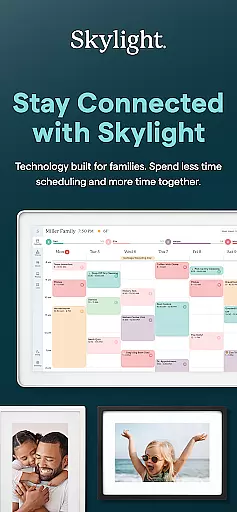
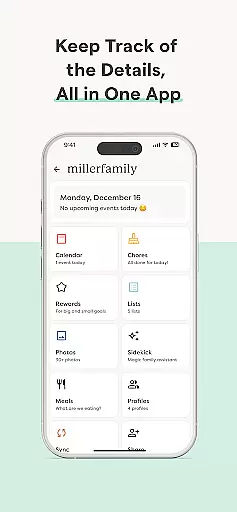
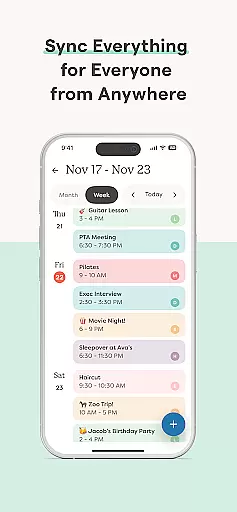
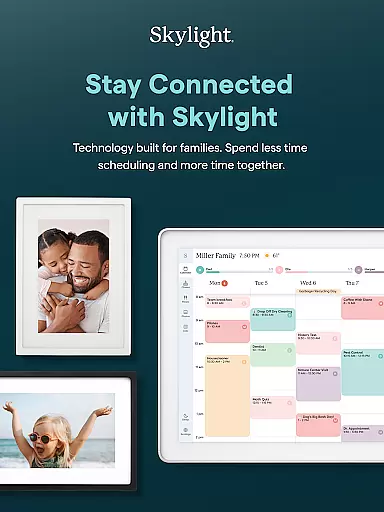
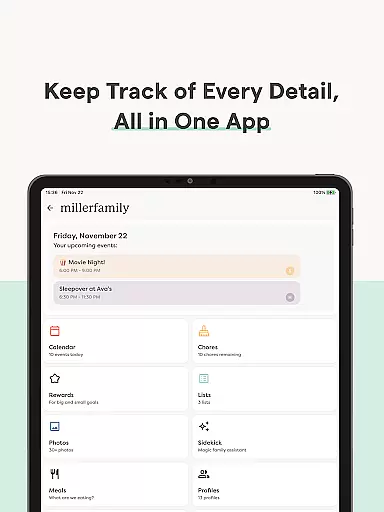
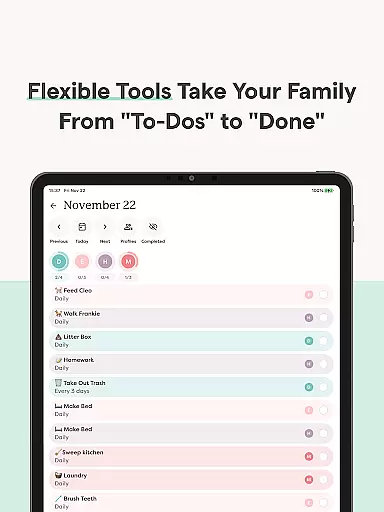
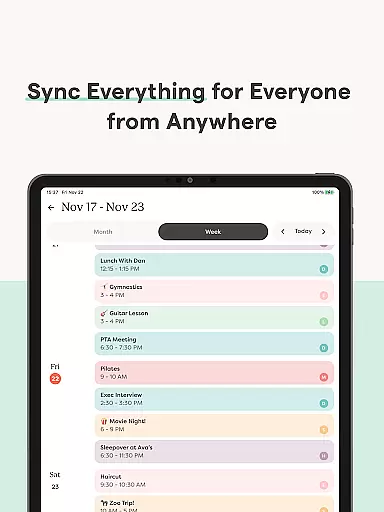
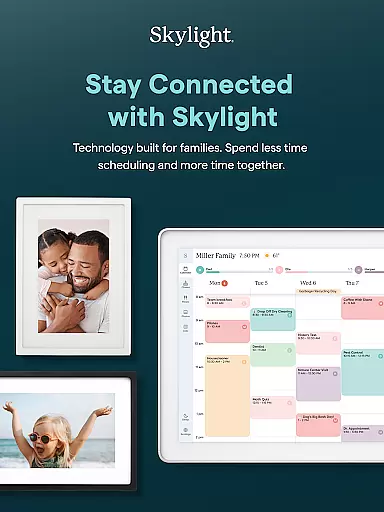
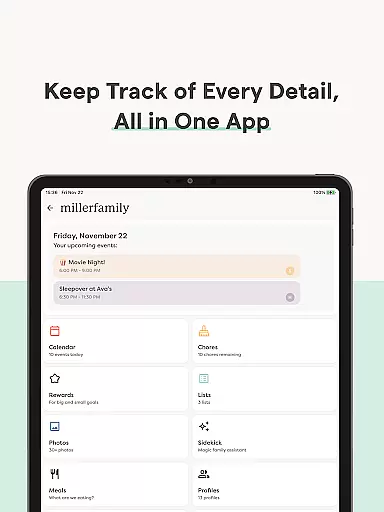
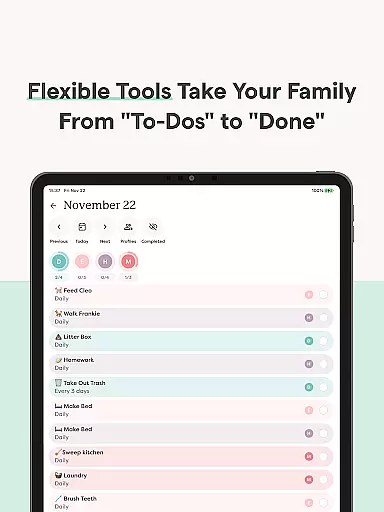
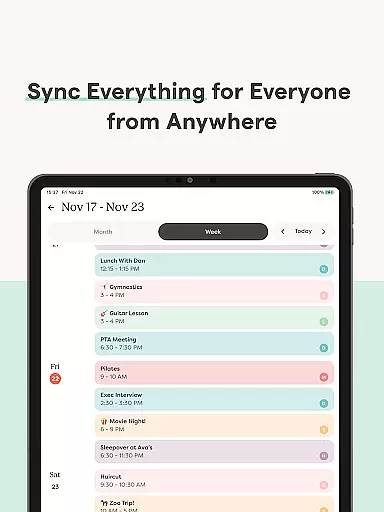
Skylight is a comprehensive family management application that consolidates calendars, lists, routines, and memories into a unified platform. Designed for families seeking seamless organization, it offers tools to manage daily schedules and household tasks efficiently.
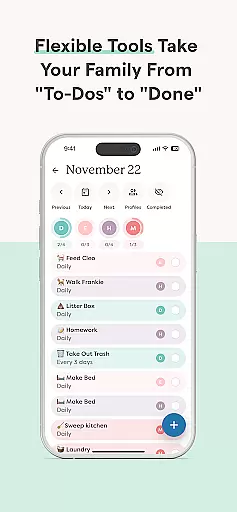
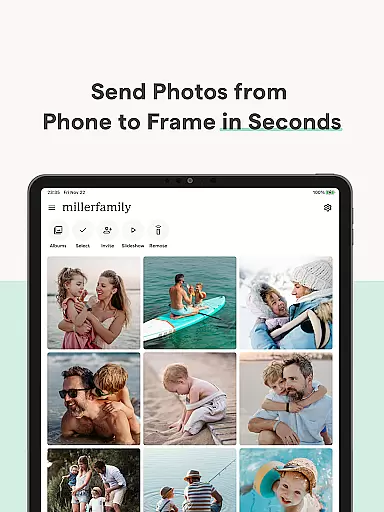
The app supports unlimited calendar syncing, recurring chores, shared lists, and even includes premium features like rewards systems and recipe book creation. Its Skylight Frame feature allows users to display photos and videos on smart frames, creating a digital photo album experience.
With its intuitive interface, Skylight is ideal for busy households aiming to streamline their routines while fostering family engagement through shared activities and responsibilities.
Skylight stands out with its robust feature set tailored for modern families. The app provides unlimited calendar integration, enabling users to sync existing calendars or create new events directly within the app. This ensures everyone stays aligned with shared schedules and routines.
For task management, Skylight introduces a reward-based system where family members earn stars for completing chores, which can unlock special rewards. Additionally, the app allows users to build a centralized family recipe book and meal planner, enhancing household efficiency.
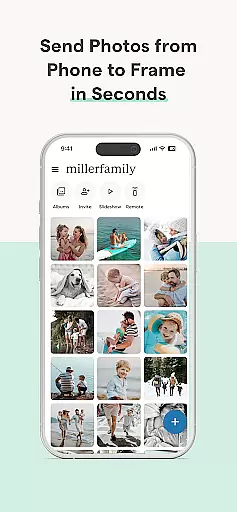
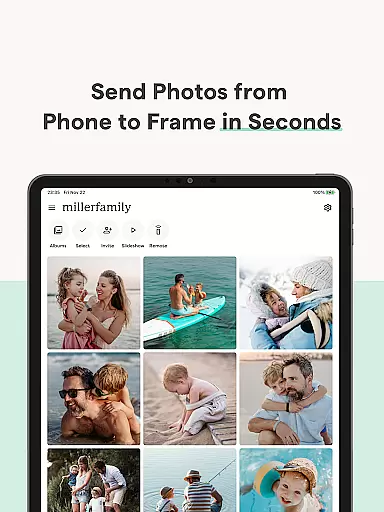
Its Skylight Frame functionality adds another layer of utility by letting users upload and display photos and videos as screensavers. With customizable albums and captions, this feature transforms any home into a dynamic gallery space.
Real-time capture and preview functionality is essential for ensuring that every photo or video taken meets the user's expectations without delay. Skylight provides a seamless experience by allowing users to add photos and videos anytime, anywhere, directly through the app or via email.
The app ensures that media captured is instantly available for review, providing an accurate depiction of what has been captured. This immediate feedback loop allows users to make necessary adjustments on the spot, ensuring optimal quality for every upload.
For those utilizing the Skylight Frame, this feature enhances the experience by enabling easy updates to the frame's display with fresh content. Users can customize their displays with new photos and videos, maintaining an up-to-date and dynamic presentation of cherished memories.
AI beauty and enhancement features are designed to subtly improve images without compromising their natural appearance. While Skylight doesn't explicitly advertise AI-driven beautification, its PLUS features offer tools that enhance visual content in a way that feels organic and true to life.
With options to build family recipe books, meal plans, and even auto-import various types of content like recipes and PDFs, Skylight ensures that all shared media retains its authenticity. These capabilities support a natural enhancement process, focusing on preserving the original essence of the content.
Furthermore, the ability to upload photos and videos to use as screensavers adds another layer of personalization. This ensures that any enhancements made are aligned with the useru2019s preferences, promoting a balance between improved aesthetics and genuine representation.
User-friendly interface
Comprehensive task management
Premium customization options
Family-oriented design
Seamless calendar integration
Premium features require subscription
Limited appeal for single users
Dependent on WiFi connectivity
Some features may feel overwhelming
Higher cost for additional frames

Effortlessly organize, view and share your photos & videos with Gallery app!
 4.40
4.40
Easily stitch panoramas from multiple photos or video.
4.40
Cut and paste photo editor & eraser to customize photos easy and swap faces fun
4.50
Android Native system HD camera app. Never been so simple and faster.
4.70
Transform photos into videos! Create realistic or anime-style images easily!
4.50
HD Camera Pro with HD Video shooting, Panorama, Photo editor , Beauty Camera.
4.50
Automatically backup your photos and videos to computer, NAS and Cloud services
4.60
Photo editor & gallery. Crop pictures & edit photos offline, no wifi!
4.50
Professional photography on your mobile phone
4.20
Collage your moments in one tap: 1000+ layouts, filters, stickers, and texts.
4.90
Safe & smart flight with Go Fly drone controller for 40+ drone camera, zone map
4.50
Create & Edit with AI: AI Remove, Enhance, Retouch, Filter
4.10
Transform Photos: Edit, Beautify and Craft Memories & Make Collages!
4.10
Photo editor: face & body editor, beauty cam, filters and quality enhancer.
4.00
Photobooth mini FULL app will allow you to add more fun to your parties
4.00
live datamoshing
4.00
Superimpose one photo on top of another using the original Superimpose app!
3.20
Professional video recording application with manual controls for filmmakers!
2.80
Raw Image Viewer. Gallery with support of raw images (.cr3, .cr2, .nef, .raf).
2.00


User Reviews