
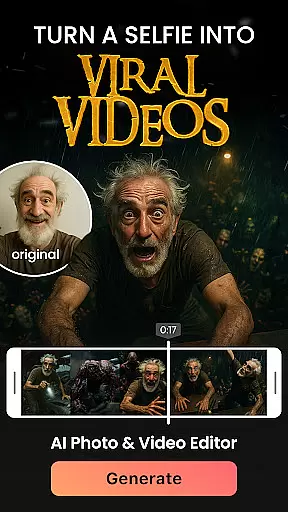

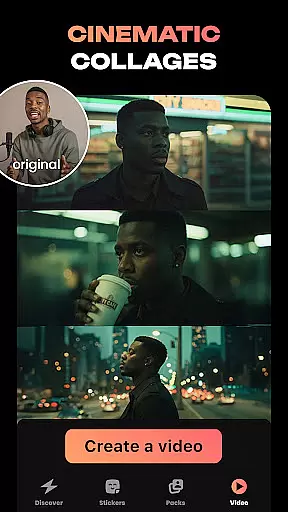
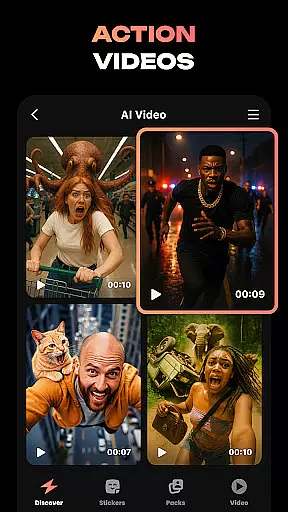

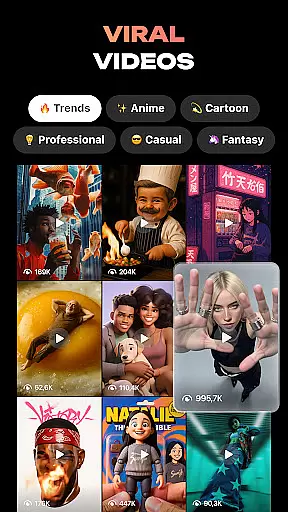
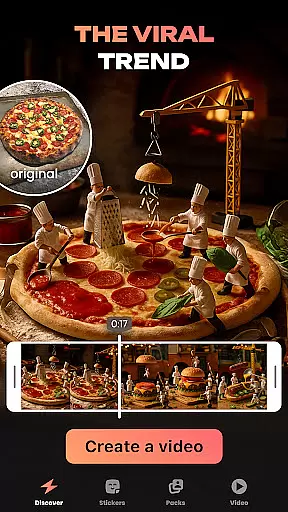
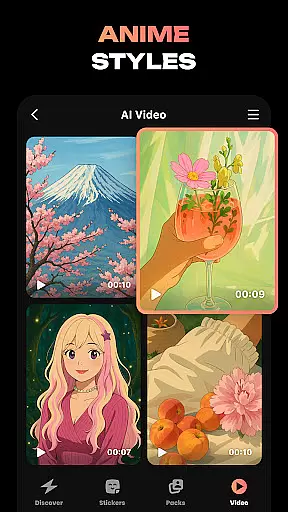
Hula is an innovative photography app that leverages AI technology to transform your photos and videos into creative masterpieces. With a focus on self-expression, this app allows users to create personalized avatars, viral video content, and stunning photo-to-video transformations.
Whether you want to turn your selfie into a magazine-style photoshoot or create custom stickers for messaging apps, Hula provides endless possibilities. The app's intuitive tools enable effortless creativity, making it perfect for social media enthusiasts and content creators looking to enhance their digital presence.
Hula stands out with its diverse range of AI-powered features designed to spark creativity. Users can generate viral video content by transforming selfies into eye-catching clips set in iconic locations like Paris. The Baby Generator feature lets couples predict their future child's appearance using uploaded photos.
The app also offers robust customization options, allowing users to create personal sticker sets from single selfies. With various artistic styles such as retro, luxury, and anime transformations, Hula enables users to explore different visual aesthetics while maintaining professional-quality results across all creations.
Real-time capture and preview functionality is essential for photography apps as it allows users to see exactly what the camera sees before taking a shot. This ensures that users can make necessary adjustments to achieve the perfect photo.
Hula app provides an intuitive real-time capture experience, enabling users to apply various AI-powered transformations directly to their images or videos while previewing the results instantly. This feature empowers users to experiment with different styles and effects without any guesswork.
With Hula's real-time preview, users can confidently create viral content such as animated avatars, stylish video reels, and personalized stickers knowing that the end result will match their creative vision. The instant feedback loop enhances user engagement and satisfaction.
AI beauty and enhancement features in photography apps aim to improve the aesthetic quality of photos naturally without making them look overly processed or artificial. These tools are crucial for users who want to enhance their images while maintaining authenticity.
Hula leverages advanced AI algorithms to offer natural-looking enhancements that adapt to each user's unique features. Whether itu2019s smoothing skin tones, enhancing facial features, or applying makeup effects, Hula ensures that every modification looks genuine and flattering.
By prioritizing naturalness in its AI-driven enhancements, Hula helps users express themselves creatively without compromising on realism. Users can transform their photos into anime, retro styles, or futuristic looks, all while preserving the original essence of their portraits.
User-friendly interface
Wide range of creative tools
High-quality AI transformations
Regular feature updates
Strong privacy protection
Some features require premium subscription
Occasional processing delays
Limited free transformation options
Watermark on free version outputs
Steep learning curve for advanced features

Find time and duration of different sunlight phases at any location
 4.90
4.90
HD Photo gallery and photo manager to edit, hide private photos, videos & albums
4.4
Perfect body tune & face app - photo retouch, makeup, slim body & beautify face.
4.80
Gallery Slideshow is slideshow maker app for slideshow from your gallery photos.
3.90
Amazing Photo Effects - The most fun you can have with your photos!
4.70
Photo editor & gallery. Crop pictures & edit photos offline, no wifi!
4.50
Raw Image Viewer. Gallery with support of raw images (.cr3, .cr2, .nef, .raf).
2.00
See your baby AI baby face generator AI baby maker Face generator babymaker fun!
4.70
A unique animation app. Powerful, easy to use, and lots of fun.
4.30
Cartoon and artistic effects for your photos and videos
4.70
A collection of tools and reference tables for DPs, ACs, DITs and Operators.
4.70
PhotoSync Bundle Add-On License. Enables all features and services in PhotoSync.
4.60
AI photo enhancer with Sora 2! Enhance, descratch, and colorize your old photos.
4.50
Easily stitch panoramas from multiple photos or video.
4.40
Edit like a pro with Hypic. Apply filters, AI effects, & magic touch.
4.40
Create AI Photos, Improve and restore quality of blurry, old or damaged pics.
4.20
live datamoshing
4.00
Pet Camera
3.70
Be your best in every shot! Fix, edit and retouch your face in selfies & photos.
3.70


User Reviews