
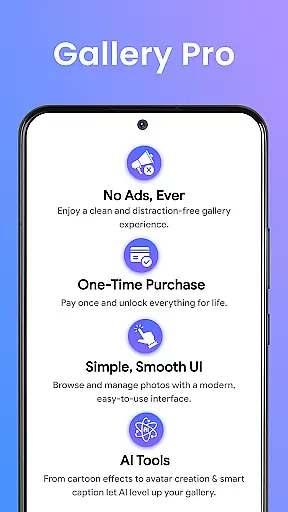
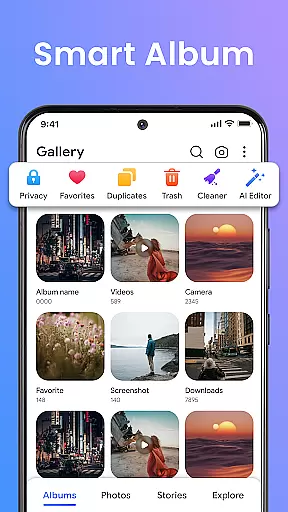
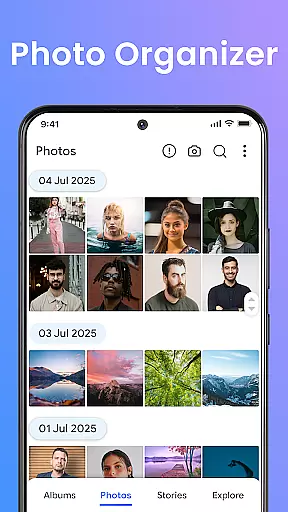
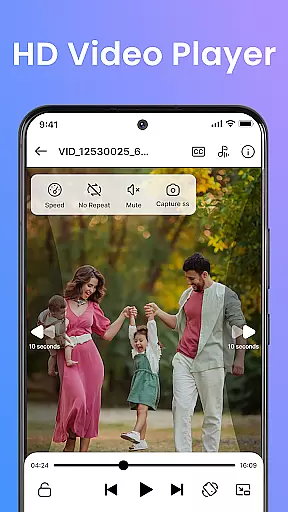
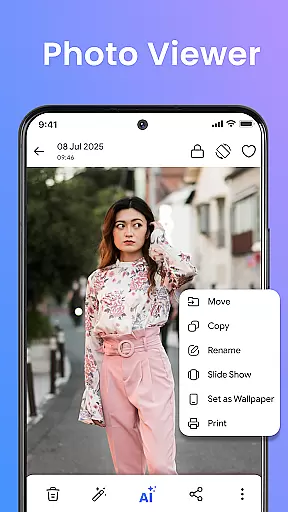
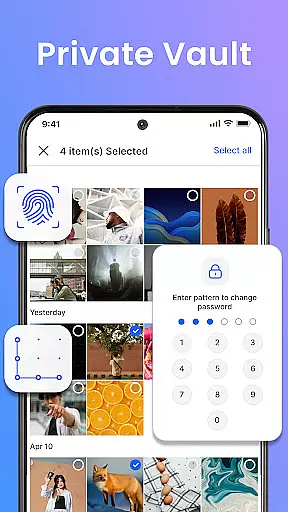

Gallery Pro is a comprehensive HD photo gallery app designed to help users organize, manage, and secure their photos, videos, and albums with ease. The app features an intuitive interface that allows for effortless navigation and management of media files. With its powerful gallery vault, intelligent photo manager, and flexible album organizer, Gallery Pro provides complete control over your media assets.
The app's standout feature is its emphasis on security and privacy. It includes a built-in encrypted vault to keep sensitive photos and videos safe from unauthorized access. Additionally, the app offers advanced functionalities such as AI-powered photo editing tools, a stylish slideshow creator, and smart organization options like tagging and advanced search. These features make Gallery Pro not just a tool for managing media, but also for enhancing and reliving memories in a secure environment.
Whether you're a photography enthusiast looking to organize your collection, or someone who values privacy and wants to keep certain moments confidential, Gallery Pro caters to a wide range of needs. Its seamless integration with Android devices ensures reliability and performance, making it an ideal choice for anyone seeking a premium photo management solution.
Gallery Pro stands out with its rich set of features tailored for both casual users and photography enthusiasts. One of the key highlights is its clean and fast HD gallery interface, which enables quick browsing, sorting, and organizing of photos, videos, and GIFs. This responsive viewer ensures that users can efficiently manage large collections of media without any lag or clutter.
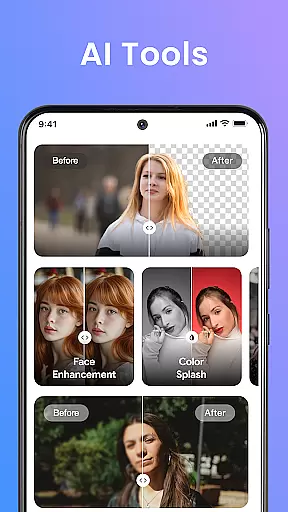
Another remarkable feature is the smart photo organizer, which allows users to create albums, add tags, and utilize advanced search capabilities to locate specific memories instantly. The built-in photo editor further enhances this experience by offering simple yet effective tools like crop, rotate, and AI-powered enhancements such as object removal and background blur. These tools empower users to refine their images effortlessly.
Security is at the core of Gallery Pro's offerings. The app includes a robust vault feature that encrypts and secures sensitive media, ensuring privacy and protection against unauthorized access. Moreover, the AI tools integrated into the app provide additional functionalities like avatar creation and smart cleanup, adding a layer of creativity and convenience. Whether you're looking to enhance your photos, create stunning slideshows, or safeguard your private moments, Gallery Pro delivers a comprehensive suite of tools to meet your needs.
Real-time capture and preview functionality is essential for any photography app, ensuring that users can instantly see the results of their shots before finalizing them. Gallery Pro offers a seamless experience in this aspect by providing an intuitive interface where users can quickly browse, sort, and organize their photos with a clean and responsive HD viewer.
The app's advanced features such as the built-in photo editor allow users to enhance images on-the-fly using simple tools like crop, rotate, and AI-powered enhancements. This immediate feedback loop empowers photographers to make quick adjustments and retakes if necessary, ensuring the best possible outcome for each shot.
Furthermore, Gallery Prou2019s story memories feature enables users to relive moments from the past, creating a richer connection with their media library. By seeing what happened on this day last year or month, users gain more than just image previewsu2014they get context and nostalgia wrapped into one powerful package.
Overall, real-time capture and preview capabilities in Gallery Pro not only streamline the photo-taking process but also enrich it through intelligent organization and editing options, making it an indispensable tool for both casual snappers and serious photographers alike.
AI beauty and enhancement features have become increasingly popular in photography apps, offering users the ability to refine their images with natural-looking results. Gallery Pro stands out in this domain by integrating advanced AI tools that provide smart cleanup and photo enhancements right inside the app.
These AI-powered functionalities include object removal, background blur, and avatar creation, which work together to ensure that every picture looks its best without appearing overly processed. The emphasis on naturalness means that edits are subtle yet effective, preserving the authenticity of the original image while elevating its aesthetic appeal.
In addition to these enhancements, Gallery Prou2019s secure vault ensures that all edited and original files remain private and protected. Users can confidently experiment with different effects knowing that their sensitive media is safeguarded against unauthorized access.
By combining robust security measures with cutting-edge AI technology, Gallery Pro delivers a comprehensive solution for modern photographers who demand both privacy and quality in their digital imaging experience.
User-friendly interface
Advanced security features
AI-powered editing tools
Efficient media organization
Stylish slideshow creator
Requires storage permission
Premium features may cost extra
Limited cross-platform support
Occasional performance lags
Complex setup for beginners

A collection of tools and reference tables for DPs, ACs, DITs and Operators.
 4.70
4.70
Add Watermark - Sign your pictures with a text or logo. Effective, quick, easy!
4.50
Easily stitch panoramas from multiple photos or video.
4.40
Create funny photos and videos with the popular Time Warp Scan filter.
4.90
What celebrity do you look like? Celebs will find your celebrity match!
4.10
Create & Edit with AI: AI Remove, Enhance, Retouch, Filter
4.10
Collage your moments in one tap: 1000+ layouts, filters, stickers, and texts.
4.90
The original Rarevision VHS look seen everywhere!
4.70
Enhance, upscale, and transform your images — on your device, without limits
4.70
Pro version: AR sun/moon tracker for any date. Tool for photographers & planners
4.90
Perfect body tune & face app - photo retouch, makeup, slim body & beautify face.
4.80
Easily create custom gifts, cards, photo books & more on the Shutterfly app!
4.60
Safe & smart flight with Go Fly drone controller for 40+ drone camera, zone map
4.50
[3DSteroid Pro] is a stereoscopic application for Android.
4.30
Natural Beauty, Selfie Retouch
4.30
Luminar: Photo Editor - easy picture editing with AI
4.20
All-in-One Editor & AI Photo Enhancer, Collage, Cartoonify, Funny Stickers & BGS
4.10
Turn photos into cartoons & avatars! - Photo Editor, Cartoon Face!
3.90
Snap photos remotely using your Garmin watch as the camera trigger
4.1


User Reviews