





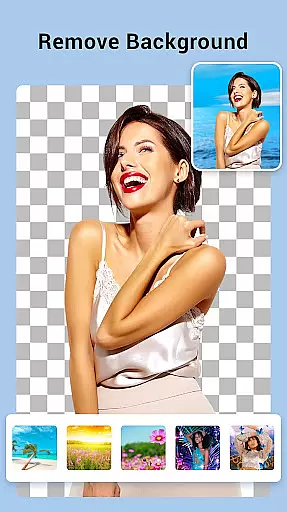
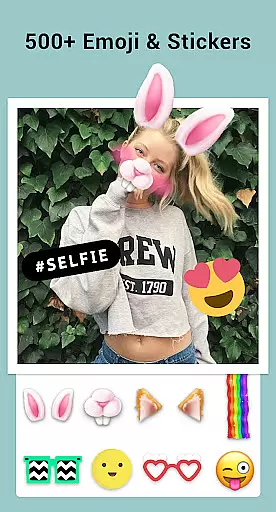

Collage Maker is a versatile photo collage application that allows users to create stunning visual compositions. The app's core functionality lies in its ability to combine multiple photos into beautiful collages using various layouts, frames, and editing tools.
One of the standout features is the AI Photo Enhancer, which can transform low-quality images into high-definition masterpieces with a single tap. Users can choose from over 100 layouts and customize their creations with backgrounds, stickers, fonts, and text overlays. The app supports both grid-style and freeform designs, making it suitable for creating Instagram-ready content.
This application is particularly useful for social media enthusiasts and content creators who need to produce engaging visuals for platforms like Instagram, YouTube, and Snapchat. By providing professional-grade editing tools in an accessible format, Collage Maker helps users elevate their digital storytelling.
Collage Maker distinguishes itself through its comprehensive set of creative tools and customization options. The application allows users to merge up to 100 photos into a single composition, offering unprecedented flexibility in collage creation. With over 100 layout templates, users can experiment with different grid configurations and aspect ratios.
The editing capabilities extend beyond basic collage functions. Users can apply filters, crop images, add text overlays, and utilize drawing tools to enhance their creations. The app includes specialized features such as side-by-side photo arrangements, story templates, and multi-fit options optimized for various social media platforms. These features enable users to create content that meets specific platform requirements without compromising quality.
What sets Collage Maker apart is its integration of AI technology for photo enhancement and its extensive library of design elements. The freestyle mode and scrapbook functionality provide additional creative freedom, while the high-resolution saving option ensures professional-quality output. This combination of advanced features makes the app suitable for both casual users and professional content creators.
Real-time capture and preview functionality is essential for photography apps as it allows users to see exactly what the camera sees before taking a shot. Collage Maker excels in this area by providing an intuitive interface that displays live changes as users apply filters, stickers, and text overlays.
The app ensures that every adjustment made to the photo is instantly visible, giving users precise control over their edits. This real-time feedback loop enables creators to fine-tune their collages with accuracy, ensuring the final output matches their vision.
By offering such responsive and dynamic editing capabilities, Collage Maker enhances user experience significantly. Photographers can experiment freely, knowing they will achieve the desired results without any lag or delay in processing.
AI-powered beauty and enhancement features have become a staple in modern photo editing applications. Collage Maker incorporates advanced AI algorithms that automatically detect and enhance facial features while maintaining natural aesthetics.
This application intelligently applies enhancements like skin smoothing, teeth whitening, and eye enlargement without creating an artificial look. The AI system analyzes each photo individually, adjusting settings to complement the subject's unique characteristics.
Users benefit from consistently high-quality edits that preserve authenticity. Whether preparing images for social media or professional portfolios, Collage Maker's AI ensures every photo looks polished yet genuine, elevating the overall quality of user-generated content.
User-friendly interface
Extensive template library
Powerful AI enhancement
Versatile editing tools
High-quality output
Premium features locked
Occasional ads
Storage intensive
Learning curve
Limited free resources

Search, tag and rate your way to an organized image gallery
 4.40
4.40
Shooting photos and records video easily and efficient with professional Camera
4.30
Edit like a pro with Hypic. Apply filters, AI effects, & magic touch.
4.40
Be your best in every shot! Fix, edit and retouch your face in selfies & photos.
3.70
Photo Exif Editor allows to view, add and modify EXIF data of multiple photos
4.50
Snap photos remotely using your Garmin watch as the camera trigger
4.2
A light meter for true photographers.
4.20
Unlock the full potential of your DJI drone with Litchi
4.50
Try an anime version, cartoon yourself, and generate AI hug or aging videos!
3.70
Gallery show photo, video, slideshow, is perfect 3D effect private photo albums.
4.80
Cartoon and artistic effects for your photos and videos
4.70
PhotoSync Bundle Add-On License. Enables all features and services in PhotoSync.
4.60
Add Watermark - Sign your pictures with a text or logo. Effective, quick, easy!
4.50
Photo editor & gallery. Crop pictures & edit photos offline, no wifi!
4.50
Create AI photos & videos with Enhancer; restore, fix, beautify, enhance photos
4.50
Create AI Photos, Improve and restore quality of blurry, old or damaged pics.
4.20
Professional photography on your mobile phone
4.20
Perfect photos with body shaping, BG changer and object remover.
3.70
An interval timer to automate photo taking process for timelapse
2.90


User Reviews