
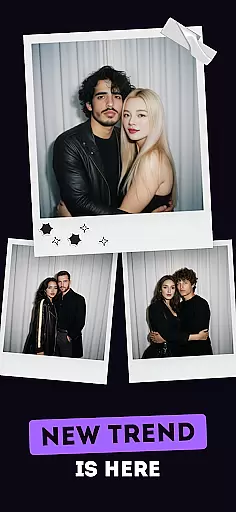
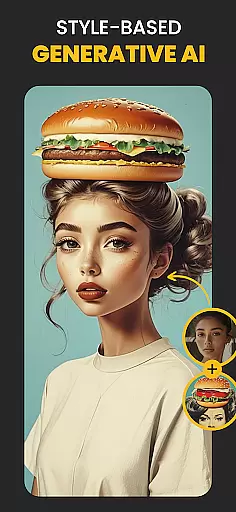
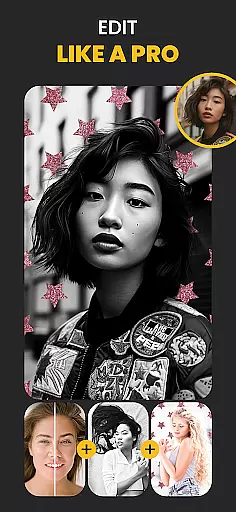
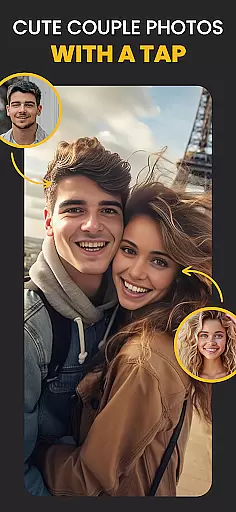
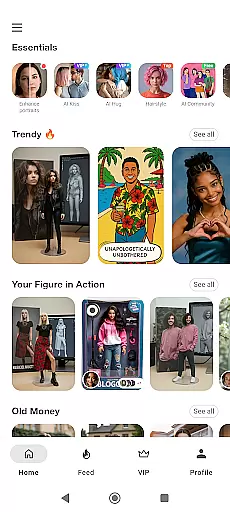
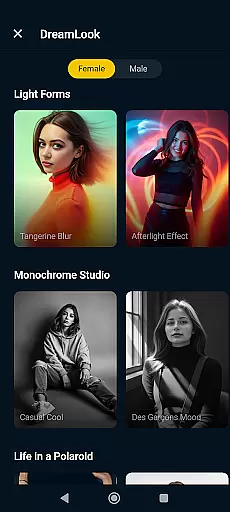
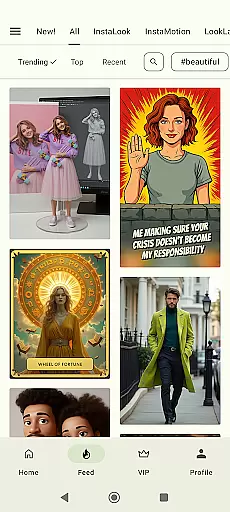
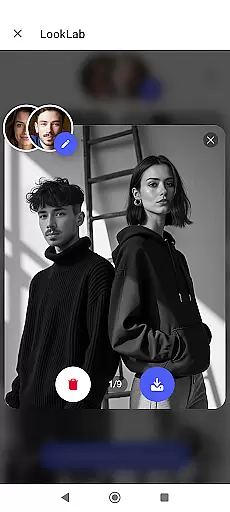
Photo Lab Picture Editor & Art is a feature-rich photography app that combines advanced AI technology with creative photo editing tools. This app allows users to transform their photos into stunning artworks using neural art styles, realistic photo effects, and face montages. With over 50 pre-set AI-powered styles and an array of photo frames, filters, and background editing options, it caters to both casual users and photography enthusiasts.
The app stands out with its automatic face detection algorithms, which enable effortless face swapping and cartoon transformations. Users can also create visually appealing collages, apply stylish filters like vintage or anime, and erase or change photo backgrounds with ease. Its cloud-based architecture ensures smooth performance without consuming device storage, making it accessible for Android users who want professional-grade edits without the need for high-end hardware.
Photo Lab Picture Editor & Art offers a comprehensive suite of features designed to enhance creativity and streamline photo editing. One of its standout capabilities is the Neural Photo Art Styles tool, which uses artificial intelligence to convert ordinary photos into masterpieces by applying unique artistic styles in seconds. The app also includes a robust set of photo frames and effects that add elegance and depth to images, perfect for accentuating special memories.
In addition to these creative tools, the app provides practical functionalities such as a photo background editor and face montage maker. These features utilize smart algorithms to detect faces and objects accurately, enabling seamless modifications like changing backgrounds or transforming portraits into cartoon characters. Furthermore, the app supports creating collages and applying various filters, including vintage, black-and-white, and oil painting effects, ensuring versatility for different aesthetic preferences.
Real-time capture and preview functionality is essential for ensuring that users can see the results of photo edits instantly, providing a seamless editing experience. Photo Lab Picture Editor & Art offers this feature by allowing users to apply various effects and see the changes in real time.
The app leverages advanced processing capabilities to ensure that even complex edits like neural art styles and face montages are previewed without delay. This immediate feedback empowers users to make precise adjustments, enhancing their creative control.
For users, this means no more guesswork or waiting for previews after applying filters or effects. The instant visualization helps in making quick, informed decisions, thus improving overall productivity and satisfaction with the editing process.
Ultimately, real-time capture and preview not only streamline the photo editing workflow but also make it more accessible to non-professionals who seek quick yet high-quality edits for personal or social media use.
AI beauty and enhancement features focus on improving the aesthetic appeal of photos while maintaining a natural look. Photo Lab Picture Editor & Art employs sophisticated AI algorithms to enhance facial features, apply realistic photo effects, and offer diverse photo filters that keep the essence of the original image intact.
This app uses neural networks to intelligently recognize facial features and apply enhancements that look genuine rather than over-processed. From smoothing skin textures to adding subtle makeup effects, the transformations are designed to be lifelike and believable.
Users benefit from these enhancements by achieving professional-grade results without needing expert knowledge. Whether it's refining selfies or creating artistic montages, the natural-looking edits boost confidence and creativity.
By prioritizing authenticity in AI-driven enhancements, Photo Lab ensures that edited photos retain their original charm and character, offering users an unparalleled balance between enhancement and realism.
User-friendly interface
AI-powered photo styles
Versatile filter options
Automatic face detection
Creative collage maker
Requires internet connection
Some features may feel repetitive
Premium version costs extra
Ads in free version
Occasional lag on older devices

Remote control of the phone camera from your Wear OS smartwatch
 3.70
3.70
How would you look like with a differently shaped nose, chin or lips?
3.90
Shooting photos and records video easily and efficient with professional Camera
4.30
HD Photo gallery and photo manager to edit, hide private photos, videos & albums
4.0
An interval timer to automate photo taking process for timelapse
2.90
Photo editor: AI filters, photo enhancer, pic collage maker, AI art generator.
4.80
The #1 app for B&W film developing featuring an advanced darkroom timer.
4.10
Gallery Slideshow is slideshow maker app for slideshow from your gallery photos.
3.90
Future baby face generator: AI kids generator, kid face! What my baby look like?
4.40
AI Photo Editor with 100+ Filters, Effects! Remove BG, Retouch & Photo Enhancer.
4.80
Gallery show photo, video, slideshow, is perfect 3D effect private photo albums.
4.80
Enhance, upscale, and transform your images — on your device, without limits
4.70
A must-have app for landscape photographers
4.60
Transform photos into videos! Create realistic or anime-style images easily!
4.50
Photo editor & gallery. Crop pictures & edit photos offline, no wifi!
4.50
All-in-One Editor & AI Photo Enhancer, Beautify & Retouch, Collage, Cartoonify
4.20
Photo editor: face & body editor, beauty cam, filters and quality enhancer.
4.00
How old age camera Gender Swap App Face Shape Hairstyle App Hair Styler App fun!
4.00
Raw Image Viewer. Gallery with support of raw images (.cr3, .cr2, .nef, .raf).
2.00


User Reviews