
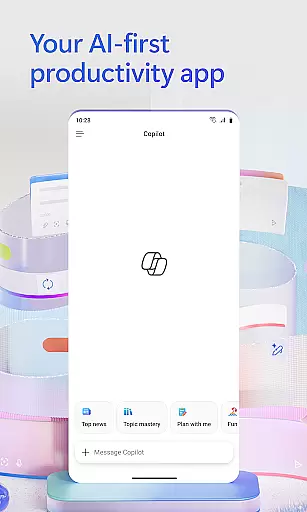
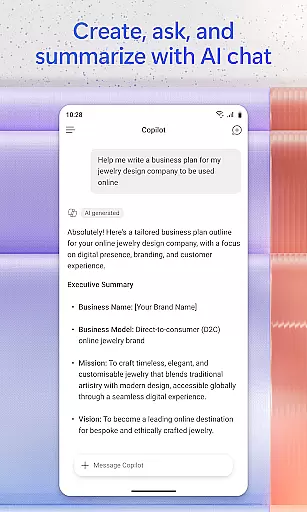
Microsoft 365 Copilot is an AI-first productivity app designed to streamline work and personal tasks. This powerful application serves as a centralized platform for interacting with an AI assistant, creating and editing content, scanning documents, managing projects, and swiftly locating files on the go. With seamless integration across Word, Excel, PowerPoint, and PDFs, it enables users to accomplish more without added complexity.
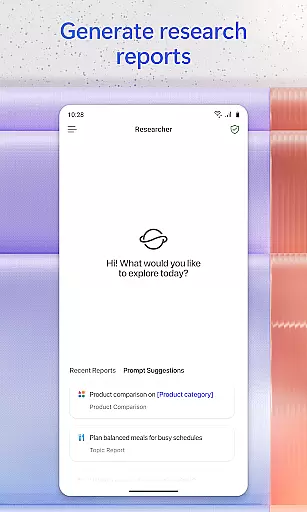
The app's standout feature is its conversational AI assistant, which allows users to summarize documents, draft emails, analyze spreadsheets, and even interact via voice commands. Whether preparing for meetings, brainstorming ideas, or finding specific files, Microsoft 365 Copilot ensures efficiency and accessibility. Its ability to accelerate learning and provide expert insights through specialized AI agents like Researcher and Analyst makes it invaluable for both professional and personal use.
By signing in with a work, school, or personal Microsoft account, users can leverage this free app to enhance productivity. However, certain advanced features may require specific licenses or could be restricted by organizational policies. Overall, Microsoft 365 Copilot empowers users to focus on what truly matters while simplifying everyday tasks.
Microsoft 365 Copilot boasts a rich set of features tailored to boost productivity. One of its core functionalities is the AI assistant, which supports natural language queries to summarize documents stored in the cloud or locally, draft emails, and analyze spreadsheets. The voice interaction capability allows hands-free operation, making it ideal for multitasking or accessibility needs.
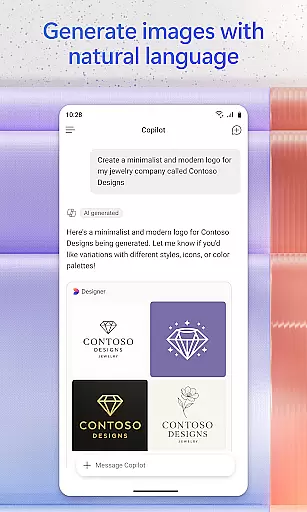
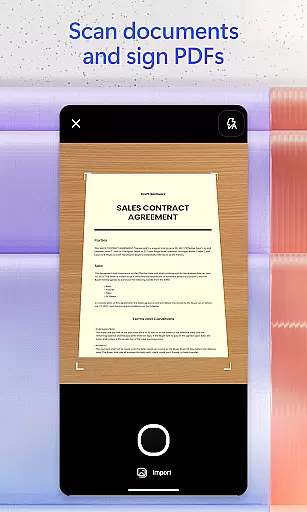
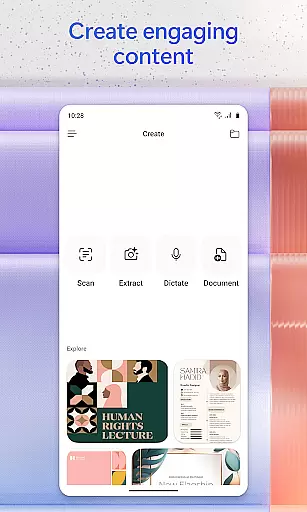
Beyond document handling, the app offers tools for creative content generation. Users can create polished images, posters, banners, videos, and surveys using intuitive templates. Additionally, the document scanning feature lets users digitize notes, photos, and other physical materials directly through their mobile devices. Project management is simplified with Copilot Notebooks, which organize ideas, documents, and links while providing summaries and connections between them.
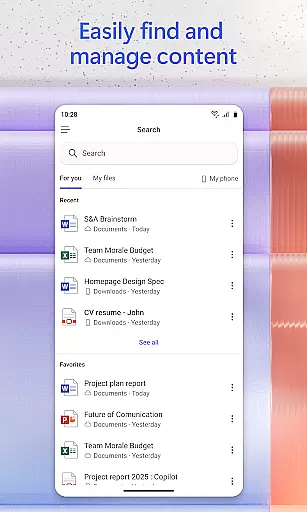
Another notable aspect is its robust search functionality, enabling users to quickly locate files based on context, such as a strategy deck from a month ago or a family reunion photo. These features collectively ensure that Microsoft 365 Copilot not only meets but exceeds the demands of modern productivity applications, offering unparalleled convenience and versatility.
Task management is a cornerstone of productivity, and Microsoft 365 Copilot excels in this area by offering users an integrated platform to manage their tasks efficiently. The app consolidates various productivity tools such as Word, Excel, PowerPoint, and PDF handling into one place, streamlining the workflow.
With Microsoft 365 Copilot, users can easily upload and save documents from their mobile device's storage, allowing them to retrieve and work on files anytime, anywhere. This feature ensures that whether you're handling spreadsheets or presentations, your work process remains uninterrupted.
The application also provides project management capabilities through Copilot Notebooks, which enable users to compile ideas, documents, and links. Copilot then assists by summarizing information and drawing connections, making it easier for users to keep track of their projects and progress.
By centralizing these essential functions, Microsoft 365 Copilot not only simplifies task management but also enhances user efficiency, allowing individuals to focus more on content creation and less on the logistics of file management.
Cross-device synchronization is vital for maintaining continuity across different platforms, and Microsoft 365 Copilot addresses this need with reliable and seamless sync capabilities. Users can start a task on one device and continue on another without missing a beat, ensuring constant productivity.
Microsoft 365 Copilot supports real-time updates, meaning any changes made to documents are immediately reflected across all devices linked to the useru2019s account. This function is particularly beneficial when collaborating with team members, as everyone has access to the most current version of a document.
In addition to document synchronization, the app allows users to save Copilot-created files directly to their mobile device. This means that content generated with the assistance of AI, like summaries or reports, is readily available for offline access or sharing.
By prioritizing robust cross-device synchronization, Microsoft 365 Copilot ensures that users have a dependable tool that adapts to their dynamic work environments, thus supporting a flexible and efficient workflow.
AI-powered assistance
Voice command support
Integrated document tools
Advanced search capabilities
Creative content templates
Limited free features
License restrictions
Dependent on cloud storage
Occasional slowdowns
Learning curve for new users

QuickBooks Workforce lets teams view pay info and track time in one place.
 4.70
4.70
Experience Reading - Night Mode for Documents
4.40
The long-awaited modern gallery app for your Nextcloud server
4.70
Auto-shutoff Alarm with Sunrise, Sunset & Fixed Options.
3.50
The Pro Version of Android's tiniest Notepad app. Just 0.3MB but feature-packed!
4.60
A simple, portable logger for POTA, SOTA, Field Day, and more
4.3
Access, manage and transfer files on Android, PC, Mac, NAS and cloud storages.
4.30
Okta MFA
4.70
AT&T Internet customers can use this app to personalize their Wi-Fi network.
4.40
Use powerful, industry-leading AI tools to generate visual charts from any data
4.80
Understand anything with a personalized AI research assistant
4.80
Absolutely the best CNC machinist speed and feed calculator around. fswizard.com
4.60
App Lock with fingerprint, password: Lock apps & hide photos with lock screens
4.60
Lightweight PDF, Word, Excel reader.
4.60
Fill, sign & send docs, forms, agreements & contracts via electronic signature.
4.50
A Pixel Art watchface inspired by other iconic 90s designs for Wear OS devices!
4.40
When you Focus, so will your Bean in this cozy focus timer
4.30
A customizable calendar for your Wear OS watch
4.20
Total remote control for your Android device, PC and cloud services (IFTTT)!
4.20


User Reviews