
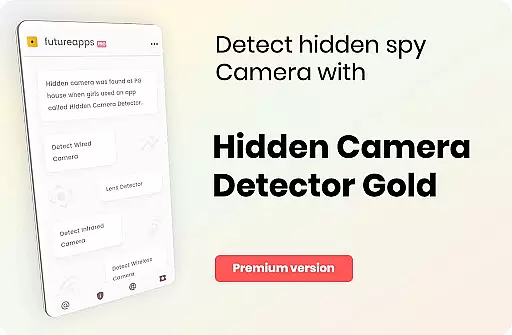
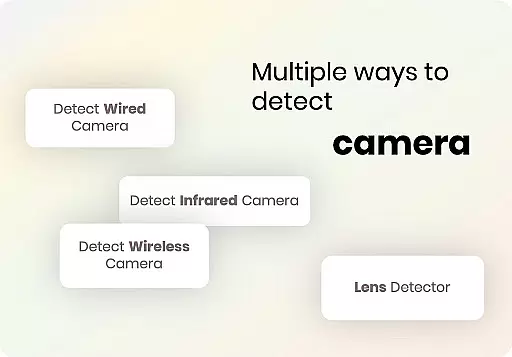
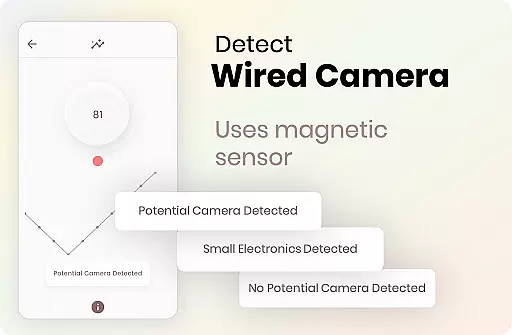
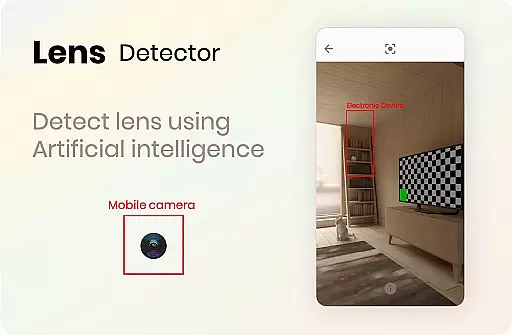
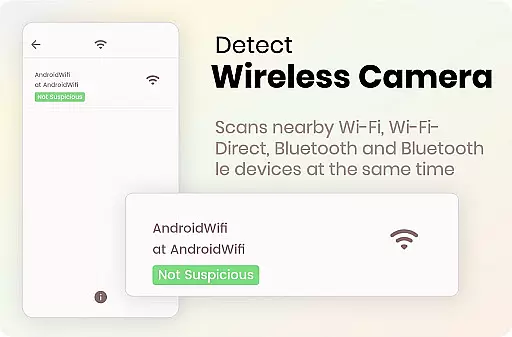

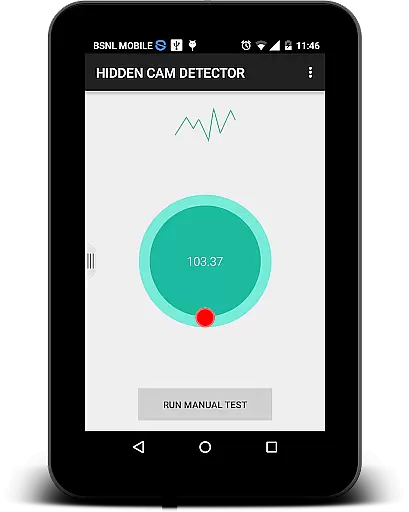
Hidden Camera Detector Gold is a specialized security application designed to help users identify hidden cameras in their surroundings. The app utilizes the magnetic sensor present in most smartphones to detect magnetic activity patterns similar to those emitted by camera devices. By moving your phone near suspicious objects like mirrors, showerheads, or flowerpots, the app can alert you with an alarm if it detects potential camera-like magnetic signatures.
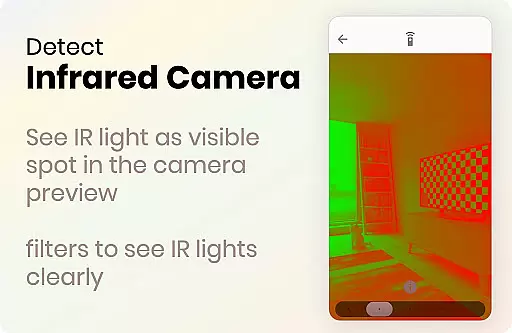
In addition to its magnetic detection feature, the app also includes an infrared camera detector. This tool allows users to scan for infrared lights that are invisible to the naked eye but may indicate the presence of infrared cameras. The app highlights these lights as white spots on the screen, providing an additional layer of security scanning. With both features combined, Hidden Camera Detector Gold offers a comprehensive solution for maintaining privacy in potentially compromised spaces.
This app is particularly useful when staying in hotels, changing rooms, or any unfamiliar environment where privacy is crucial. By identifying potential surveillance threats, users can take necessary precautions to protect themselves from unwanted exposure. The app also enables location sharing with friends and family, allowing them to be aware of potentially unsafe areas.
Hidden Camera Detector Gold stands out with its dual detection system, combining magnetic and infrared scanning technologies. The magnetic detection feature works by analyzing the magnetic field around your smartphone. When the app detects magnetic activity consistent with camera devices, it triggers an audible alarm to alert the user. This feature requires a magnetic sensor in the phone, which is common in most modern Android devices.
The infrared detection tool complements the magnetic scanner by identifying infrared light sources. While regular cameras can sometimes detect infrared light, this app enhances the process with a luminescence effect that makes infrared sources appear as bright white spots on the screen. This feature doesn't require a magnetic sensor, making it accessible to more devices. The combination of these two detection methods provides a more thorough scanning process than using either method alone.
Additional features include detailed instructions for optimal usage, automatic sensor position detection, and compatibility with various Android devices. The app also offers practical advice on what to do when the app detects suspicious activity and how to differentiate between false positives and actual camera threats. These comprehensive features make Hidden Camera Detector Gold a valuable tool for personal security and privacy protection.
Hidden Camera Detector Gold delivers reliable detection mechanisms for identifying potential hidden cameras using your phone's magnetic sensor. The app analyzes magnetic activity around suspicious objects, providing accurate alerts when camera-like magnetic signatures are detected.
The infrared detector feature adds another layer of security by identifying infrared lights that are invisible to the naked eye. By leveraging your phone's camera capabilities and adding a luminescence effect, the app can highlight potential infrared cameras through distinctive white light patterns on the screen.
These core functions ensure users can effectively scan their surroundings in places like changing rooms or hotel showers. The dual detection methods provide comprehensive coverage, making it easier to identify both regular and infrared cameras with confidence.
While some false positives may occur near certain metals, the app is designed to minimize these occurrences. Users are guided to visually confirm lens-like objects when an alert is triggered, ensuring more precise identification of actual cameras.
The interface of Hidden Camera Detector Gold is designed for ease of use, allowing users to quickly access both the magnetic sensor and infrared detection features without unnecessary complexity. Clear instructions guide users on how to position their phone and interpret results, making the scanning process straightforward even for non-technical users.
When the app detects suspicious magnetic activity, it provides immediate feedback through beeps and alarms, ensuring users can respond promptly. Similarly, the infrared detector displays results in real-time on the screen, highlighting any unusual light sources with visible white indicators.
Despite its technical nature, the app maintains an intuitive workflow. Users simply need to move their phone around the target area while the app continuously monitors and provides instant notifications. This seamless interaction ensures a stress-free experience during privacy checks.
Additionally, the app includes helpful tips within the FAQ section to address common user concerns. These explanations clarify how to interpret readings and troubleshoot issues, further enhancing the overall user experience through clear communication and guidance.
Effective magnetic detection
Infrared scanning feature
User-friendly interface
Detailed usage instructions
Location sharing option
Requires magnetic sensor
Occasional false alarms
Dependent on device hardware
May crash with other apps
Limited iOS availability

pdf merge, word to pdf, jpg to pdf, edit pdf, convert to pdf and much more!
 4.20
4.20
Quickly switch to an encrypted DNS server on Android TV
4.50
Just one-tap to easy translate in any language after calls within seconds.
4.20
PDF Reader - Document Viewer: Read, Manage & Organize Your Documents
3.10
card-reader app
2.20
An open-source APK explorer for Android!
4.10
Undelete and recover your lost or deleted files with DiskDigger!
3.40
The Ultimate Bluetooth Keyboard & Mouse. Securely control your PC, Mac, and more
4.50
Mobile Security with Scam Protection | Malware & Virus Cleaner | Safe Browser
4.70
Powerful collection of electronics tools and reference.A must for any enthusiast
4.90
Monitor car performance in real time and troubleshoot malfunctions.
4.80
Unit and currency converter with easy and simple UI.
4.80
Bedrock Together: Join any bedrock server on Xbox/PS
4.80
Just swipe the edge to do something!
4.40
Universal TV remote control all TVs, Roku, LG, Samsung, Fire, Vizio, Sony, TCL.
4.40
Making emulation easy for everyone!
4.30
VESC Tool can monitor and configure VESC-compatible devices over BLE and Wifi
4.20
Create your own live wallpaper or check out thousands already made presets
3.90
Unleash gamepad precision for ultimate mobile gaming dominance.
3.90


User Reviews