
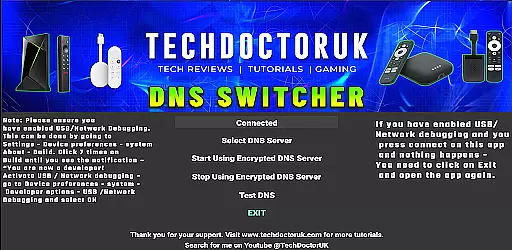
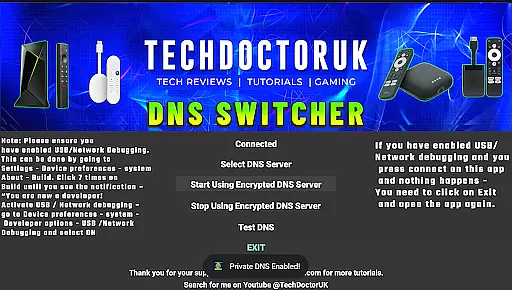
TDUK DNS Switcher is a specialized tool designed to enhance your Android TV's security by enabling encrypted DNS server usage. This application allows users to protect their privacy and secure their DNS requests from potential threats. With a user-friendly interface, it provides the option to choose from well-known encrypted DNS servers or add custom ones. The app is particularly useful for tech-savvy individuals who prioritize online safety and want to ensure their smart TVs are not vulnerable to data breaches.
One of the key features of TDUK DNS Switcher is its ability to integrate seamlessly with Android TV settings. Before using the app, users need to enable USB or Network Debugging to ensure proper functionality. This requirement ensures that only authorized users can make changes to the DNS settings, adding an extra layer of security. By switching to encrypted DNS servers, users can enjoy a safer browsing experience on their smart TVs without compromising speed or performance.
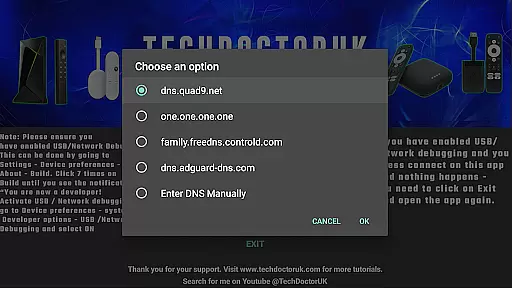
TDUK DNS Switcher offers several notable features that set it apart in the realm of network tools. Firstly, the app provides a comprehensive list of well-known encrypted DNS servers, allowing users to select the most suitable option for their needs. This feature simplifies the process of enhancing security without requiring extensive technical knowledge. Additionally, the app supports the addition of custom DNS servers, catering to advanced users who have specific encryption requirements.
Another significant aspect of TDUK DNS Switcher is its compatibility with Android TV devices. The app is optimized to work efficiently within the Android ecosystem, ensuring that users can easily configure their DNS settings without any hassle. It also emphasizes security by requiring USB or Network Debugging to be enabled before use. This precautionary measure prevents unauthorized access and maintains the integrity of the device's network configuration. Overall, these features make TDUK DNS Switcher a reliable choice for safeguarding your smart TV's internet connection.
TDUK DNS Switcher focuses on providing accurate and effective encrypted DNS services for Android TV users. The application allows you to select from well-known encrypted DNS servers or add your own, ensuring that all DNS requests are secure and private.
The app's core functionality lies in its ability to seamlessly switch your DNS settings to encrypted servers. This is crucial for protecting user privacy and preventing DNS hijacking and other security threats. By choosing a reliable encrypted DNS server, users can ensure their internet traffic remains confidential.
With straightforward implementation, the app provides clear instructions on enabling USB or Network Debugging before use. This ensures that the DNS switching process operates smoothly and without errors. Users can rest assured that their DNS settings will be applied accurately every time they use the app.
By focusing on precision and reliability, TDUK DNS Switcher guarantees that your DNS requests are handled securely. This makes it an essential tool for anyone looking to enhance their Android TV's network security and privacy.
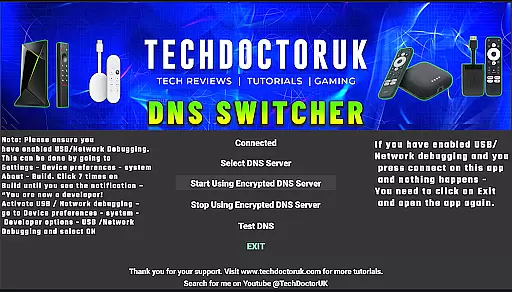
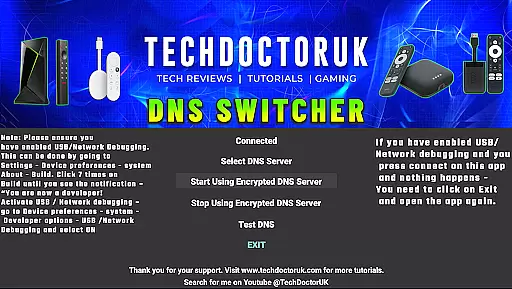
TDUK DNS Switcher offers a simple and intuitive interface designed for ease of use. Even users who are not tech-savvy will find it easy to navigate and set up encrypted DNS servers on their Android TV.
The main screen provides clear options for selecting well-known encrypted DNS servers. Additionally, users have the flexibility to input custom DNS server details if needed. This straightforward approach eliminates confusion and ensures that users can quickly configure their preferred settings.
Instructions for enabling USB or Network Debugging are clearly outlined within the app. This attention to detail helps users avoid common setup issues and ensures a smooth configuration process. The minimalistic design further enhances user experience by removing unnecessary clutter.
Overall, TDUK DNS Switcher combines simplicity with powerful functionality. Its intuitive interface empowers users to take control of their DNS settings effortlessly, making network security accessible to everyone.
Enhances privacy protection
User-friendly interface
Supports custom DNS servers
Compatible with Android TV
Requires secure access
Limited to Android TV
Needs debugging enabled
No automatic updates
Basic UI design
May require technical knowledge

Remote for Roku, Fire TV, Samsung TV, LG TV, Android TV, Chromecast and VIZIO TV
 4.20
4.20
Clean the junk files on your device
3.40
An easy-to-use calculator designed to save time calculating and bending conduit
4.30
VESC Tool can monitor and configure VESC-compatible devices over BLE and Wifi
4.20
Fast Video Downloader, Movie Downloader, Torrent Downloader & Adblock Browser
4.70
Screen Mirroring for Roku Sticks, Roku TCL TV and Roku Hisense TV
4.50
Create your own custom widget with endless possibilities
3.90
Creation, Learning, Entertainment & More — The All-in-One AI Search Engine
4.70
Clean up large files and similar photos, fast and easy to use
4.40
WiFi Signal Strength Meter help you detect WiFi Signal Strength in real time.
4.80
The one-and-only remote control for PC, Mac, and Linux
4.70
HD Camera captures every special moment.
4.60
HD Video player and downloader for all formats, fast & smooth 4K video playback.
4.60
Canon PRINT is a companion app for your Canon printer.
4.60
Just one-tap to easy translate in any language after calls within seconds.
4.20
Quickly & easily calculate the spacing of handrail balusters
4.20
Detect hidden spy camera with advanced scanning {{ Premium version }}
4.00
1-Click close all background apps on Android TV
3.90
This app unlocks the Pro features of the Central for DayZ app
3.60


User Reviews