
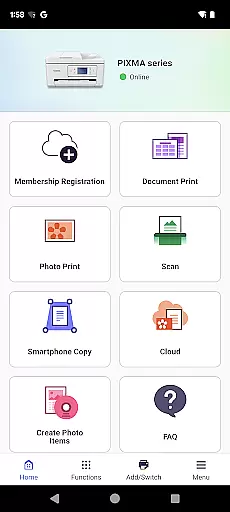
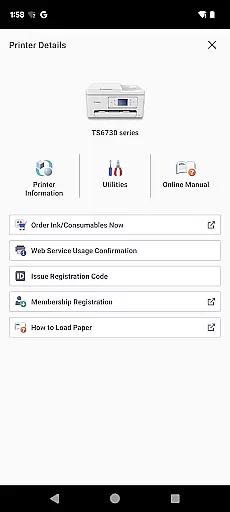
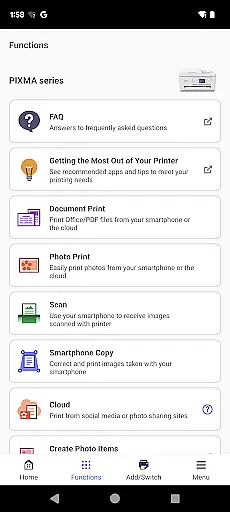
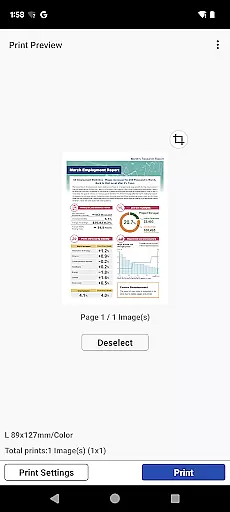
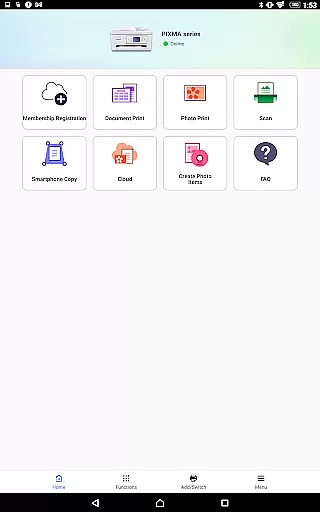
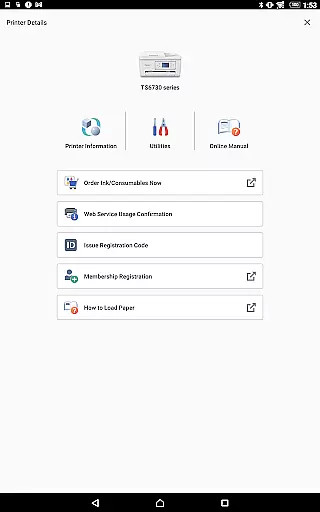
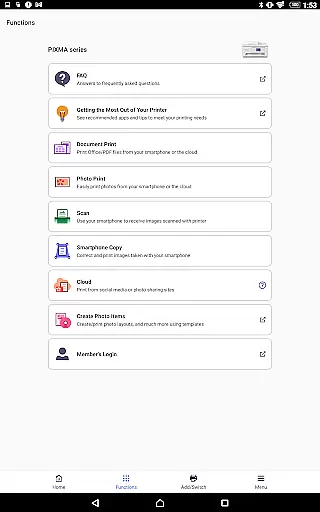
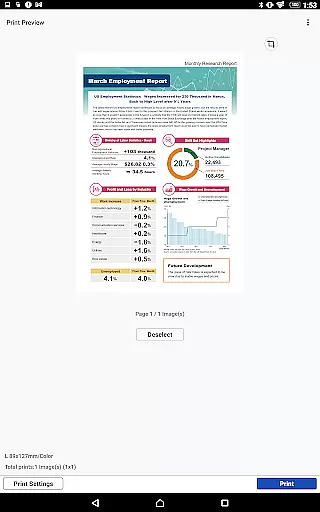
Canon PRINT is a versatile mobile application designed to enhance your printing experience with Canon printers. This app allows users to easily set up their printers, initiate print jobs, and perform scanning tasks directly from their mobile devices. With additional features like cloud printing and consumable level checks, it provides a comprehensive solution for managing printer operations on the go.
The app supports a wide range of Canon printer models including PIXMA, MAXIFY, imagePROGRAF, imageFORCE, imagePRESS, imageRUNNER ADVANCE, Color imageRUNNER, imageRUNNER, Satera, imageCLASS, i-SENSYS series, and SELPHY compact photo printers. Whether you're at home or in the office, Canon PRINT ensures seamless connectivity and efficient printer management across different environments.
By offering convenient access to essential printer functions through an intuitive mobile interface, Canon PRINT delivers significant value to users who require reliable printing solutions. The app's ability to work with various printer models makes it an indispensable tool for both personal and professional printing needs.
Canon PRINT stands out with its rich feature set tailored for optimal printer management. The app enables wireless setup of Canon printers, allowing users to configure settings without the need for physical connections. Its intuitive interface provides easy access to core functionalities such as printing documents and photos, scanning files to mobile devices, and checking ink or toner levels.
One of the key innovations is the cloud printing capability, which lets users print from anywhere by connecting their printers to cloud services. This feature significantly enhances workplace productivity by enabling remote printing solutions. Additionally, the app supports various media types and sizes, giving users flexibility in their printing projects.
The app also includes advanced features like maintenance notifications and firmware update alerts, ensuring printers remain in optimal condition. These capabilities demonstrate Canon's commitment to providing comprehensive printer management solutions through mobile technology, setting Canon PRINT apart from other printing applications.
Canon PRINT is designed to ensure maximum accuracy and effectiveness in its core functions, which include setting up your Canon printer and managing print jobs. The app provides a streamlined interface that allows users to easily configure their printers, check ink or toner levels, and initiate printing tasks without hassle. This reliability ensures that every document, photo, or scan is processed exactly as intended.
The app supports a wide range of Canon printer models, including PIXMA, MAXIFY, imagePROGRAF, and SELPHY series, among others. By offering compatibility with both inkjet and laser printers, Canon PRINT guarantees precise execution of commands across different devices. Whether you're printing wirelessly from the cloud or scanning documents directly to your smartphone, the app delivers consistent performance tailored to meet various user needs.
For users, this means fewer errors, reduced paper and ink wastage, and faster completion of tasks. With real-time updates on consumable levels and seamless integration with cloud services, Canon PRINT enhances productivity by ensuring that your printing setup is always ready when you need it. This level of precision and efficiency makes the app an indispensable tool for both personal and professional use.
A standout feature of Canon PRINT is its simple and intuitive interface, which makes it accessible even to those who may not be tech-savvy. Upon launching the app, users are greeted with a clean layout that prioritizes essential functions such as printer setup, scanning, and printing. These features are organized logically, allowing users to complete their tasks with minimal effort and no unnecessary complications.
In addition to its straightforward design, Canon PRINT incorporates helpful prompts and notifications that guide users through each step of the process. For example, if the printer is low on ink or requires maintenance, the app provides clear instructions on how to resolve these issues. Furthermore, advanced options like cloud printing and wireless connectivity are presented in a way that feels natural rather than overwhelming.
This focus on usability translates into significant time savings and a more enjoyable user experience. By eliminating steep learning curves and reducing the likelihood of operational mistakes, Canon PRINT empowers users to focus on their creative or professional projects without being bogged down by technical difficulties. Its balance of functionality and ease-of-use sets it apart in the realm of mobile printing solutions.
User-friendly interface
Wide printer compatibility
Cloud printing support
Remote management tools
Comprehensive feature set
Limited to Canon printers
Some features model-specific
Occasional connectivity issues
No Android Wear support
Regional service restrictions

 4.50
4.50 4.50
4.50
Transfer Files, APK from Phone to Watch & Install.
4.2
A convenient photo, video, and file recovery tool.
4.00
Safely recover deleted photos, videos, and files with a single easy tap.
3.70
A simple app to back up and restore SMS & MMS messages and call logs.
4.10
Pro Emulator is an easy to use game console emulator for a range of consoles.
4.40
Screen recorder with audio to record high-quality videos and take screenshots.
4.40
Your personal health butler
3.60
Support Fossify apps with a warm thank you!
5.00
Easily install aab(Android App Bundle) files on your Android device with our app
4.80
The Ultimate Flex Drivers Utility App - Convenient Tapping & Block Filters
4.70
Planner and Tracker for Stardew Valley
4.60
Play your X-Box games remotely in 1080p with any controller and zero latency
4.60 4.50
4.50
The Ultimate Bluetooth Keyboard & Mouse. Securely control your PC, Mac, and more
4.50
Quickly & easily calculate the spacing of handrail balusters
4.20
1-Click close all background apps on Android TV
3.90
Undelete and recover your lost or deleted files with DiskDigger!
3.40


User Reviews