
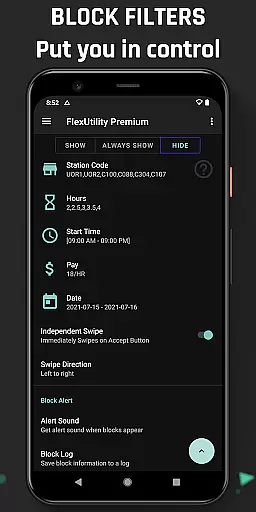
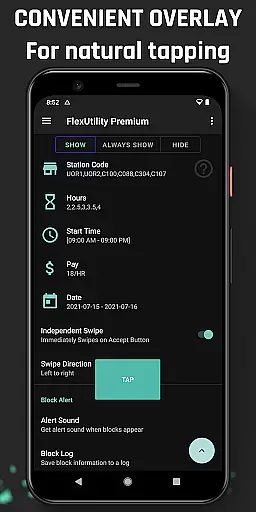
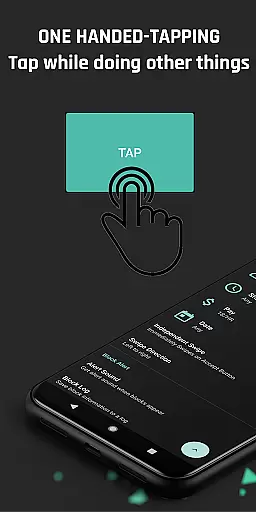
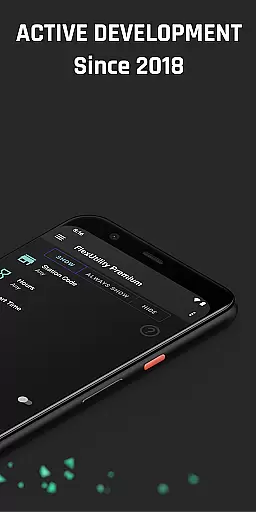
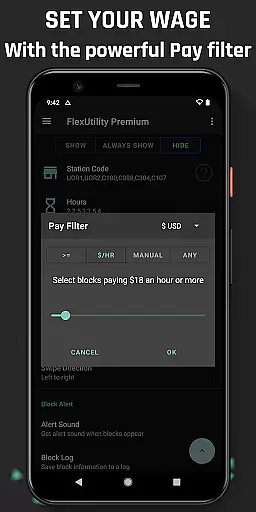
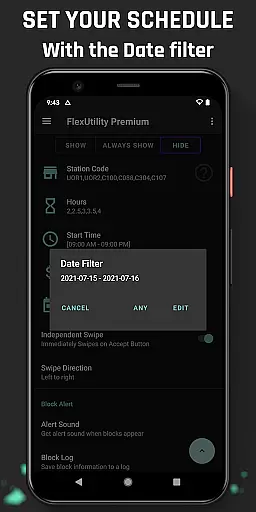
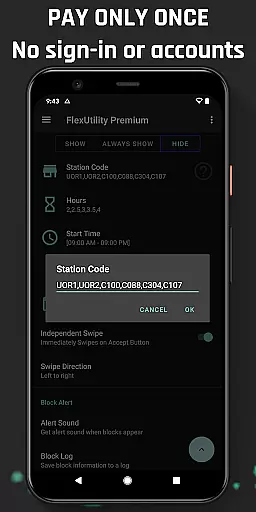
Flex Utility Premium is a powerful tool designed specifically for Flex drivers who want to optimize their work experience. The app provides an innovative one-tap overlay button that simplifies the process of accepting work blocks, allowing drivers to multitask effectively while searching for suitable jobs. With its advanced filtering system, users can customize their work preferences by setting specific pay rates, preferred station codes, desired work days, and ideal start times. This ensures maximum convenience and efficiency in finding the most suitable work opportunities.
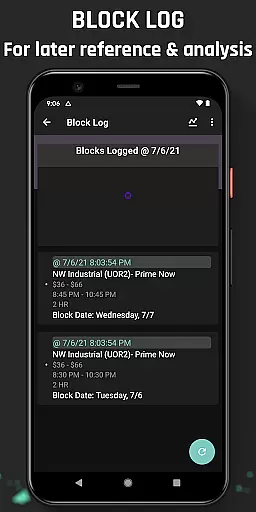
In addition to its core functionality, Flex Utility Premium offers valuable features like Block Alert notifications and a detailed Block Log. These tools help drivers identify optimal work patterns and missed opportunities, with the option to export data for deeper analysis. Developed in 2018 and continuously updated based on community feedback, this app is an essential solution for drivers looking to eliminate tapping fatigue, save time, and earn more money. It's particularly beneficial for drivers with disabilities, providing accessibility support without compromising user privacy or fairness.
Flex Utility Premium stands out with its comprehensive feature set tailored specifically for Flex drivers. The app's one-tap overlay button revolutionizes the way drivers interact with work blocks, eliminating the need for repetitive two-finger tapping. This allows users to maintain better focus on other tasks while still securing quality work opportunities. The advanced filtering system is another key highlight, enabling drivers to define their ideal work conditions with remarkable precision.
Users can set minimum pay rates to ensure they only receive offers that meet their financial expectations. They can also input preferred station codes to work exclusively at convenient locations, specify desired work days through an intuitive date filter, and choose exact start times to match their schedules. Additionally, the app lets drivers control their work duration by filtering for short or long jobs. Beyond these core features, Flex Utility Premium includes practical tools like real-time Block Alerts and a comprehensive Block Log that tracks historical data, which can be exported for further analysis. All these functions are delivered through Android's official Accessibility Service libraries, ensuring both utility and security.
Flex Utility Premium exemplifies core function accuracy and effectiveness by streamlining the block acceptance process for Flex drivers. The app's one-tap overlay button simplifies interactions, ensuring that users can secure blocks without the need for precise, multi-finger gestures.
The powerful filtering system is a testament to the app's dedication to functionality. Drivers can customize their work parameters including pay rate, station preference, work days, start times, and job duration. This specificity in filtering ensures that only the most relevant blocks are presented, enhancing the overall efficiency of the app.
With features like Block Alert and Block Log, Flex Utility Premium goes beyond basic task management. These tools not only notify users of suitable blocks but also provide insights into block availability patterns, which can be exported for further analysis. Such capabilities reinforce the app's role as an essential tool for optimizing work strategies.
Ultimately, Flex Utility Premium delivers on its promise of providing a competitive edge to its users. By focusing on precision in task automation and offering valuable feedback through logs and alerts, it empowers drivers with disabilities or those seeking convenience to maximize their potential within the Flex ecosystem.
Flex Utility Premium excels in interface simplicity and intuitiveness, presenting an accessible solution tailored for Flex drivers. Its design eliminates cumbersome navigation with a singular, easy-to-reach overlay button that facilitates seamless interaction with minimal attention required from the user.
The app's filtering options are straightforward yet potent, allowing drivers to effortlessly set preferences without navigating complex menus. With clear categories such as pay rate, station codes, work days, start times, and job lengths, users can quickly adjust settings to match their desired work conditions.
Additional features like Block Alert and Block Log contribute to the app's intuitive nature. Rather than constantly monitoring the app, drivers receive timely notifications and can review past block opportunities at their leisure, making the user experience both convenient and stress-free.
By prioritizing accessibility and ease-of-use, Flex Utility Premium creates an environment where drivers can focus on their tasks rather than the tool itself. This commitment to a simple, intuitive interface ensures that all users, regardless of technical skill, can harness the full power of the app with confidence.
Efficient block filtering
User-friendly interface
Accessibility support
Regular feature updates
Privacy-focused design
Premium price tag
Limited to Flex drivers
No auto-tapping function
Requires setup time
Android-only availability

A powerful, easy-to-use flight computer on your phone or tablet!
 3.80
3.80
Unit and currency converter with easy and simple UI.
4.80
eXtended Permission Manager - a small app to manage permissions and AppOps
4.50
An open-source APK explorer for Android!
4.10
An easy-to-use calculator designed to save time calculating and bending conduit
4.30
Mirror your screen to Chromecast and Android TV - Super fast and simple
4.60
Create your own custom widget with endless possibilities
3.90
fast and easy mp3 music downloader
4.80
Enhance your Beats
3.70
Extremely fast, secure, and protects your privacy
4.80
Excellent scientific calculator with symbolic algebra, integrals, derivatives
4.80
WiFi Signal Strength Meter help you detect WiFi Signal Strength in real time.
4.80
Optimize your WiFi network, turn your phone into Wifi Analyzer
4.70
The one-and-only remote control for PC, Mac, and Linux
4.70 4.50
4.50
The Ultimate Bluetooth Keyboard & Mouse. Securely control your PC, Mac, and more
4.50
Game Booster, GFX Tool is now compatible with newer game update
4.50
MS-DOS in your pocket. Play old DOS games anywhere you are ;)
4.10
View detailed information about your Nissan Leaf the dealer never shows you.
4.10


User Reviews