
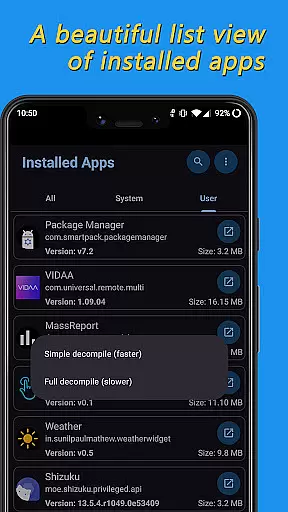
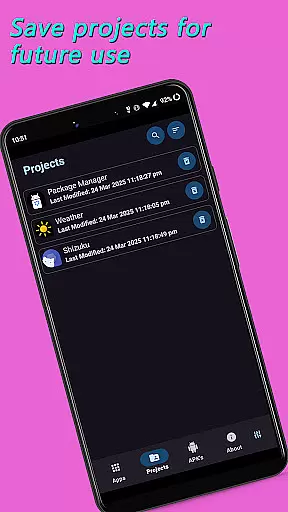
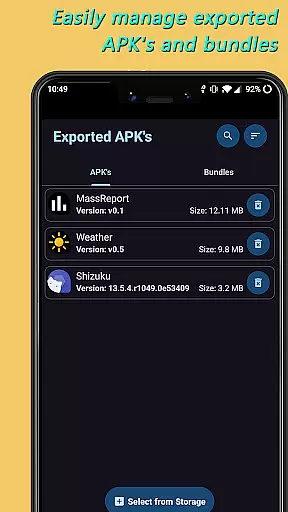
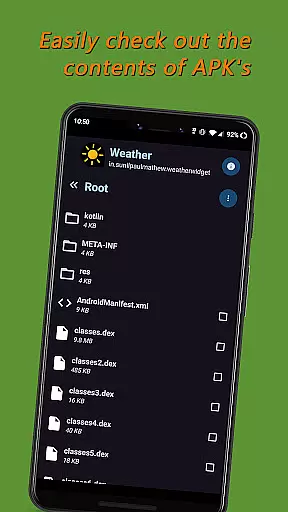
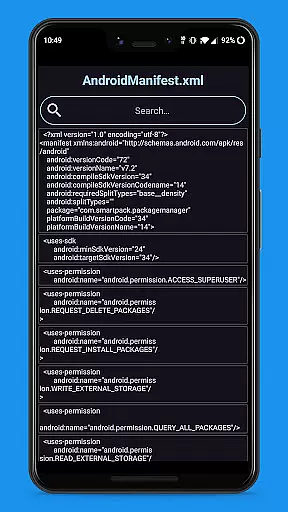
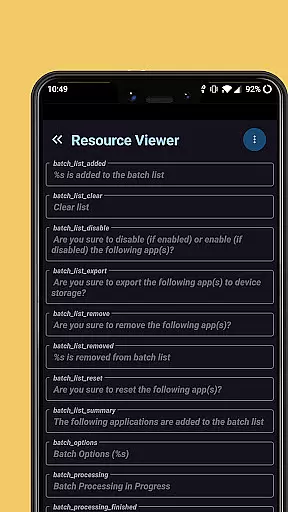
APK Explorer is a powerful tool designed for Android users who need to explore and manage installed applications on their devices. This app provides a comprehensive set of features that allow users to view detailed information about installed apps, including resource files, DEX contents, and APK management.
The application stands out with its elegant user interface that supports automatic dark/light themes, making it user-friendly in various lighting conditions. Whether you are a developer or a power user, APK Explorer offers the necessary tools to efficiently handle app resources and perform tasks like decompiling DEX files, exporting APKs, and extracting app icons with ease.
This tool is particularly useful for developers who require quick access to app components and wish to manage or modify them without hassle. With its open-source nature, APK Explorer also invites contributions from the development community, ensuring continuous improvement and adaptation to user needs.
APK Explorer boasts an array of sophisticated features tailored for Android power users and developers. The app presents a beautifully designed list view of all installed applications, allowing users to explore and navigate through their contents effortlessly.
One of the standout capabilities is the ability to decompile and inspect the contents of DEX (classes.dex) and resource (resources.arsc) files. Users can export and manage APKs or Split APKs directly from the device storage, as well as extract app icons with a single click. Additionally, the app provides essential information about important resource files and enables viewing of graphics, texts, binary XML, and more.
APK Explorer also allows users to save or export individual or sets of resource files to device storage. Its elegantly designed interface adapts to user preferences with auto-dark/light themes, enhancing usability across different environments. These features collectively make APK Explorer an indispensable tool for anyone looking to delve deeper into Android app management.
APK Explorer excels in providing accurate and effective core functions for Android users who need to explore and manage installed applications. The app allows users to decompile and view the contents of DEX and resource files with precision, ensuring that every piece of data is correctly interpreted and displayed.
The tool's ability to export and manage APKs and Split APKs is highly reliable, offering seamless operations such as deleting and sharing files. With a beautifully designed list view of installed applications, users can easily navigate through their apps, making the exploration process both efficient and enjoyable.
Additionally, APK Explorer offers advanced features like extracting app icons with a single click and viewing various file types including graphics, texts, and binary XML. These capabilities ensure that users have all the necessary tools at their disposal to effectively manage and understand their Android applications.
By focusing on accuracy and effectiveness, APK Explorer ensures that developers and power users can rely on it for detailed app inspections and modifications, enhancing both productivity and understanding of Android app structures.
The interface of APK Explorer is crafted to offer simplicity and intuitiveness, making it accessible even to those who may not be deeply familiar with Android's technical aspects. Its elegantly designed user interface supports an auto-dark/light theme, adapting to user preferences and environmental conditions seamlessly.
Users can effortlessly explore and navigate through the contents of installed applications or APKs selected from device storage. The design emphasizes ease of use, ensuring that important features such as exporting individual or a set of resource files are straightforward and hassle-free.
Moreover, the app provides clear and concise information about important resource files, aiding users in understanding the structure and components of their applications without overwhelming them with unnecessary complexity.
This intuitive design extends to more advanced features like decompiling DEX files and managing APKs, where operations are streamlined to minimize confusion and maximize efficiency, allowing users to focus on their tasks rather than struggling with the tool itself.
User-friendly interface
Auto-dark/light theme
Efficient APK management
Decompiles DEX files
Open-source project
Complex for beginners
Limited customer support
No cloud backup
Occasional bugs
Advanced features only

 4.50
4.50
Just one-tap to easy translate in any language after calls within seconds.
4.20
1-Click close all background apps on Android TV
3.90
Clean the junk files on your device
3.40
Excellent scientific calculator with symbolic algebra, integrals, derivatives
4.80
Navigate with Ease and Style
4.90
With videos, electrical calculators, and built-in ebook, Ugly’s has your answer.
4.50
Support Fossify apps with a warm thank you!
5.00
Clean up your phone, find files, play media, and share files offline
4.50
Change your GPS location instantly. Simulate routes anywhere in the world.
4.90
WiFi Signal Strength Meter help you detect WiFi Signal Strength in real time.
4.80
HD Camera captures every special moment.
4.60
HD Video player and downloader for all formats, fast & smooth 4K video playback.
4.60
Forza Tuning Calculator App for Forza Horizon 5, Motorsport and Earlier Titles
4.40
Carry a FTP server in your pocket and avoid USB cables for file transfer
4.20
VESC Tool can monitor and configure VESC-compatible devices over BLE and Wifi
4.20
Effortlessly run ADB commands directly on your device without a PC.
4.20
View detailed information about your Nissan Leaf the dealer never shows you.
4.10
Download any file easily and quickly with Downloader
4.3


User Reviews