
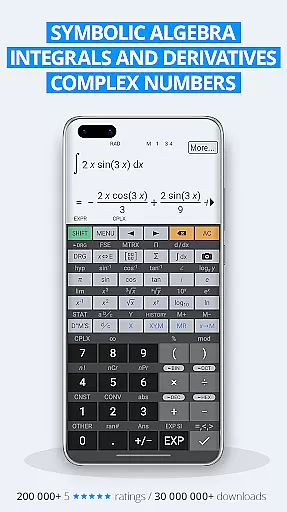
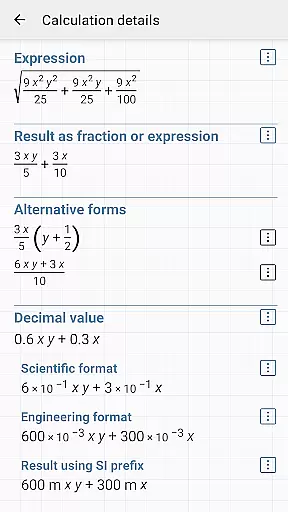
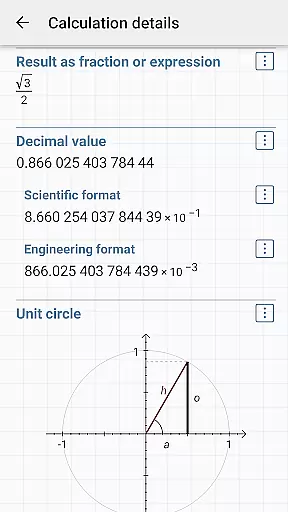
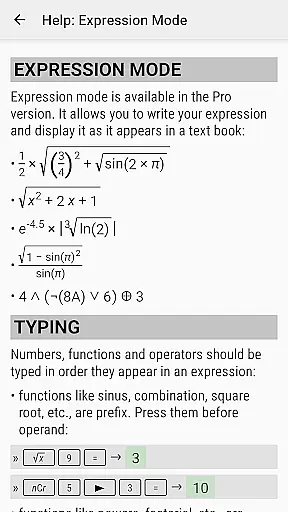
HiPER Calc Pro is an advanced scientific calculator that stands out for its powerful symbolic algebra capabilities, graphing functions, and comprehensive mathematical tools. Designed for students, engineers, and professionals, this app supports complex calculations such as equations, integrals, derivatives, and matrix operations. Its intuitive interface allows users to input expressions naturally while delivering precise results in various formats, including simplified expressions and numerical outputs.
The app offers multiple layouts tailored to different device sizes, ensuring optimal usability on smartphones and tablets alike. A standout feature is the multiline display option for tablets, which provides a complete history of calculations and easy access to previous results. With over 40 million downloads globally and 200,000 five-star ratings, HiPER Calc Pro proves to be a trusted companion for tackling intricate math problems efficiently.
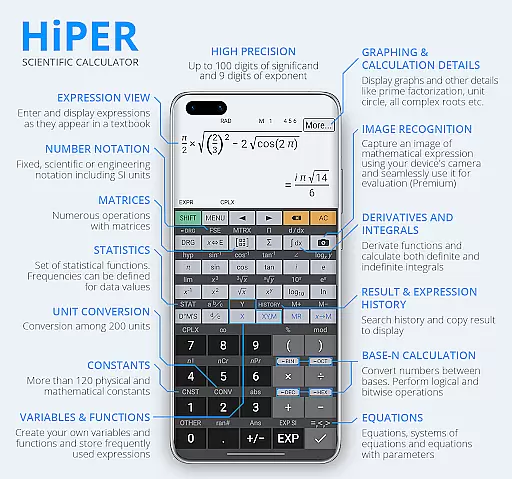
HiPER Calc Pro boasts an extensive range of features designed to handle even the most demanding computations. It supports up to 100 digits of significand and 9 digits of exponent, making it suitable for high-precision tasks. The app includes functionalities like basic arithmetic operations, fractions, periodic numbers, and unlimited braces, ensuring flexibility across diverse mathematical scenarios. Advanced tools such as symbolic computation, derivatives, integrals, and regression analysis cater to specialized needs.
Graphing capabilities are another highlight, enabling users to visualize functions, equations, and 3D graphs with ease. Additionally, the app offers more than 90 physical constants and conversion among 250 units, enhancing its utility in scientific contexts. Users can customize their experience through several high-quality themes, clipboard operations, and Reverse Polish notation. These robust features collectively make HiPER Calc Pro an indispensable tool for technical and academic pursuits.
HiPER Calc Pro stands out as a highly accurate and effective scientific calculator, offering advanced mathematical capabilities. The app supports up to 100 digits of significand and 9 digits of exponent, ensuring precision in calculations that go beyond basic arithmetic operations.
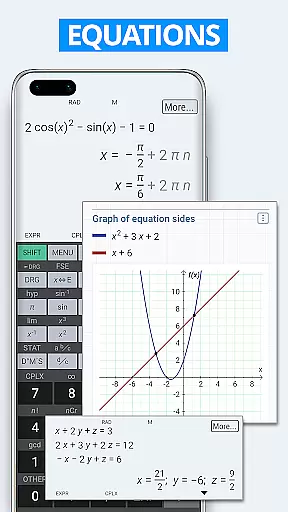
With features like symbolic algebra, users can perform equations with one or more variables, systems of equations, and even tackle complex calculus problems through derivatives and integrals. This positions the app not just as a tool for everyday calculations but as an essential companion for students and professionals in scientific fields.
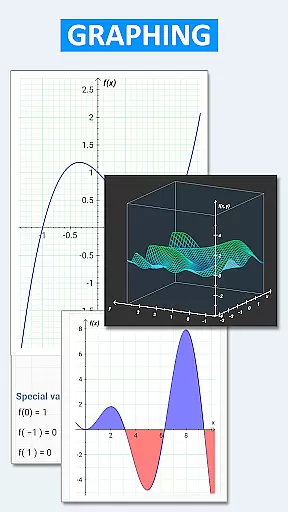
The inclusion of graphing capabilities allows users to visualize functions, equations, integral areas, and limits, enhancing comprehension and analysis. These graphs are rendered accurately, providing clear insights into mathematical concepts and relationships.
Despite its advanced features, HiPER Calc Pro maintains an intuitive and user-friendly interface suitable for various screen sizes. It offers multiple layouts such as pocket for small devices, compact for smartphones, and expanded for tablets, ensuring optimal usability regardless of device type.
A notable feature is the multiline display option available on tablets, which shows the complete history of calculations and provides easy access to previous results. This functionality simplifies navigation through past computations without cluttering the interface.
Users can choose from several high-quality themes to customize their experience while maintaining clarity and ease of use. Such attention to design ensures that even with its extensive range of functionsu2014from trigonometric and hyperbolic functions to bitwise shiftsu2014the application remains approachable for both beginners and experts alike.
High precision
Symbolic algebra
Advanced graphing
Customizable themes
Wide range of functions
Steep learning curve
Premium price
No offline help
Complex UI
Limited tutorials

Quickly switch to an encrypted DNS server on Android TV
 4.50
4.50
Fluid navigation gestures for all of us!
4.30
Universal TV remote control all TVs, Roku, LG, Samsung, Fire, Vizio, Sony, TCL.
4.40
Carry a FTP server in your pocket and avoid USB cables for file transfer
4.20
Mirror your screen to Chromecast and Android TV - Super fast and simple
4.60
Bedrock Together: Join any bedrock server on Xbox/PS
4.80
Download any file easily and quickly with Downloader
4.4
fast and easy mp3 music downloader
4.80
The ideal app to be the digital eye of your family
3.40
Enjoy smooth gameplay with Game Booster
4.90
Small and simple app to Verify Root Access and BusyBox Install!
4.70
NFC Tools can read and write NFC tags.
4.70
Creation, Learning, Entertainment & More — The All-in-One AI Search Engine
4.70
Connect instantly to a fast, encrypted VPN with one tap
4.60 4.50
4.50
Pro Emulator is an easy to use game console emulator for a range of consoles.
4.40
Quickly & easily calculate the spacing of handrail balusters
4.20
An open-source APK explorer for Android!
4.10
Transfer Files, APK from Phone to Watch & Install.
4.0


User Reviews