












Exora VPN is a powerful virtual private network tool designed to provide users with secure, fast, and unrestricted internet access. The app ensures complete online privacy by using advanced encryption protocols and a strict no-logs policy, making it ideal for both casual browsing and high-stakes activities like streaming or gaming.
One of the standout features of Exora VPN is its global server network, which offers lightning-fast connections optimized for various use cases. Whether you're looking to bypass geo-restrictions, protect your data on public Wi-Fi, or simply enjoy uninterrupted browsing, Exora VPN delivers a seamless experience. Its automatic kill switch and customizable DNS settings further enhance user control and security.
This app is particularly beneficial for travelers, remote workers, and privacy-conscious individuals who need reliable internet access without compromising speed or safety. With one-tap connectivity and no registration required, Exora VPN makes online freedom accessible to everyone.
Exora VPN stands out with its comprehensive set of features tailored to meet diverse user needs. The app utilizes modern V2Ray technology, ensuring top-tier security and performance. Its global server infrastructure allows users to connect instantly to high-speed servers, with the flexibility to choose specific locations based on their preferences.
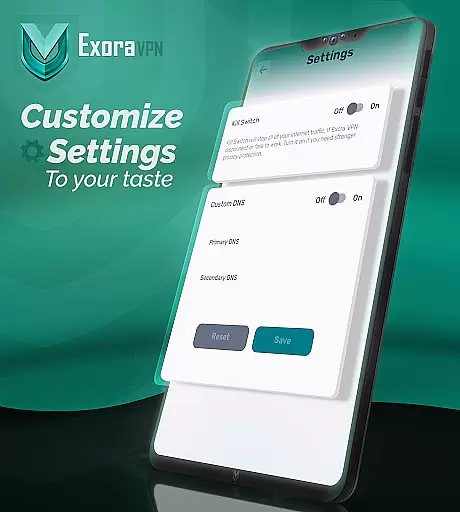
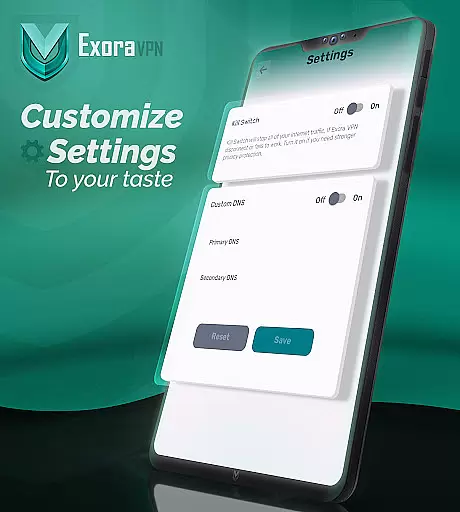
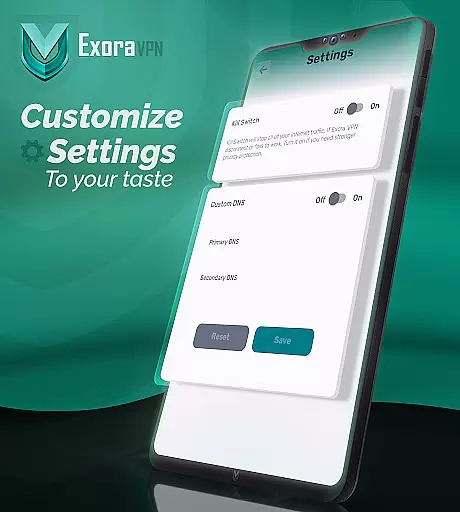
A key highlight is the automatic kill switch, which prevents data leaks by cutting off internet access if the VPN connection drops unexpectedly. Additionally, Exora VPN supports custom DNS settings, empowering users to fine-tune their browsing experience while maintaining optimal privacy. Real-time connection stats are displayed within the app, giving users full visibility into their session details.
Other notable features include zero-log guarantees, 24/7 customer support, and optimization for low-latency activities such as gaming and streaming. These functionalities collectively make Exora VPN an excellent choice for anyone seeking robust protection and unrestricted access to the web.
Exora VPN positions itself as a tool that emphasizes speed, privacy, and unrestricted internet access. The core functions of the app are designed to deliver on these promises through advanced features like automatic kill switch and custom DNS settings.
The automatic kill switch ensures that your data remains protected even if the VPN connection drops unexpectedly. This feature immediately halts all unsecured traffic, preventing any potential leaks of sensitive information. Such functionality is crucial for users who require constant protection while browsing or conducting online activities.
In addition to the kill switch, Exora offers custom DNS settings which allow users to tweak their browsing experience according to their preferences. This level of customization enhances user control over how they interact with the web, providing an optimized and personalized connection tailored to individual needs.
By focusing on these core functionalities, Exora VPN delivers a secure and efficient service that caters to both casual users looking for simplicity and tech-savvy individuals needing more granular control over their network settings.
A standout aspect of Exora VPN is its commitment to interface simplicity and intuitiveness, ensuring that users can easily navigate and utilize its features without a steep learning curve. The app's design emphasizes ease of use, allowing even those unfamiliar with VPN technology to connect quickly and efficiently.
One-tap instant connection is one of the key highlights, enabling users to establish a secure connection with minimal effort. Thereu2019s no need for complicated setup processes or account registrations, making it accessible for everyone regardless of technical expertise.
Furthermore, real-time connection stats provide transparency about your current session, including details like server location and connection speed. These insights empower users by keeping them informed about their connectivity status at all times.
Overall, Exora VPN combines essential security features with an intuitive interface, creating a seamless experience where users can enjoy fast, private, and unrestricted internet access without hassle.
Fast global servers
No-log policy
Easy one-tap use
Kill switch included
Custom DNS options
Limited free tier
Occasional drops
Ads in free version
Advanced settings
High system demand

 4.50
4.50
Easily install aab(Android App Bundle) files on your Android device with our app
4.80
A powerful, easy-to-use flight computer on your phone or tablet!
3.80
This app unlocks the Pro features of the Central for DayZ app
3.60
Universal TV remote control all TVs, Roku, LG, Samsung, Fire, Vizio, Sony, TCL.
4.40
Making emulation easy for everyone!
4.30
Planner and Tracker for Stardew Valley
4.60
Game Booster, GFX Tool is now compatible with newer game update
4.50
Protect your device with antivirus, storage cleanup, and system monitoring
4.70
Creation, Learning, Entertainment & More — The All-in-One AI Search Engine
4.70
HD Camera captures every special moment.
4.60
HD Video player and downloader for all formats, fast & smooth 4K video playback.
4.60 4.50
4.50
Screen Mirroring for Roku Sticks, Roku TCL TV and Roku Hisense TV
4.50
PC precision for mobile gaming: dominate with keyboard and mouse!
4.30
Quickly check the frequency of the Earth
4.30
Effortlessly run ADB commands directly on your device without a PC.
4.20
A non-root local ADB shell client. READ BELOW!
3.40
Unlock your Essential Key. Create custom shortcuts to your favorite apps!
4.0


User Reviews