
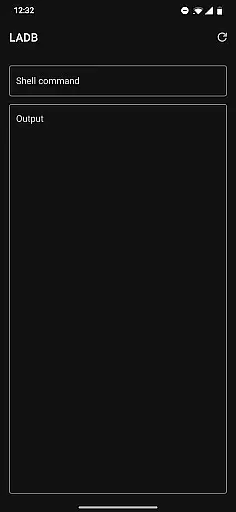
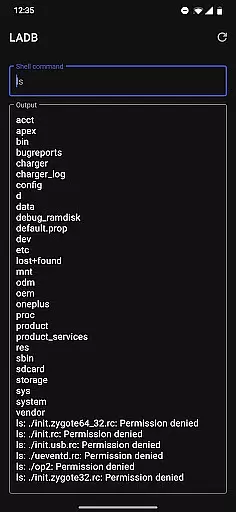
LADB is a powerful tool that bundles an ADB server within the app, enabling developers to debug Android devices wirelessly. By utilizing Android's Wireless ADB Debugging feature, it facilitates local communication between the server and client without requiring a USB connection.
The initial setup involves pairing the device using a unique code and port, which can be done efficiently with split-screen mode or pop-out windows. This application is particularly useful for developers who need to debug applications or execute shell commands on their devices without physical constraints.
Despite some compatibility issues with other tools like Shizuku, LADB remains a reliable solution for wireless debugging, offering users significant flexibility in managing their development environments.
LADB offers several notable features that enhance its functionality as a debugging tool. Firstly, it includes an integrated ADB server, eliminating the need for external installations and streamlining the debugging process. The app supports wireless connections through Android’s Wireless ADB Debugging, allowing seamless interaction between the server and client.
Another key feature is the assisted pairing mode, which simplifies the initial setup by guiding users through the pairing process. For advanced users experiencing difficulties with newer Android versions, manual pairing options are available via tutorials provided by the developer.
Additionally, LADB operates under a modified GPLv3 license, ensuring open-source accessibility while discouraging unofficial builds on platforms like Google Play Store. These features collectively make LADB a versatile and indispensable tool for Android developers seeking efficient wireless debugging solutions.
For a tool like LADB, core function accuracy and effectiveness are paramount. This app bundles an ADB server within its libraries to facilitate local device connections that typically require active USB. With Android's Wireless ADB Debugging feature, LADB enables communication between the server and client locally, which is crucial for developers and power users who need reliable access to their devices.
The app provides a streamlined setup process, recommending the use of split-screen mode or pop-out windows with LADB and Settings open simultaneously. This ensures that pairing information remains valid during the initial connection phase. By inputting the correct pairing code and port into LADB, users can establish a stable link, allowing them to execute commands and manage their devices efficiently without physical constraints.
Despite some compatibility issues, such as with Shizuku, where simultaneous usage may cause connection failures, LADB offers troubleshooting steps that include clearing app data and rebooting. These measures underline the app's commitment to maintaining optimal functionality. Most importantly, it respects user privacy by not collecting or processing device data, reinforcing trust in its effective and secure operation.
A tool is only as good as its interface, and LADB excels in providing simplicity and intuitiveness. The design focuses on enabling users to pair their devices effortlessly through assisted pairing or manual input of codes and ports. This approach minimizes complexity, making it accessible even for those who may not be familiar with advanced device management techniques.
LADB's interface supports multi-window operations, encouraging users to keep both LADB and Settings open side-by-side. This intuitive layout prevents common issues related to dismissed dialogs invalidating pairing information. Additionally, clear instructions and links to tutorial videos help demystify any challenging setup processes, ensuring users can navigate and utilize all features effectively.
While there are minor challenges, such as occasional finicky behavior with newer Android versions, simple solutions like restarting the app often resolve these problems. Overall, LADB's dedication to simplifying complex tasks while offering robust support options makes it an invaluable tool for anyone needing precise control over their Android device environment.
User-friendly interface
Integrated ADB server
Wireless debugging capability
Assisted pairing mode
Open-source licensing
Incompatible with Shizuku
Occasional pairing issues
Requires reboot after uninstalling conflicting apps
No automatic updates
Limited customer support

 4.10
4.10
Transfer Files, APK from Phone to Watch & Install.
4.4
A convenient photo, video, and file recovery tool.
4.00
PDF Reader - Document Viewer: Read, Manage & Organize Your Documents
3.10
ADB support Android 4.X-Android 13(Support wireless pair mode).No root required!
4.70
Undelete and recover your lost or deleted files with DiskDigger!
3.40
With videos, electrical calculators, and built-in ebook, Ugly’s has your answer.
4.50
Planner and Tracker for Stardew Valley
4.60
Your personal health butler
3.60
Navigate with Ease and Style
4.90
The Ultimate Flex Drivers Utility App - Convenient Tapping & Block Filters
4.70
Forza Tuning Calculator App for Forza Horizon 5, Motorsport and Earlier Titles
4.40
VESC Tool can monitor and configure VESC-compatible devices over BLE and Wifi
4.20
Detect hidden spy camera with advanced scanning {{ Premium version }}
4.00
Introducing Smart Printer, your ultimate destination for printing solutions!
4.00
Unleash gamepad precision for ultimate mobile gaming dominance.
3.90
This app unlocks the Pro features of the Central for DayZ app
3.60
Save any video in HD - paste the link, download fast and watch offline.
4.3
Download any file easily and quickly with Downloader
4.1


User Reviews