
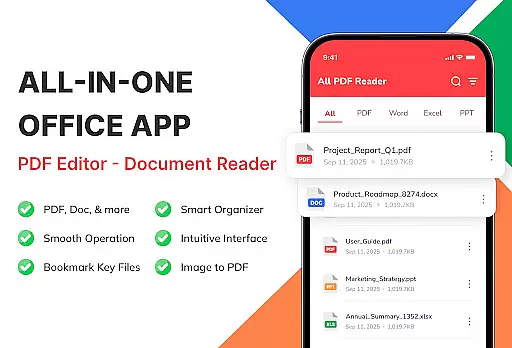
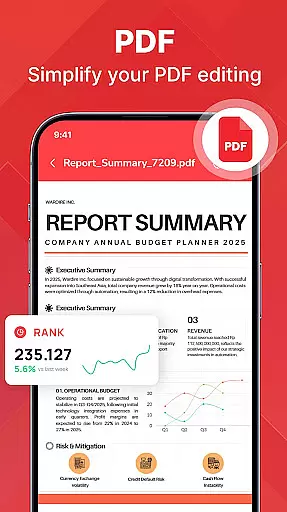
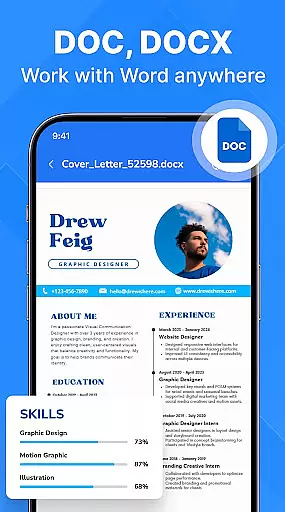
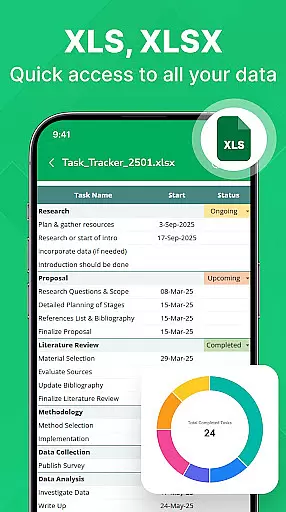
PDF Reader - Document Viewer is a versatile tool designed to streamline document management on Android devices. This application allows users to read, manage, and organize various document formats including PDF, Word, Excel, and PowerPoint files all in one place.
The app's core functionality lies in its unified viewer, which supports multiple file types with perfect formatting. Whether you need to review eBooks, reports, or presentations, this tool ensures smooth navigation and reliable performance. Its smart file management system automatically detects documents on your device, allowing for easy sorting, searching, and categorization.
Ideal for students, professionals, and remote workers, the app provides a secure and private environment for accessing important files without an internet connection. By keeping all essential documents organized and readily accessible, PDF Reader - Document Viewer becomes an indispensable productivity tool for Android users.
One of the standout features of PDF Reader - Document Viewer is its comprehensive format support. The app can handle PDF files with ease, providing smooth scrolling for eBooks and manuals while maintaining perfect formatting for Word documents (.doc, .docx), Excel sheets (.xls, .xlsx), and PowerPoint slides (.ppt, .pptx).
The application is optimized for performance with its fast loading times and smooth page navigation. Its lightweight design ensures stability across various Android devices without compromising speed or reliability. The smart file management system offers automatic document detection, customizable sorting options, and quick access to recent or favorite files.
Additional features include offline functionality, ensuring users can access their documents anytime without an internet connection. The clean user interface makes document handling intuitive while maintaining privacy and security by keeping all files stored locally on the device. These combined features make PDF Reader - Document Viewer a complete solution for mobile document management.
For a document viewer app like PDF Reader - Document Viewer, core function accuracy and effectiveness are paramount. This app ensures that every PDF, Word, Excel, and PowerPoint file opens instantly without any delay or distortion. The rendering of documents is precise, maintaining perfect formatting across all supported formats.
The app's performance is optimized for various Android devices, ensuring smooth scrolling and quick page navigation. Whether you're reading eBooks, reviewing reports, or swiping through presentations, the experience remains consistently fluid. Its lightweight nature means it won't hog system resources, providing a stable environment for managing your essential files.
Users benefit from reliable access to their documents anytime, anywhere. The app automatically detects document files stored on your device, making it easy to find what you need. With features like sorting by name, size, or date, and easy access to recent or favorite documents, users can stay organized effortlessly.
A simple and intuitive interface is crucial for productivity tools, and PDF Reader - Document Viewer excels in this area. The clean design ensures that even first-time users can navigate the app with ease. Essential functions are readily accessible, allowing users to open, read, and organize their documents without a steep learning curve.
The layout is thoughtfully designed to support different lifestyles and needs. Students can study notes and lecture slides, professionals can review reports and presentations, and everyday users can access manuals or invoices quickly. Each feature is implemented with the user in mind, ensuring an efficient workflow.
By offering offline functionality, the app enhances its usability. Users can manage their files safely and privately without needing an internet connection. This combination of a straightforward interface and robust functionality makes PDF Reader - Document Viewer an ideal choice for anyone looking to boost their productivity.
User-friendly interface
Multi-format support
Fast performance
Offline functionality
Private file storage
Limited editing tools
No cloud integration
Premium features locked
Occasional bugs
Ads in free version

App that Recover your pictures, videos or files after you delete them.
 4.20
4.20
ADB support Android 4.X-Android 13(Support wireless pair mode).No root required!
4.70
Unleash gamepad precision for ultimate mobile gaming dominance.
3.90
Signal Strength, Mobile, Wifi, Speed Test, Bad Signals, Cellular, 5G, LTE, 4G
4.20
Mirror your screen to Fire TV - Super fast and simple
4.40
Powerful collection of electronics tools and reference.A must for any enthusiast
4.90
Fast Video Downloader, Movie Downloader, Torrent Downloader & Adblock Browser
4.70
A clean app.
4.50
The ideal app to be the digital eye of your family
3.40
The ultimate tool for network analysis, wifi scanning and problem detection.
4.90
Excellent scientific calculator with symbolic algebra, integrals, derivatives
4.80
Canon PRINT is a companion app for your Canon printer.
4.60
Play your X-Box games remotely in 1080p with any controller and zero latency
4.60
Screen Mirroring with sound for Samsung TV, LG TV, Sony TV, Smart TV and Browser
4.20 4.10
4.10
A convenient photo, video, and file recovery tool.
4.00
Undelete and recover your lost or deleted files with DiskDigger!
3.40
card-reader app
2.20
Unlock your Essential Key. Create custom shortcuts to your favorite apps!
4.3


User Reviews