
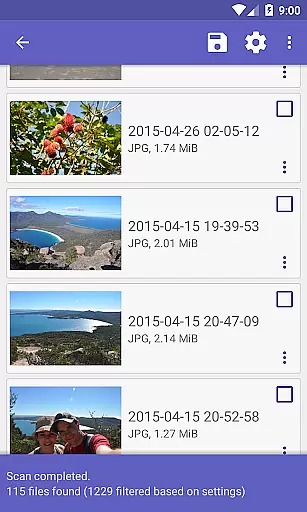
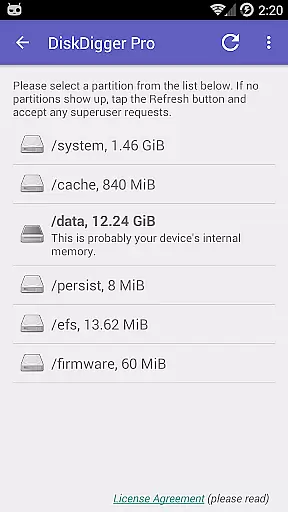
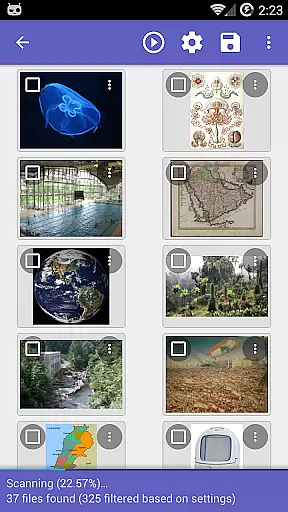
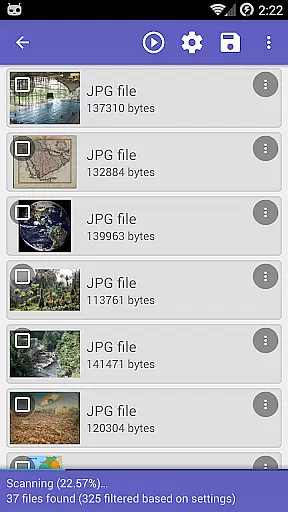
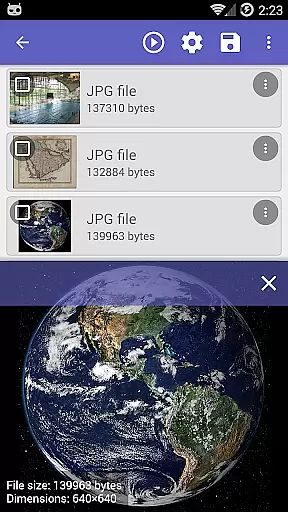
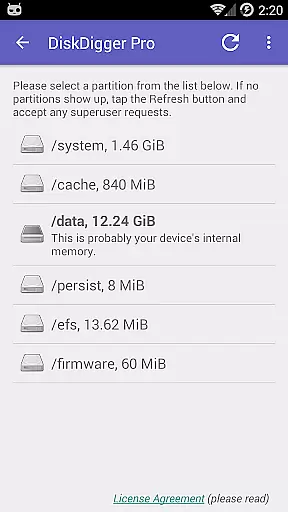
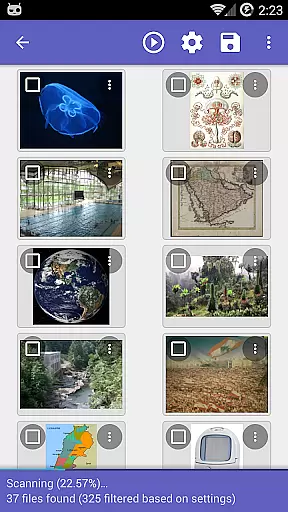
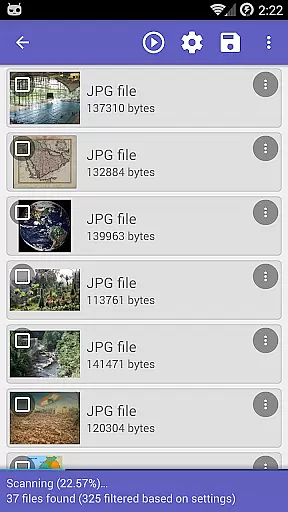
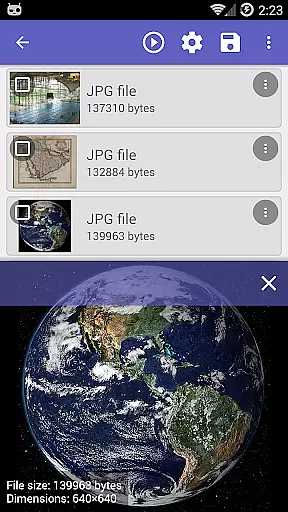
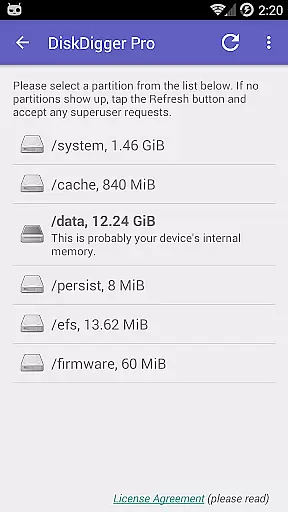
DiskDigger Pro is a powerful file recovery tool designed specifically for rooted Android devices. This application enables users to recover lost or deleted files, including photos, documents, videos, and music from both internal memory and external memory cards. With its advanced scanning capabilities, DiskDigger Pro can even retrieve files after accidental deletion or memory card reformatting.
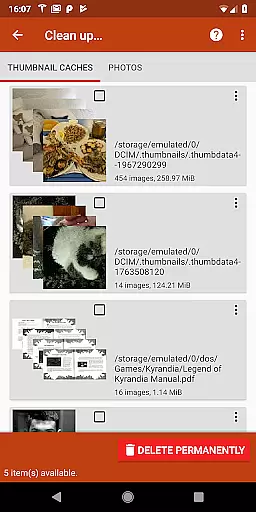
One of the standout features of DiskDigger Pro is its ability to perform deep scans that search for various file types, making it an invaluable tool for data recovery. While non-rooted devices have limited functionality, primarily recovering lower-resolution images from cache and thumbnail directories, rooted devices can access the full suite of recovery options. The app also provides options to permanently delete unwanted files and wipe free space, ensuring deleted files are not recoverable.
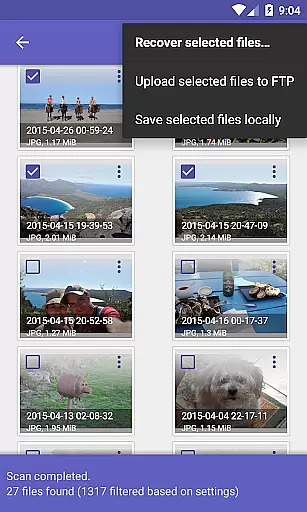
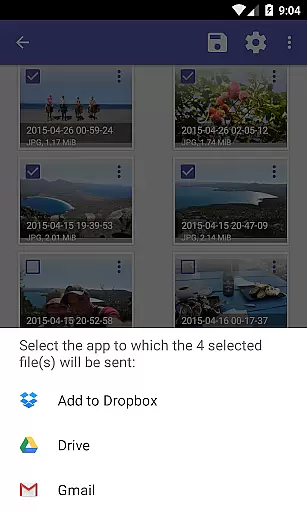
For users who need to manage recovered files, DiskDigger Pro offers seamless integration with cloud services like Google Drive and Dropbox, as well as options to send files via email or save them locally. Whether you're recovering precious family photos or important work documents, DiskDigger Pro delivers a reliable solution for retrieving lost data on Android devices.
DiskDigger Pro stands out with its comprehensive file recovery capabilities tailored for rooted Android devices. The app supports a wide array of file types, including JPG, PNG, MP4, DOCX, PDF, and many others, allowing users to recover photos, videos, documents, and more. Its powerful scanning engine can detect files even after memory card reformatting or accidental deletion, providing peace of mind for users who have lost critical data.
In addition to its robust recovery features, DiskDigger Pro includes tools for managing recovered files effectively. Users can upload recovered files directly to cloud storage services such as Google Drive and Dropbox, or send them via email for easy sharing. The app also allows saving files to different local folders on the device or uploading them to an FTP server, offering flexibility in file management. Furthermore, DiskDigger Pro provides experimental features like 'Clean up' to permanently delete unnecessary items and 'Wipe free space' to ensure deleted files cannot be recovered, adding an extra layer of security.
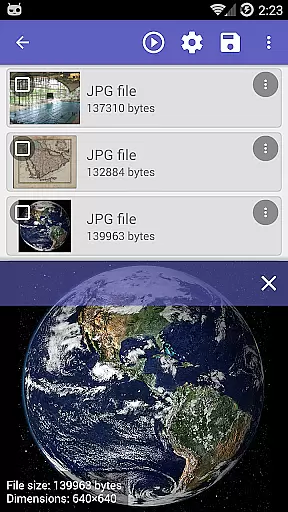
The app's user-friendly interface simplifies the recovery process, guiding users through scanning, previewing, and restoring lost files. Detailed instructions available on the official website help users maximize the app's potential. Whether you're a casual user looking to recover personal files or a professional needing to retrieve important documents, DiskDigger Pro combines powerful recovery tools with practical file management options to meet diverse needs.
DiskDigger Pro file recovery stands out for its powerful data recovery capabilities, which are essential for any tool in the data recovery category. The app can recover a wide range of file types including photos, documents, videos, and music from both memory cards and internal memory.
For rooted devices, DiskDigger Pro offers advanced scanning options that allow users to search for various file types across the entire internal memory. This ensures that no matter how files were lostu2014whether through accidental deletion or memory card reformattingu2014the app's sophisticated algorithms can locate and restore them.
The effectiveness of this tool is further enhanced by features such as the ability to permanently delete unwanted items after a scan and the option to wipe free space, ensuring deleted files cannot be recovered. These functions provide users with comprehensive control over their data management needs.
A user-friendly interface is crucial for tools like DiskDigger Pro, where complex operations need to be accessible to users of all technical backgrounds. The app excels in providing an intuitive experience that simplifies the process of recovering lost files without compromising on functionality.
Upon launching DiskDigger Pro, users are greeted with straightforward options that guide them through the recovery process step-by-step. From selecting the type of files to recover to choosing the storage location, each action is clearly labeled and easy to understand, reducing the learning curve significantly.
Moreover, once the scan is complete, DiskDigger Pro makes it simple to manage recovered files. Users can upload files directly to cloud services like Google Drive or Dropbox, send them via email, or save them locally. This seamless integration with other services enhances the overall usability of the app, making it not only effective but also highly convenient.
Comprehensive file recovery
Supports multiple file types
Integration with cloud services
User-friendly interface
Advanced scanning capabilities
Limited functionality on non-rooted devices
Some features are experimental
Requires technical knowledge for rooting
May not recover all deleted files
Interface could be more visually appealing

Complete kernel toolbox with features to manage and tweak your rooted device
 4.30
4.30
Head tracking for PC sim games such as MSFS 2024 or Elite:Dangerous. No headset!
4.50
card-reader app
2.20
Small and simple app to Verify Root Access and BusyBox Install!
4.70
Best leveling tool for your Android device. Hang paintings like a pro.
4.90
MS-DOS in your pocket. Play old DOS games anywhere you are ;)
4.10
Connect wirelessly to your computer to watch movies, browse the web, play games
5.00
Pro Emulator is an easy to use game console emulator for a range of consoles.
4.40
Fun lie-detection pranks for friends and parties.
3.80
Bedrock Together: Join any bedrock server on Xbox/PS
4.80
NFC Tools can read and write NFC tags.
4.70
HD Camera captures every special moment.
4.60
Planner and Tracker for Stardew Valley
4.60
With videos, electrical calculators, and built-in ebook, Ugly’s has your answer.
4.50
PC precision for mobile gaming: dominate with keyboard and mouse!
4.30
Remote for Roku, Fire TV, Samsung TV, LG TV, Android TV, Chromecast and VIZIO TV
4.20
App that Recover your pictures, videos or files after you delete them.
4.20
Introducing Smart Printer, your ultimate destination for printing solutions!
4.00
Save any video in HD - paste the link, download fast and watch offline.
4.1


User Reviews