
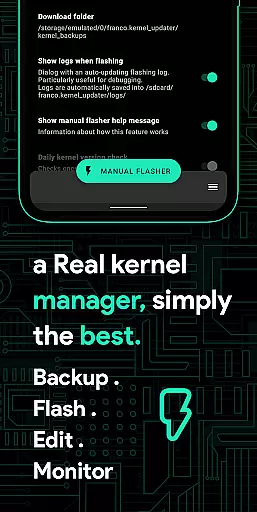
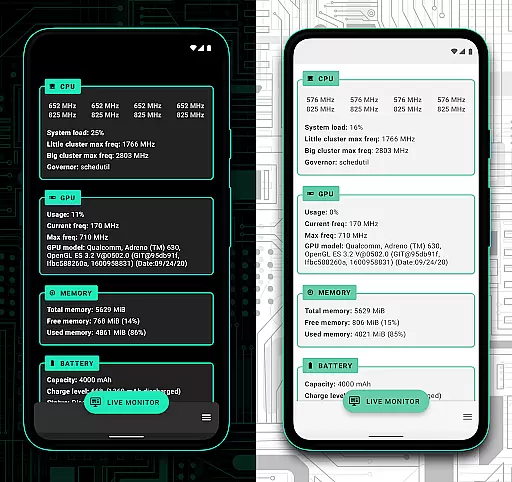
Franco Kernel Manager is a comprehensive toolbox designed for rooted Android devices, offering an extensive range of features to optimize and manage your device's kernel. It caters to both novice users and experts, providing tools for performance enhancement, battery optimization, and system customization. The app allows you to flash mods without a custom recovery, monitor detailed battery statistics, and tweak various system settings.
With its rich feature set, Franco Kernel Manager stands out by empowering users to supercharge their devices with ease. Whether you're looking to boost performance, extend battery life, or customize kernel settings, this app provides the necessary tools in one place. Its intuitive interface and specialized features make it an essential utility for advanced Android users seeking greater control over their device's functionality.
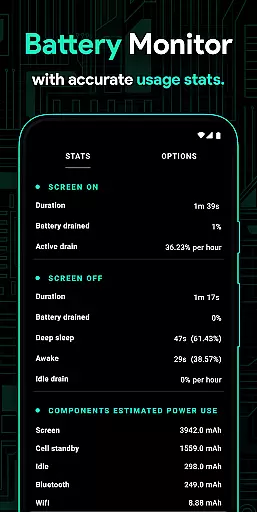
Franco Kernel Manager offers a plethora of powerful features tailored for Android power users. The app includes a detailed Battery Monitor that provides insights into power consumption, charging time estimates, and more. It also supports flashing kernels, Magisk modules, and other zips without needing a custom recovery, making it versatile for various customization needs.
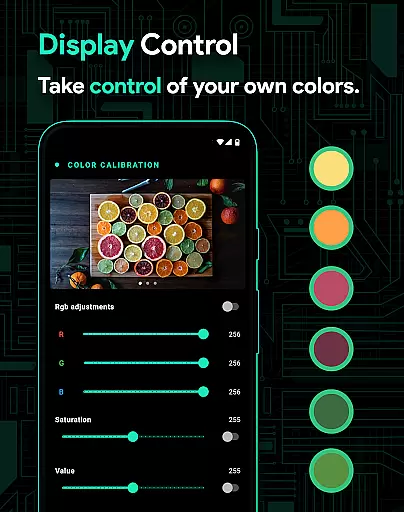
Additionally, the app provides advanced controls for CPU frequencies, GPU settings, IO schedulers, and even per-app profiles for personalized configurations. With options like High Brightness Mode (HBM), KLapse support, and automatic night shift, users can fine-tune display and performance settings. The inclusion of light and dark themes ensures compatibility with the latest Android versions while maintaining a user-friendly experience.
Franco Kernel Manager offers a comprehensive suite of tools designed to enhance kernel management with precision and efficiency. The app provides detailed battery stats, including power consumption metrics for individual components like WiFi, screen, and signal usage, ensuring users can accurately monitor their device's energy demands.
With features such as auto-flashing kernels and mods without the need for custom recovery, the app streamlines the process of tweaking device performance. Its powerful CPU and GPU controls allow for fine-tuning frequencies and governors, delivering an effective solution for both novice and expert users seeking optimized device operation.
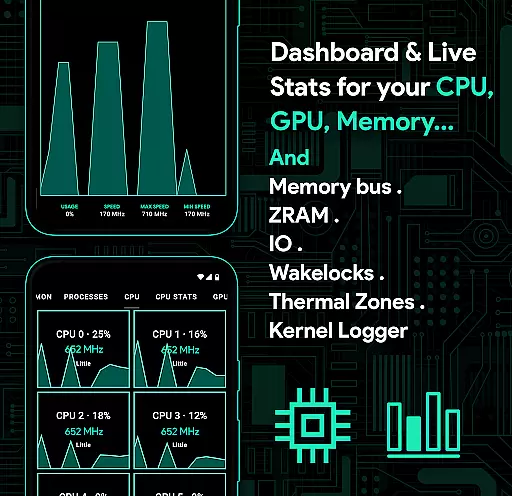
The inclusion of per-app profiles enables tailored performance settings based on user preferences, enhancing the overall experience by allowing different configurations for gaming or reading. This level of customization ensures that the app meets diverse user needs effectively while maintaining system health through real-time monitoring of CPU, GPU, RAM, and thermal zones.
Navigating Franco Kernel Manager is a straightforward experience thanks to its well-organized interface that caters to both beginners and advanced users. Essential features like the battery monitor are easily accessible without requiring root access, offering clear insights into power usage patterns and charging estimates.
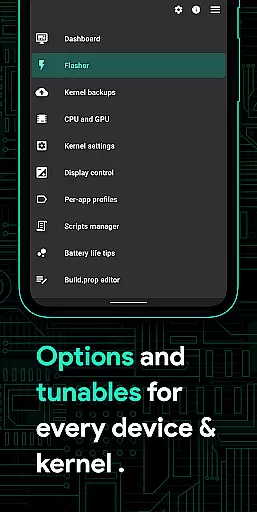
For those looking to delve deeper into kernel management, the app provides intuitive controls for more complex tasks such as build.prop editing and IO scheduler tuning. These functions are presented in a manner that reduces complexity, making them approachable even for less experienced users who wish to supercharge their device's capabilities.
Additionally, the app supports light and dark themes compatible with the latest Android versions, ensuring visual comfort and ease of use around the clock. By prioritizing clarity and accessibility, Franco Kernel Manager empowers users to manage their devices confidently, regardless of their technical expertise.
Comprehensive feature set
User-friendly interface
Advanced customization options
Supports all devices and kernels
Active developer support
Requires root access
Complex for beginners
Some features may void warranty
Occasional stability issues
Not suitable for casual users

FV File Manager Pro, Fast and powerful file manager for Android
 4.60
4.60
Fluid navigation gestures for all of us!
4.30
Remote for Roku, Fire TV, Samsung TV, LG TV, Android TV, Chromecast and VIZIO TV
4.20
Optimize your WiFi network, turn your phone into Wifi Analyzer
4.70
ADB support Android 4.X-Android 13(Support wireless pair mode).No root required!
4.70
MS-DOS in your pocket. Play old DOS games anywhere you are ;)
4.10
Fast Video Downloader, Movie Downloader, Torrent Downloader & Adblock Browser
4.70
Screen Mirroring for Roku Sticks, Roku TCL TV and Roku Hisense TV
4.50
A clean app.
4.50
Connect wirelessly to your computer to watch movies, browse the web, play games
5.00
Creation, Learning, Entertainment & More — The All-in-One AI Search Engine
4.70 4.50
4.50
eXtended Permission Manager - a small app to manage permissions and AppOps
4.50
Quickly & easily calculate the spacing of handrail balusters
4.20
View detailed information about your Nissan Leaf the dealer never shows you.
4.10
Automate everything from settings to photos, SMS to speech. ADC2 prize winner.
4.10
A powerful, easy-to-use flight computer on your phone or tablet!
3.80
A non-root local ADB shell client. READ BELOW!
3.40
Transfer Files, APK from Phone to Watch & Install.
4.4


User Reviews