
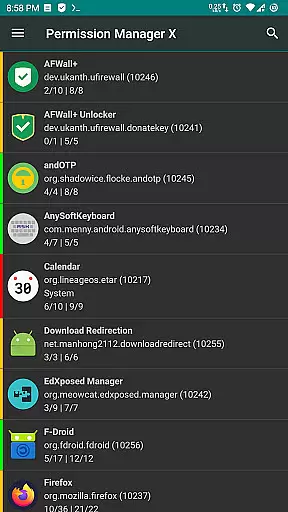
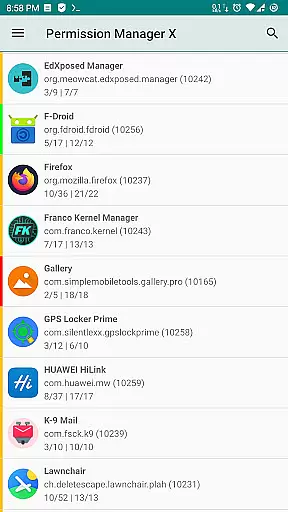
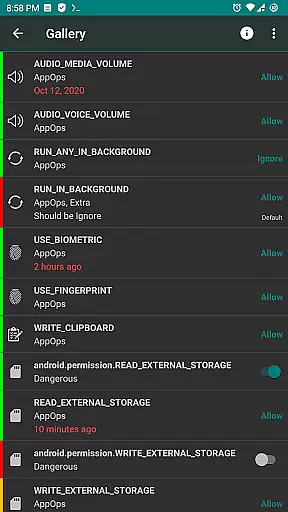
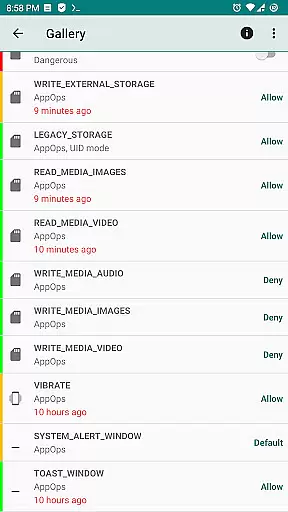
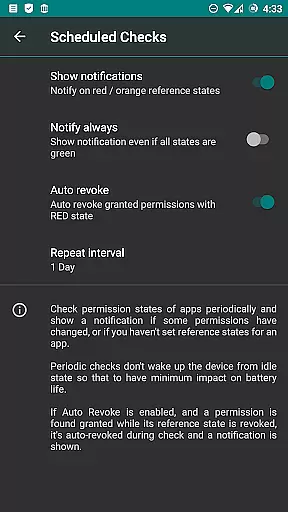
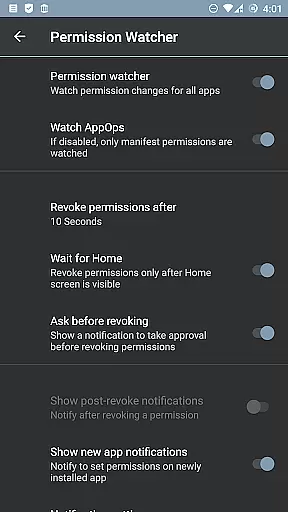
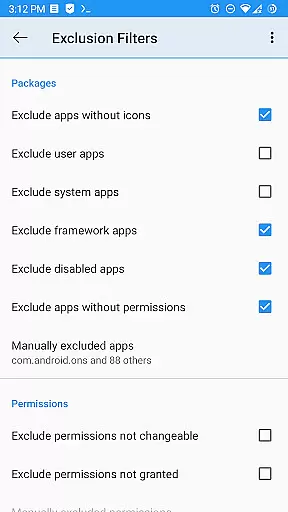
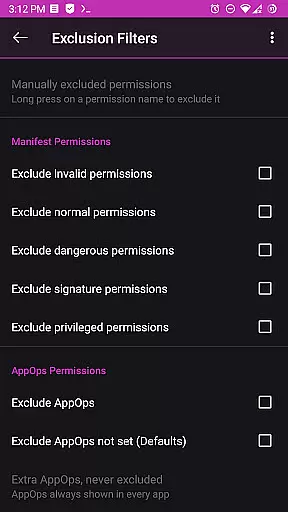
Permission Manager X is a powerful tool designed to manage app permissions on Android devices. It allows users to view, grant, or revoke both manifest and AppOps permissions for each installed application. With its intuitive interface, users can easily set reference values for changeable permissions and switch between multiple modes for AppOps permissions.
This tool is particularly useful for maintaining privacy and control over what apps can do on your device. Whether you want to prevent apps from running in the background, accessing your location, or using your camera and microphone, Permission Manager X gives you the power to customize these settings. Additionally, it offers advanced features such as scheduled checks, auto-revoke capabilities, and permission summaries, making it an essential utility for tech-savvy users who prioritize security and performance.
One of the standout features of Permission Manager X is its ability to handle both manifest and AppOps permissions seamlessly. Manifest permissions include common permissions like storage and camera access, while AppOps provides finer control over these permissions and adds extra layers of security, such as managing background execution and clipboard access.
The app also includes paid features that enhance usability, such as sorting apps and permissions by various parameters, scheduling checks for permission states, and automatically revoking permissions marked with red states. The Permission Watcher feature is another highlight, enabling quick removal of unwanted permissions as soon as you stop using an app. These functionalities ensure that users have comprehensive control over their device's security and performance.
For those concerned about privacy, Permission Manager X respects user data and does not collect any analytics. It requires either a rooted device or ADB over network enabled to function fully, ensuring that sensitive operations remain within the user's control. Overall, this tool empowers users to take charge of their device's permissions landscape effectively.
Permission Manager X offers a comprehensive solution for managing app permissions with precision and efficiency. The app allows users to view, grant, or revoke both manifest permissions and AppOps permissions from a single screen. This dual control mechanism ensures that users can manage standard permissions like Storage and Camera alongside advanced controls such as background execution and clipboard access.
The robust framework of Android's backend access control is leveraged through AppOps, providing fine-grained management over installed apps. Users benefit from the ability to set reference values for changeable permissions, which simplifies the process of reviewing and restoring permission states after reinstalling apps or changing devices. This feature significantly enhances user privacy by allowing quick adjustments to permissions, ensuring unnecessary access is promptly revoked.
With colored bars for easy review and backup restoration capabilities, Permission Manager X streamlines permission management. This saves time and effort, particularly when dealing with numerous installed applications. The app's extended functionality, including scheduled checks and auto-revoke features, further augments its effectiveness in maintaining optimal permission settings.
Despite its powerful capabilities, Permission Manager X maintains an intuitive and straightforward interface. All critical functionalities are accessible from a single screen, making it easy for users to navigate and manage permissions without feeling overwhelmed. The design emphasizes clarity, presenting permissions in a manner that is both informative and easy to understand.
For users who require additional guidance, the app provides comprehensive support resources. These include a detailed guide and FAQs available on the developeru2019s website, covering essential topics such as manifest permissions, AppOps, and permission references. Such resources ensure that even those new to permission management can quickly grasp the app's functionalities and make informed decisions.
Moreover, advanced features like theming options and permission summary views enhance user experience by offering customization and quick overviews. The app also supports batch operations and search suggestions, which simplify managing multiple permissions simultaneously. This blend of powerful features presented through a user-friendly interface makes Permission Manager X an invaluable tool for maintaining control over app permissions.
User-friendly interface
Comprehensive permission management
Advanced privacy controls
No ads or trackers
Open-source and free
Requires root or ADB
Limited without root access
Paid features may deter some users
Not compatible with all ROMs
Steep learning curve for beginners

 4.50
4.50
Extremely fast, secure, and protects your privacy
4.80
Unlock your Essential Key. Create custom shortcuts to your favorite apps!
4.5
Clean the junk files on your device
3.40
Quickly & easily calculate the spacing of handrail balusters
4.20
Effortlessly run ADB commands directly on your device without a PC.
4.20
Screen Mirroring for Roku Sticks, Roku TCL TV and Roku Hisense TV
4.50
Download any file easily and quickly with Downloader
4.5
Clean up your phone, find files, play media, and share files offline
4.50
Best leveling tool for your Android device. Hang paintings like a pro.
4.90
Unit and currency converter with easy and simple UI.
4.80
Excellent scientific calculator with symbolic algebra, integrals, derivatives
4.80
ADB support Android 4.X-Android 13(Support wireless pair mode).No root required!
4.70
Small and simple app to Verify Root Access and BusyBox Install!
4.70
Forza Tuning Calculator App for Forza Horizon 5, Motorsport and Earlier Titles
4.40
Pro Emulator is an easy to use game console emulator for a range of consoles.
4.40
An open-source APK explorer for Android!
4.10
1-Click close all background apps on Android TV
3.90
A non-root local ADB shell client. READ BELOW!
3.40


User Reviews