
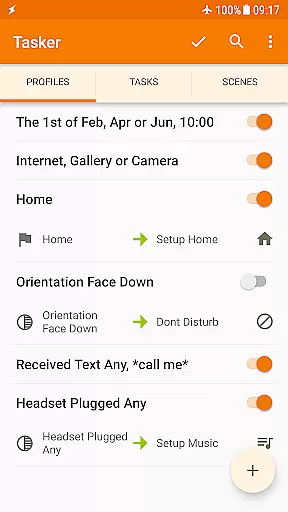
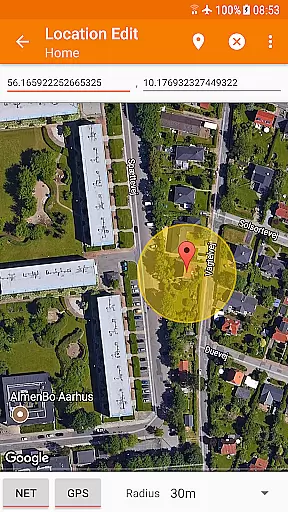
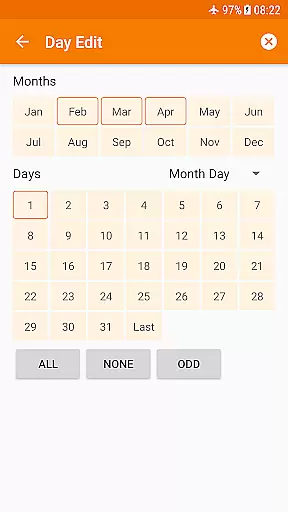
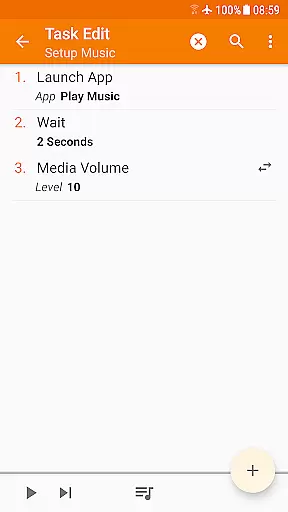
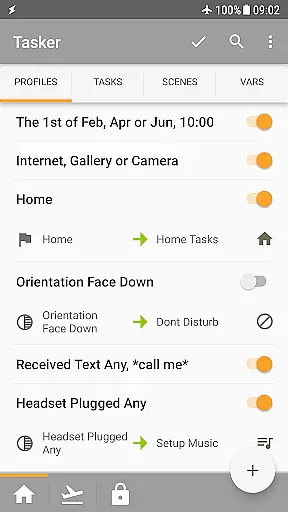
Tasker is a powerful automation tool designed to transform your Android device into a true smart device. It allows users to automate repetitive tasks based on various triggers such as location, time of day, Wi-Fi network, and more. With over 130 contexts and events, Tasker can handle everything from changing settings to sending SMS automatically.
The app's flexibility extends beyond simple automations. Tasker offers more than 350 actions that allow deep customization of your device. You can control system settings, send notifications, manipulate files, and even create standalone apps using the Tasker App Factory. Its developer-friendly nature also enables integration with third-party apps and web APIs, making it an indispensable tool for power users.
Whether you're looking to automate daily routines or develop complex custom workflows, Tasker provides the tools necessary to streamline your digital life. From automatic file backups to creating custom UI scenes, this app empowers users to take full control of their devices without needing root access for most functions.
Tasker stands out with its extensive range of features tailored for both casual users and tech enthusiasts. The app supports over 130 contexts and events, enabling automation based on factors like location, time, and device status. This flexibility allows users to create highly personalized automations that adapt to their unique needs and schedules.
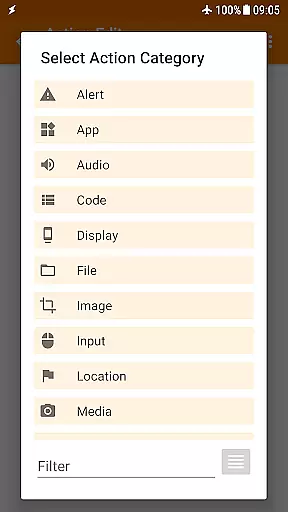
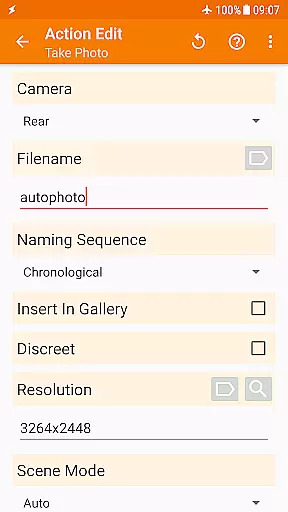
With more than 350 available actions, Tasker offers unparalleled customization options. Users can change system settings, send messages, manage files, and control music playback. Advanced features include scene design for custom UIs, remote task triggering through Join, and seamless integration with third-party applications via plugins. Additionally, Tasker's support for HTTP requests makes interacting with web APIs straightforward.
Tasker also includes practical utilities like automatic file backups to Google Drive and APK installation capabilities. These features ensure data safety and simplify app management. Whether you're automating routine tasks or developing sophisticated workflows, Tasker's comprehensive feature set provides the tools needed to enhance productivity and streamline device management.
Tasker exemplifies core function accuracy and effectiveness by offering over 350 actions that allow users to customize their Android experience extensively. These actions range from sending SMS, controlling system settings like Wi-Fi Tether and Dark Mode, to manipulating files and controlling music playback.
The app's strength lies in its ability to combine various contexts and tasks seamlessly. Users can automate based on the app they're using, time of day, location, Wi-Fi network, and many other states. This flexibility ensures that Tasker can handle complex automation scenarios with precision.
Tasker's powerful automation engine does not require root access for most functions, adhering to Android's security policies while still delivering comprehensive control. The few actions that do require root, such as Kill App, are clearly documented, ensuring users understand the limitations and requirements.
With features like automatic file backups, direct APK downloads and installations, and integration with Join for remote triggering, Tasker demonstrates a high level of functional accuracy and effectiveness. These capabilities ensure users can rely on Tasker to perform critical tasks consistently and efficiently.
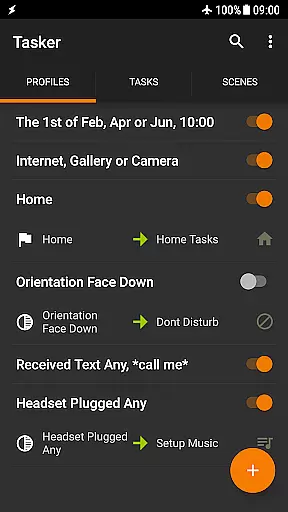
Despite its extensive functionality, Tasker maintains an interface that balances power with approachability. The app provides a straightforward way to create automations through a guided process, making it accessible even to those new to automation tools.
Tasker supports multiple triggers including launcher shortcuts, quick setting tiles, widgets, and hardware buttons. This variety allows users to interact with the app in ways that feel natural to them, enhancing the overall user experience. The ability to trigger actions via familiar interfaces reduces the learning curve significantly.
For advanced users, Tasker offers scenes and the Tasker App Factory, enabling the design of custom UIs and standalone apps. These features cater to developers looking to extend Taskeru2019s capabilities further, providing a layered interface that grows with the user's expertise.
While Tasker's interface may initially seem complex due to the breadth of options available, the inclusion of starter guides, pre-made projects, and an active community forum helps new users acclimate quickly. This support network ensures that users can leverage Tasker's full potential without feeling overwhelmed.
Highly customizable
Versatile automation
Developer friendly
No root required
Extensive plugin support
Steep learning curve
Complex interface
Paid unlock required
Limited free trial
Occasional bugs

A powerful, easy-to-use flight computer on your phone or tablet!
 3.80
3.80
Transfer Files, APK from Phone to Watch & Install.
4.0
Extremely fast, secure, and protects your privacy
4.80
Remote for Roku, Fire TV, Samsung TV, LG TV, Android TV, Chromecast and VIZIO TV
4.20
Create your own live wallpaper or check out thousands already made presets
3.90
PC precision for mobile gaming: dominate with keyboard and mouse!
4.30
With videos, electrical calculators, and built-in ebook, Ugly’s has your answer.
4.50
Screen Mirroring for Roku Sticks, Roku TCL TV and Roku Hisense TV
4.50
NFC Tools can read and write NFC tags.
4.70
Best leveling tool for your Android device. Hang paintings like a pro.
4.90
Monitor car performance in real time and troubleshoot malfunctions.
4.80
Small and simple app to Verify Root Access and BusyBox Install!
4.70
Mirror your screen to Chromecast and Android TV - Super fast and simple
4.60
Complete kernel toolbox with features to manage and tweak your rooted device
4.30
An easy-to-use calculator designed to save time calculating and bending conduit
4.30
Just one-tap to easy translate in any language after calls within seconds.
4.20
Quickly & easily calculate the spacing of handrail balusters
4.20
Screen Mirroring with sound for Samsung TV, LG TV, Sony TV, Smart TV and Browser
4.20
A simple app to back up and restore SMS & MMS messages and call logs.
4.10


User Reviews