
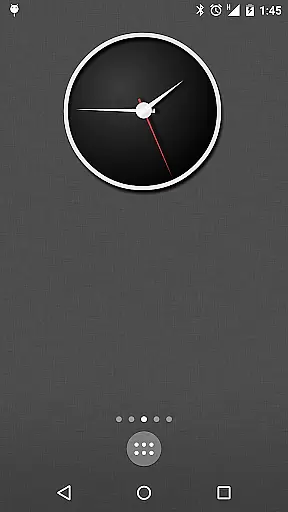
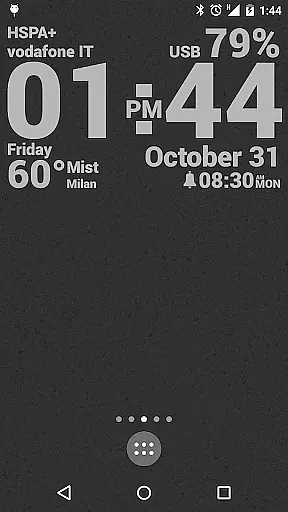
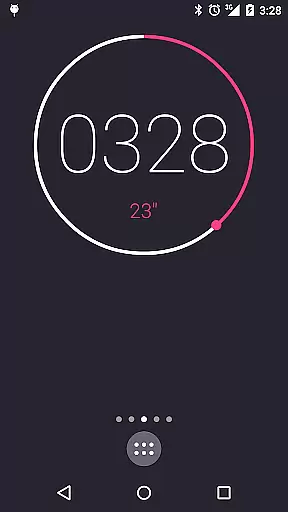
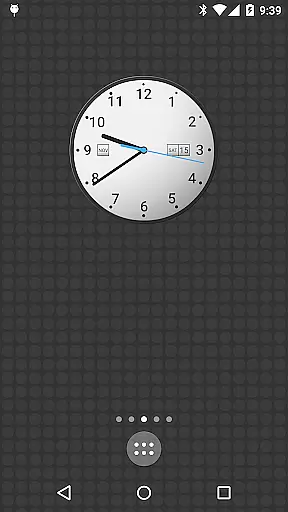
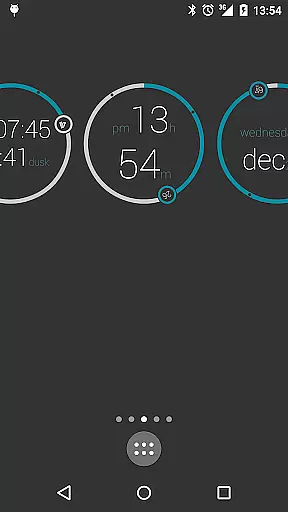
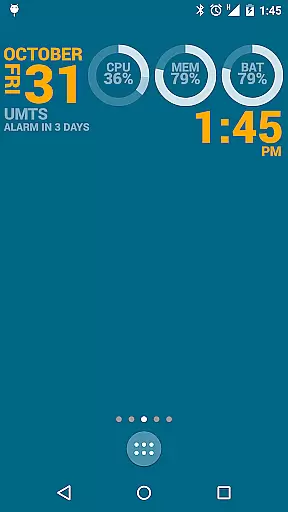
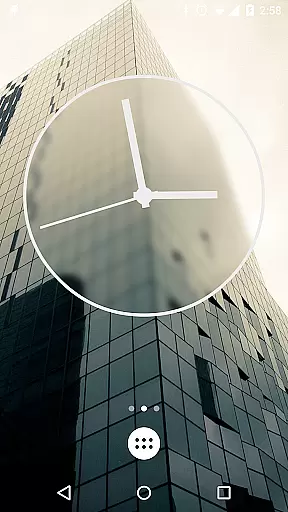
KLWP Live Wallpaper Pro Key is a powerful customization tool designed to enhance your Android experience. This app serves as the PRO activation key for Kustom Live Wallpaper, enabling users to create unique and visually stunning live wallpapers. With advanced design capabilities, it allows you to display various data points with beautiful animations.
The application supports creating digital and analog clocks, animated patterns, weather widgets, and more. It also provides extensive customization options including custom fonts, shapes, gradients, and touch actions. The unlocked features allow importing skins from SD card, exporting creations, and removing ads, making it an essential purchase for KLWP users.
Ideal for those seeking complete personalization of their device's appearance, this app offers limitless creative possibilities. Whether you want to display system information or simply create an eye-catching design, KLWP Pro Key empowers you to make your Android launcher truly one-of-a-kind.
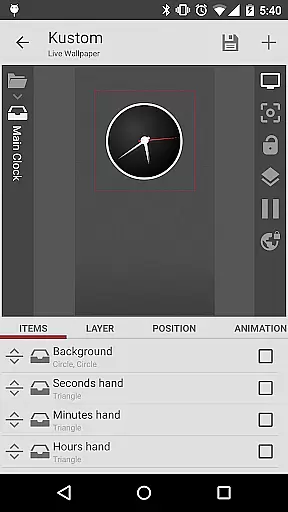
KLWP Live Wallpaper Pro Key unlocks a plethora of advanced features in the Kustom Live Wallpaper app. One standout feature is its sophisticated WYSIWYG editor that lets users craft intricate designs displaying multiple data types with impressive animations. Users can create dynamic digital and analog clocks, live maps, CPU meters, and more.
The app supports a wide array of customization elements such as custom fonts, shapes, gradients, and 3D transformations. It also includes Zooper-like progress bars, layer overlay effects similar to professional photo editors, and touch actions on any created object. These features collectively offer unparalleled flexibility in designing personalized wallpapers.
Additionally, the Pro Key enables functionalities like SD import/export, ADS removal, and creation of APK preset packs. With support for Google Fitness, Tasker, music utilities, and complex programming language integration, this app stands out as a comprehensive solution for those looking to push the boundaries of mobile customization.
KLWP Live Wallpaper Pro Key is designed to enhance the functionality of Kustom Live Wallpaper, providing users with powerful tools for creating unique Android launcher designs. The core functions are highly accurate and effective, allowing users to craft custom live wallpapers that display necessary data with impressive animations.
The app supports a wide range of features including digital and analog clocks, animated patterns, live map backgrounds, weather widgets, and sophisticated CPU/Memory meters. These elements can be customized with various fonts, colors, sizes, and effects, ensuring precision in design and execution.
Users benefit from advanced options such as 3D flip transformations, curved and skewed text, gradients, shadows, tiling, and color filters. These capabilities ensure that every element within the wallpaper is rendered accurately, offering a seamless experience across different devices and launchers.
By unlocking additional features like import/export functionalities and removing ads, KLWP Pro Key enhances productivity and creativity. This ensures that users can fully leverage the potential of Kustom Live Wallpaper, making their Android experience truly personalized and efficient.
The interface of KLWP Live Wallpaper Pro Key is crafted to provide an intuitive user experience, simplifying the process of designing complex live wallpapers. Despite its powerful features, the app maintains an easy-to-navigate interface, enabling users to quickly access tools and settings without a steep learning curve.
With a WYSIWYG (What You See Is What You Get) editor, users can create designs effortlessly. The editor allows real-time previews, ensuring that users can see changes instantly as they customize fonts, shapes, and other visual elements. This immediate feedback loop makes the design process more straightforward and engaging.
Touch actions and hotspots on any created object further enhance usability, allowing users to interact with their designs dynamically. Additionally, support for various image formats, including PNG, JPG, WEBP, and SVG, ensures compatibility and flexibility when incorporating graphics into the wallpapers.
Overall, the intuitive interface empowers both beginners and advanced users to harness the full capabilities of KLWP Live Wallpaper Pro Key, resulting in a streamlined yet powerful tool for personalizing Android devices.
Unlimited creative freedom
Extensive customization options
Enhanced functionality with Pro features
Supports professional design tools
Active developer support
Requires separate app installation
Steep learning curve for beginners
Limited compatibility with some launchers
No standalone functionality
Premium pricing

 4.50
4.50
A convenient photo, video, and file recovery tool.
4.00
Unlock your Essential Key. Create custom shortcuts to your favorite apps!
4.4
Safely recover deleted photos, videos, and files with a single easy tap.
3.70
card-reader app
2.20
ADB support Android 4.X-Android 13(Support wireless pair mode).No root required!
4.70
Best leveling tool for your Android device. Hang paintings like a pro.
4.90
Bedrock Together: Join any bedrock server on Xbox/PS
4.80
The ultimate tool for network analysis, wifi scanning and problem detection.
4.90
Connect wirelessly to your computer to watch movies, browse the web, play games
5.00
Unit and currency converter with easy and simple UI.
4.80
Fast Video Downloader, Movie Downloader, Torrent Downloader & Adblock Browser
4.70
Connect instantly to a fast, encrypted VPN with one tap
4.60
PC precision for mobile gaming: dominate with keyboard and mouse!
4.30
Making emulation easy for everyone!
4.30
Just one-tap to easy translate in any language after calls within seconds.
4.20 4.10
4.10
A powerful, easy-to-use flight computer on your phone or tablet!
3.80
A non-root local ADB shell client. READ BELOW!
3.40


User Reviews