
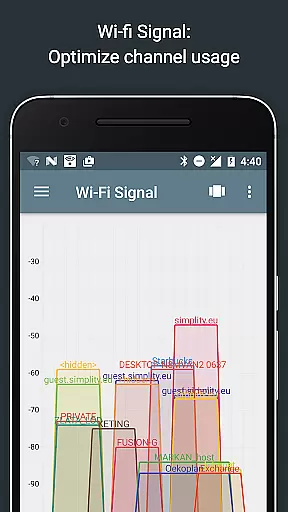
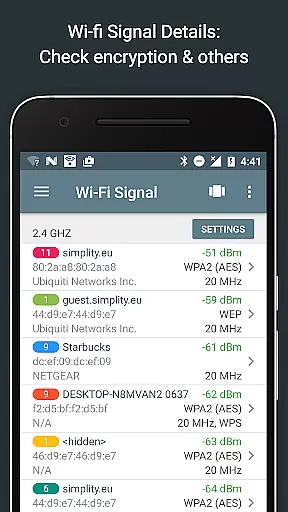
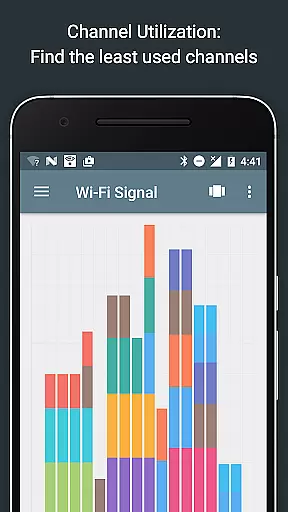
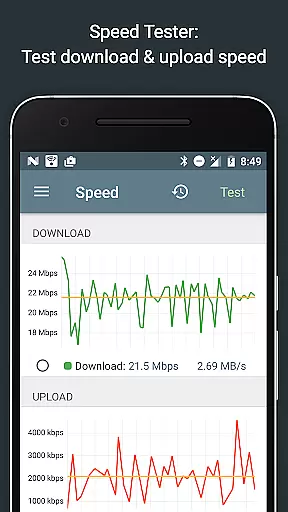
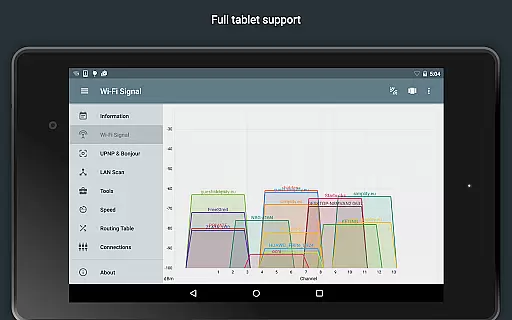
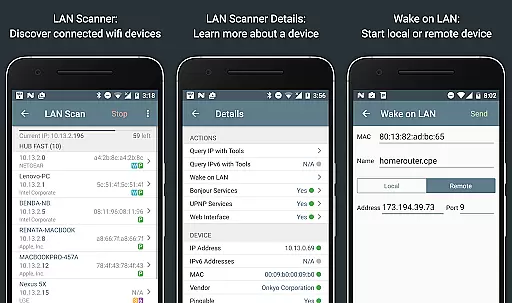
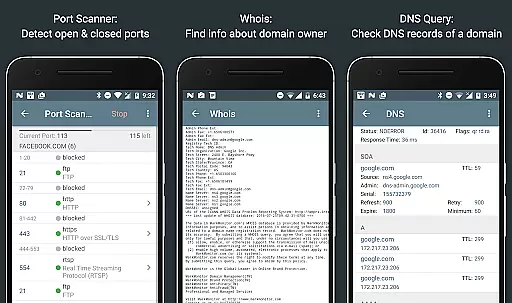
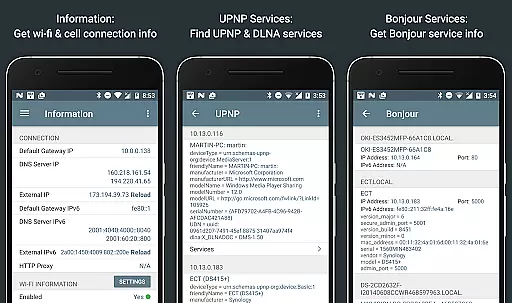
Network Analyzer Pro is a comprehensive network diagnostic tool designed to help users identify and resolve issues related to Wi-Fi networks, Internet connectivity, and remote server problems. The app offers an extensive suite of tools including a fast Wi-Fi device discovery feature that lists all LAN devices with their addresses and names, along with the Bonjour/DLNA services they provide. It also includes standard diagnostic utilities such as ping, traceroute, port scanner, DNS lookup, whois, and network speed test functionalities. Additionally, it provides detailed information about neighboring Wi-Fi networks, aiding in the selection of optimal channels for wireless routers.
The application supports both IPv4 and IPv6 protocols, ensuring compatibility across different network environments. Its intuitive interface allows users to easily navigate through various features like signal strength analysis, channel usage graphs, and encryption type identification. Whether you're troubleshooting network issues or optimizing your Wi-Fi setup, Network Analyzer Pro delivers the necessary insights to enhance your network performance.
Network Analyzer Pro stands out with its robust set of features tailored for network diagnostics. One of its key highlights is the LAN scanner, which quickly identifies all network devices, providing IP addresses, NetBIOS, mDNS (Bonjour), LLMNR, and DNS names where available. This feature also tests the pingability of discovered devices and supports Wake on LAN (WOL) functionality, including remote WOL. Users can scan custom IP ranges and filter or search within the list of detected devices.
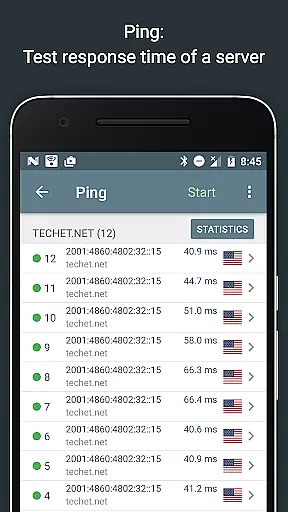
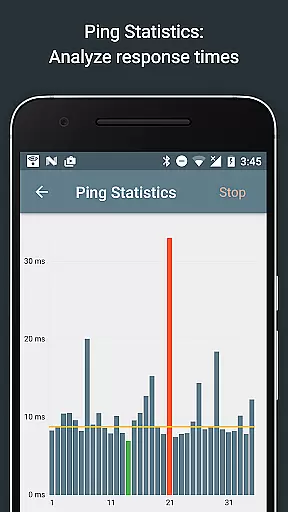
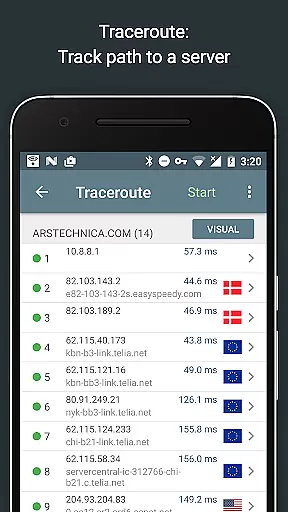
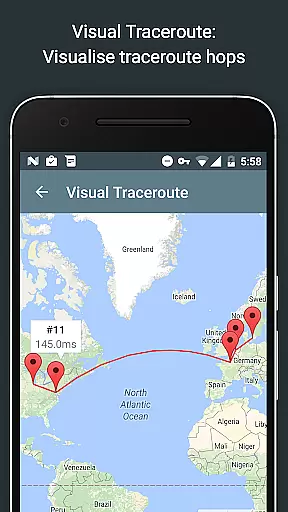
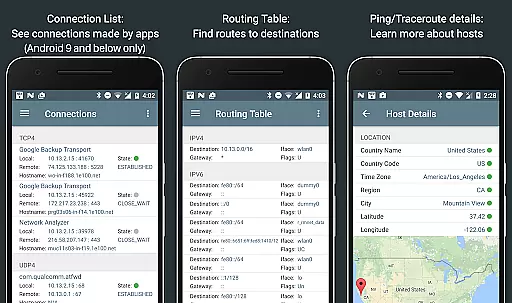
Another significant aspect is the routing table display, showing destination and gateway details, interface usage, and flags for both IPv4 and IPv6. The ping and traceroute functions offer round-trip delay metrics, geolocation data, AS number, and network name information, visualized on a map. Real-time graphical ping statistics are updated continuously. The port scanner uses a fast, adaptive algorithm to detect closed, firewalled, and open ports, describing known open port services. With full IPv6 support throughout, the app ensures modern network compatibility.
Network Analyzer Pro excels in delivering accurate and effective core functionalities that are essential for network diagnostics. The app provides a comprehensive suite of tools including ping, traceroute, port scanner, DNS lookup, and whois, all working seamlessly with both IPv4 and IPv6 protocols.
The wifi signal meter offers both graphical and textual representations, enabling users to analyze network channels and signal strengths efficiently. Additionally, the LAN scanner performs fast and reliable detection of all network devices, providing critical details such as IP addresses, device names, and service information.
With features like routing table visualization, real-time ping statistics, and complete trace route mapping, users can diagnose network issues effectively. These capabilities ensure that Network Analyzer Pro is not just a tool but a comprehensive solution for both basic and advanced network troubleshooting needs.
Despite its powerful features, Network Analyzer Pro maintains an intuitive and user-friendly interface. The design ensures that even users with limited technical knowledge can navigate and utilize its extensive functionalities without difficulty.
Each tool within the app is logically organized, allowing users to access features like the wifi signal meter, LAN scanner, and port scanner with ease. Clear textual and graphical outputs make interpreting data straightforward, enhancing the overall user experience.
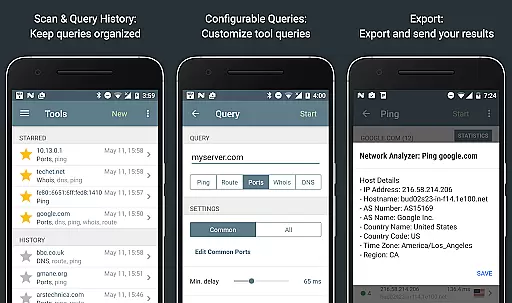
Moreover, additional features such as detailed help documentation, regular updates, and export options by email or other means further simplify complex tasks. This blend of powerful functionality with an accessible interface makes Network Analyzer Pro an indispensable tool for network management.
Comprehensive network tools
Fast Wi-Fi device discovery
Supports IPv4 and IPv6
Detailed Wi-Fi network info
User-friendly interface
Paid version required
Complex for beginners
Limited free features
No offline support
Occasional bugs

Just swipe the edge to do something!
 4.40
4.40
Canon PRINT is a companion app for your Canon printer.
4.60
Effortlessly run ADB commands directly on your device without a PC.
4.20
Support Fossify apps with a warm thank you!
5.00
Quickly check the frequency of the Earth
4.30
NFC Tools can read and write NFC tags.
4.70
A clean app.
4.50
Screen recorder with audio to record high-quality videos and take screenshots.
4.40
The ideal app to be the digital eye of your family
3.40
Keep track of your Palia friendships, tasks, and inventory with Palia Notebook
4.60
Planner and Tracker for Stardew Valley
4.60
Quickly switch to an encrypted DNS server on Android TV
4.50
Use your phone as a webcam on your computer over WiFi or USB.
4.40
Clean up large files and similar photos, fast and easy to use
4.40
An open-source APK explorer for Android!
4.10
A simple app to back up and restore SMS & MMS messages and call logs.
4.10
Introducing Smart Printer, your ultimate destination for printing solutions!
4.00
Fun lie-detection pranks for friends and parties.
3.80
Safely recover deleted photos, videos, and files with a single easy tap.
3.70


User Reviews