
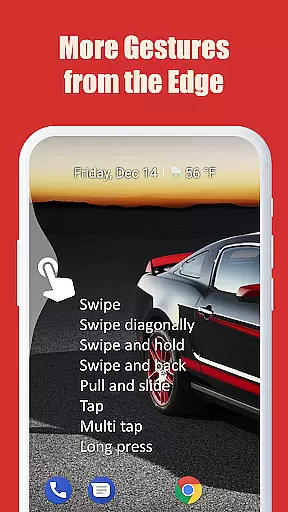
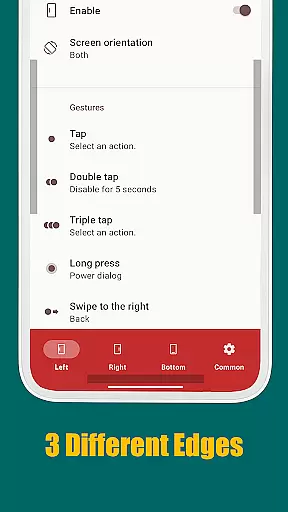
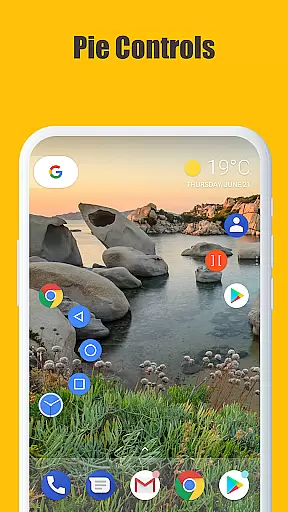
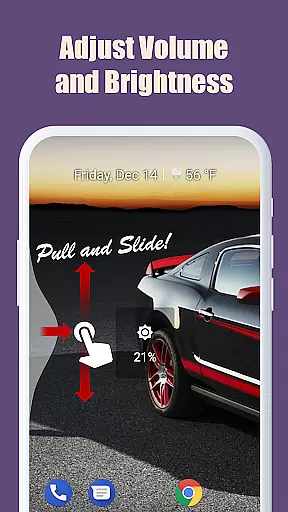
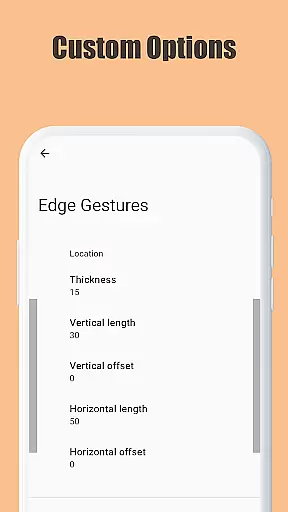
Edge Gestures is a powerful tool designed to enhance your device's usability through intuitive screen edge gestures. With support for multiple gesture types, including tap, swipe, and pie controls, this app allows users to execute various actions quickly and efficiently.
The application supports essential functions such as launching apps, controlling soft keys, adjusting brightness, and toggling split screens. Its customizable edge areas enable personalized thickness, length, and position settings, making it adaptable to individual preferences. Edge Gestures is particularly useful for streamlining navigation and boosting productivity on Android devices.
Edge Gestures stands out with its extensive range of gesture types, including tap, double tap, long press, swipe, and more. Each gesture can be mapped to specific actions like launching applications, controlling soft keys, or adjusting device settings.
One notable feature is the ability to customize the edge area's thickness, length, and position, allowing users to tailor the experience to their liking. The app requires minimal permissions, ensuring user privacy while delivering robust functionality. These features collectively make Edge Gestures a versatile and indispensable tool for efficient device management.
Edge Gestures provides a highly accurate and effective way to interact with your device through simple gestures on the screen edge. The app supports a wide range of gesture types, including tap, swipe, and long press, each triggering specific actions.
The application's core functions are designed to enhance user productivity by enabling quick access to essential features. For instance, users can launch applications, adjust brightness, or toggle split-screen mode effortlessly. These functions are implemented with precision, ensuring that each gesture is recognized and executed without delay.
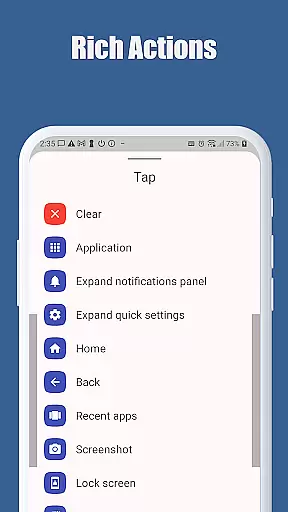
By using the accessibility service API, Edge Gestures ensures reliable performance. This API allows the app to detect the foreground app and command the system to perform actions like expanding notifications, navigating home, or taking a screenshot. Such accuracy in function execution significantly boosts the overall user experience.
Ultimately, the effectiveness of Edge Gestures lies in its ability to streamline device interaction. Users benefit from customizable edge areas and a variety of supported actions, making daily tasks more efficient and less time-consuming.
One of the standout features of Edge Gestures is its simple and intuitive interface, which makes it accessible even to those who may not be tech-savvy. The app's design focuses on ease of use, allowing users to customize gestures without a steep learning curve.
Upon launching Edge Gestures, users are greeted with clear options for setting up gestures. The customization process is straightforward, enabling adjustments to the thickness, length, and position of the edge area. This flexibility ensures that the interface can be tailored to individual preferences, enhancing user comfort and satisfaction.
Moreover, the app provides an extensive list of predefined actions that can be triggered by specific gestures. These actions include launching applications, controlling media volume, and accessing quick settings. By offering these intuitive controls, Edge Gestures simplifies complex tasks into manageable interactions.
In summary, Edge Gestures excels in delivering an interface that is both simple and intuitive. Its user-friendly design empowers individuals to optimize their device usage efficiently, ultimately leading to a more enjoyable and productive experience.
Intuitive gestures
Customizable settings
Efficient navigation
Minimal permissions
Versatile actions
Limited to Android
Requires accessibility service
Complex for beginners
No iOS support
Some features need higher Android version

 4.50
4.50
Fluid navigation gestures for all of us!
4.30
This app unlocks the Pro features of the Central for DayZ app
3.60
Canon PRINT is a companion app for your Canon printer.
4.60
Forza Tuning Calculator App for Forza Horizon 5, Motorsport and Earlier Titles
4.40
Detect hidden spy camera with advanced scanning {{ Premium version }}
4.00
Monitor car performance in real time and troubleshoot malfunctions.
4.80
Screen Mirroring with sound for Samsung TV, LG TV, Sony TV, Smart TV and Browser
4.20
A clean app.
4.50
The one-and-only remote control for PC, Mac, and Linux
4.70
Mirror your screen to Chromecast and Android TV - Super fast and simple
4.60
FV File Manager Pro, Fast and powerful file manager for Android
4.60
Universal TV remote control all TVs, Roku, LG, Samsung, Fire, Vizio, Sony, TCL.
4.40
Pro Emulator is an easy to use game console emulator for a range of consoles.
4.40
Making emulation easy for everyone!
4.30
Remote for Roku, Fire TV, Samsung TV, LG TV, Android TV, Chromecast and VIZIO TV
4.20
Carry a FTP server in your pocket and avoid USB cables for file transfer
4.20
A convenient photo, video, and file recovery tool.
4.00
PDF Reader - Document Viewer: Read, Manage & Organize Your Documents
3.10


User Reviews