
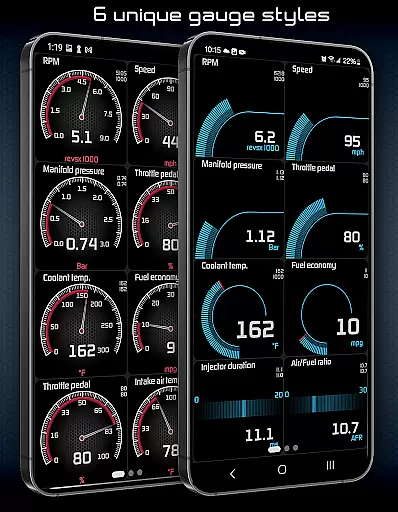
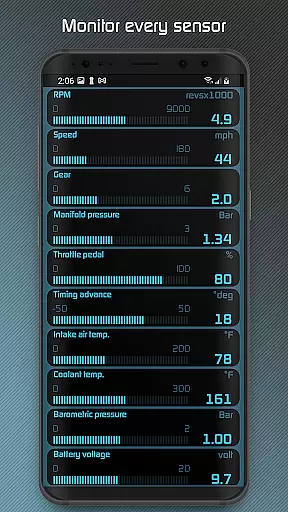
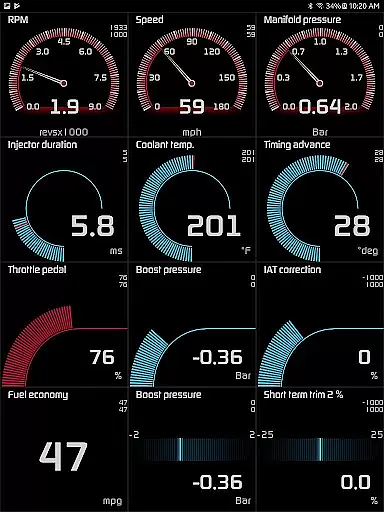
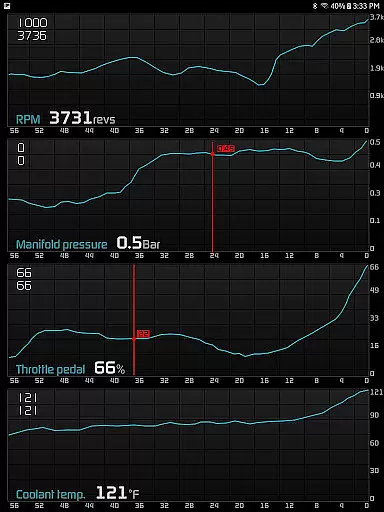
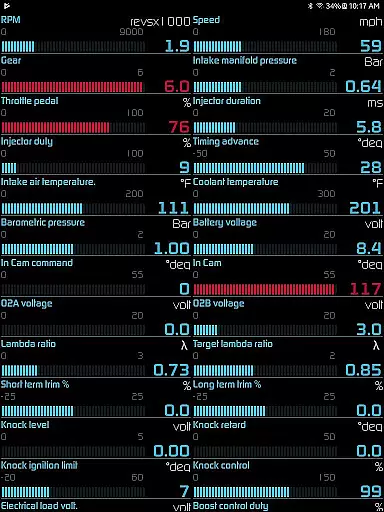
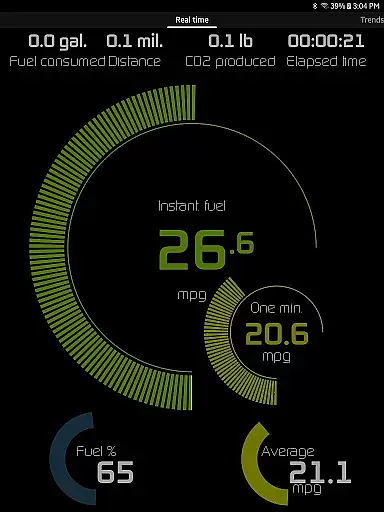
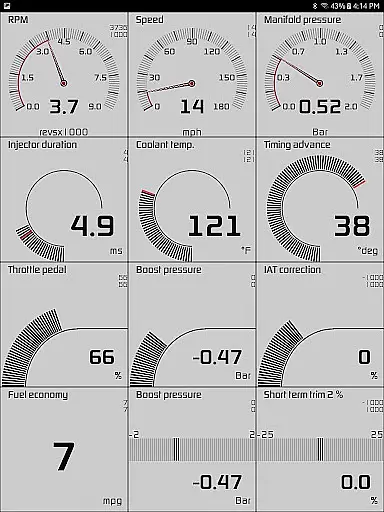
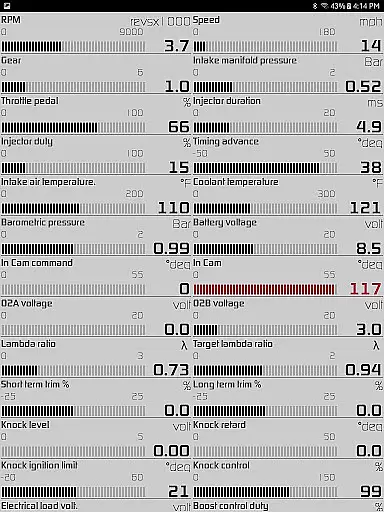
Hondata is a powerful automotive tool that transforms your Android device into a comprehensive performance tracking and diagnostic system for Honda vehicles. The app provides real-time monitoring of up to 80 sensors, including fuel economy, boost pressure, and battery voltage, through customizable gauges and interactive graphs.
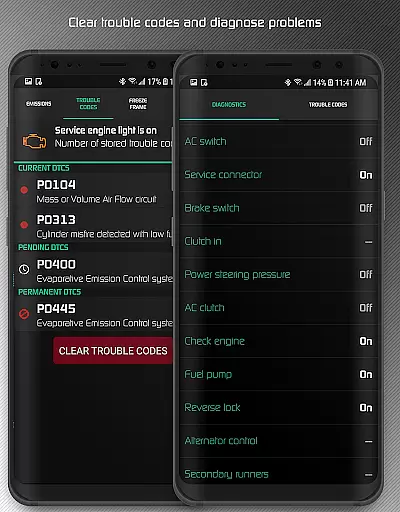
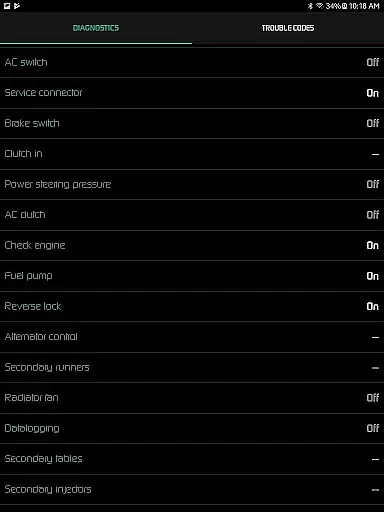
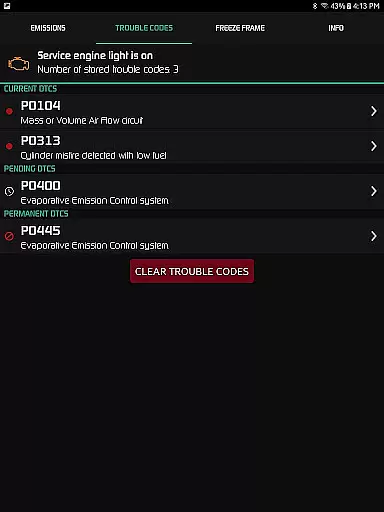
One of the standout features is the ability to troubleshoot vehicle issues by accessing the onboard ECU. Users can read and clear trouble codes, reset the service engine light, and access detailed diagnostics such as engine knock count and VTEC pressure. Additionally, Hondata offers advanced fuel economy tracking with multiple calculation methods and supports both metric and imperial units.
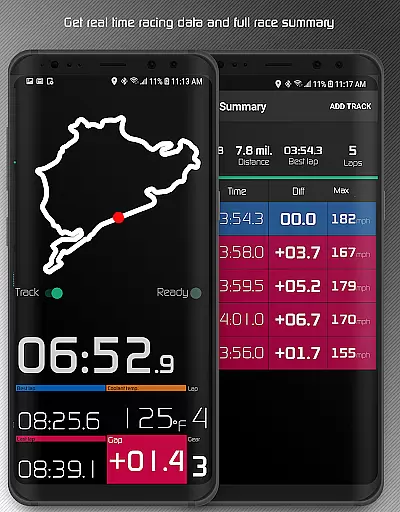
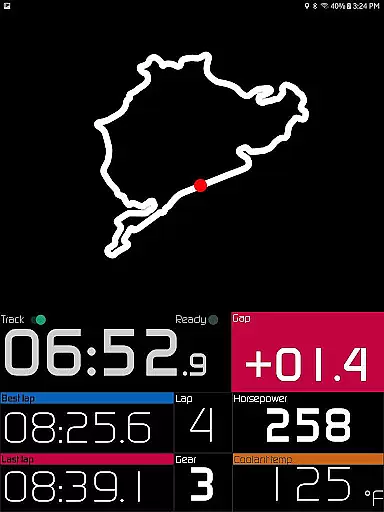
The app also includes a specialized racetrack mode for performance enthusiasts, providing detailed drag race times, lap times, and GPS-based track positioning. With its extensive feature set, Hondata is an invaluable tool for Honda owners looking to monitor their vehicle's performance and optimize maintenance schedules.
Hondata stands out with its extensive range of features designed for automotive enthusiasts. The app offers customizable gauges that allow users to track up to 80 real-time sensors, including essential parameters like fuel economy, boost pressure, battery voltage, and G-force measurements. These gauges can be viewed simultaneously using the gauge list feature, providing a comprehensive overview of vehicle performance.
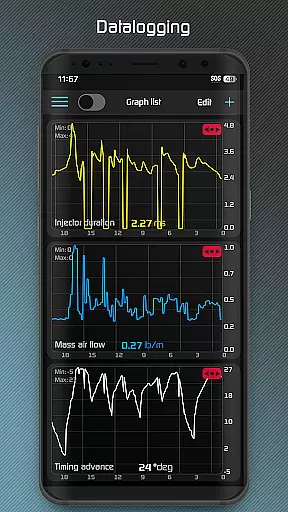
For in-depth analysis, users can plot sensor data on interactive graphs, recording up to four sensors simultaneously. The recorded data can be exported as CSV files for further examination. The app also includes advanced diagnostic capabilities, enabling users to read and clear vehicle trouble codes, reset the service engine light, and access over 40 diagnostic parameters.
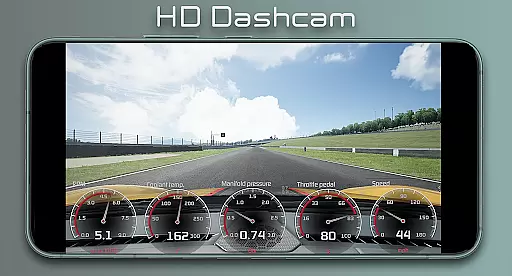
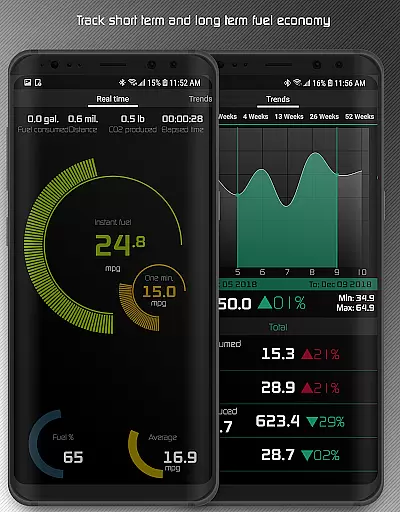
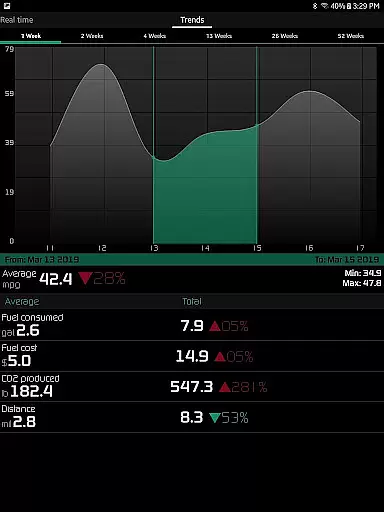
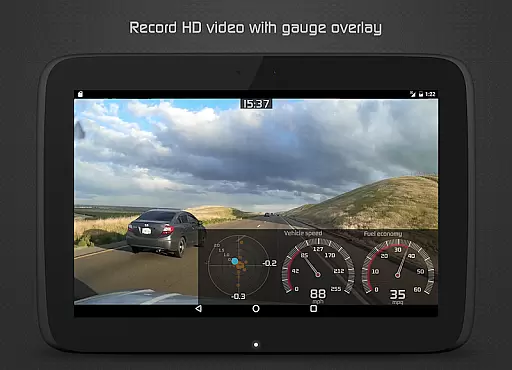
The racetrack feature caters to performance-oriented users, offering precise drag race timing, lap time calculations, and GPS-based track mapping. Additional features include long-term fuel economy tracking, high-definition video recording with superimposed gauges, and various warning systems for engine overheating and speed limits. These robust features make Hondata an indispensable tool for serious Honda enthusiasts.
The Hondata app excels in providing precise and effective core functions that transform your Android device into a comprehensive car performance tracking tool. With the ability to monitor up to 80 real-time sensors, it covers critical aspects such as fuel economy, boost pressure, and battery voltage. This ensures that users have accurate data at their fingertips for optimal vehicle performance monitoring.
One of the key features is its capability to plot sensor data onto interactive graphs, allowing simultaneous recording from up to four sensors. This functionality not only enhances the user's understanding of their vehicle's performance trends but also supports exporting recorded data to CSV files for further analysis. Such tools are essential for both everyday drivers and automotive enthusiasts looking to fine-tune their driving experience or troubleshoot issues efficiently.
In addition to performance tracking, the app offers diagnostic capabilities by reading and clearing vehicle trouble codes, which empowers users with knowledge about potential malfunctions before visiting a mechanic. The inclusion of an intuitive fuel economy tracker across three time intervals in various units like mpg, km/l, and l/100 km adds another layer of utility, helping users save on fuel costs through informed driving habits.
Hondata stands out with its simple yet intuitive interface design, making it accessible even for those who may not be tech-savvy. Users can customize gauges to track every available sensor simultaneously, offering a personalized dashboard experience tailored to individual preferences and needs. This level of customization ensures that critical information is always visible without overwhelming the user.
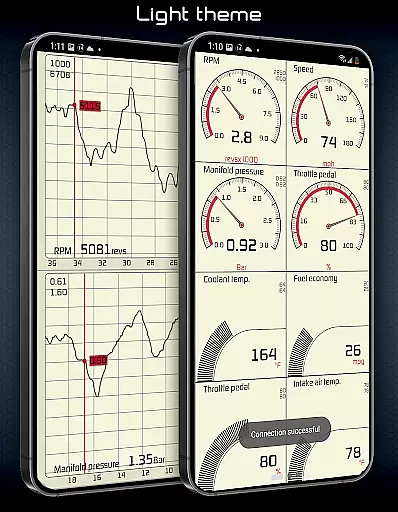
The app provides two themes to choose from, enhancing usability during different driving conditions, including a HUD gauge specifically designed for night driving. These thoughtful design elements contribute significantly to maintaining focus on the road while still having vital car performance metrics easily accessible. Furthermore, landscape mode availability across all views allows for flexible device positioning within the vehicle cabin.
Additional features such as speed limit warnings and notifications when engine temperatures are high demonstrate how Hondata balances simplicity with advanced functionalities seamlessly. By integrating these alerts directly into the interface, users receive timely information without detracting from their primary tasku2014safe driving. Overall, this blend of powerful features presented through an intuitive UI makes managing complex automotive data straightforward and efficient.
User-friendly interface
Comprehensive sensor coverage
Advanced diagnostic tools
Real-time performance tracking
Detailed racetrack analysis
No Android Auto support
Limited vehicle compatibility
Requires specific hardware
Complex for beginners
Potential connection issues

 4.50
4.50
Enjoy smooth gameplay with Game Booster
4.90
Keep track of your Palia friendships, tasks, and inventory with Palia Notebook
4.60
card-reader app
2.20
ADB support Android 4.X-Android 13(Support wireless pair mode).No root required!
4.70
VESC Tool can monitor and configure VESC-compatible devices over BLE and Wifi
4.20
Protect your device with antivirus, storage cleanup, and system monitoring
4.70
Enjoy a smooth mobile reading experience!
3.60
fast and easy mp3 music downloader
4.80
Navigate with Ease and Style
4.90
Bedrock Together: Join any bedrock server on Xbox/PS
4.80
WiFi Signal Strength Meter help you detect WiFi Signal Strength in real time.
4.80
App to pay for FUTO Keyboard
4.60
Planner and Tracker for Stardew Valley
4.60
Head tracking for PC sim games such as MSFS 2024 or Elite:Dangerous. No headset!
4.50
Pro Emulator is an easy to use game console emulator for a range of consoles.
4.40 4.10
4.10
Undelete and recover your lost or deleted files with DiskDigger!
3.40
Download any file easily and quickly with Downloader
4.0


User Reviews