
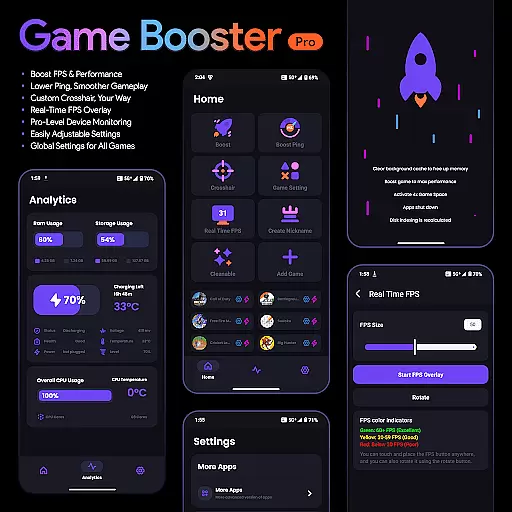
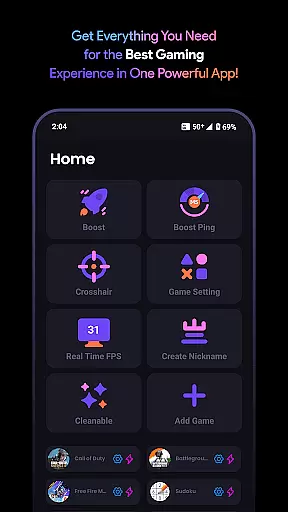
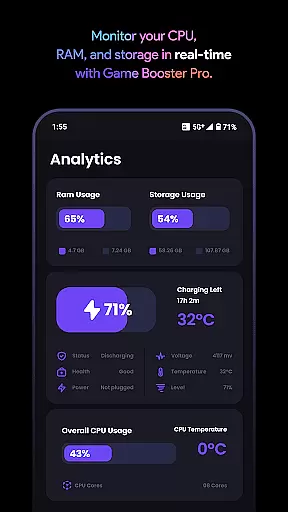
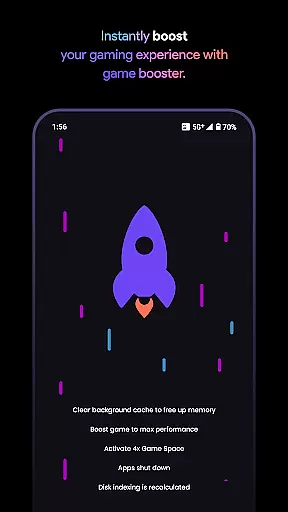
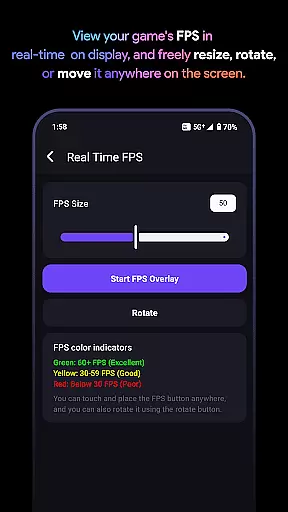
Game Booster Pro is a powerful tool designed to enhance your mobile gaming experience. The app focuses on optimizing device performance, boosting FPS, and reducing lag to deliver smoother gameplay. It also offers real-time monitoring of device stats and an FPS overlay feature, allowing gamers to track performance without leaving the game.
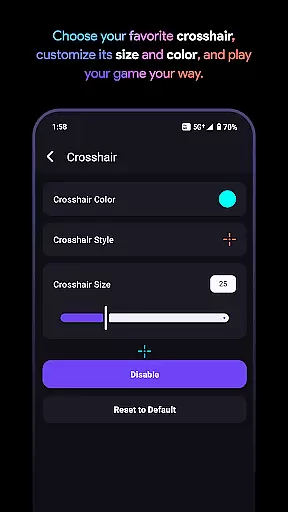
In addition to performance optimization, Game Booster Pro provides customizable crosshair options for first-person shooter games, giving players a competitive edge. Its user-friendly interface ensures that even beginners can easily adjust settings with just a few taps. Whether you're a casual or hardcore gamer, this app helps elevate your gaming sessions by prioritizing network traffic and improving overall device efficiency.
Game Booster Pro stands out with its comprehensive suite of features tailored specifically for gamers. One of its key capabilities is the ability to boost FPS and enhance overall gaming performance through optimized settings. This ensures that users experience minimal interruptions during gameplay, especially in graphically demanding titles.
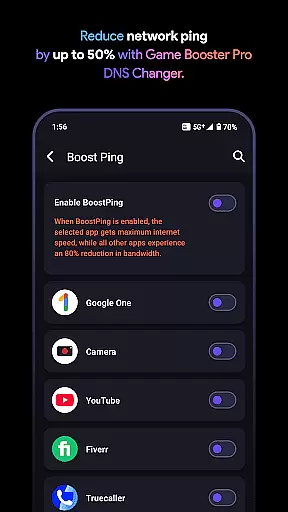
The app's network optimization feature uses VpnService to prioritize traffic for selected games, effectively lowering ping and reducing lag. Additionally, the customizable crosshair tool allows gamers to create their ideal aiming point for any game. With real-time performance monitoring and an FPS overlay, users can keep track of critical device metrics while playing. These innovative features make Game Booster Pro a must-have utility for mobile gamers seeking peak performance.
Game Booster Pro focuses on delivering accurate and effective core functions that cater specifically to gamers who demand high performance. The app's primary feature is its ability to boost FPS and lower lag, which are critical for an optimal gaming experience. By optimizing device settings and prioritizing network traffic through a local-only VPN connection, the app ensures smoother gameplay without compromising privacy or security.
The effectiveness of Game Booster Pro lies in its seamless integration of features such as real-time FPS overlay and pro-level device monitoring. These tools allow users to track their deviceu2019s performance metrics while gaming, ensuring they maintain peak efficiency. Additionally, the app offers customizable crosshair options, enabling players to enhance their precision in shooting games. This level of personalization underscores the app's commitment to providing practical solutions tailored to individual gaming styles.
For users, the benefits are clear: improved frame rates lead to more fluid gameplay, reduced lag enhances online competitiveness, and real-time monitoring empowers gamers to make informed adjustments. Whether you're playing fast-paced shooters or graphics-intensive RPGs, Game Booster Pro equips you with the tools needed to elevate your gaming sessions. Its secure, user-friendly interface further reinforces its value as an essential utility for serious gamers.
Achieving simplicity and intuitiveness in its interface design, Game Booster Pro ensures that even novice users can easily navigate and utilize its advanced features. The app adopts a clean layout where all key functionalitiesu2014such as FPS boosting, lag reduction, and crosshair customizationu2014are accessible within just a few taps. This streamlined approach eliminates unnecessary complexity, allowing gamers to focus on what truly matters: their gameplay experience.
One standout aspect is the global settings feature, which lets users apply preferences across multiple games without needing to reconfigure settings each time. This saves significant time and effort, particularly for players who engage with various titles regularly. Furthermore, the app provides clear instructions and tooltips, guiding users through setup processes and helping them understand how different features work together to enhance performance.
The intuitive nature of Game Booster Pro extends beyond mere aesthetics; it also encompasses operational logic. For instance, the real-time FPS overlay and device monitoring tools are designed to display critical information without obstructing gameplay visuals. Such thoughtful design choices highlight the app's dedication to creating an interface that feels natural and responsive, ultimately enhancing both usability and overall satisfaction.
Boosts FPS effectively
Reduces lag significantly
User-friendly interface
Customizable crosshair
Real-time performance monitoring
Premium version required
Limited free features
Network optimization varies
Device compatibility issues
No cloud syncing

 4.50
4.50 4.50
4.50
PDF Reader - Document Viewer: Read, Manage & Organize Your Documents
3.10
Remote for Roku, Fire TV, Samsung TV, LG TV, Android TV, Chromecast and VIZIO TV
4.20
Save any video in HD - paste the link, download fast and watch offline.
4.3
App to pay for FUTO Keyboard
4.60
Button mapper, mouse toggle, sleep timer and a lot of another features
4.50
Protect your device with antivirus, storage cleanup, and system monitoring
4.70
Fast VPN USA for any country. Super secure VPN for calls, streaming, games, TV.
4.40
Powerful collection of electronics tools and reference.A must for any enthusiast
4.90
Optimize your WiFi network, turn your phone into Wifi Analyzer
4.70
Connect instantly to a fast, encrypted VPN with one tap
4.60
HD Video player and downloader for all formats, fast & smooth 4K video playback.
4.60
Making emulation easy for everyone!
4.30
Just one-tap to easy translate in any language after calls within seconds.
4.20
Carry a FTP server in your pocket and avoid USB cables for file transfer
4.20
MS-DOS in your pocket. Play old DOS games anywhere you are ;)
4.10
This app unlocks the Pro features of the Central for DayZ app
3.60
Unlock your Essential Key. Create custom shortcuts to your favorite apps!
4.2


User Reviews