

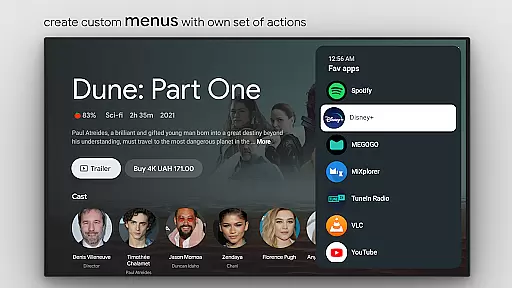
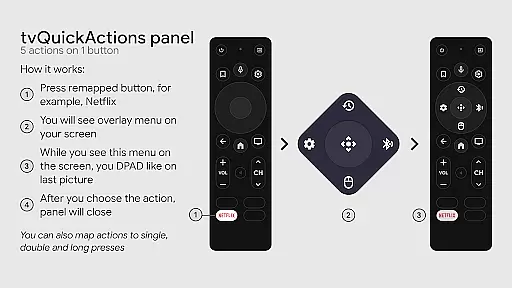
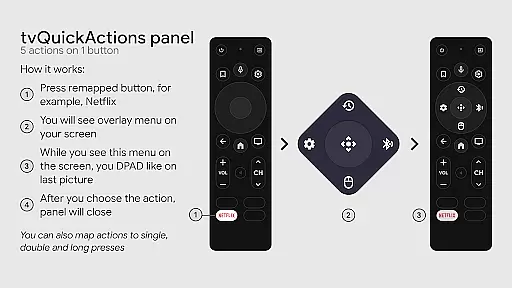
tvQuickActions Pro is an advanced button/key mapper specifically designed for TV devices, compatible with Android TV, Google TV, and AOSP on most devices. Its standout feature allows users to assign up to five actions to a single remote button, significantly enhancing device functionality.
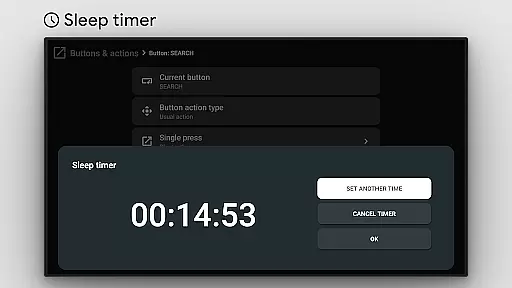
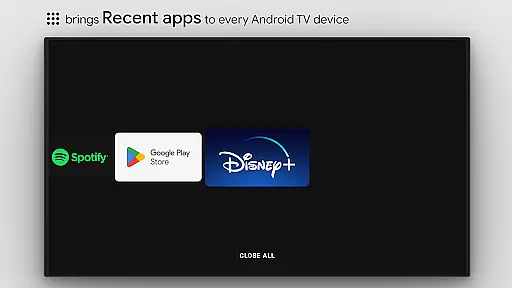
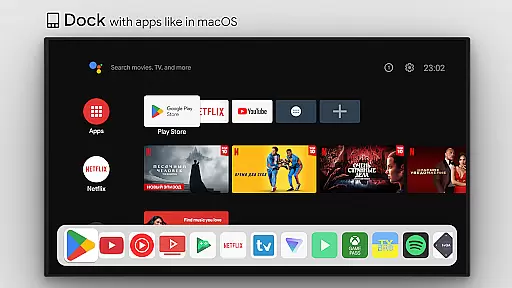
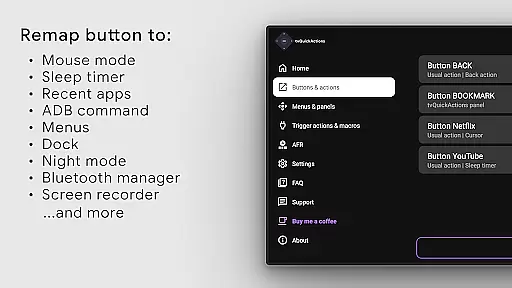
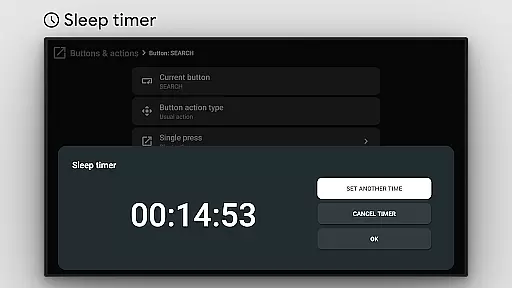
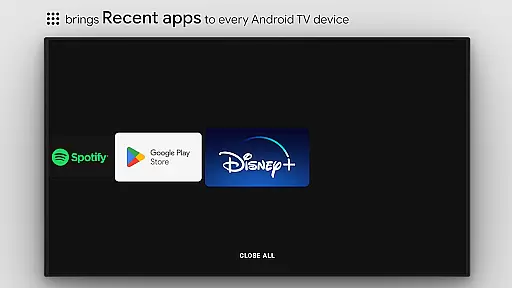
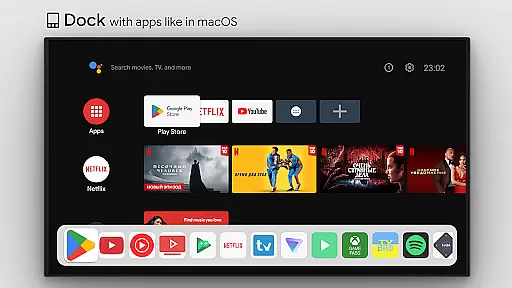
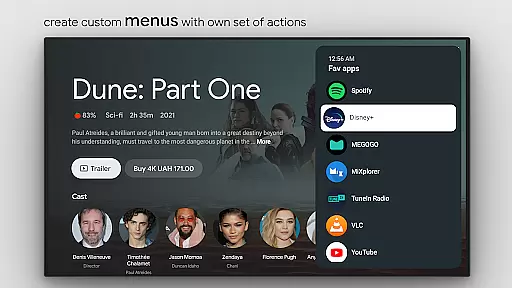
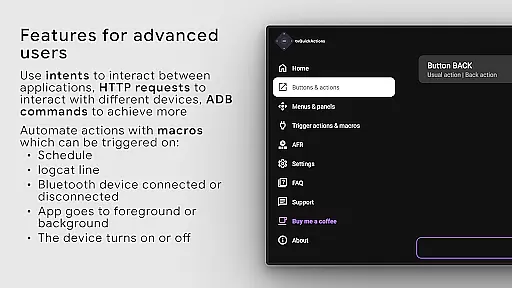
This tool transforms your TV experience by adding useful features such as app docks similar to macOS/iPadOS, recent apps management, custom action menus, and ADB command support. It also offers practical utilities like sleep timers, dialpads, screen recording, night mode, and Bluetooth management.
Whether you want to optimize your media control, automate TV input switching, or utilize the auto framerate feature for Amlogic devices, tvQuickActions Pro delivers comprehensive solutions that cater to power users seeking maximum customization and control over their TV devices.
tvQuickActions Pro stands out with its extensive feature set tailored for TV device enthusiasts. The application supports remapping of Netflix buttons on specific devices like Xiaomi and TiVo Stream 4K, while also allowing remapping of app buttons on various hardware including Xiaomi Mi Stick 4K.
Users can create custom channels for Android TV home screens from personalized menus and lock apps for added security. The app's versatility extends to setting actions for power-on events, sleep mode activation, or exiting, providing seamless automation options.
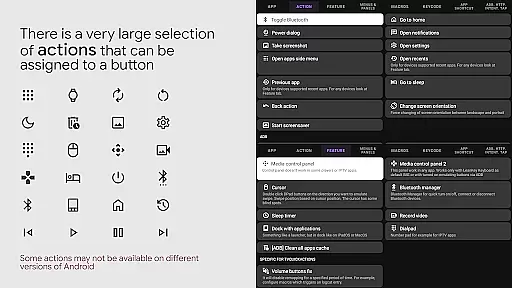
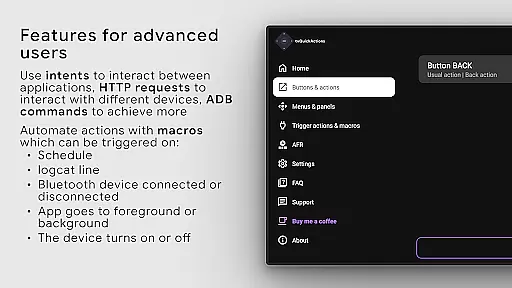
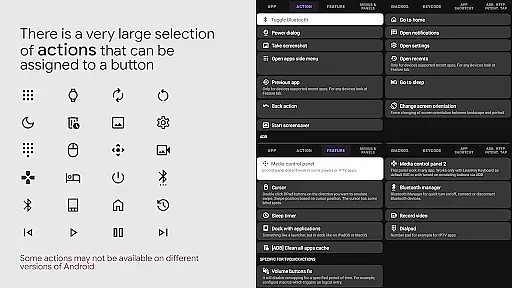
The range of assignable actions includes opening apps, executing shortcuts and intents, sending keycodes, toggling WiFi/Bluetooth/media playback, controlling media functions, taking screenshots, opening URLs, and accessing settings. Powered by AccessibilityService API, it ensures reliable button remapping and automated mode selection through on-screen view detection.
tvQuickActions Pro stands out as a highly accurate and effective button/key mapper specifically designed for TV devices, including Android TV, Google TV, and AOSP on most devices. The app's core functionality allows users to assign up to five actions to a single button on their remote control, significantly enhancing the utility of their device.
The application supports an extensive range of actions from opening apps, executing shortcuts and intents, sending keycodes, toggling WiFi or Bluetooth, controlling media playback, taking screenshots, and even opening URLs or settings. This versatility ensures that users can customize their TV experience precisely to their liking, making daily operations more efficient and enjoyable.
By utilizing the AccessibilityService API, tvQuickActions Pro can listen to and block key events, which is essential for remapping buttons effectively. This technical foundation guarantees that the assigned actions are executed accurately every time, providing users with a seamless and reliable experience.
Ultimately, the precision and effectiveness of tvQuickActions Pro empower users to unlock the full potential of their TV devices, offering functionalities that are otherwise unavailable or cumbersome to access. Whether it's through creating custom menus, managing recent apps, or controlling media playback, this tool delivers tangible value by streamlining complex tasks into simple button presses.
tvQuickActions Pro excels in providing an interface that balances simplicity with intuitiveness, ensuring that users can easily navigate and utilize its powerful features without a steep learning curve. The design philosophy centers around making advanced functionalities accessible to users of all technical backgrounds.
Upon launching the app, users are greeted with a straightforward layout that categorizes actions into intuitive sections such as 'Open the app or appu2019s activity,' 'Shortcuts & intents,' 'Keycode,' and various media controls. This logical organization allows users to quickly find and configure the actions they need, minimizing setup time and maximizing productivity.
In addition to its clear categorization, tvQuickActions Pro offers customizable docks similar to those found in macOS/iPadOS, presenting frequently used apps and actions in an easily reachable manner. This feature not only enhances accessibility but also contributes to a clutter-free and efficient user interface.
Overall, the app's commitment to maintaining an intuitive and simple interface ensures that users can harness the full power of their TV devices without being overwhelmed by complexity. By prioritizing user experience, tvQuickActions Pro transforms intricate customization processes into enjoyable interactions, ultimately leading to higher user satisfaction and engagement.
Extensive customization
Versatile button mapping
Unique TV features
Comprehensive action options
Wide device compatibility
Complex setup process
Device-specific limitations
Potential compatibility issues
Requires technical knowledge
Limited user support

 4.50
4.50
Quickly switch to an encrypted DNS server on Android TV
4.50
Unlock your Essential Key. Create custom shortcuts to your favorite apps!
4.0
Family Locator, Share location, StayConnect with your family in real time
3.90
A non-root local ADB shell client. READ BELOW!
3.40
PC precision for mobile gaming: dominate with keyboard and mouse!
4.30
Planner and Tracker for Stardew Valley
4.60
Powerful collection of electronics tools and reference.A must for any enthusiast
4.90
NFC Tools can read and write NFC tags.
4.70
Connect wirelessly to your computer to watch movies, browse the web, play games
5.00
Enjoy smooth gameplay with Game Booster
4.90
Easily install aab(Android App Bundle) files on your Android device with our app
4.80
Canon PRINT is a companion app for your Canon printer.
4.60 4.50
4.50
Head tracking for PC sim games such as MSFS 2024 or Elite:Dangerous. No headset!
4.50
eXtended Permission Manager - a small app to manage permissions and AppOps
4.50
Use your phone as a webcam on your computer over WiFi or USB.
4.40
VESC Tool can monitor and configure VESC-compatible devices over BLE and Wifi
4.20
An open-source APK explorer for Android!
4.10


User Reviews