
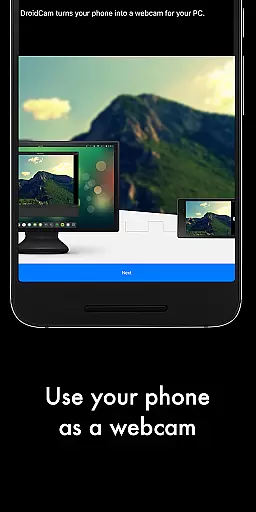
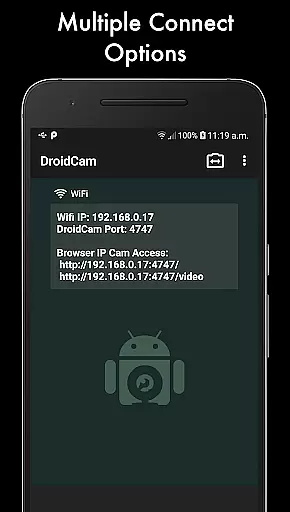
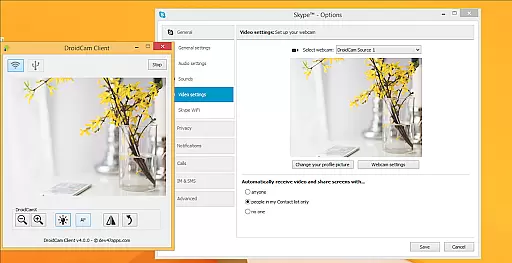
DroidCamX HD (Classic) is a versatile tool that transforms your Android device into a high-quality webcam for your computer. This application supports both video and audio transmission, enabling users to chat with the 'DroidCam Webcam' directly on their computers. It offers flexible connectivity options through Wi-Fi or USB and ensures premium video quality with support for 720p/1080p resolutions in HD mode.
One of the standout features of DroidCamX is its ability to operate seamlessly in the background, allowing users to utilize other apps without interruption. Additionally, it conserves battery life by functioning even when the screen is off. The app also provides extensive camera controls such as autofocus, zoom, flashlight, and more, enhancing user experience during video calls or content creation.
This tool is particularly beneficial for remote workers, content creators, and anyone needing a reliable webcam solution. By turning a mobile device into a webcam, DroidCamX delivers convenience and high performance, making virtual communication more effective and professional.
DroidCamX HD (Classic) boasts an array of features designed to enhance the webcam experience. One notable feature is the 'Smooth FPS' option, which stabilizes video transmission, ensuring a smoother visual experience during use. Furthermore, the app allows users to capture still image frames directly from their phones or computers while the application is active, providing versatility in content creation.
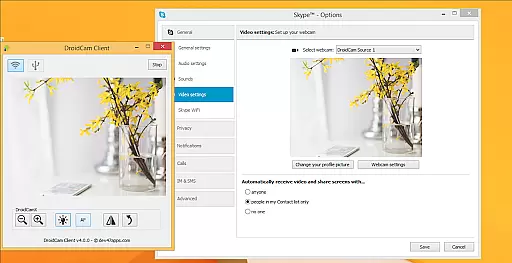
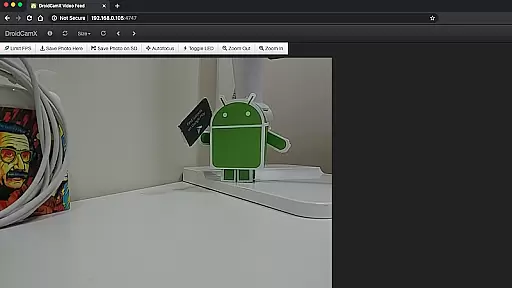
The Windows client of DroidCamX includes advanced controls such as Mirror, Flip, Brightness, and Contrast adjustments, giving users greater flexibility over their video output. Another significant advantage is the IP Webcam MJPEG access, which enables users to access the camera feed via a browser or another device, expanding its usability beyond traditional setups.
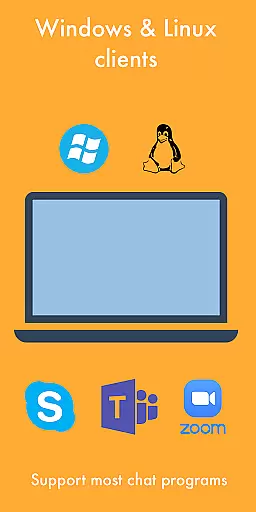
Compatibility with both Windows and Linux clients underscores the app's adaptability across different operating systems. Users can download these clients from www.dev47apps.com, where they will find comprehensive guides to facilitate installation and optimal usage. With these robust features, DroidCamX stands out as a powerful tool for anyone seeking enhanced webcam functionality.
DroidCamX HD (Classic) excels in delivering accurate and effective core functionality by transforming your Android device into a high-quality webcam. This app ensures that both audio and video streams are transmitted seamlessly to your computer, providing a reliable communication tool for various scenarios.
The application supports multiple connection methods including Wi-Fi and USB, ensuring flexibility and convenience. With the added support for 720p/1080p video through HD Mode, users can expect clear and detailed video quality, making virtual interactions more engaging and professional.
Additional features such as the 'Smooth FPS' option enhance video stability, while the ability to run other apps simultaneously in the background adds to its practicality. Users can also conserve battery life by allowing the app to function with the screen off, without compromising on performance.
The interface of DroidCamX HD (Classic) is designed to be simple and intuitive, ensuring that users can easily navigate and utilize its features without a steep learning curve. The straightforward setup process allows users to quickly connect their Android device to a computer, facilitating immediate use.
Controls for camera functions such as auto-focus, zoom, and flash are readily accessible, enhancing user experience by providing necessary adjustments at their fingertips. Furthermore, the app offers advanced controls on the Windows client, including options for mirroring, flipping, and adjusting brightness and contrast, which contribute to a customized and optimal video output.
By maintaining an uncluttered and functional design, DroidCamX ensures that users can efficiently capture still images and access the camera via a browser or from another device using IP Webcam MJPEG. This combination of essential features and ease of use makes the app a versatile tool for both casual and professional settings.
High-quality video support
Flexible connectivity options
Background operation capability
Extensive camera controls
Cross-platform compatibility
Requires additional setup for USB
Limited iOS support
Dependent on network stability
Premium version needed for full features
Occasional download issues

pdf merge, word to pdf, jpg to pdf, edit pdf, convert to pdf and much more!
 4.20
4.20
Quickly switch to an encrypted DNS server on Android TV
4.50
Connect instantly to a fast, encrypted VPN with one tap
4.60
FV File Manager Pro, Fast and powerful file manager for Android
4.60
Head tracking for PC sim games such as MSFS 2024 or Elite:Dangerous. No headset!
4.50
Save any video in HD - paste the link, download fast and watch offline.
4.1
Quickly & easily calculate the spacing of handrail balusters
4.20
Effortlessly run ADB commands directly on your device without a PC.
4.20
The one-and-only remote control for PC, Mac, and Linux
4.70
Easily install aab(Android App Bundle) files on your Android device with our app
4.80
Unit and currency converter with easy and simple UI.
4.80
Small and simple app to Verify Root Access and BusyBox Install!
4.70
The Ultimate Bluetooth Keyboard & Mouse. Securely control your PC, Mac, and more
4.50
Screen Mirroring for Roku Sticks, Roku TCL TV and Roku Hisense TV
4.50
Just swipe the edge to do something!
4.40
Forza Tuning Calculator App for Forza Horizon 5, Motorsport and Earlier Titles
4.40
PC precision for mobile gaming: dominate with keyboard and mouse!
4.30
VESC Tool can monitor and configure VESC-compatible devices over BLE and Wifi
4.20
Transfer Files, APK from Phone to Watch & Install.
4.1


User Reviews