
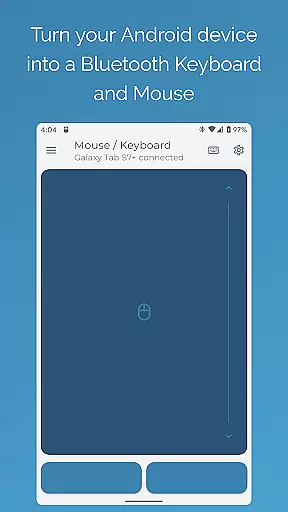
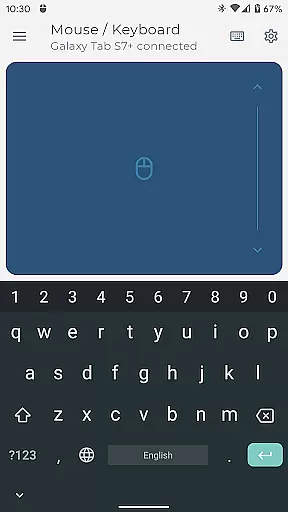
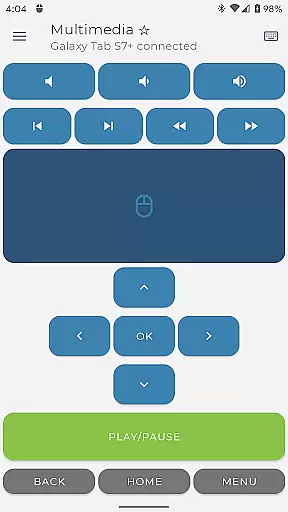
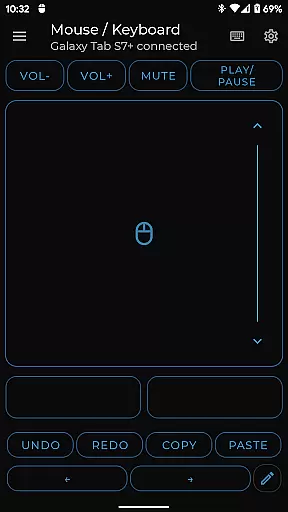
Bluetooth Keyboard & Mouse Pro revolutionizes the way you interact with your devices by turning your Android phone into a versatile remote control tool. This powerful application establishes a direct Bluetooth connection, enabling you to seamlessly operate computers, tablets, and media centers without any additional software. The app's core functionality lies in its ability to provide precision control through a virtual keyboard, mouse, and multi-touch trackpad, while offering specialized features for professionals.
The application particularly shines in professional settings, allowing users to maintain active status during remote work, deliver presentations with confidence, and manage multimedia playback effortlessly. Its universal compatibility across Windows, iOS, Android, and Chrome OS platforms makes it an indispensable tool for modern work environments. By supporting over 100 international keyboard layouts and offering customizable interface options, this app delivers exceptional value for users seeking enhanced productivity and seamless device integration.
This application distinguishes itself through its comprehensive feature set designed for maximum versatility. The precision control module offers responsive keyboard input, smooth mouse movement, and intuitive trackpad gestures including multi-touch scrolling. Professional users will appreciate advanced capabilities such as Keep-Alive mode for maintaining active status during extended work sessions, and Presenter Mode for commanding attention during presentations.
Additional premium features include full PC keyboard support with instant language switching, multimedia controls for managing playback across various platforms, and integrated QR/barcode scanning for efficient data entry. The application's custom layout designer allows users to create personalized control interfaces tailored to specific applications or workflows. These features are implemented through a secure direct Bluetooth connection, ensuring minimal latency and maximum privacy without relying on external servers.
Bluetooth Keyboard & Mouse Pro delivers exceptional core functionality by transforming your Android device into a versatile remote control tool. The app establishes a direct Bluetooth connection with your devices, ensuring instant response times and eliminating the need for additional server software.
The application's precision control features include a highly responsive keyboard, mouse, and multi-touch trackpad. These tools provide intuitive scrolling and seamless navigation across multiple platforms, making it an ideal solution for both productivity and presentation scenarios.
With its keep-alive mode and full PC keyboard functionality, the app maintains system activity while offering efficient typing capabilities. Users can switch between over 100 international language layouts, supporting diverse work environments and global communication needs.
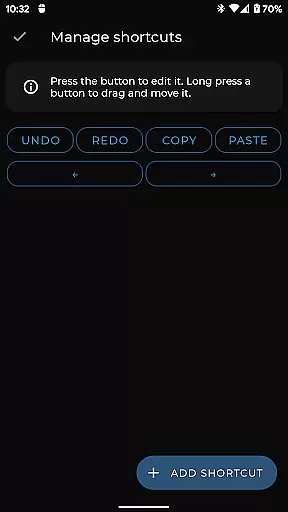
The application's interface design emphasizes simplicity and intuitive operation, enabling users to quickly adapt to its various functions. Upon launching Bluetooth Keyboard & Mouse Pro, users are greeted with a clean layout that organizes essential tools in an accessible manner.
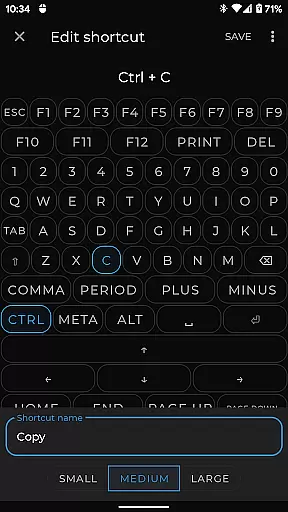
Key features like the multimedia controls and presentation mode are strategically placed for easy access during critical tasks. The app's thoughtful arrangement of custom layouts and specialized controls ensures that users can create personalized interfaces tailored to their specific workflow requirements.
By maintaining universal compatibility across major operating systems and requiring only standard Bluetooth connections, the application demonstrates its commitment to user-friendly implementation. This approach eliminates technical barriers and allows professionals to focus on their primary objectives without being hindered by complex setup procedures.
Serverless Connection
Precision Control
Universal Compatibility
Customizable Interface
Professional Features
Premium Feature Cost
Complex Setup
Battery Consumption
Limited Free Options
Device Compatibility

 4.10
4.10
Head tracking for PC sim games such as MSFS 2024 or Elite:Dangerous. No headset!
4.50
Use your phone as a webcam on your computer over WiFi or USB.
4.40
Forza Tuning Calculator App for Forza Horizon 5, Motorsport and Earlier Titles
4.40
VESC Tool can monitor and configure VESC-compatible devices over BLE and Wifi
4.20
Signal Strength, Mobile, Wifi, Speed Test, Bad Signals, Cellular, 5G, LTE, 4G
4.20
Making emulation easy for everyone!
4.30
Create your own custom widget with endless possibilities
3.90
Enjoy a smooth mobile reading experience!
3.60
WiFi Signal Strength Meter help you detect WiFi Signal Strength in real time.
4.80
NFC Tools can read and write NFC tags.
4.70
Screen Mirroring for Roku Sticks, Roku TCL TV and Roku Hisense TV
4.50
Universal TV remote control all TVs, Roku, LG, Samsung, Fire, Vizio, Sony, TCL.
4.40
PC precision for mobile gaming: dominate with keyboard and mouse!
4.30
Remote for Roku, Fire TV, Samsung TV, LG TV, Android TV, Chromecast and VIZIO TV
4.20
Screen Mirroring with sound for Samsung TV, LG TV, Sony TV, Smart TV and Browser
4.20
Amateur Radio app for APRS: Track friends, exchange messages, get tactical info.
3.90
Smart and comfortable browsing experience.
3.80
Undelete and recover your lost or deleted files with DiskDigger!
3.40


User Reviews