
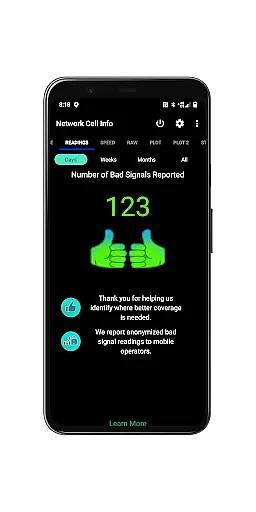
Network Cell Info & Wifi is a comprehensive mobile network monitoring tool designed for users seeking to optimize their connectivity experience. The app provides detailed insights into cellular and Wi-Fi signals, supporting technologies like 5G, LTE, CDMA, and GSM. With its Bad Signal Reporter feature, users can automatically report poor signal areas to mobile network operators, aiding in network improvements.
One of the standout features of this app is its almost real-time monitoring capability, which allows users to track signal strength with updates as frequent as every second. Additionally, Network Cell Info offers advanced diagnostic tools such as dual-SIM support, speed tests, and personal best signal finder maps. These features make it an invaluable tool for anyone looking to troubleshoot reception issues or simply understand their network environment better.
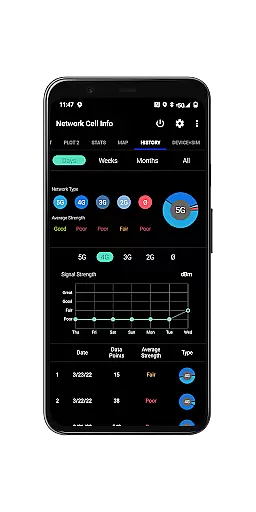
The app also includes historical logging and measurement features, enabling users to analyze past signal performance and identify trends over time. Whether you're a tech enthusiast or someone who just wants to ensure optimal mobile performance, Network Cell Info & Wifi delivers the data and tools necessary to achieve the strongest possible connection.
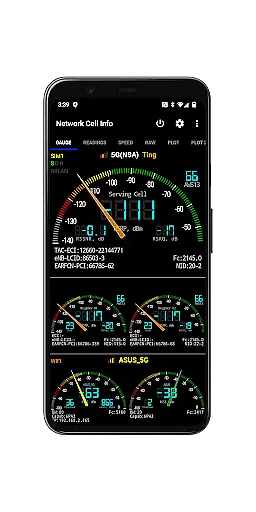
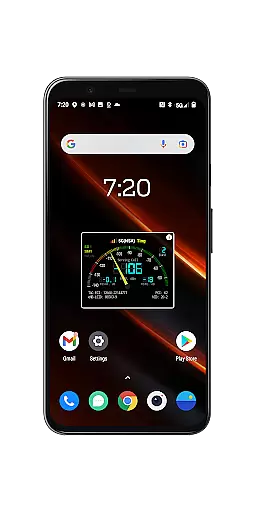
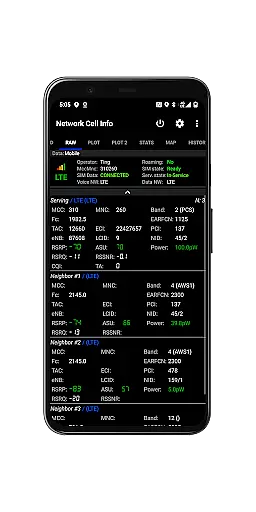
Network Cell Info & Wifi stands out due to its extensive range of features tailored for network diagnostics and optimization. One of the key functionalities is the almost real-time monitoring of cellular and Wi-Fi signals, providing updates every second through its Gauge and Raw tabs. This ensures that users have immediate access to critical information about their connection quality.
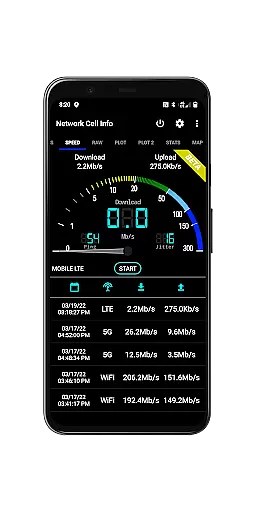
In addition to signal monitoring, the app supports multiple network types including 5G, LTE+, LTE, CDMA, and GSM. It also offers a one-tap speed test feature that measures download, upload, ping, and jitter rates, giving users a complete picture of their internet performance. Dual-SIM support further enhances its utility by allowing users to manage and monitor two different network connections simultaneously.
Another innovative feature is the Personal Best Signal Finder, which uses crowdsourced data to show users the nearest areas with the best signal strength for their carrier. Combined with detailed logs, measurement settings, and exportable databases, these capabilities provide a robust toolkit for anyone interested in maintaining optimal network conditions.
Network Cell Info & Wifi stands out for its precise monitoring and diagnostic capabilities, ensuring users receive accurate data about their mobile network and Wi-Fi signals. The app supports a wide range of network types including 5G, LTE+, LTE, CDMA, WCDMA, and GSM, providing almost real-time updates every second.
The application's one-tap performance speed test feature measures download, upload, ping, and jitter, giving users a comprehensive understanding of their internet connection quality. With dual-SIM support and up to six signal-meter gauges, it caters to various user needs and device configurations.
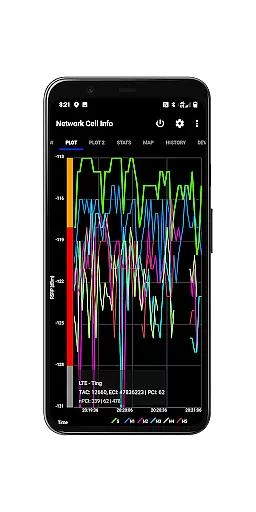
Users benefit from detailed signal plots, band number information, and readings on bad signals, which help in troubleshooting connectivity issues effectively. The inclusion of personal best signal finder maps and crowdsourced best signal data empowers users to optimize their network experience by locating the strongest signals in their vicinity.
Despite its technical depth, Network Cell Info & Wifi maintains an intuitive interface that simplifies complex network data into understandable visuals and statistics. The app features easy-to-read gauges and raw tabs that display cellular carrier and WiFi signals clearly, making it accessible even to non-technical users.
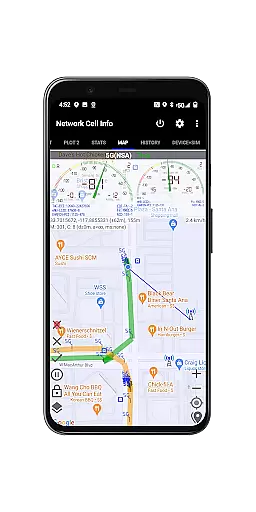
A key highlight is the map functionality, which overlays network cellular info and signal strength, allowing users to visualize their connection quality geographically. This feature not only aids in identifying strong signal areas but also enhances the overall user experience through interactive and engaging content.
Additionally, the app offers customizable settings such as SIM preferences, measurement parameters, and database export options, all presented in a straightforward manner. These elements ensure that while the app is packed with powerful tools, it remains user-friendly and approachable for everyday use.
Comprehensive network monitoring
Real-time signal tracking
Dual-SIM support
Advanced diagnostic tools
Crowdsourced signal data
Complex interface for beginners
Requires technical knowledge
Limited CDMA support
High battery consumption
Premium features locked behind paywall

 4.50
4.50
Just one-tap to easy translate in any language after calls within seconds.
4.20
Clean the junk files on your device
3.40
Family Locator, Share location, StayConnect with your family in real time
3.90
Quickly & easily calculate the spacing of handrail balusters
4.20
Small and simple app to Verify Root Access and BusyBox Install!
4.70
Game Booster, GFX Tool is now compatible with newer game update
4.50
Button mapper, mouse toggle, sleep timer and a lot of another features
4.50
Mobile Security with Scam Protection | Malware & Virus Cleaner | Safe Browser
4.70
Optimize your WiFi network, turn your phone into Wifi Analyzer
4.70
The one-and-only remote control for PC, Mac, and Linux
4.70
Fast Video Downloader, Movie Downloader, Torrent Downloader & Adblock Browser
4.70
Creation, Learning, Entertainment & More — The All-in-One AI Search Engine
4.70
Connect instantly to a fast, encrypted VPN with one tap
4.60
FV File Manager Pro, Fast and powerful file manager for Android
4.60
Use your phone as a webcam on your computer over WiFi or USB.
4.40
pdf merge, word to pdf, jpg to pdf, edit pdf, convert to pdf and much more!
4.20 4.10
4.10
Save any video in HD - paste the link, download fast and watch offline.
4.4


User Reviews