
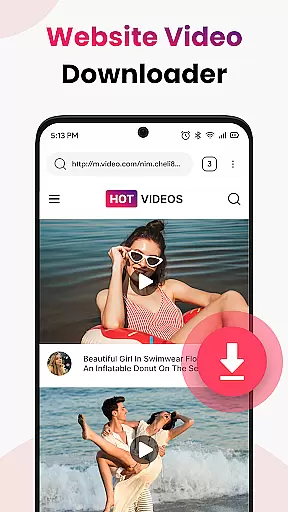
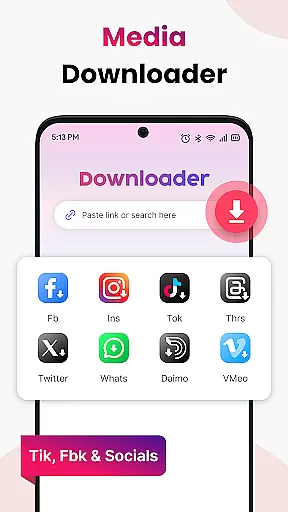


Video Saver All Format is a versatile tool designed to help users download and store videos from various online sources directly onto their devices. This app supports multiple video formats including MP4, MOV, MKV, AVI, WMV, FLV, and more, ensuring compatibility with most media players. With its one-tap workflow, users can easily paste a video link, tap download, and enjoy their content offline in crisp HD quality. The app's lightweight design and minimal permissions ensure privacy and control, making it an ideal choice for those looking to build a personal HD video library without the constraints of buffering or weak connections.
Perfect for learning on the go, entertainment offline, and keeping favorite videos safe, Video Saver All Format caters to a wide range of needs. Whether you're interested in tutorials, lectures, music clips, or trailers, this app allows you to download once and enjoy forever. Its optimized engine ensures quick and stable downloads, while unlimited saves let you store as many videos as your device allows. By respecting intellectual property rights, Video Saver All Format provides a reliable solution for personal use, helping users stay organized and entertained wherever they are.
Video Saver All Format stands out with its comprehensive feature set tailored for seamless video downloading and management. One of its key features is the support for a wide array of video formats such as MP4, MOV, MKV, AVI, WMV, and FLV, which ensures that users can download videos from virtually any source. The app's HD-first approach allows users to choose high-quality resolutions for sharper playback, enhancing the viewing experience. Additionally, the one-tap workflow simplifies the process by auto-detecting video links for instant grabbing, eliminating unnecessary steps and saving time.
Speed and efficiency are at the core of Video Saver All Format's design. Its optimized engine facilitates quick and stable downloads, even in less-than-ideal network conditions. The app's lightweight nature and minimal permissions ensure that users maintain control over their data and privacy. Furthermore, tools like unlimited saves allow users to store as many videos as their device capacity permits, making it easy to build extensive personal collections. Whether for educational content, entertainment, or personal reference, Video Saver All Format equips users with the tools needed to manage and enjoy their video libraries effortlessly.
Video Saver All Format excels in delivering accurate and effective core functionality by enabling users to download videos from various sources with ease. The app supports multiple formats including MP4, MOV, MKV, AVI, WMV, FLV, and more, ensuring that users can save videos in their preferred format without compatibility issues.
The application's optimized engine ensures quick and stable downloads, providing a seamless experience for users who wish to enjoy their content offline in crisp HD quality. By auto-detecting video links, it simplifies the process to a one-tap workflow, allowing instant grabbing of video links with minimal effort.
For users, this means they can efficiently build a personal HD video library, whether for learning on the go, entertainment offline, or keeping favorite clips safe for future viewing. The speed and reliability of Video Saver All Format make it an indispensable tool for anyone looking to stay organized and enjoy their video content without buffering or weak connections.
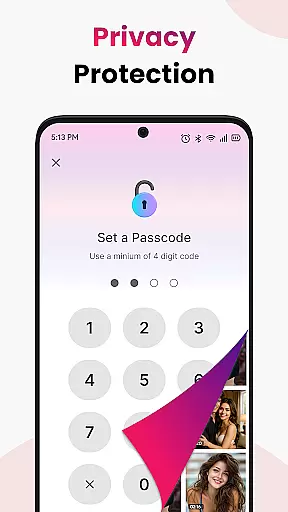
A hallmark of Video Saver All Format is its interface simplicity and intuitiveness, which makes the task of downloading videos straightforward even for non-tech-savvy users. With a clean design and minimal permissions, the app puts users in control, ensuring privacy and a lightweight presence on their devices.
By following an easy three-step processu2014copying a video link, pasting it into the app, and tapping downloadu2014users can acquire unlimited saves, storing as many videos as their device allows. This intuitive workflow removes any unnecessary hoops, letting users focus on acquiring the content they desire without distraction.
Ultimately, the app's commitment to a simple and intuitive interface empowers users to manage their video collections efficiently. Whether for tutorials, lectures, music clips, or personal reference videos, Video Saver All Format provides a no-hassle solution for all video-saving needs, making digital organization accessible to everyone.
User-friendly interface
Multi-format support
HD quality downloads
Quick and stable engine
Privacy-focused design
Limited to personal use
No social media integration
Requires manual updates
Basic customization options
Dependent on source availability

Change your GPS location instantly. Simulate routes anywhere in the world.
 4.90
4.90
Transfer Files, APK from Phone to Watch & Install.
4.0
Just one-tap to easy translate in any language after calls within seconds.
4.20
Universal TV remote control all TVs, Roku, LG, Samsung, Fire, Vizio, Sony, TCL.
4.40
eXtended Permission Manager - a small app to manage permissions and AppOps
4.50
Keep track of your Palia friendships, tasks, and inventory with Palia Notebook
4.60
Effortlessly run ADB commands directly on your device without a PC.
4.20
Screen Mirroring with sound for Samsung TV, LG TV, Sony TV, Smart TV and Browser
4.20
Enhance your Beats
3.70
Navigate with Ease and Style
4.90
Extremely fast, secure, and protects your privacy
4.80
The Ultimate Flex Drivers Utility App - Convenient Tapping & Block Filters
4.70 4.50
4.50
Making emulation easy for everyone!
4.30
pdf merge, word to pdf, jpg to pdf, edit pdf, convert to pdf and much more!
4.20
VESC Tool can monitor and configure VESC-compatible devices over BLE and Wifi
4.20
Amateur Radio app for APRS: Track friends, exchange messages, get tactical info.
3.90
A non-root local ADB shell client. READ BELOW!
3.40
PDF Reader - Document Viewer: Read, Manage & Organize Your Documents
3.10


User Reviews