
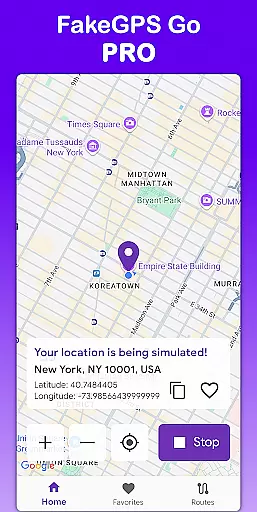
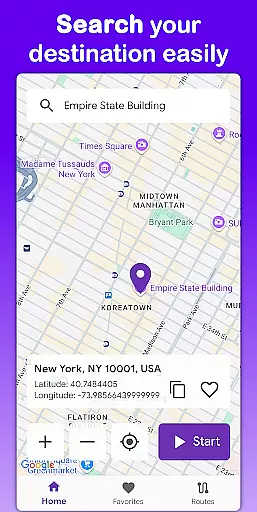
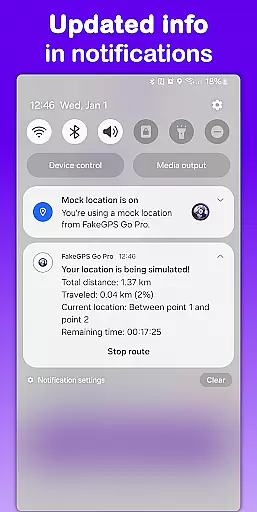
Fake GPS Go Pro is a powerful tool designed to help users instantly change their GPS location and simulate routes anywhere in the world. This app is perfect for developers testing location-based apps, individuals exploring virtual locations, or anyone needing to spoof their GPS position. With no root access required, it offers a seamless experience across devices.
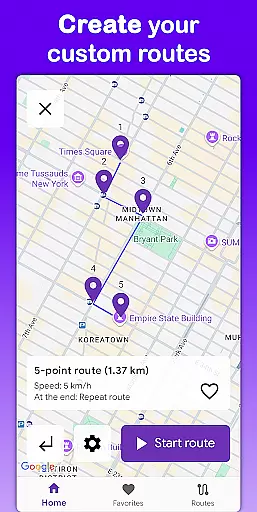
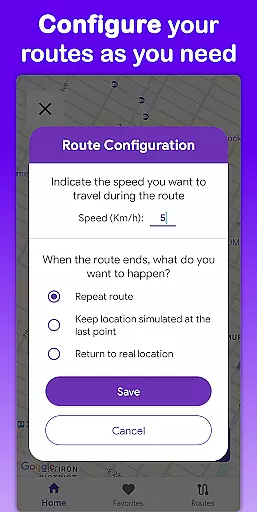
The app allows users to create custom routes by placing markers on the map, select movement speed, and even save favorite locations for quick access. Supporting eight languages and offering precise GPS simulation, Fake GPS Go Pro ensures a smooth, ad-free experience while maintaining high performance and battery efficiency.
Fake GPS Go Pro stands out with its comprehensive feature set tailored for both casual and professional use. The app enables instant location changes with just a few taps, allowing users to simulate being anywhere in the world. Its route simulation functionality lets users draw custom paths on the map and control the speed of movement, making it ideal for app testing and virtual exploration.
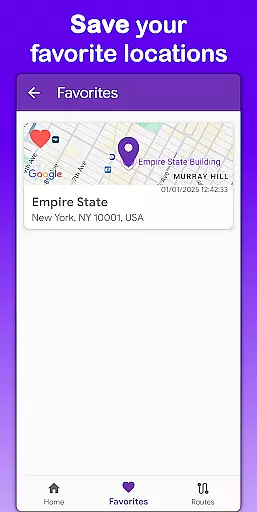
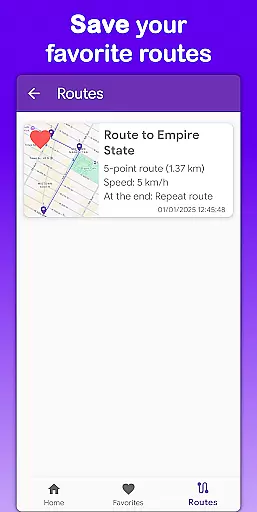
One of the key highlights is the ability to save frequently used locations and routes, eliminating the need for repetitive setup. The app supports multiple languages including English, Spanish, French, and more, catering to a global audience. Additionally, its lightweight design ensures minimal battery consumption while delivering accurate GPS data without requiring root permissions.
Fake GPS Go Pro excels in delivering precise and effective location spoofing capabilities, making it a top choice for users who need to simulate GPS positions. The app allows you to instantly change your GPS location with just a few taps, ensuring that the new coordinates are accurately reflected across various applications on your device.
One of the standout features is its ability to simulate movement along custom routes. By placing markers on the map, users can create detailed paths and even set specific speeds for the simulation. This level of control ensures that the spoofed locations are not only accurate but also realistic, which is crucial for testing and development purposes.
The app's effectiveness is further enhanced by its user-friendly interface and high precision in GPS simulation. Whether you're a developer testing location-based services or an individual exploring virtual locations, Fake GPS Go Pro provides a seamless experience without requiring root access. This accessibility broadens its appeal and usability across different devices and user scenarios.
The interface of Fake GPS Go Pro is designed to be simple and intuitive, ensuring that users can easily navigate and utilize its powerful features without a steep learning curve. Upon launching the app, users are greeted with a clean and organized layout that prioritizes ease of use, allowing them to quickly change their GPS location or set up complex routes with minimal effort.
A key aspect of the app's intuitive design is the ability to save favorite locations and routes. This feature eliminates the need to repeatedly configure commonly used settings, streamlining the user experience. Additionally, multilingual support in eight languages makes the app accessible to a global audience, enhancing its overall usability.
Furthermore, the app maintains a lightweight footprint, ensuring that it remains battery-friendly while providing a premium, ad-free experience. This combination of simplicity, intuitive controls, and efficient performance ensures that users can focus on their tasks without being bogged down by complicated interfaces or intrusive advertisements.
Easy-to-use interface
High precision GPS
No root required
Multilingual support
Ad-free experience
Limited real-world use
Premium cost
Not for navigation
Device compatibility
Learning curve

A recovery soft,it features photo recovery, video recovery, file recovery.
 3.40
3.40
Save any video in HD - paste the link, download fast and watch offline.
4.0
Effortlessly run ADB commands directly on your device without a PC.
4.20
Unleash gamepad precision for ultimate mobile gaming dominance.
3.90
Support Fossify apps with a warm thank you!
5.00
Connect wirelessly to your computer to watch movies, browse the web, play games
5.00
Button mapper, mouse toggle, sleep timer and a lot of another features
4.50
Enjoy a smooth mobile reading experience!
3.60
fast and easy mp3 music downloader
4.80
The ultimate tool for network analysis, wifi scanning and problem detection.
4.90
Small and simple app to Verify Root Access and BusyBox Install!
4.70
HD Video player and downloader for all formats, fast & smooth 4K video playback.
4.60
Keep track of your Palia friendships, tasks, and inventory with Palia Notebook
4.60
App to pay for FUTO Keyboard
4.60
Play your X-Box games remotely in 1080p with any controller and zero latency
4.60
VESC Tool can monitor and configure VESC-compatible devices over BLE and Wifi
4.20
Automate everything from settings to photos, SMS to speech. ADC2 prize winner.
4.10
Detect hidden spy camera with advanced scanning {{ Premium version }}
4.00
A non-root local ADB shell client. READ BELOW!
3.40


User Reviews