
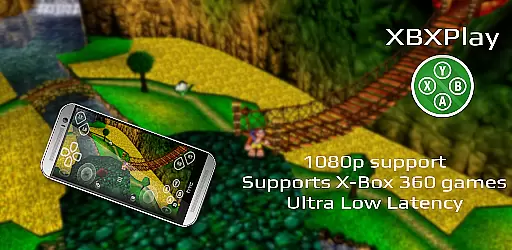
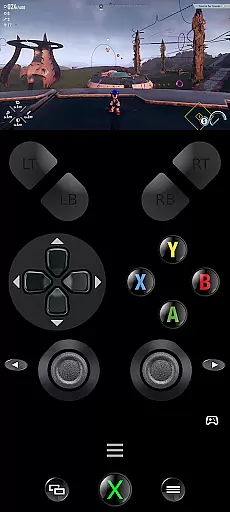
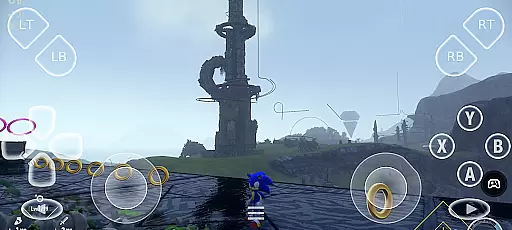
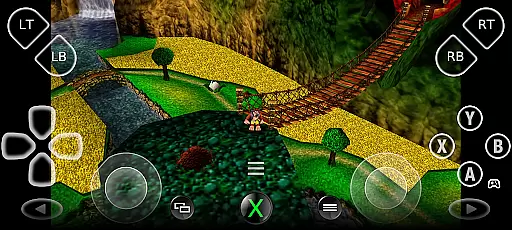
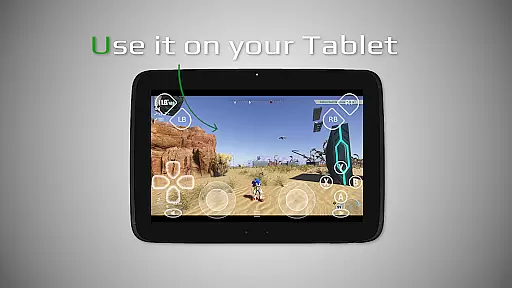
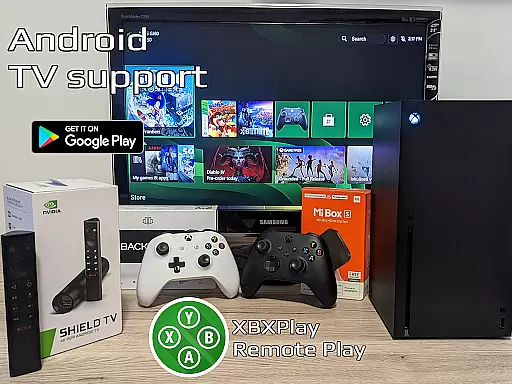

XBXPlay is a powerful remote control application designed specifically for X-Box Series X/S, X-Box One (X/S), and even X-Box 360 consoles. The app allows users to stream their favorite games in full 1080p resolution directly to their mobile devices, providing an exceptional remote gaming experience. With advanced features like customizable onscreen gamepad layouts, manual bitrate adjustments, and support for third-party controllers, XBXPlay ensures optimal performance and flexibility. Whether you're at home or on the go, this tool offers low-latency streaming and seamless integration with your console, making it possible to play without needing a physical gamepad.
One of the standout aspects of XBXPlay is its ability to enhance the gaming experience through innovative functionalities such as Picture-In-Picture mode, Multi-Window support, and USB-OTG compatibility. These features make it easier than ever to enjoy uninterrupted gameplay while multitasking or using other apps. Additionally, XBXPlay supports older X-Box 360 games, expanding its usability for gamers who want to revisit classic titles. By combining cutting-edge technology with user-friendly customization options, XBXPlay delivers a versatile solution for modern gamers seeking convenience and high-quality performance.
XBXPlay stands out from the official X-Box Remote Play app with several advanced features tailored to meet the needs of serious gamers. First and foremost, it supports 1080p streaming, ensuring crisp visuals and immersive gameplay. Unlike the official app, XBXPlay also allows users to play X-Box 360 games remotely, broadening the range of compatible titles. Another key feature is the ability to manually adjust bitrates, giving users greater control over video quality and network usage based on their internet connection speed.
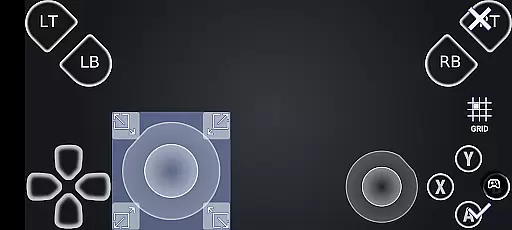
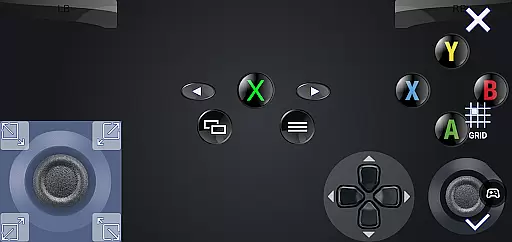
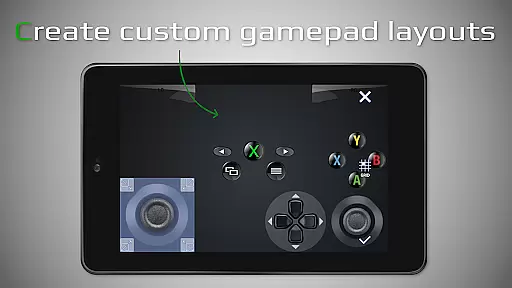
In addition to these technical advantages, XBXPlay provides a fully customizable onscreen gamepad layout that can be tailored to suit individual gaming preferences. This flexibility extends to button mapping and fullscreen support, eliminating unnecessary black bars during gameplay. For those looking to use their mobile device as a virtual gamepad, XBXPlay offers native USB-OTG support and innovative modes like Picture-In-Picture and Multi-Window functionality. These tools are particularly useful for multitasking or managing multiple tasks simultaneously while gaming. Overall, XBXPlay's focus on low-latency streaming and adaptability makes it an ideal choice for both casual and hardcore gamers alike.
XBXPlay excels in delivering core functionalities with precision and effectiveness, ensuring an optimal remote gaming experience. The app supports 1080p streaming, a feature not available in the official X-Box Remote Play app, allowing gamers to enjoy high-definition gameplay regardless of their location.
One of the standout features is the ability to adjust streaming bitrate manually, catering to various internet speeds and reducing latency. This ensures that users can maintain a stable connection without compromising the quality of their gaming sessions, even when using mobile data connections.
In addition to supporting third-party controllers, XBXPlay offers a customizable onscreen gamepad layout. This flexibility enables players to tailor the control interface to their preferences, enhancing comfort and performance during gameplay. Such personalization underscores the app's commitment to meeting diverse user needs effectively.
The interface design of XBXPlay prioritizes simplicity and intuitiveness, making it accessible for users of all technical backgrounds. With full-screen support and no black bars, the app provides an immersive viewing experience that maximizes screen real estate, crucial for gaming activities.
Gamepad button mapping is seamlessly integrated into the user interface, allowing for straightforward customization of controls. Users can easily modify button functions to suit their playstyle or specific game requirements, streamlining the setup process and enhancing overall usability.
Furthermore, advanced features like Picture-In-Picture mode and Multi-Window support are implemented without complicating the interface. These additions cater to multitasking needs while maintaining an uncluttered and intuitive layout, demonstrating XBXPlay's dedication to combining powerful functionality with user-friendly design principles.
Supports 1080p streaming
Customizable gamepad layout
Low latency performance
Compatible with X-Box 360 games
Advanced multitasking features
No microphone input support
Requires stable internet
Limited to compatible devices
Dependent on firmware updates
Potential connectivity issues

 4.50
4.50
Extremely fast, secure, and protects your privacy
4.80
Enjoy smooth gameplay with Game Booster
4.90
Keep track of your Palia friendships, tasks, and inventory with Palia Notebook
4.60
An easy-to-use calculator designed to save time calculating and bending conduit
4.30
VESC Tool can monitor and configure VESC-compatible devices over BLE and Wifi
4.20
Screen Mirroring for Roku Sticks, Roku TCL TV and Roku Hisense TV
4.50
The Ultimate Flex Drivers Utility App - Convenient Tapping & Block Filters
4.70
A simple app to back up and restore SMS & MMS messages and call logs.
4.10
Learn the vast amount of system information about device and monitor it's state
4.70
Protect your device with antivirus, storage cleanup, and system monitoring
4.70
HD Camera captures every special moment.
4.60 4.50
4.50
With videos, electrical calculators, and built-in ebook, Ugly’s has your answer.
4.50
Game Booster, GFX Tool is now compatible with newer game update
4.50
Mirror your screen to Fire TV - Super fast and simple
4.40
Fluid navigation gestures for all of us!
4.30
Screen Mirroring with sound for Samsung TV, LG TV, Sony TV, Smart TV and Browser
4.20
A non-root local ADB shell client. READ BELOW!
3.40


User Reviews