
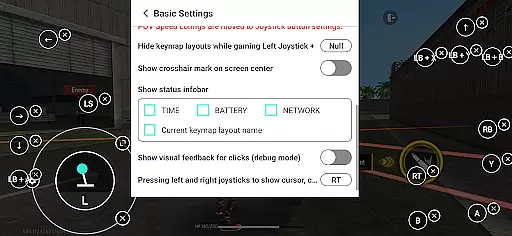
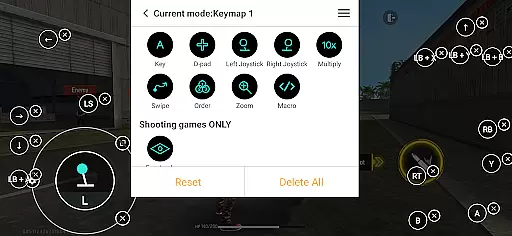
Panda Gamepad Pro is a powerful tool designed to enhance mobile gaming experiences by enabling gamepad controls. This application allows gamers to enjoy their favorite mobile games with the precision and comfort of a physical controller, eliminating the limitations of touch-based controls.
The app stands out through its direct game launch feature, ban-proof technology, and universal compatibility with nearly all gamepad brands. Whether playing shooting games, MOBAs, or sports titles, users can expect improved control and performance. With support for both newer and older devices, Panda Gamepad Pro ensures an inclusive experience for all gamers.
Panda Gamepad Pro offers several innovative features that set it apart from other gaming tools. The direct game launch functionality allows players to start games instantly without any cloning processes, providing a seamless transition into gameplay.
Security is also a priority, as the app enables safe Google Play logins. Its ban-proof technology ensures users can play without worrying about account restrictions. Additionally, the app supports a wide range of gamepad brands and models, making it versatile for different gaming preferences. These features collectively contribute to a superior mobile gaming experience.
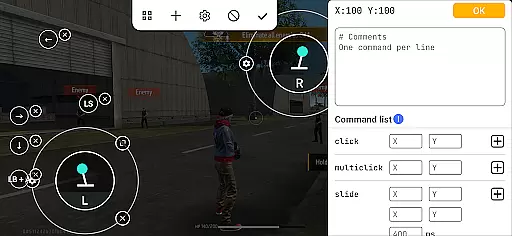
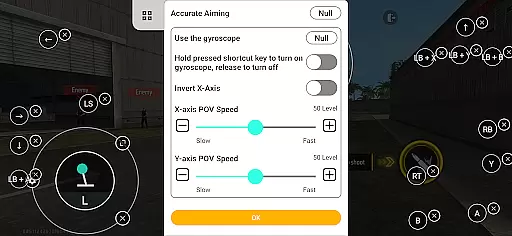
Panda Gamepad Pro is designed to provide unparalleled precision and effectiveness for mobile gaming. The app enables gamers to use their gamepads with direct compatibility across a multitude of games, ensuring that every button press and joystick movement translates accurately into in-game actions.
With features like Direct Game Launch, users can jump straight into their favorite titles without any additional setup, streamlining the gaming experience. This seamless integration is crucial for competitive gaming where milliseconds matter, offering players an edge over those relying on less responsive touch controls.
The application supports nearly all gamepad brands, which speaks volumes about its commitment to universal compatibility. Whether you're using the latest controller or an older model, Panda Gamepad Pro ensures that your device works flawlessly with your mobile games, providing a consistent and reliable performance.
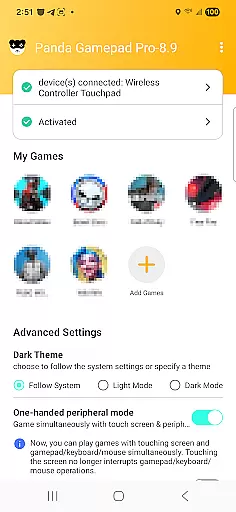
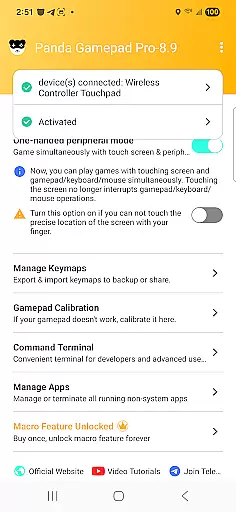
Achieving simplicity and intuitiveness in its interface, Panda Gamepad Pro allows users to activate and configure their gamepads with minimal hassle. For Android 11 and above, activation occurs directly on the device, while for earlier versions, a quick PC or Mac-based process is available, ensuring broad accessibility regardless of the user's operating system version.
For rooted devices, the app offers automatic activation, further simplifying the setup process for advanced users who prefer full control over their device's functionality. This adaptability makes it easy for anyone to enhance their gaming experience without needing extensive technical knowledge.
Moreover, Panda Gamepad Pro provides video tutorials and guides, making it even easier for users to understand how to maximize the potential of their gamepads. By focusing on clear instructions and support, the app empowers gamers to optimize their setups quickly and efficiently, enhancing both usability and enjoyment.
Enhanced game control
Ban-proof technology
Wide gamepad support
Direct game launching
Secure login system
Requires activation steps
Limited to compatible games
Dependent on device OS
No native Bluetooth pairing
Premium version costs

A convenient photo, video, and file recovery tool.
 4.00
4.00
Just swipe the edge to do something!
4.40
FV File Manager Pro, Fast and powerful file manager for Android
4.60
An easy-to-use calculator designed to save time calculating and bending conduit
4.30
The one-and-only remote control for PC, Mac, and Linux
4.70
The Ultimate Bluetooth Keyboard & Mouse. Securely control your PC, Mac, and more
4.50
Screen Mirroring for Roku Sticks, Roku TCL TV and Roku Hisense TV
4.50
Download any file easily and quickly with Downloader
4.3
Remote Play with FSR upscaling, low latency & full controller support
4.80
Best leveling tool for your Android device. Hang paintings like a pro.
4.90
Powerful collection of electronics tools and reference.A must for any enthusiast
4.90
Small and simple app to Verify Root Access and BusyBox Install!
4.70
Connect instantly to a fast, encrypted VPN with one tap
4.60 4.50
4.50
Button mapper, mouse toggle, sleep timer and a lot of another features
4.50
Forza Tuning Calculator App for Forza Horizon 5, Motorsport and Earlier Titles
4.40
Mirror your screen to Fire TV - Super fast and simple
4.40
Clean up large files and similar photos, fast and easy to use
4.40
Complete kernel toolbox with features to manage and tweak your rooted device
4.30


User Reviews