
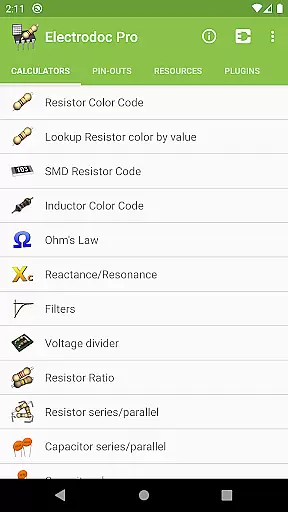
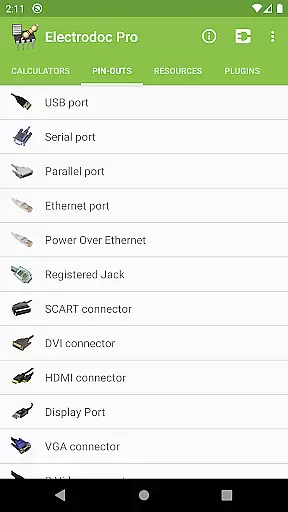
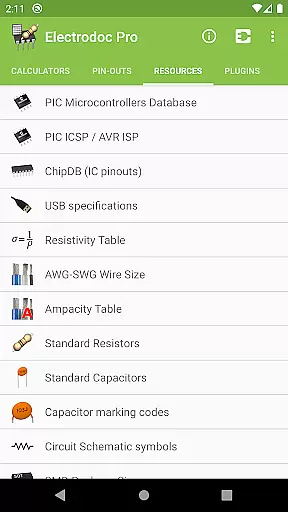
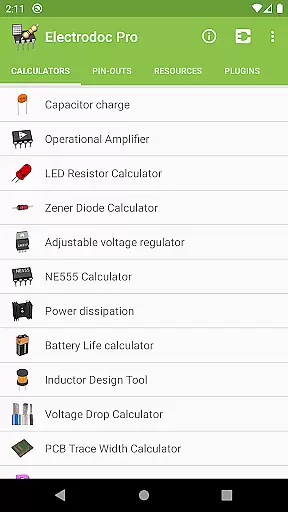
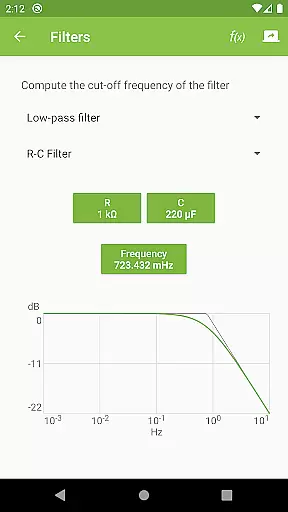
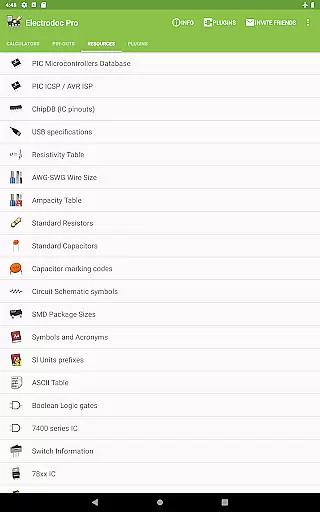
Electrodoc Pro is a comprehensive electronics toolkit designed for professionals, hobbyists, and students alike. This application serves as an all-in-one reference and calculator suite, providing essential tools for electronic circuit design, component identification, and signal processing. With over 50 specialized calculators and reference tables, the app covers everything from resistor color codes to complex filter designs.
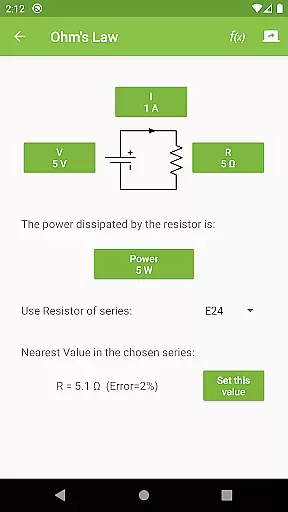
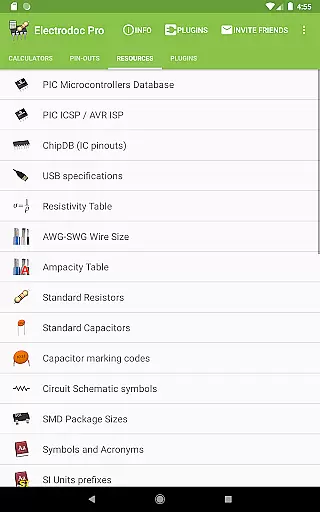
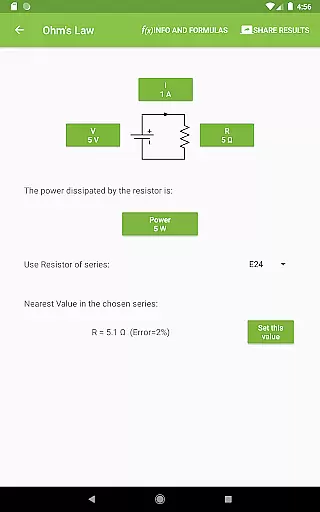
The app stands out with its extensive collection of electronics-related resources, including pin-outs for common connectors, wire size charts, and standard component values. Its intuitive interface allows users to quickly access tools like Ohm's Law calculator, voltage divider, and power dissipation calculator. Whether you're working on PCB design or troubleshooting circuits, Electrodoc Pro provides immediate access to critical information right at your fingertips.
Particularly valuable for electrical engineering projects, the application's PRO version offers additional features such as EIA resistor series support and advanced calculation tools without any advertisements. The inclusion of specialized plugins for microcontroller databases and component search makes it an indispensable companion for both educational and professional electronics work.
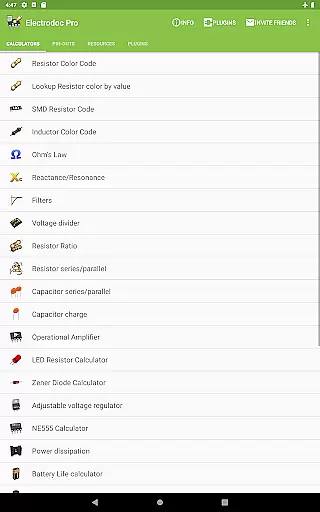
Electrodoc Pro distinguishes itself through its comprehensive feature set tailored specifically for electronics professionals. The application includes sophisticated calculators for various electronic components and circuits, ranging from basic resistor calculations to complex operational amplifier configurations. Each tool is carefully designed to provide accurate results while maintaining user-friendly interfaces that make complex calculations accessible to users of all skill levels.
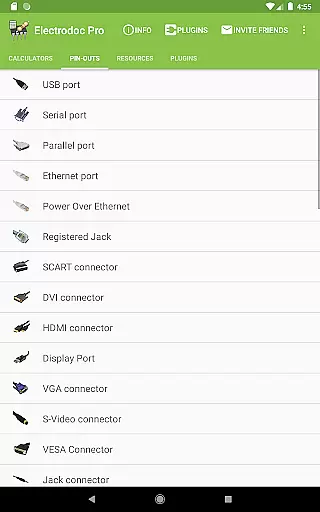
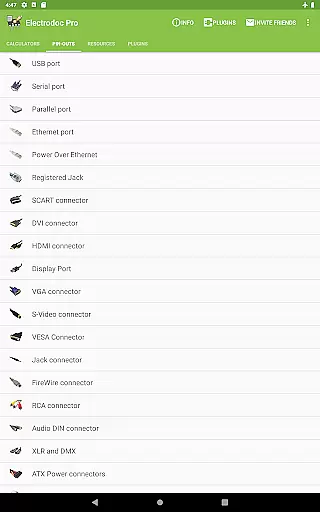
A key differentiator is the app's extensive connector and pin-out database, featuring detailed information for over 100 types of ports and connectors used in modern electronics. These include standard computer ports, audio/video connectors, and specialized interfaces for automotive and industrial applications. The inclusion of both imperial and metric measurement systems, along with support for various international standards, makes the application globally relevant.
What sets Electrodoc Pro apart from similar tools is its modular architecture, allowing users to expand functionality through plugins. These extensions cover specialized areas such as microcontroller programming, component simulation, and parts lookup services. The application also supports advanced features like customizable favorites, offline access to all resources, and regular updates that continually expand its capabilities, making it an evolving tool that grows with the user's needs.
Electrodoc Pro stands out in the Tools category by offering precise and reliable electronic calculation tools that are essential for both professionals and hobbyists. The app includes a comprehensive suite of calculators such as Ohm's Law, Reactance/Resonance, and Voltage Divider, each engineered to deliver accurate results.
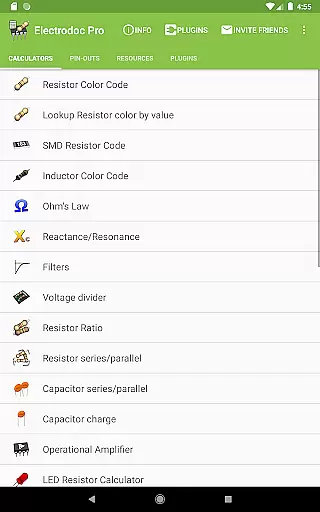
The effectiveness of Electrodoc Pro is evident in its detailed implementation of electronics tools. For instance, the Resistor Color Code calculator not only identifies the resistance value from color bands but also allows users to look up colors by known resistance values. This bidirectional functionality ensures that users can work more efficiently with various resistor-related tasks.
Users benefit significantly from the app's breadth of features which cover everything from simple calculations like SMD Resistor Codes to complex design tools such as Inductor Design Tool. Each tool is crafted to ensure that the calculations are not only correct but also practical for real-world applications.
Moreover, Electrodoc Pro enhances user productivity by providing quick access to frequently needed electronics references and formulas. With full support for EIA resistor series across all relevant calculators, it ensures industry-standard precision. This dedication to accuracy and practicality makes Electrodoc Pro an indispensable tool for anyone involved in electronics.
In the realm of electronic calculation tools, Electrodoc Pro excels by providing an interface that marries simplicity with intuitiveness. The design philosophy behind the app ensures that even those new to electronics can navigate and utilize its features without a steep learning curve.
Each tool within Electrodoc Pro is laid out in a straightforward manner, allowing users to input data and receive results with minimal steps. For example, when using the LED Resistor Calculator or the Zener Diode Calculator, users are guided through a logical sequence of inputs that mirror the natural thought process involved in these calculations.
The app further simplifies complex processes by integrating intuitive controls and clear visual feedback. Whether configuring operational amplifiers or calculating power dissipation, users find the operations self-explanatory and easy to follow. This approach reduces the likelihood of errors and increases overall efficiency.
Additionally, Electrodoc Pro offers a clean layout where tools are categorized logically under sections like 'Calculators' and 'Resources'. This organization not only aids in quickly locating desired functions but also enhances the overall user experience by reducing clutter and maintaining focus on usability. Such attention to interface detail ensures that Electrodoc Pro remains accessible yet powerful.
Comprehensive toolset
Regular updates
Offline functionality
User-friendly interface
Professional-grade calculators
Premium price point
Steep learning curve
Occasional bugs
Heavy storage usage
Complex navigation

Canon PRINT is a companion app for your Canon printer.
 4.60
4.60
Forza Tuning Calculator App for Forza Horizon 5, Motorsport and Earlier Titles
4.40
Small and simple app to Verify Root Access and BusyBox Install!
4.70
Unleash gamepad precision for ultimate mobile gaming dominance.
3.90
Signal Strength, Mobile, Wifi, Speed Test, Bad Signals, Cellular, 5G, LTE, 4G
4.20
Mirror your screen to Chromecast and Android TV - Super fast and simple
4.60
Support Fossify apps with a warm thank you!
5.00
Mirror your screen to Fire TV - Super fast and simple
4.40
Fast Video Downloader, Movie Downloader, Torrent Downloader & Adblock Browser
4.70
Unit and currency converter with easy and simple UI.
4.80
Planner and Tracker for Stardew Valley
4.60
Head tracking for PC sim games such as MSFS 2024 or Elite:Dangerous. No headset!
4.50
With videos, electrical calculators, and built-in ebook, Ugly’s has your answer.
4.50
Screen Mirroring for Roku Sticks, Roku TCL TV and Roku Hisense TV
4.50
Button mapper, mouse toggle, sleep timer and a lot of another features
4.50
Use your phone as a webcam on your computer over WiFi or USB.
4.40
An easy-to-use calculator designed to save time calculating and bending conduit
4.30
View detailed information about your Nissan Leaf the dealer never shows you.
4.10
Family Locator, Share location, StayConnect with your family in real time
3.90


User Reviews