
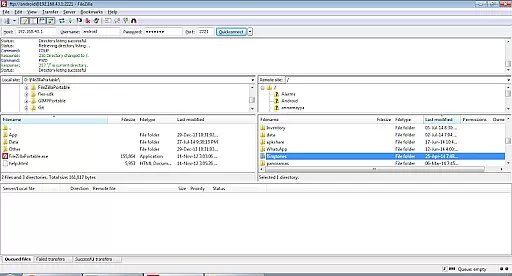
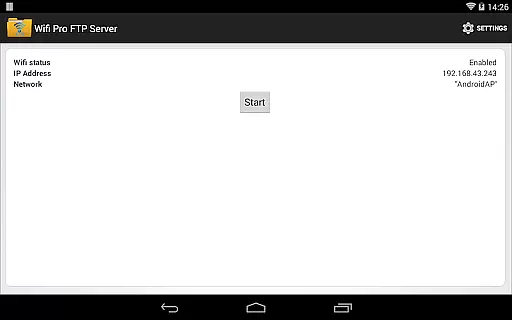
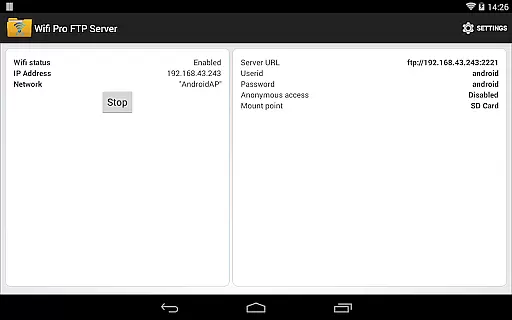
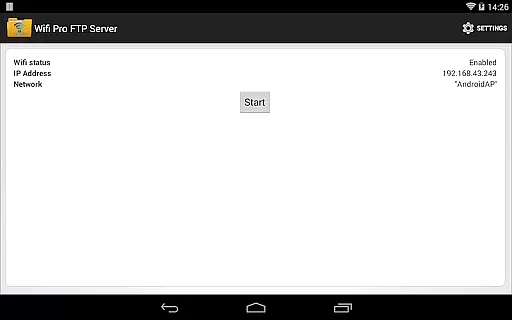
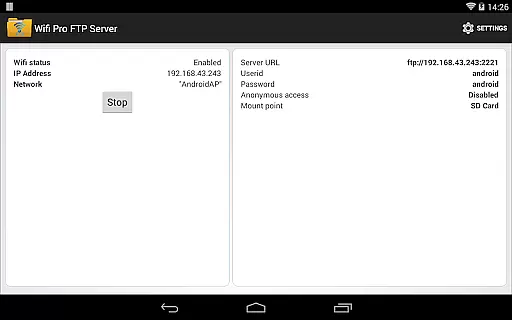
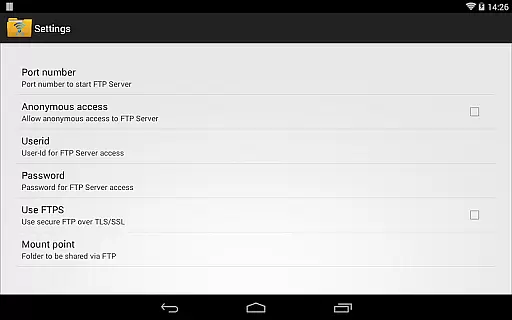
WiFi Pro FTP Server is a powerful tool that transforms your Android device into a fully functional FTP server. This allows users to wirelessly transfer files, including photos, movies, and music, to and from their devices using an FTP client like FileZilla. The app supports FTP over TLS/SSL (FTPS) for secure file transfers and offers configurable settings such as port number, home folder, username, and password.
Designed for convenience, this app eliminates the need for USB cables when transferring files. It works seamlessly over Wi-Fi and even in Wi-Fi tethering mode (hotspot mode), making it versatile for various use cases. Whether you're backing up important documents or sharing media with friends, WiFi Pro FTP Server provides a reliable solution for wireless file management.
The app's value lies in its ability to facilitate easy and secure file sharing directly from your mobile device. With options for anonymous access and detailed configurations available through the settings screen, it caters to both casual users and those requiring more advanced features. Its compatibility with Windows File Explorer adds another layer of accessibility, ensuring that managing your digital content has never been easier.
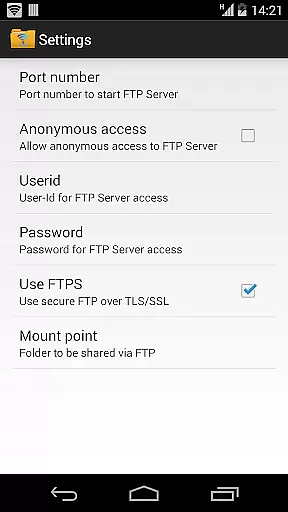
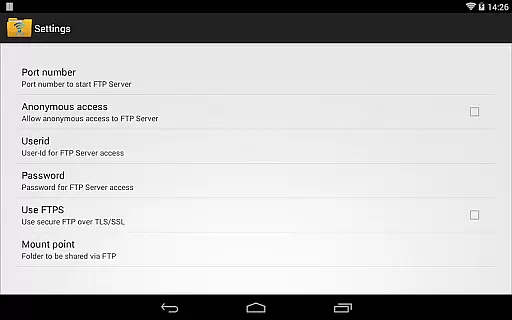
One of the standout features of WiFi Pro FTP Server is its comprehensive set of customization options. Users can configure the port number, which must be greater than 1024 due to system restrictions on non-rooted phones. By default, the port is set to 2221 but can be adjusted according to user preference. Additionally, the app supports FTP over TLS/SSL (FTPS), providing enhanced security during data transmission.
The application also allows for the configuration of a home folder, acting as the root directory for all file operations. This ensures that only designated parts of your device are accessible via the FTP server. Furthermore, users can enable or disable anonymous access and set specific usernames and passwords, adding another layer of control over who can connect to the server.
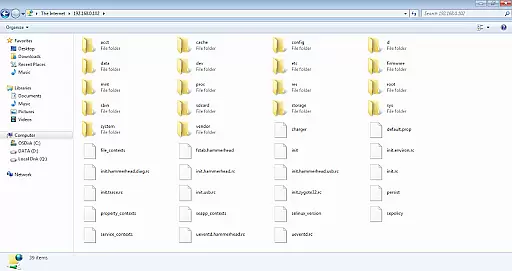
For added convenience, WiFi Pro FTP Server operates efficiently over Wi-Fi and Wi-Fi tethering modes. This flexibility makes it ideal for environments where traditional wired connections are impractical. Moreover, the app integrates smoothly with popular FTP clients like FileZilla and can be accessed directly from Windows File Explorer, offering multiple avenues for efficient file management.
WiFi Pro FTP Server excels in providing a reliable and efficient file transfer solution. The app transforms Android devices into fully functional FTP servers, enabling seamless file sharing over Wi-Fi networks. With support for FTP over TLS/SSL (FTPS), it ensures secure data transmission, which is crucial for maintaining the integrity of transferred files.
The application allows users to configure key parameters such as port number, home folder, and user credentials. This customization capability enhances its functionality by letting users tailor the server setup according to their specific needs. Additionally, the option to enable anonymous access provides flexibility for different use cases, whether for personal convenience or collaborative work environments.
By avoiding cumbersome USB cables and supporting both standard Wi-Fi and hotspot modes, the app offers unparalleled convenience. Users can effortlessly manage their digital content, including photos, movies, and documents, directly from their mobile devices. This practical approach not only saves time but also simplifies the overall file management process.
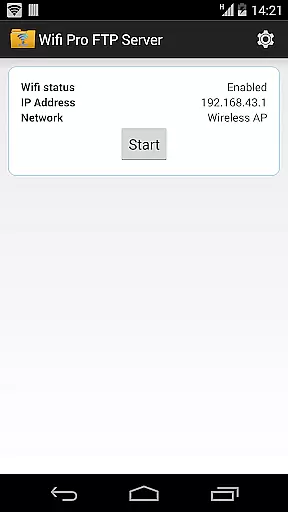
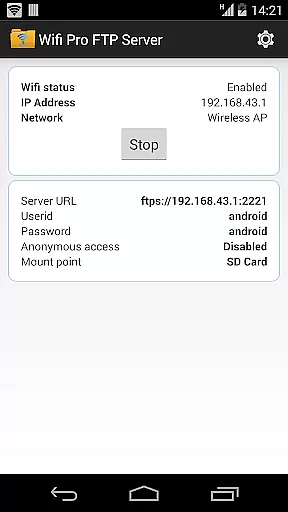
The interface design of WiFi Pro FTP Server prioritizes user-friendliness without compromising on essential features. Upon launching the app, users are greeted with a straightforward setup screen that guides them through configuring their FTP server. Key settings like port number, home directory, and authentication details are easily accessible, ensuring that even novice users can set up their server quickly.
One standout feature is the clear instructions provided for enabling advanced options such as FTPS. The app explains technical requirements, like using ftps:// instead of ftp://, making it easier for users to implement secure connections. Moreover, helpful tips about accessing the server via Windows File Explorer or third-party clients like FileZilla enhance the overall user experience.
For those who encounter issues, the app includes readily available support information, directing users to comprehensive resources and responsive customer service. By combining an intuitive layout with detailed guidance, WiFi Pro FTP Server ensures that users of all technical backgrounds can operate the application confidently and efficiently.
User-friendly interface
Secure file transfer options
Customizable settings
Works over Wi-Fi and hotspot
Compatible with major FTP clients
No SFTP support yet
Limited port configuration
Default security settings may require adjustment
Advanced features need technical knowledge
Requires stable Wi-Fi connection

HD Camera captures every special moment.
 4.60
4.60
Use your phone as a webcam on your computer over WiFi or USB.
4.40
card-reader app
2.20
Amateur Radio app for APRS: Track friends, exchange messages, get tactical info.
3.90
ADB support Android 4.X-Android 13(Support wireless pair mode).No root required!
4.70
Download any file easily and quickly with Downloader
4.0
Automate everything from settings to photos, SMS to speech. ADC2 prize winner.
4.10
Mobile Security with Scam Protection | Malware & Virus Cleaner | Safe Browser
4.70
fast and easy mp3 music downloader
4.80
Powerful collection of electronics tools and reference.A must for any enthusiast
4.90
Change your GPS location instantly. Simulate routes anywhere in the world.
4.90
Easily install aab(Android App Bundle) files on your Android device with our app
4.80
WiFi Signal Strength Meter help you detect WiFi Signal Strength in real time.
4.80 4.50
4.50
pdf merge, word to pdf, jpg to pdf, edit pdf, convert to pdf and much more!
4.20
Screen Mirroring with sound for Samsung TV, LG TV, Sony TV, Smart TV and Browser
4.20
Family Locator, Share location, StayConnect with your family in real time
3.90
Create your own live wallpaper or check out thousands already made presets
3.90
Unleash gamepad precision for ultimate mobile gaming dominance.
3.90


User Reviews