
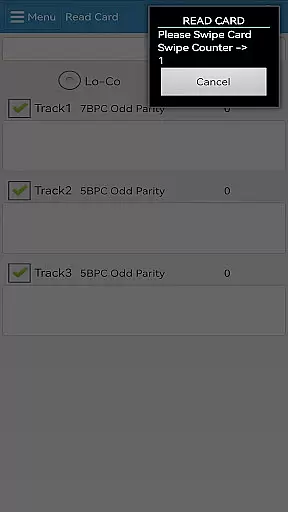
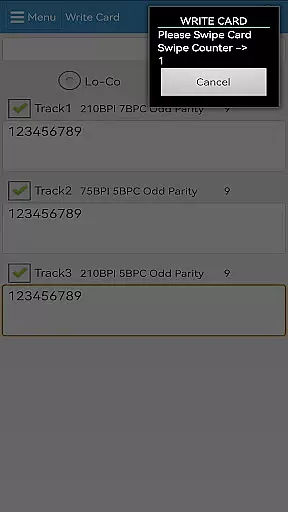
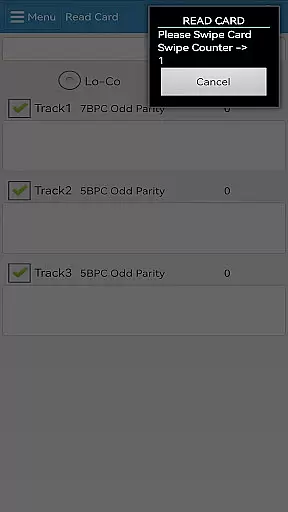
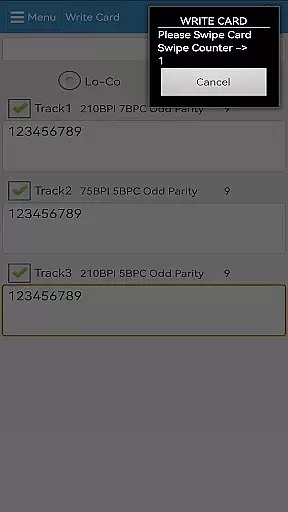
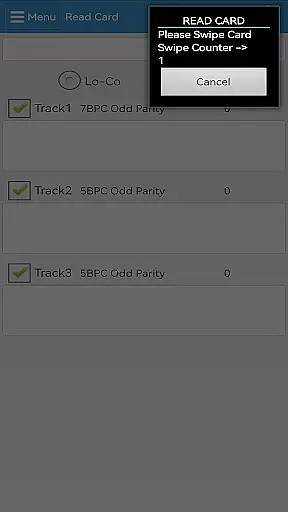

EasyMSR is a versatile tool application designed for seamless magnetic card reading and writing. The app establishes a reliable Bluetooth connection between mobile devices, enabling wireless operations that simplify the process of managing magnetic card data. Suitable for businesses and individuals who frequently handle card transactions, EasyMSR ensures efficient and secure data transfer without the constraints of traditional wired card readers.
The application supports both reading and writing functions, making it an all-in-one solution for magnetic card management. Whether you need to update customer information or process payments on the go, EasyMSR provides a user-friendly interface that streamlines these tasks. Its compatibility with Android devices further enhances its accessibility, allowing users to integrate this powerful tool into their existing workflows effortlessly.
EasyMSR boasts an array of features that cater to diverse magnetic card handling needs. One of its standout capabilities is the robust Bluetooth connectivity, which facilitates wireless communication between the mobile device and magnetic card reader. This feature not only increases mobility but also reduces clutter caused by cables and physical connections.
In addition to its wireless functionality, EasyMSR offers comprehensive read and write operations. Users can easily retrieve data from magnetic cards and make necessary updates without requiring specialized technical skills. The app's intuitive design ensures that even those new to magnetic card management can navigate its features with ease. Furthermore, EasyMSR's compatibility with various Android devices makes it a flexible choice for businesses seeking a scalable solution.
Security is another critical aspect of EasyMSR's feature set. The app employs advanced encryption protocols to safeguard sensitive information during transmission, ensuring that your data remains protected against unauthorized access. With regular updates and enhancements, EasyMSR continues to deliver reliable performance while adapting to evolving industry standards.
EasyMSR stands out in the Tools category by offering precise and effective core functionalities that are essential for users who need reliable magnetic card reading and writing capabilities. The app ensures data accuracy through a stable Bluetooth connection between mobile devices and magnetic card readers, providing seamless operations without the need for physical connectors.
The effectiveness of EasyMSR is demonstrated through its ability to handle various types of magnetic cards with high precision. Whether it's credit cards, ID cards, or any other type of magnetic stripe card, the app processes the information swiftly and accurately. This reliability makes it an indispensable tool for businesses and individuals who require frequent access to card data.
Users benefit significantly from EasyMSR's robust functionality, which includes not only reading but also writing data onto magnetic cards. This dual capability enhances the versatility of the app, allowing users to update card information as needed. Such features ensure that EasyMSR meets diverse user needs while maintaining high standards of operational efficiency.
In addition to its core functionalities, EasyMSR excels in providing a simple and intuitive interface that enhances user experience. The design philosophy behind the app focuses on minimizing the learning curve, making it accessible even to those who may not be tech-savvy. By prioritizing ease of use, EasyMSR ensures that users can quickly adapt to its environment without extensive training or technical knowledge.
The app's interface is crafted to guide users through each step of the card reading and writing process effortlessly. Clear instructions and straightforward navigation paths contribute to a hassle-free interaction, reducing the likelihood of errors during operations. This approach not only saves time but also increases overall productivity, as users can focus more on their tasks rather than figuring out how to use the app.
Furthermore, EasyMSR incorporates feedback mechanisms within its interface to assist users in understanding the outcomes of their actions immediately. Visual cues and notifications inform users about successful transactions or potential issues, thereby improving confidence in using the app. These thoughtful design elements underscore EasyMSR's commitment to delivering an exceptional user experience marked by simplicity and intuitiveness.
User-friendly interface
Wireless Bluetooth connectivity
Comprehensive read/write capabilities
Advanced security protocols
Wide device compatibility
Limited to Android platform
Requires stable Bluetooth connection
No offline functionality
Premium features may require subscription
Occasional connectivity issues

App that Recover your pictures, videos or files after you delete them.
 4.20
4.20
eXtended Permission Manager - a small app to manage permissions and AppOps
4.50
Keep track of your Palia friendships, tasks, and inventory with Palia Notebook
4.60
Clean up large files and similar photos, fast and easy to use
4.40
Clean up your phone, find files, play media, and share files offline
4.50
Screen recorder with audio to record high-quality videos and take screenshots.
4.40
Enjoy a smooth mobile reading experience!
3.60
Your personal health butler
3.60
The ideal app to be the digital eye of your family
3.40
Enjoy smooth gameplay with Game Booster
4.90
Monitor car performance in real time and troubleshoot malfunctions.
4.80
Remote Play with FSR upscaling, low latency & full controller support
4.80
App to pay for FUTO Keyboard
4.60
Play your X-Box games remotely in 1080p with any controller and zero latency
4.60
Head tracking for PC sim games such as MSFS 2024 or Elite:Dangerous. No headset!
4.50
Making emulation easy for everyone!
4.30
This app unlocks the Pro features of the Central for DayZ app
3.60
Save any video in HD - paste the link, download fast and watch offline.
4.2
Download any file easily and quickly with Downloader
4.2


User Reviews