
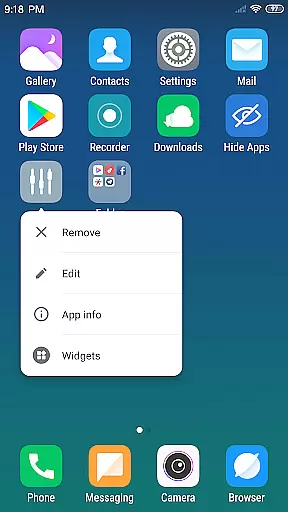
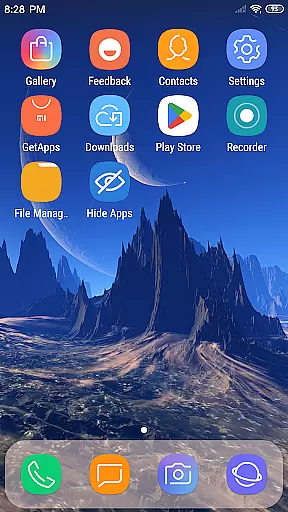
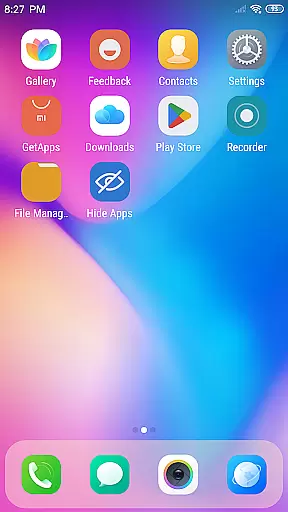
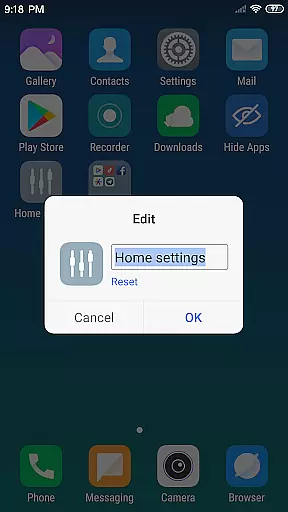
X Launcher Pro is a premium launcher app designed for Android users who appreciate minimalist flat design and customization freedom. This application transforms the entire appearance and functionality of your smartphone, offering an immersive experience without any ads to interrupt your workflow.
The launcher provides essential features like App Manager for organizing local apps, Control Center for quick device settings adjustment, and a rich Theme Store with adaptive themes. Users can enjoy customizable icons, wallpapers, grid layouts, and even hide specific apps from the main interface. These capabilities make it particularly suitable for those seeking both aesthetic appeal and functional control over their device's interface.
With its sleek design and powerful customization options, X Launcher Pro delivers a smooth and personalized user experience that enhances productivity while maintaining visual elegance.
X Launcher Pro stands out with its comprehensive feature set tailored for customization enthusiasts. The app removes all advertisements, ensuring an uninterrupted and immersive user experience. Its App Manager allows users to quickly organize and access local applications by simply swiping up and dragging them onto the desktop.
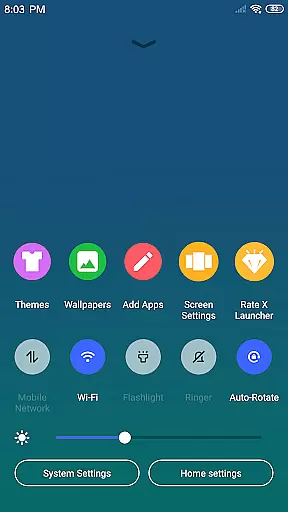
The Control Center is another key feature, accessible by swiping down, providing instant access to essential settings such as WiFi, network, brightness, volume controls, and even a quick camera shortcut. The Theme Store offers a wide selection of visually appealing themes that adapt seamlessly to user preferences, enhancing the overall look and feel of the device.
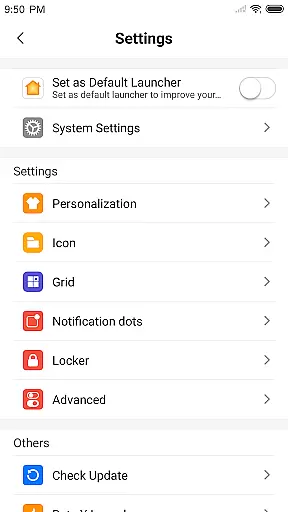
Additional notable features include customizable app icons and names, flexible grid layout adjustments, flat-style folders for better organization, and the ability to hide unwanted apps. With these tools, users gain unprecedented control over both the aesthetics and functionality of their home screens.
In the realm of digital creativity, having a comprehensive suite of tools is paramount. X Launcher Pro rises to the occasion by offering an extensive array of features that cater to your creative needs. The App Manager and customizable options allow users to organize and personalize their app icons and names, providing a unique touch to each creation.
Moreover, the availability of various themes and the latest wallpapers within the Theme Store unleashes endless possibilities for personal expression and aesthetic enhancement. With the adaptive capabilities of these themes, users can enjoy a seamless experience that resonates with their personal style while maintaining optimal functionality.
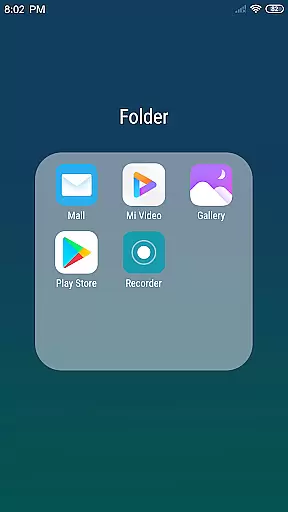
The inclusion of a Flat Style Folder adds another layer of organization and design, enabling users to categorize apps in a visually pleasing manner. This feature not only enhances the visual appeal but also streamlines the workflow by grouping related applications together.
Overall, X Launcher Pro's complete set of creative tools empowers users to craft a personalized and efficient mobile environment that reflects their individuality and meets their specific requirements.
Flexibility in canvas and format options is crucial for unleashing full creative potential, and X Launcher Pro excels in this aspect. By allowing users to modify the number of rows and columns on the launcher, it provides unparalleled adaptability in designing a layout that best suits individual preferences and usage patterns.
This level of customization extends to the ability to use local images as app icons, which can be cropped to fit perfectly. Such a feature ensures that every element on the screen is exactly how the user envisions it, making each interface uniquely personal and engaging.
Furthermore, the rich icon library and latest wallpapers offer additional resources for personalization, ensuring that there is always something new and exciting to incorporate into your design. These assets are integral to creating dynamic and vibrant home screens that stand out.
With X Launcher Pro's flexible canvas and format options, users gain the freedom to experiment with different configurations and aesthetics, ultimately crafting a digital space that is both functional and reflective of their personal taste.
Ad-free experience
Highly customizable interface
Intuitive app management
Variety of adaptive themes
Comprehensive control center
Storage permission required
Limited default icon styles
Premium version only
No built-in widgets
Occasional performance lags

Trace, draw, and create art with AR - from memes to masterpieces!
 4.30
4.30
Remove Background, Magic Eraser, Photo Enhancer, Story Templates, Collage Maker
4.30
Draw anime easily with AR guidance, sketch templates & trace tools!
3.10
Create stunning art with AI.
4.80
Design unique, funny and adorable cat stickers that reflect your own style!
3.80
800+ Drawing, Painting Lessons App to Practice, Sketch & Paint Art.
4.30
AI Tattoo Generator: Create Tattoo Designs & Get Ideas! Ink & Stencil Maker
4.50
Sketch and paint on your device with the feel and freedom of drawing on paper
4.00
How to draw anime step by step for beginner easily by AR drawing sketch & paint.
3.60
Passport size photo maker, create ID photo and visa photo in seconds
4.80
Image resizer to resize, crop, rotate, flip, change dpi photo or picture in bulk
4.60
Photo blender app to create overlay photos & double exposure.
4.40
Create and Design Custom Logos in Seconds with AI-Powered Tools!
4.40
AI generated images & photos, turn your words into drawing, painting & pictures.
4.30
Customizable Outlined Fonts. Watch Face Format. Battery friendly Digital Clock.
4.20
Create Logos, Tattoos, AI Art & more with our AI Photo Generator & Design Editor
4.20
Apply cartoon, caricature, and portrait effects to make your photos stand out!
3.60
Create trending AI photos & videos with powerful effects and 3D styles.
3.20
Art of Combination Wear OS Watch faces
4.2


User Reviews