
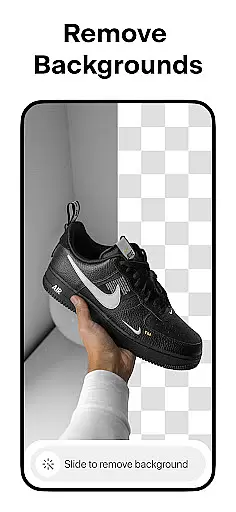

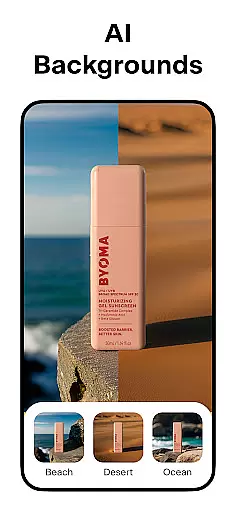
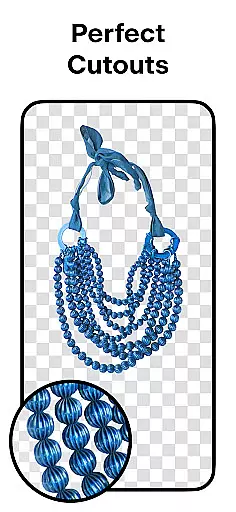
Pixelcut AI Photo Editor is a comprehensive design tool tailored for creators, marketers, and e-commerce businesses. This all-in-one editor leverages artificial intelligence to simplify complex photo editing tasks, enabling users to create professional-quality images in seconds. The app's standout feature is its ability to instantly remove backgrounds with precision, making product photography seamless.
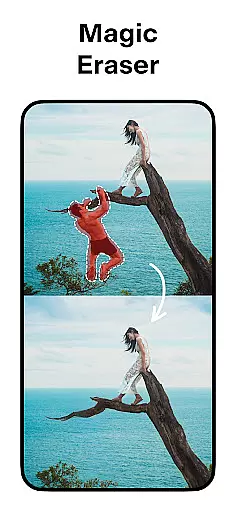
In addition to background removal, Pixelcut offers tools like the Magic Eraser for cleaning up unwanted objects, AI Photoshoot for generating unlimited product photos, and Magic Writer for crafting engaging copy using AI. With thousands of customizable templates, creative text styles, and stunning color options, users can enhance their brand presence on platforms like Instagram, Shopify, and Poshmark. Whether you're designing social media posts or building an online store, Pixelcut empowers you to stand out visually while saving time.
Pixelcut AI Photo Editor boasts an impressive array of features designed to streamline content creation. One of its core functionalities is the Background Remover, which uses advanced AI algorithms to erase backgrounds flawlessly, allowing users to isolate subjects with minimal effort. Coupled with the Magic Eraser tool, users can remove distractions and polish their images effortlessly.
The app also includes innovative tools such as AI Photoshoot, which generates realistic product photos for e-commerce, and Magic Writer, an AI-powered copywriting assistant that creates captions, hashtags, and descriptions. For visual storytelling, the Reels Maker simplifies video creation, while the Collage Maker provides dozens of layouts for combining photos creatively. Additionally, users can choose from thousands of templates, apply stylish fonts, and experiment with shadows and backdrops to achieve a professional finish.
With these robust features, Pixelcut caters to both beginners and experienced designers, offering flexibility and efficiency in producing high-quality visuals.
Pixelcut AI Photo Editor stands out as a comprehensive creative suite for both amateur and professional designers. The app integrates essential tools like the Background Remover, Magic Eraser, and AI Photoshoot, which collectively ensure that users can manipulate images with precision and ease.
The inclusion of features such as Magic Writer, powered by advanced AI technology akin to ChatGPT, enables users to generate compelling product descriptions and engaging social media content. This positions Pixelcut as not just an image editor but also a robust content creation platform.
With additional functionalities including Reels Maker, Collages, and a variety of Text Styles, users are equipped to create dynamic visual content. These tools are crucial for businesses looking to enhance their online presence through visually appealing posts and stories.
Ultimately, Pixelcut's extensive toolkit empowers creators to produce high-quality designs efficiently, making it an invaluable asset for anyone involved in e-commerce or digital marketing.
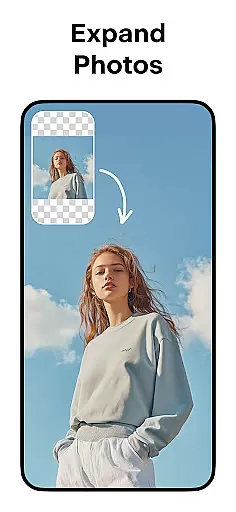
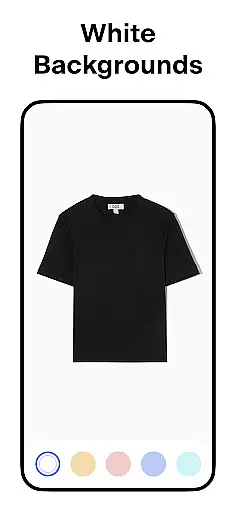
One of Pixelcut's key strengths lies in its canvas and format flexibility, allowing users to customize their projects according to specific requirements. Whether placing products on simple white backgrounds or choosing from a palette of colors and backdrops, the app provides versatile options for creating professional-grade images.
The availability of thousands of templates tailored for shopping platforms ensures that users can quickly adapt their visuals for different marketing channels. This adaptability is vital for maintaining brand consistency across various online storefronts and social media platforms.
Moreover, the ability to control elements such as shadows and text styles adds another layer of customization. Users can fine-tune these aspects to make their products look realistic and engaging, enhancing the overall aesthetic appeal of their digital content.
This level of flexibility not only streamlines the design process but also significantly boosts the potential for increased sales and brand growth on platforms like Instagram, Poshmark, and Shopify.
User-friendly interface
Advanced AI tools
Versatile templates
Efficient workflow
Professional results
Paid subscription required
Limited free features
Internet connection needed
Occasional glitches
Learning curve for new users

Make your phone cooler and have a fantastic experience
 4.80
4.80
Create stunning art with AI.
4.80
Minecraft & Roblox Clothes
4.70
Everything you need to create hand drawn animation, anywhere you go!
4.40
Beauty Camera - Selfie Camera is the ultimate beauty camera and selfie app
4.30
AI Tattoo Generator: Create Tattoo Designs & Get Ideas! Ink & Stencil Maker
4.50
Draw, fidget, and spin glow art! Relax and express your creativity with a finger
4.60
Create amazing pictures and unleash your creative genius with AR Drawing Sketch
4.40
Multiplayer Drawing game, Coloring, Painting・Sketch, Handwriting・Paint, draw
4.30
Novices can also easily complete diamond painting masters
4.70
Image/ Text to Video Generator
4.40
AI generated images & photos, turn your words into drawing, painting & pictures.
4.30
Create Logos, Tattoos, AI Art & more with our AI Photo Generator & Design Editor
4.20
Digital Drawing: Draw & Paint
4.10
Sketch and paint on your device with the feel and freedom of drawing on paper
4.00
AI Assistant, powered by ChatGPT GPT-4 & GPT-4o. Your intelligent companion.
3.50
Create stunning video, photo & magic from text with FlixAI GPT video generator.
3.10
Art of Combination Wear OS Watch faces (for Wear OS 5+ devices)
3.00
A luxurious gold watch face for an elegant and refined look.
4.0


User Reviews