
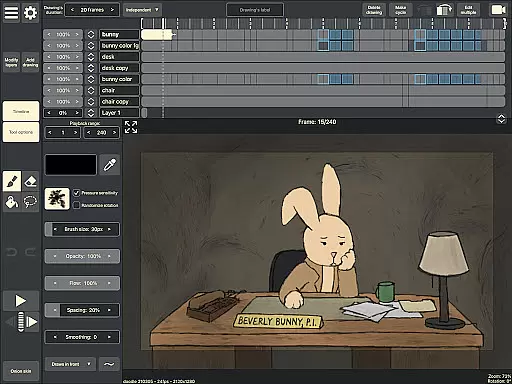
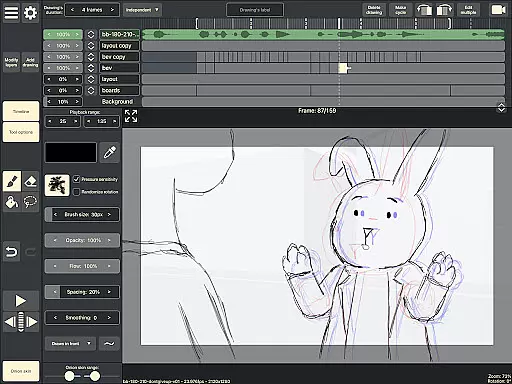
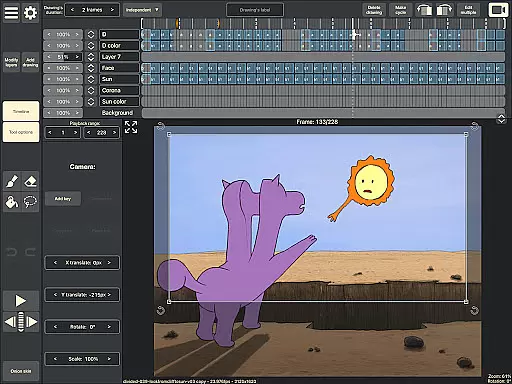
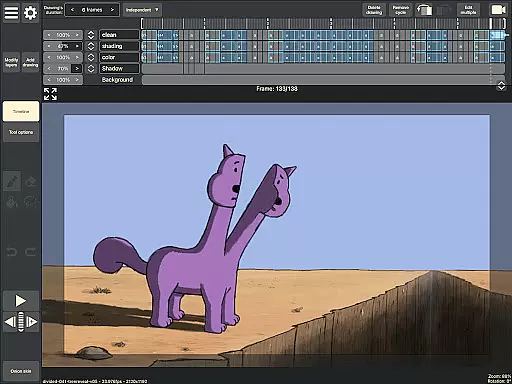
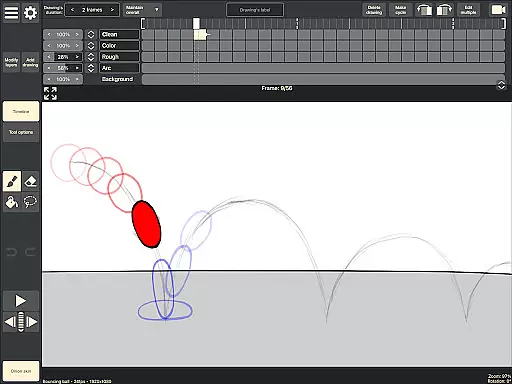
RoughAnimator is a professional-grade hand-drawn animation app designed for both Android tablets and smartphones. This powerful tool provides animators with everything needed to create traditional frame-by-frame animations on the go. With its robust feature set, the app caters to professional animators while remaining accessible to beginners.
The application offers an intuitive timeline interface with unlimited layers, customizable exposure settings, and essential tools like onion skinning and preview playback. Users can import audio for lip-syncing, video for rotoscoping, and export their work in various formats including Quicktime video, GIFs, or image sequences. The app's compatibility with industry-standard software makes it a versatile choice for digital artists.
RoughAnimator stands out with its comprehensive set of animation features tailored specifically for creative professionals. The app's layer-based timeline system allows for precise control over each frame's exposure length, making it suitable for both pose-to-pose and straight-ahead animation techniques.
Advanced drawing tools include customizable brushes and support for pressure-sensitive devices like the Samsung S-Pen. Animators can preview their work through real-time playback and scrubbing functionality. The ability to import RoughAnimator projects into professional software such as Adobe Animate, After Effects, and Toon Boom Harmony extends the app's capabilities beyond mobile creation to full production pipelines.
Additional features include audio synchronization for lip-sync animation, video import for rotoscoping, and flexible export options that maintain high-quality output across different formats. These professional-grade tools make RoughAnimator a complete solution for digital animators working in traditional frame-by-frame techniques.
RoughAnimator offers a comprehensive suite of creative tools that cater to both professional animators and beginners. The application provides unlimited layers on the timeline, allowing users to create complex animations with ease.
With features like onion skinning, custom brushes, and support for pressure-sensitive devices such as the Samsung S-Pen, animators can achieve precision and expressiveness in their work. These tools ensure that whether you're sketching initial poses or refining minute details, RoughAnimator has the functionality needed to bring your vision to life.
The ability to import audio for lip syncing and video for rotoscoping adds another layer of versatility, making it possible to create sophisticated animations that sync perfectly with soundtracks or reference footage.
Flexibility in canvas and format options is where RoughAnimator truly shines. Animators can control the framerate and resolution of their projects, ensuring that the final output meets industry standards and personal requirements.
The app supports exporting animations into various formats including Quicktime video, GIFs, and image sequences. This variety allows creators to choose the best format for their specific needs, whether it's for web, film, or further editing in other software.
Moreover, RoughAnimator projects are compatible with major animation software like Adobe Flash/Animate, After Effects, and Toon Boom Harmony. This compatibility ensures that your work can seamlessly transition between platforms, providing an uninterrupted creative workflow.
Professional-grade tools
Unlimited layer support
Industry compatibility
Pressure sensitivity
Flexible export options
Steep learning curve
High system requirements
Limited free features
No cloud backup
Occasional bugs

AI Face Swap, Video Effects Editor, Realtime Morph, Funny Video FX,AI Filters
 3.70
3.70
AI Art Generator transforms your words into AI generated art & paintings.
3.70
Get an overview over all your embroidery threads, projects and more.
4.60
OneUI 8.5 icons ✨ Smooth, modern & based on the latest Play Store design ??
4.10
Photo stitcher for automatically screenshot stitching into a long screenshot
4.70
Video AI: Revolutionize Your Content Creation with Advanced Video Generation
4.50
Kling AI is an image and video generation and editing studio powered by AI.
4.50
Create amazing pictures and unleash your creative genius with AR Drawing Sketch
4.40
AI-powered photo & video creation—fast, fun, and effortless with Quick Actions
4.60
The ultimate tool for creating animations
4.60
Castle is social media for creating and playing games!
4.60
Draw Trace image sketch by, AR art projector app, Easy to trace any image.
4.50
Painting, drawing, & sketching
4.50
Share the joy of painting with ibis Paint! Drawing anime and manga art.
4.50
Text to Image, Image to Video & AI Chat
4.20
Create cute cat emojis & PFPs! Fun, custom avatars for cat lovers.
3.70
Create sweet, cool and unique couple avatars easily, in just a few steps!
3.40
Create trending AI photos & videos with powerful effects and 3D styles.
3.20
Art of Combination Wear OS Watch Faces
4.0


User Reviews