
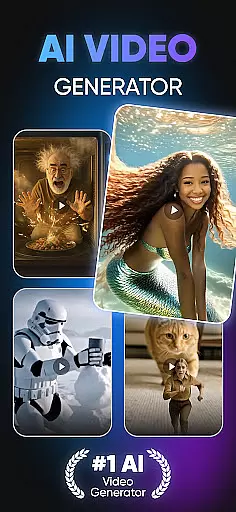
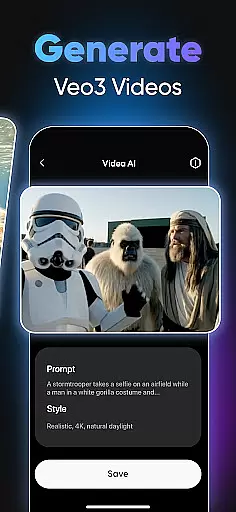
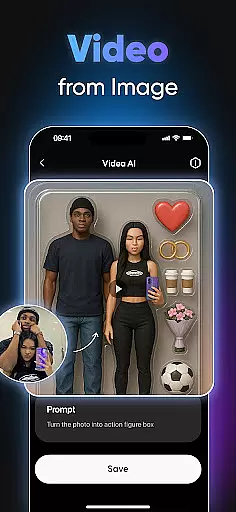
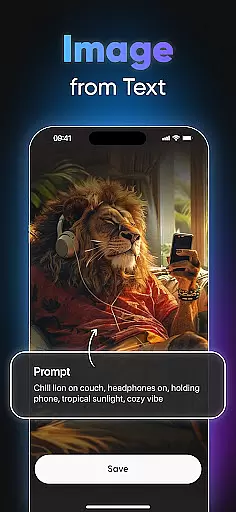
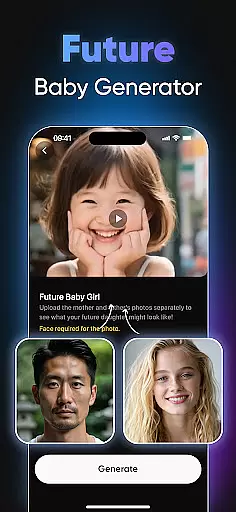
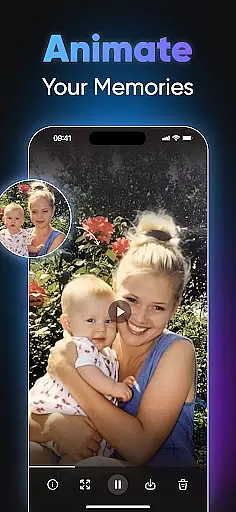
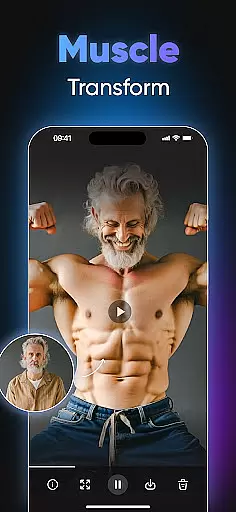
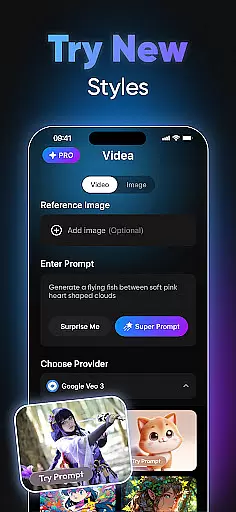
Videa is an innovative video creation tool designed to revolutionize content generation through advanced AI technology. This app allows users to effortlessly transform their ideas into professional-quality videos, making it ideal for content creators, marketers, and social media enthusiasts.
With features like AI Hug, AI Kiss, Super Heroes Transformation, and Dancing Videos, Videa offers versatile tools that cater to various creative needs. Whether you're looking to create romantic scenes, superhero adventures, or engaging social media clips, Videa simplifies the process with intuitive controls and stunning effects.
The app's standout capability lies in its ability to generate videos from simple text prompts, enabling users to craft dynamic stories without prior editing experience. Elevate your projects with artistic filters and cinematic styles, ensuring your content stands out on platforms like Instagram, TikTok, and YouTube.
Videa boasts a rich set of features powered by cutting-edge artificial intelligence, setting it apart in the realm of video creation apps. One of its core functionalities is the AI-driven transformation tools, such as AI Hug and AI Kiss, which allow users to create heartwarming or romantic scenes by blending photos seamlessly.
In addition to emotional storytelling, Videa offers the Super Heroes Transformation feature, turning ordinary images into action-packed superhero moments. The Dancing Videos tool brings still photos to life with realistic animations, adding rhythm and energy to any project. These capabilities ensure that users can produce unique, eye-catching content tailored to their creative vision.
Another remarkable aspect is the Text to Video function, converting written ideas into engaging visual narratives. Combined with a variety of artistic filters and styles, Videa empowers users to achieve polished, professional results while saving time on complex editing tasks. Its versatility makes it suitable for both personal projects and marketing campaigns.
In the realm of digital content creation, having access to comprehensive tools is essential. Videa stands out by offering a suite of creative features that cater to diverse artistic needs. From AI Hug and AI Kiss for crafting emotional narratives, to Super Heroes Transformation for action-packed scenes, the app ensures that creators have everything they need at their disposal.
The application's strength lies in its ability to blend advanced technology with user-friendly interfaces. Users can effortlessly navigate through options like Dancing Videos and Text to Video conversion, which democratizes video production. These capabilities are not just about quantity but also quality, as each tool is designed to deliver professional-grade output without requiring prior expertise.
Moreover, Videa enhances creativity with Artistic Filters & Styles, allowing users to infuse their projects with cinematic flair. This complete package empowers artists and designers to push boundaries and explore new realms of expression. By providing such an extensive array of features, Videa becomes an indispensable ally for anyone looking to revolutionize their content creation process.
Flexibility in canvas and format options is crucial for modern art and design applications, enabling creators to tailor their work precisely as envisioned. Videa excels in this area by supporting various formats that accommodate different project requirements. Whether itu2019s designing for social media platforms or creating high-resolution prints, the app provides the necessary adaptability.
Videa allows users to adjust canvas sizes and aspect ratios with ease, ensuring compatibility across multiple devices and mediums. This versatility means that whether you're working on a smartphone or planning to project your artwork, the integrity of your design remains uncompromised. Such flexibility supports both spontaneous creativity and meticulous planning.
Furthermore, the app facilitates seamless transitions between formats without loss of quality, thanks to its robust rendering engine. Creators can experiment freely, knowing that their final outputs will maintain clarity and impact. With Videa's adaptable canvas and format settings, artists gain unprecedented control over how their visions come to life, making every piece uniquely theirs.
User-friendly interface
AI-powered transformations
Professional-quality output
Versatile content options
Time-saving automation
Limited free features
Subscription costs may add up
Occasional rendering delays
Learning curve for beginners
Device compatibility issues

Art of Combination Wear OS Watch faces
 4.3
4.3
Design your dream room with AI. Get decor ideas & plan home interiors
3.90
Apply cartoon, caricature, and portrait effects to make your photos stand out!
3.60
Art of Combination Wear OS Watch Faces
4.1
Create stunning video, photo & magic from text with FlixAI GPT video generator.
3.10
Photo editor for art, avatars, filters & fun transformations.
4.60
Your AI soulmate — meaningful chats, and unique emotional moments
4.70
Turn your drawings into flipbook-style animations with simple creative tools
4.60
Sketch and paint on your device with the feel and freedom of drawing on paper
4.00
Draw on screen: FP sDraw is a simple and lightweight drawing app
4.70
Digital illustration drawing & painting pad app to paint Anime and Manga art
4.50
Create Logos, Tattoos, AI Art & more with our AI Photo Generator & Design Editor
4.20
OneUI 8.5 icons ✨ Smooth, modern & based on the latest Play Store design ??
4.10
Turning simple sketches into captivating tales filled with life and motion
3.90
Paint with oils and sketch with natural tools on a realistic virtual canvas.
3.80
Your homescreen as an elegant glass with customized blur, lighting, and visuals.
3.70
Premium version of Shimeji-ee app with no ads & no limit active shimeji
4.5
Transform photos into amazing monochrome dither art with professional algorithms
4.4
Your Essential Color Theory Guide: Red, Yellow, Blue (RYB)
4.3


User Reviews