
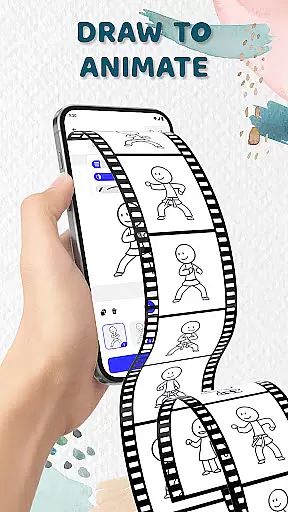
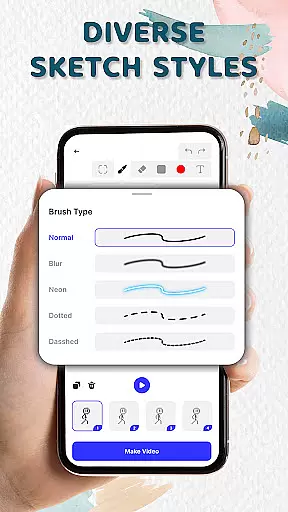
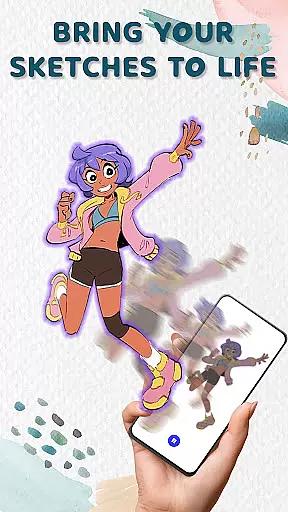
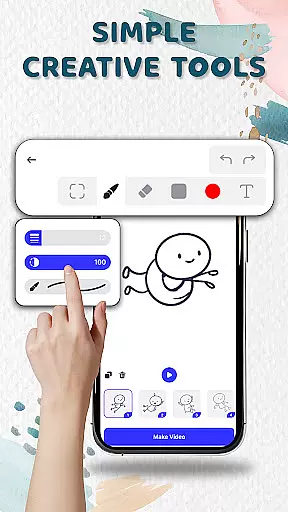
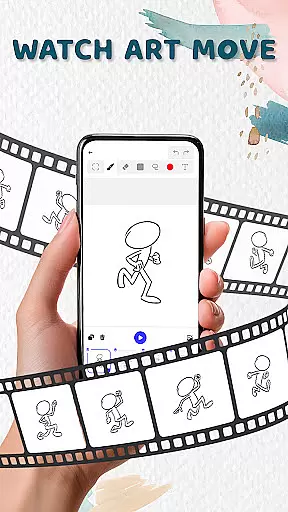
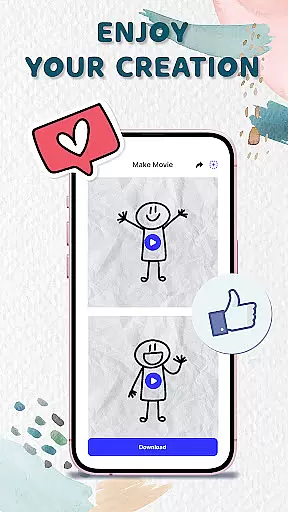
Animation Draw: Flip Maker is a creative app designed for artists and hobbyists who want to bring their sketches to life through animation. The app offers an intuitive platform where users can create frame-by-frame animations, transforming simple drawings into dynamic cartoons or short stories.
With features like flipbook-style animation, users can relive the classic experience of creating motion through sequential art. The app provides essential tools such as adjustable pen sizes, color options, and onion skinning, which help in achieving smooth and expressive animations. Whether you're crafting stickman adventures or experimenting with doodles, Animation Draw serves as your pocket studio for creativity.
This app is particularly useful for beginners exploring animation and professionals refining their skills. By exporting projects in popular formats like GIF or MP4, users can easily share their creations on social media or with friends, making it a complete package for artistic expression.
Animation Draw stands out with its comprehensive set of features tailored for both novice and experienced animators. One of its key strengths is the flipbook-style animation that mimics traditional hand-drawn techniques but in a digital format. This allows users to build animations frame by frame, adding movement and life to static images.
The app includes creative tools such as customizable pen sizes, vibrant color palettes, and onion skinning functionality. Onion skinning is especially valuable as it lets users see multiple frames at once, ensuring smoother transitions between movements. Additionally, the interface is designed to be user-friendly, making it easy to navigate and control complex animations without a steep learning curve.
Another notable feature is the ability to export animations in widely-used formats like GIF and MP4. This ensures that users can distribute their work across various platforms effortlessly. With these robust features, Animation Draw empowers creators to tell engaging visual stories while enjoying the process of bringing their imagination to life.
In the realm of digital artistry, having access to comprehensive creative tools is paramount. Animation Draw: Flip Maker offers an impressive suite designed for both novices and seasoned artists.
Users can adjust pen sizes and colors, ensuring precision and personalization in every stroke. The inclusion of onion skinning facilitates seamless transitions between frames, enhancing fluidity in animations.
This app empowers creators by providing features that support a wide array of artistic expressions, from simple doodles to complex narratives. Such robust functionality ensures that all imaginative visions can be fully realized within this pocket studio.
A versatile canvas is essential for unleashing creativity without constraints. Animation Draw: Flip Maker excels in offering flexible formats tailored to various project needs.
Artists can experiment with different sketch styles on adaptable canvases, allowing them to craft everything from stickman adventures to elaborate comics. This adaptability extends to exporting options as well, supporting popular formats like GIF or MP4.
By enabling users to save and share their work effortlessly, the app not only broadens the scope of creative possibilities but also enhances accessibility, making it easy to distribute animations across multiple platforms.
User-friendly interface
Powerful drawing tools
Supports multiple formats
Great for beginners
Fun and educational
Limited advanced tools
No collaborative features
Fewer tutorials
Basic export options
Occasional bugs

Art of Combination Wear OS Watch faces
 4.3
4.3
Digital Drawing: Draw & Paint
4.10
Create stunning art with AI.
4.80
Draw Trace image sketch by, AR art projector app, Easy to trace any image.
4.50
Draw glowing spinners, relax, and spin your creative art
4.60
Novices can also easily complete diamond painting masters
4.70
Create and Design Custom Logos in Seconds with AI-Powered Tools!
4.40
Video AI: Revolutionize Your Content Creation with Advanced Video Generation
4.50
All-in-One art, logo & collage maker. Design photos and edit video backgrounds
4.80
Convert image to JPG PNG HEIC PDF, support almost all kinds of image formats
4.70
Castle is social media for creating and playing games!
4.60
Photo editor for art, avatars, filters & fun transformations.
4.60
800+ Drawing, Painting Lessons App to Practice, Sketch & Paint Art.
4.30
Design unique, funny and adorable cat stickers that reflect your own style!
3.80
AI Assistant, powered by ChatGPT GPT-4 & GPT-4o. Your intelligent companion.
3.50
Create sweet, cool and unique couple avatars easily, in just a few steps!
3.40
Create stunning video, photo & magic from text with FlixAI GPT video generator.
3.10
Pose and morph realistic male and female models! 3D poser app
3.00
A luxurious gold watch face for an elegant and refined look.
4.1


User Reviews