
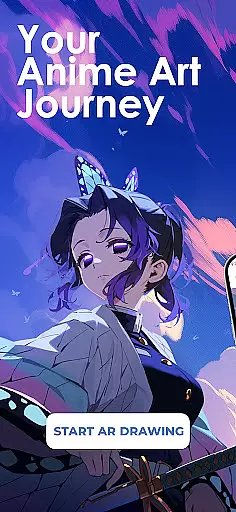
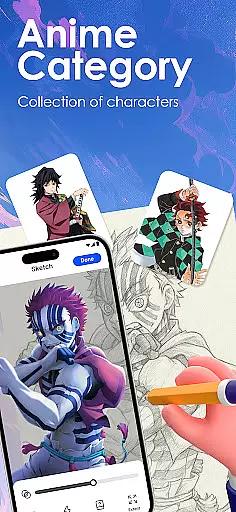
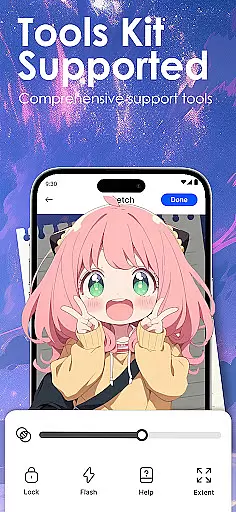
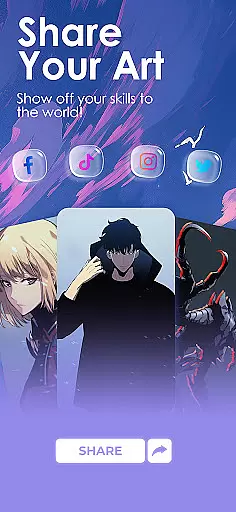
Draw Anime: AR Sketch & Trace is a revolutionary drawing application designed specifically for anime enthusiasts and artists. This app combines the power of Augmented Reality (AR) with traditional sketching techniques, allowing users to create stunning anime artwork with ease. Whether you're a beginner or a professional artist, this app provides the tools you need to bring your anime ideas to life.
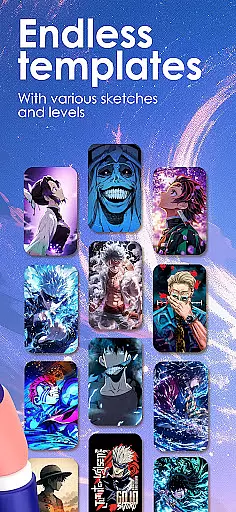
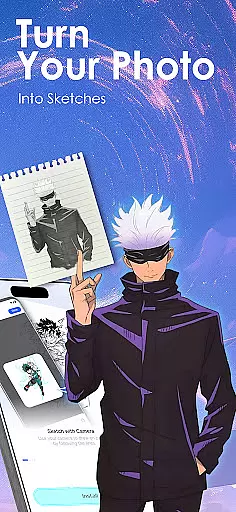
The core functionality includes AR-guided drawing, where users can trace characters and objects through their phone's camera. The app projects clear outlines onto paper, enabling confident sketching. Additionally, it offers a vast library of templates covering various anime styles such as manga and chibi. Users can also import personal photos and convert them into traceable outlines, making it an incredibly versatile tool for creative expression.
This app is particularly useful for those looking to improve their drawing skills while exploring the unique combination of anime art and AR technology. By providing step-by-step tutorials and customizable learning paths, Draw Anime: AR Sketch & Trace ensures that every user can develop their abilities at their own pace, making it an invaluable resource for the global anime art community.
Draw Anime: AR Sketch & Trace stands out due to its innovative features tailored for anime artists. One of the key highlights is the AR Guidance system, which allows users to trace anything from anime characters to real-world objects by projecting outlines through the camera onto paper. This feature not only simplifies the sketching process but also boosts confidence, especially for beginners.
Another significant aspect is the app's comprehensive learning system. It offers various difficulty levels, from beginner to expert, helping users gradually improve their skills in anatomy, proportions, and overall anime art techniques. The app also includes a growing library of templates covering popular anime styles, ensuring that users have ample resources to practice and refine their work.
Additionally, the app supports importing personal photos, turning them into traceable outlines, and adjusting settings like opacity and zoom. These functionalities provide unlimited creative possibilities. Users can record their drawing processes, save progress videos, and share their finished artwork with a community of like-minded creators, fostering a collaborative and inspiring environment.
In the realm of digital artistry, having a comprehensive set of creative tools is paramount. Draw Anime: AR Sketch & Trace offers an extensive suite designed to cater to anime enthusiasts and artists at every skill level.
With features like AR Guidance, users can trace anything through their camera, be it anime characters or real objects, following clear outlines for confident sketching. The inclusion of a growing library of anime, manga, chibi, fanart, and trending templates ensures that inspiration is never far away.
The app also allows for importing personal photos, turning them into traceable outlines with adjustable opacity and zoom, thus providing unlimited creative freedom. This flexibility empowers artists to explore new dimensions in their work while learning and improving their craft.
A canvas's adaptability can significantly influence an artist's workflow and output. Draw Anime: AR Sketch & Trace excels in offering canvas and format flexibility that meets diverse artistic needs.
Artists have the liberty to adjust their workspace with options to modify opacity and zoom levels, ensuring precision and comfort during long drawing sessions. Furthermore, the ability to record the drawing process adds another layer of versatility, allowing creators to review and refine their techniques.
This flexibility extends to sharing capabilities as well; finished artworks can be showcased within a community or saved privately, with progress videos available for rewatching. Such features not only enhance productivity but also foster a supportive environment where creativity thrives.
User-friendly interface
Extensive template library
Augmented reality guidance
Customizable learning paths
Active creative community
Requires compatible device
Some features may need subscription
Learning curve for AR tools
Limited offline functionality
Occasional performance issues

The ultimate tool for creating animations
 4.60
4.60
Easy 3D drawing design maker & creator. Model designing, Sculpting. Create&paint
4.00
Custom Character Creator & PFP Maker!
4.20
Draw anime & manga drawing, art with templates to create stunning picture!
4.50
Meet the magic aı 3d photo generator and smart AI video generator app.
3.20
AI Assistant, powered by ChatGPT GPT-4 & GPT-4o. Your intelligent companion.
3.50
Art of Combination Wear OS Watch faces
4.2
The perfect place to start sketching! Use Sketchbook to draw and paint sketches.
4.50
Beauty Camera - Selfie Camera is the ultimate beauty camera and selfie app
4.30
Mobile pixel art editor. Simple. Fast. Portable.
4.80
2D animation studio for Android tablets - unlimited layers, infinite timeline
4.70
Get an overview over all your embroidery threads, projects and more.
4.60
Stylish letters, Stylish Keyboard, Symbols, Emojis, Cool nickname
4.40
Photo blender app to create overlay photos & double exposure.
4.40
Just trace a projected picture on paper and color! Draw & Paint with AR drawing
4.40
Digital Drawing: Draw & Paint
4.10
Design your dream room with AI. Get decor ideas & plan home interiors
3.90
Create stunning video, photo & magic from text with FlixAI GPT video generator.
3.10
Art of Combination Wear OS Watch faces
4.3


User Reviews