
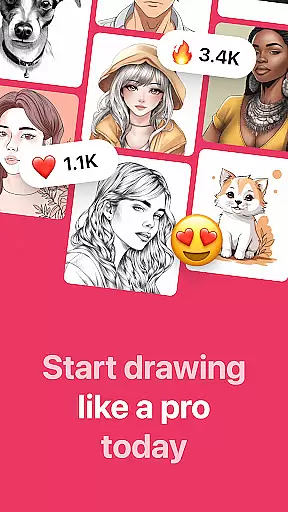
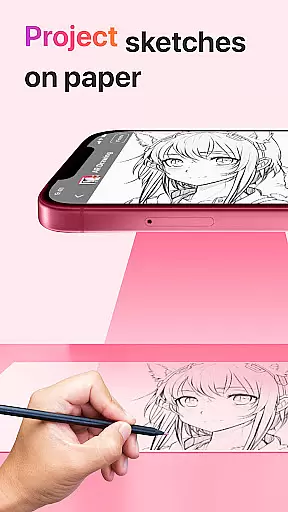
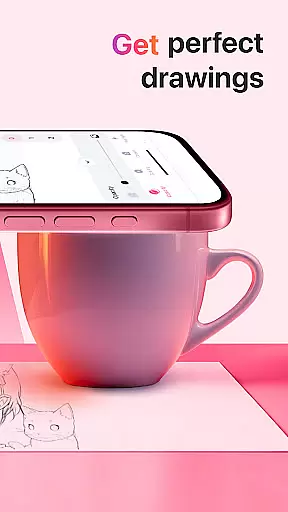
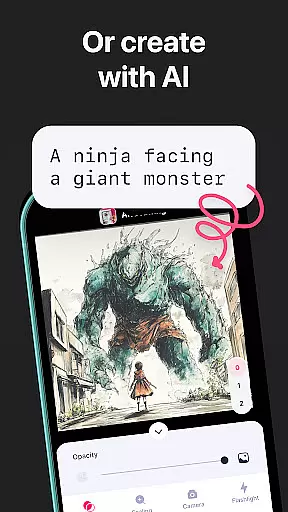
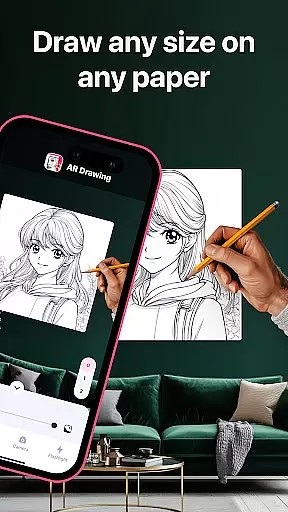
AR Drawing: Sketch & Paint is an innovative mobile application that utilizes augmented reality technology to assist users in learning how to draw and create impressive artworks. The app projects images onto paper or any surface, allowing users to trace and color them with ease. Whether you're a novice looking to learn drawing basics or an experienced artist wanting to refine your skills, this app caters to all levels.
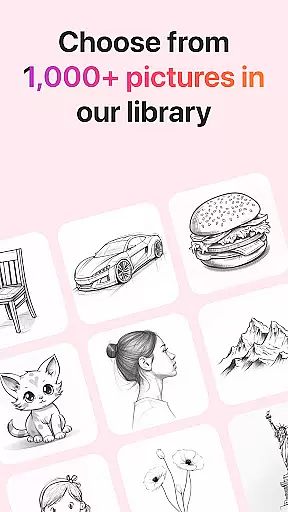
The core feature of AR Drawing is its ability to transform your smartphone into a powerful drawing tool using the phone's camera. It offers a wide variety of tracing templates including Animals, Cars, Nature, Food, Anime, and more. Additionally, it includes practical tools such as a built-in flashlight for better visibility and functionality to save drawings in a gallery. Users can also record their creative process and share their finished artwork with friends.
This app is particularly useful for those who prefer hands-on learning and enjoy combining traditional art techniques with modern technology. By providing an accessible platform for artistic expression, AR Drawing empowers users to unleash their creativity and explore new possibilities in art.
AR Drawing: Sketch & Paint stands out due to its rich set of features tailored for artists of all skill levels. One of the main highlights is the vast selection of tracing templates available within the app. These templates cover various categories such as Animals, Cars, Nature, Food, and Anime, ensuring there's something for everyone to practice and improve their drawing skills.
In addition to diverse templates, the app provides several practical tools to enhance the drawing experience. A built-in flashlight allows users to work comfortably even in low-light conditions. The app also supports saving completed drawings directly to a gallery, making it easy to organize and review past works. Furthermore, users can record videos of their drawing and painting sessions, capturing every step of their creative journey.
Another significant advantage of AR Drawing is its sharing capability. Artists can effortlessly share their creations on social media platforms or with friends, receiving feedback and showcasing their talent. This combination of versatile templates, practical utilities, and social sharing options makes AR Drawing a comprehensive tool for both learning and expressing artistic abilities.
AR Drawing: Sketch & Paint offers a comprehensive suite of creative tools that cater to both novice and experienced artists. The app provides various tracing templates, including Animals, Cars, Nature, Food, and Anime, which serve as a starting point for users who may not be confident in their drawing skills.
In addition to the extensive template library, the app includes a built-in flashlight feature, allowing users to draw in low-light conditions without any hassle. This ensures that the creative process is not interrupted by environmental constraints, thus enhancing user experience.
The ability to save drawings in a gallery within the app not only helps users to keep track of their artistic journey but also serves as a portfolio showcasing their progress over time. Moreover, the option to record videos of the drawing and painting process adds an educational aspect, enabling users to review their techniques or share their creative process with others.
One of the standout features of AR Drawing: Sketch & Paint is its canvas and format flexibility, which empowers users to create art on any surface using augmented reality technology. This innovative approach breaks free from the traditional digital canvas limitations, offering unprecedented freedom in art creation.
Users can leverage their phone cameras to project images onto paper or other surfaces, effectively turning the world around them into a potential canvas. This feature is particularly beneficial for those who prefer a tactile drawing experience but still want the guidance and convenience that digital tools provide.
Furthermore, the app supports sharing finished artworks with friends, which not only encourages a community-driven approach to art but also allows for diverse formats of art presentation beyond the confines of the app itself. Whether it's through social media or personal galleries, artists can display their work in varied and engaging ways.
User-friendly interface
Variety of templates
Built-in flashlight
Video recording feature
Social sharing options
Limited free content
Requires good lighting
Occasional bugs
Premium subscription needed
Learning curve for beginners

Vidu is an AI video generator made for creators and aspiring makers.
 3.30
3.30
Paint with oils and sketch with natural tools on a realistic virtual canvas.
3.80
Create color palette from Image, RGB & RYB Color wheel harmonies, Color Scheme
4.50
Castle is social media for creating and playing games!
4.60
Photo editor for art, avatars, filters & fun transformations.
4.60
Powerful home decoration & house design that allows you to design dream home.
3.80
Art of Combination Wear OS Watch faces (for Wear OS 5+ devices)
3.90
Create and Design Custom Logos in Seconds with AI-Powered Tools!
4.40
AI Tattoo Generator: Create Tattoo Designs & Get Ideas! Ink & Stencil Maker
4.50
Make your phone cooler and have a fantastic experience
4.80
Image resizer to resize, crop, rotate, flip, change dpi photo or picture in bulk
4.60
Draw anime & manga drawing, art with templates to create stunning picture!
4.50
Trace, draw, and create art with AR - from memes to masterpieces!
4.30
Bring One UI 8.5 Icons to life -elegant dark icons with a modern, premium touch.
4.30
Create Logos, Tattoos, AI Art & more with our AI Photo Generator & Design Editor
4.20
Get creative and make art with your Sesame Friends!
4.00
Design your dream room with AI. Get decor ideas & plan home interiors
3.90
Design unique, funny and adorable cat stickers that reflect your own style!
3.80
Art of Combination Wear OS Watch faces
4.1


User Reviews